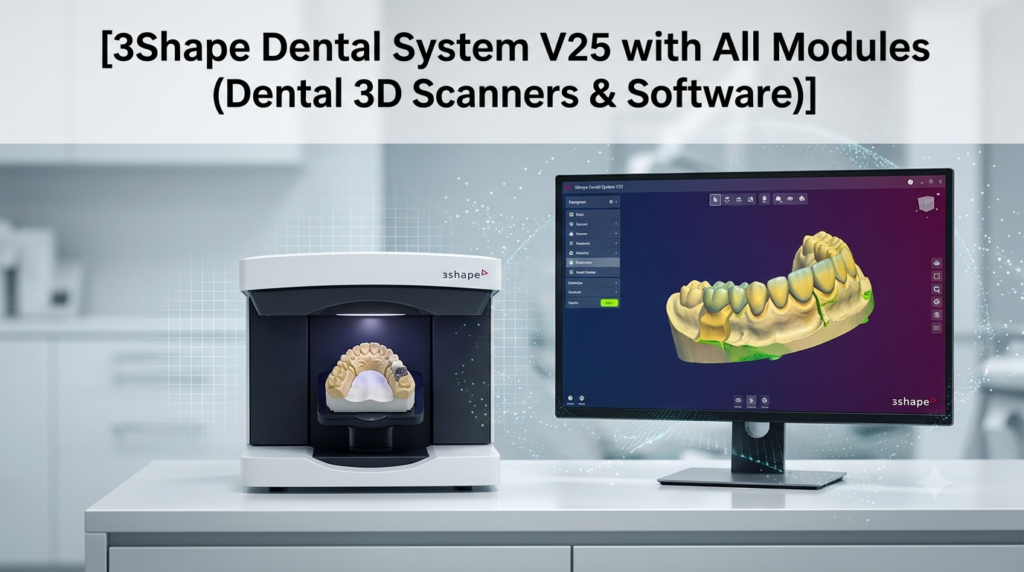


Overview of 3Shape Dental System V25
Table of Contents
3Shape Dental System V25 is the latest iteration of the industry-leading dental design software developed by 3Shape. It serves as a comprehensive CAD platform for dental laboratories, providing tools for designing a wide range of dental restorations, including crowns, bridges, implant abutments, and full-arch prosthetics. This version builds on the software’s reputation as a robust and reliable solution for dental professionals, integrating advanced artificial intelligence to enhance traditional workflows and address common challenges faced in daily lab operations.
The software is designed to integrate seamlessly with 3Shape’s ecosystem, including TRIOS intraoral scanners and 3Shape Lab Management Software (LMS). This integration creates an end-to-end digital workflow from case intake to final design delivery. Key to this ecosystem is 3Shape Unite, which centralizes communication and data management, streamlining the connection between labs and their referring dentists.
Key Features of Dental System V25
The 3Shape Dental System V25 is packed with features designed to boost productivity and design quality. Its core strength lies in its powerful CAD engine, which supports advanced design for various indications.
AI-Powered Design Proposals for Restorations
A standout feature of Dental System V25 is the integration of AI-powered design proposals. The software now offers free, AI-generated proposals for crowns, inlays, onlays, and bridges of up to four units. This feature allows users to bypass manual setups for these cases, receiving a high-quality initial design proposal that can be quickly reviewed and adjusted. This is a paradigm shift for labs, enabling them to handle routine cases more efficiently and free up time for complex work. Access to these AI proposals is a key benefit of a 3Shape LabCare subscription.
AI Bite Alignment
One of the most time-consuming issues in restorative dentistry is dealing with missing or inaccurate bite registrations. AI Bite Alignment in Dental System V25 is an innovative solution that automatically analyzes dental scans and aligns the upper and lower jaws in static occlusion based on anatomical norms, even when no bite scan is available. This feature saves significant time by eliminating the need for manual adjustments and provides a reliable starting point for the design process, reducing the risk of errors that can lead to remakes or adjustments later in the workflow.
AI-Assisted Design for Copy Dentures
The software also leverages AI for copy denture workflows. The AI automatically detects and draws margin lines based on tooth anatomy. This automation streamlines the process, significantly reducing the number of manual clicks and repetitive steps required to finalize the design of copy dentures. By automating the outlining process, technicians can work more efficiently and achieve more consistent results.
Enhanced Laboratory Management System (LMS) Integration
Version 2025 has deepened the integration between the Dental System and 3Shape LMS. This integration eliminates the need for double data entry, as case information is automatically synced between the two platforms. This improvement provides a more unified and less error-prone workflow for labs, improving overall case management and communication.
Streamlined Full-Arch Planning with Implant Studio
For complex full-arch restorations, the integration with 3Shape Implant Studio has been strengthened. Dentists and labs can plan surgical and restorative components in Implant Studio and seamlessly transfer that data to Dental System V25 for final design. This creates a fully digital, streamlined workflow for complex treatments like All-on-4 and screw-retained crowns, reducing the risk of data transfer errors.
Cloud License and Easier Upgrades
A significant change introduced with the 2024 version and continued in V25 is the Cloud License solution. This system ties licenses directly to a user’s 3Shape account, eliminating the need for a physical hardware dongle. It simplifies the upgrade process, as users can effortlessly access the latest features and improvements, reducing downtime and ensuring optimal performance.
What’s New in the Latest Version (2025)
Building upon a strong foundation, the 3Shape Dental System 2025 update focuses heavily on productivity and intelligence. The new features are not just incremental improvements but represent a shift towards AI-assisted design.
-
Free AI Design Proposals: The introduction of free AI design proposals for bridges, in addition to crowns, inlays, and onlays, is a key update designed to maximize lab productivity. This feature allows labs to process more cases efficiently, particularly during peak demand, without sacrificing quality.
-
AI-Powered Bite Alignment: This new tool is a direct response to a persistent industry challenge—inaccurate bite scans—and provides a fast, AI-driven solution that saves valuable chairside and lab time.
-
Streamlined Error Messaging: The user interface has been refined with an enhanced error messaging system. It reduces clicks and workflow interruptions, allowing technicians to work with fewer distractions and deliver reliable results more quickly.
-
Strengthened Integration: Closer integration with 3Shape LMS and Implant Studio creates a more fluid, end-to-end digital workflow, from the initial scan to the final design.
-
Enhanced Stability and Performance: The update focuses on stability, ensuring that the software runs smoothly even when handling complex cases and large data files. This reliability is essential for high-production labs.
System Requirements
To ensure optimal performance and stability, the PC running 3Shape Dental System V25 must meet specific hardware and software requirements. While detailed version-by-version specifications are best confirmed with a 3Shape reseller or official documentation, general guidance includes:
-
Operating System: Windows 10 (22H2 or higher) and Windows 11 are supported for 3Shape Unite and related applications. For server installations, Windows Server 2022 is compatible.
-
Processor (CPU): A powerful, multi-core processor (e.g., Intel Xeon or high-end Core i7/i9) is recommended for handling complex 3D calculations and multi-tasking.
-
Memory (RAM): At least 16 GB of RAM is typically the minimum, with 32 GB or more being recommended for larger cases and server-client setups to ensure smooth performance.
-
Graphics Card (GPU): A dedicated, high-performance graphics card (e.g., NVIDIA Quadro or GeForce series) with ample VRAM is essential for rendering 3D models without lag.
-
Storage: A fast Solid-State Drive (SSD) is crucial for quick loading times and overall system responsiveness.
-
Network: A stable, high-speed network connection is required for accessing cloud features, updates, and for server-client installations.
It is important to note that some older 3Shape lab scanners (like D-series models) are not compatible with Dental System 2025 and newer versions. Always consult a 3Shape reseller or the official 3Shape Partner Portal to verify hardware compatibility before upgrading.
Installation Guide
The installation process for 3Shape Dental System V25 is straightforward, with two primary options depending on the lab’s setup: Standard and Custom.
Standard Installation
This is a quick, hassle-free process suitable for most standalone systems. When initiated, the installer runs automatically, requiring only a few clicks to complete. It handles backup, material updates, and download in the background, making it ideal for users who prefer a default setup.
Custom Installation
This option provides more control and is essential for setting up a multi-PC environment. Within Custom Installation, users can choose between:
Standalone Installation:
Recommended for a single-computer setup (e.g., a scanner-PC). The software and order data are stored locally on that computer. This setup is simple and ideal for single-user labs.
Server-Client (Network Client) Installation:
Designed for labs with multiple workstations. This setup allows multiple PCs to work on a network, sharing orders, files, and subscriptions.
-
Server PC Installation: Install the software on the server PC (which will host the database and dongle, if used). During the Custom Installation, select Server Install.
-
Client PC Installation: After the Server installation is complete, a dedicated Client Installer will be available. Run this installer on each client PC and select Network Client, entering the hostname or IP address of the server PC. This allows multiple operators to work simultaneously.
How to Use 3Shape Dental System Software
The workflow in 3Shape Dental System is designed to be intuitive and efficient. A typical case follows a logical path from scan to final design. The new AI features integrate directly into these steps to save time.
Basic Workflow for Crown Design
-
Case Creation: The process typically starts with opening a case in 3Shape LMS or directly in Dental System. The software will guide you through entering the patient and prescription details.
-
Scan Data Import: Import intraoral scans (from TRIOS or compatible scanners) or model scans. The software automatically recognizes and organizes the scan data.
-
AI Bite Alignment: If a bite scan is missing or inaccurate, utilize the new AI Bite Alignment tool. It will automatically align the upper and lower arches based on anatomical norms, providing a reliable occlusion setup in seconds.
-
Design Proposal: Start the design process. With a LabCare subscription, you can use the free AI design proposal for a crown. The AI will generate a complete crown design in minutes.
-
Design Refinement: Manually adjust the AI design using the comprehensive CAD tools. You can modify the crown’s shape, occlusion, contacts, and margins to meet the specific clinical needs of the case. While tools for copy dentures can now automatically outline and detect margins, this step remains crucial for final fine-tuning.
-
Finalization and Export: Once the design is approved, the software finalizes it and prepares for export. The case data can be sent to a 3D printer or milling machine for manufacturing. The seamless integration with 3Shape’s ecosystem ensures the entire digital workflow is supported.
Best Use Cases for 3Shape Dental System V25
3Shape Dental System V25 is designed to handle a wide variety of dental lab tasks, but it excels in specific areas where its new features provide the most significant advantage.
High-Volume Laboratories
For labs processing a large number of single-unit crowns, inlays, and onlays, the free AI design proposals are transformative. They allow technicians to handle more cases per day by automating the initial design phase, effectively increasing lab capacity and profitability.
Complex Full-Arch Restorations
The enhanced integration with 3Shape Implant Studio makes V25 an excellent choice for labs involved in complex implant cases. The seamless transition from surgical planning to restorative design for treatments like All-on-4 provides precision and reduces the risk of errors.
Labs Using 3Shape Ecosystem
Dental System V25 is the optimal CAD solution for labs already using 3Shape TRIOS intraoral scanners and 3Shape LMS. The native integration creates a frictionless workflow where case information is automatically synced, eliminating double data entry and centralizing client communications through 3Shape Unite Cloud.
Copy Denture Production
The AI-assisted design features for copy dentures—specifically, the automatic detection and drawing of margin lines—streamline what can be a labor-intensive process, making it more efficient and consistent.
Advantages and Limitations
Understanding the strengths and potential constraints of any software is essential for making an informed decision.
Advantages
-
Increased Productivity with AI: The most significant advantage is the boost in efficiency from AI-powered design proposals and bite alignment, which greatly reduces time spent on repetitive tasks.
-
Reliability and Accuracy: AI tools help reduce human error, improving the reliability of initial designs and bite setups, which leads to better patient outcomes and fewer remakes.
-
Seamless Integration: The software’s deep integration with the 3Shape ecosystem (TRIOS, LMS, Implant Studio, Unite) provides a smooth and efficient end-to-end digital workflow.
-
Modern Licensing: The Cloud License option simplifies license management and updates, removing the inconvenience of physical dongles.
Limitations
-
Hardware Requirements: The advanced features require a powerful, up-to-date PC. Labs with older hardware may need to invest in upgrades to run the software smoothly.
-
Older Scanner Compatibility: Compatibility with older 3Shape scanners, especially D-series models, is not guaranteed for V25 and newer versions, potentially necessitating a hardware upgrade.
-
Access to Free AI Proposals: While a powerful benefit, the free AI design proposals are tied to a 3Shape LabCare subscription. Users without this subscription may not have access to the full set of AI design automation features.
-
AI Limitations: While powerful, the AI tools are not perfect. As noted, AI bite alignment is not available for cases such as quadrant scans and large edentulous areas, and all AI designs require user review and adjustment for clinical accuracy.
Alternatives to 3Shape Dental System V25
For labs evaluating their CAD options, several alternatives are available, each with its strengths. In the dental CAD landscape, 3Shape Dental System and its main competitor, exocad, are often compared for restorative design.
-
exocad: This is a major competitor to 3Shape, known for its flexibility and open-platform approach. exocad allows users to connect virtually any scanner or milling machine, offering a high degree of freedom. Its interface is powerful but sometimes considered to have a steeper learning curve compared to 3Shape’s more guided workflows. It is a strong alternative for labs that prioritize hardware flexibility.
-
Planmeca Romexis: This is a comprehensive software platform that includes CAD/CAM modules. It is a strong choice for labs heavily invested in the Planmeca hardware ecosystem, offering integrated scanning, design, and milling capabilities.
-
DENTSPLY Sirona (CEREC/inLab): This system is well-known for chairside and lab-side applications. It offers a streamlined workflow and is a natural choice for practices and labs using Sirona’s scanning and milling hardware.
Frequently Asked Questions
What are the system requirements for running 3Shape Dental System V25 smoothly?
The system requirements for 3Shape Dental System V25 include a powerful multi-core processor (Intel Xeon or Core i7/i9), a minimum of 16GB RAM (32GB recommended), and a dedicated graphics card (NVIDIA Quadro or GeForce). The software requires Windows 10 (22H2 or higher) or Windows 11, and a fast SSD is recommended for storage.
How does the AI bite alignment feature work in 3Shape Dental System 2025?
The AI bite alignment tool in 3Shape Dental System 2025 analyzes upper and lower jaw scans and automatically aligns them in static occlusion based on anatomical norms. It provides a reliable bite setup in seconds, even when the initial scan data is missing or inaccurate. Users can preview and adjust the result before proceeding with the design, saving significant manual adjustment time.
Is 3Shape Dental System V25 compatible with all 3Shape scanners?
No, 3Shape Dental System 2025 and later versions may not support some older 3Shape lab scanners, particularly D-series scanners. It’s important to review the compatibility information during the installation process or consult a 3Shape reseller for a full and up-to-date overview of supported scanners.
What are the main benefits of the Cloud License for 3Shape Dental System?
The Cloud License for 3Shape Dental System eliminates the need for a physical hardware dongle. It ties the license directly to your 3Shape account, simplifying the upgrade process and ensuring you always have access to the latest features. This reduces downtime and enhances overall workflow efficiency.
How does 3Shape Dental System V25 integrate with 3Shape Implant Studio?
3Shape Dental System V25 has strengthened integration with 3Shape Implant Studio, enabling a fully digital workflow for full-arch restorative planning. Restorative components planned in Implant Studio can be directly designed in Dental System V25, reducing the risk of data transfer errors and streamlining complex treatments like All-on-4 cases.
Is it possible to get a discount on upgrading to 3Shape Dental System 2025?
Yes, 3Shape offered a limited-time promotion to save 50% when upgrading to Dental System 2025 for users who are not on a LabCare subscription, valid until the end of 2026. Other upgrade offers, such as trade-up and trade-in promotions, may also be available. For the most current pricing and offers, it is best to contact a local 3Shape reseller.
Final Thoughts
3Shape Dental System V25 represents a significant milestone in dental CAD software. By integrating advanced AI tools that automate routine tasks like bite alignment and design proposals, it directly addresses the challenges of modern lab work—increasing productivity, enhancing accuracy, and allowing technicians to focus on complex, high-value cases. The seamless integration within the 3Shape ecosystem and the modernized Cloud License system make it a powerful and convenient choice for dental labs. While the investment in hardware and the LabCare subscription are factors to consider, the potential for improved efficiency and reduced turnaround times makes 3Shape Dental System V25 a compelling solution for labs looking to thrive in the digital age of dentistry.
Our Paid Service
“We do not sell or provide any software. We only offer professional support services. If any software on your system is not working properly, or you are facing installation errors, crashes, or any other technical issue — just contact us. We will help you fix the problem quickly and remotely via AnyDesk. No software will be provided from our side — only expert troubleshooting and support.”