
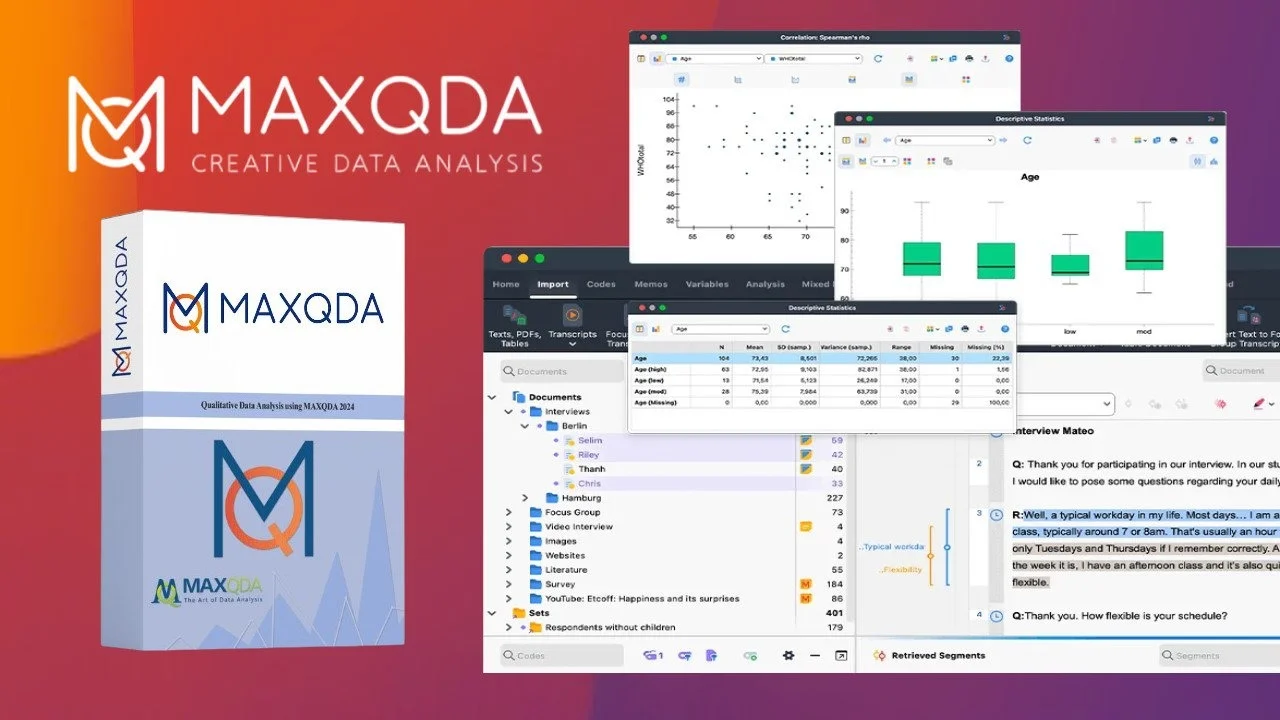
Overview of MAXQDA Analytics Pro 26.0.0
Table of Contents
MAXQDA Analytics Pro 26.0.0 is a premium software solution designed for qualitative, quantitative, and mixed-methods data analysis. Developed by VERBI Software, this version integrates the powerful Stats module for statistical analysis directly within the qualitative research workflow . It serves researchers across diverse fields including sociology, psychology, political science, public health, education, and market research. Unlike the standard MAXQDA version, MAXQDA Analytics Pro combines in-depth qualitative coding capabilities with descriptive and inferential statistics, allowing researchers to quantify their findings without switching between separate tools . This makes it a uniquely comprehensive platform for evidence-based research.
Key Features of MAXQDA Analytics Pro 26.0.0
The software is built on a foundation of robust qualitative analysis, extended by a suite of quantitative features. Key capabilities include:
Qualitative and Text Analysis Core
-
Advanced Coding: Systematically code text, images, audio, and video files using a flexible system of codes and subcodes.
-
Mixed-Methods Tools: Utilize tools like the new QTT (Questions – Themes – Theories) Worksheet introduced in version 26 for complex mixed-methods research .
-
Visual Tools: Visualize data relationships and model theories with a variety of chart and mapping functions.
-
Survey Analysis Workspace: A dedicated environment introduced in v26.0.0 for exploring and categorizing open-ended survey responses .
Quantitative and Statistical Module (MAXQDA Stats)
The key differentiator of the Analytics Pro version is the Stats module, which provides a comprehensive set of statistical functions :
-
Descriptive Statistics: Generate frequency tables and charts for variables and codes, and calculate mean, median, standard deviation, and variance .
-
Group Comparisons: Perform cross-tabulations and analysis of variance (ANOVA) and t-tests (including Shapiro-Wilk normality test and Cohen’s d, Hedges’ g effect sizes) to compare subgroups .
-
Correlation Analysis: Conduct Pearson’s r and Spearman’s Rho correlation analyses to explore relationships between variables .
-
Cluster Analysis: Group cases based on similar code frequencies and variable values using various distance measures and algorithms .
-
Scale and Recode Functions: Build new scales, calculate Cronbach’s α for reliability testing, and create or recode variables using mathematical operators and code frequencies .
-
Output Viewer: A centralized space to store and export all statistical results (tables and charts) for easy integration into reports and presentations .
What’s New in MAXQDA Analytics Pro 26.0.0
Version 26.0.0 represents a significant update from earlier versions and introduces new features to enhance mixed-methods research:
-
New Application: MAXQDA 26 is a new application, not just an update from MAXQDA 24 .
-
Survey Analysis Workspace: This new workspace is dedicated to exploring survey results, streamlining the process of working with open-ended survey data .
-
QTT Worksheet: A new tool expands the capabilities of the existing QTT (Questions – Themes – Theories) framework, providing a dedicated interface for structured mixed-methods analysis .
-
Automatic Settings Transfer: When upgrading from a previous version (v24 or earlier), MAXQDA 26 automatically transfers your program settings, window layouts, and license information, ensuring a smooth transition .
System Requirements for MAXQDA Analytics Pro 26.0.0
To ensure optimal performance, your system should meet the following requirements:
Windows:
-
Operating System: Windows 7 (64-bit), 8, 8.1, or 10 (64-bit) .
-
Processor: 2 cores with 1.3 GHz each minimum; 4 or more cores at 2 GHz recommended .
-
RAM: 2 GB minimum; 4 GB or more recommended .
-
Display: 1024 x 768 or higher resolution .
-
Microsoft Office / .NET: Microsoft Word 2003 or newer required to import .doc or .odt documents. .NET 3.5 or newer is also required and will be automatically installed if missing .
macOS:
-
Operating System: macOS 10.14 (Mojave) or higher .
-
Architecture: Universal binary, supports both Intel and Apple Silicon (ARM) Macs .
Installation Guide for MAXQDA Analytics Pro 26.0.0
Downloading and installing MAXQDA Analytics Pro 26.0.0 is a straightforward process:
-
Download the Installer: Visit the official MAXQDA download page to obtain the installation file for your operating system (Windows or macOS) .
-
Run the Installer: Locate the downloaded file and run it. You will need administrator rights on your PC .
-
Follow the Setup Wizard: The installation wizard will guide you through the process. Accept the license agreement and privacy policy. In most cases, you can simply click “Next” and then “Install” to proceed with the default settings .
-
Complete Installation: Once the installation is finished, you can choose to launch MAXQDA immediately. If you are using a network license, ensure your VPN connection is active before starting the program for the first time .
-
Activate License: Upon first launch, MAXQDA will recognize your license (single-user, subscription, or network) automatically. For a network license, you will be prompted to connect to the license server .
How to Use MAXQDA Analytics Pro 26.0.0
The workflow in MAXQDA Analytics Pro generally follows a structured, research-focused process:
-
Create or Import a Project: Start a new project by importing your data, which can include text documents, PDFs, images, audio/video files, and datasets from Excel or SPSS .
-
Qualitative Coding: Begin analyzing your text and multimedia data by creating a coding system. Drag and drop codes onto specific passages in your documents to categorize and tag your data.
-
Work with the Survey Analysis Workspace: For survey data, use the dedicated workspace to categorize responses to open-ended questions .
-
Quantify Your Data: The next step is to bring your analysis into the Stats module. You can launch MAXQDA Stats by clicking the “Analyze in Stats” button in the Survey Analysis workspace or from the main menu .
-
Perform Statistical Analysis: In Stats, you can run various analyses :
-
Frequency Tables: Generate frequency tables for variables and codes to see distributions .
-
Descriptive Statistics: Calculate measures like mean, median, and standard deviation.
-
Correlation: Examine relationships between variables.
-
Group Comparisons: Use t-tests or ANOVA to compare different groups .
-
Cluster Analysis: Identify patterns and groupings in your data .
-
-
Interpret and Report: Use the integrated Output Viewer to collect your results. All tables and charts can be easily exported and copied directly into your research reports and presentations .
Best Use Cases for MAXQDA Analytics Pro
MAXQDA Analytics Pro is a versatile tool that excels in a variety of research scenarios where both qualitative depth and quantitative breadth are needed.
Academic Research
It is widely used in universities and research institutes for a range of studies. For instance, researchers in sociology, political science, and public health use it to analyze interview transcripts, survey data, and focus group discussions. One study utilizing thematic analysis employed MAXQDA Analytics Pro 26 to examine the data . The software is perfect for master’s and doctoral theses where both descriptive statistics and in-depth qualitative inquiry are required.
Mixed-Methods Projects
This is the primary use case for the Analytics Pro version. It is ideal for mixed-methods research designs that integrate qualitative and quantitative data collection . A researcher can code interview transcripts (qualitative) and then use the Stats module to run correlations between those codes and demographic variables (quantitative) to discover nuanced patterns.
Public Health and Market Research
In these fields, data often comes from large-scale surveys with open-ended questions. Researchers can categorize these responses and then perform quantitative analyses to see how categories are distributed across different populations or demographics . The ANOVA and cluster analysis features are powerful for segmentation and understanding complex behaviors.
Advantages and Limitations of MAXQDA Analytics Pro
Advantages:
-
Integrated Mixed-Methods Workflow: Seamlessly bridges qualitative and quantitative analysis within a single platform, eliminating the need to switch between different software tools .
-
Comprehensive Tools: Offers everything from basic qualitative coding to advanced statistical functions like cluster analysis and ANOVA, making it suitable for a wide range of research projects .
-
User-Friendly Output: The Output Viewer and the ability to transfer results directly into reports significantly streamlines the writing process .
-
Strong Data Compatibility: Easily imports data from common formats like Excel and SPSS .
Limitations:
-
Cost: The Analytics Pro version is a premium product. An academic 12-month subscription is roughly $250 (€230), with business licenses costing more. Add-ons like AI Assist or TeamCloud increase this cost further .
-
Learning Curve: While designed for usability, mastering the integration of qualitative and statistical workflows can be challenging for new users.
-
No Free Version: MAXQDA does not offer a free license, though a 14-day free trial is available .
Alternatives to MAXQDA Analytics Pro 26.0.0
Depending on your budget, technical skill, and specific research needs, several alternatives offer distinct advantages and trade-offs. For those seeking advanced AI features, tools like Skimle are emerging as a different category, offering automated thematic analysis and transparency at a lower cost .
Free and Open-Source Alternatives
-
Taguette: A simple, free, and open-source tool that is excellent for essential text coding. It’s compatible with all operating systems but lacks statistical modules and multimedia analysis capabilities .
-
QualCoder: A powerful free alternative that supports text, images, audio, and video. It includes advanced reports and graph visualizations but has a steeper learning curve and requires more technical setup (Python/database knowledge) .
-
QDA Miner Lite: A free, reliable version of a top-tier commercial tool for Windows users. It offers basic coding of documents and images and integrates well with SPSS and Excel but lacks advanced retrieval and AI features .
-
OpenQDA: An emerging, free, open-source, and web-based option designed to be GDPR-compliant and collaborative. Still in early alpha, it supports qualitative coding and REFI-QDA exchange but may not yet be as feature-rich as MAXQDA .
Other Commercial Alternatives
-
Quirkos: A commercial tool known for its simple, visual interface and straightforward approach to qualitative coding. It is more affordable than MAXQDA for small projects but lacks statistics and AI features .
-
Dedoose: A cloud-based platform that is strong for mixed-methods research and collaboration. It includes features like inter-rater reliability but has no integrated AI capabilities .
Frequently Asked Questions
What is the difference between MAXQDA and MAXQDA Analytics Pro?
The primary difference is the inclusion of the Stats module in MAXQDA Analytics Pro. While the standard MAXQDA is focused on qualitative analysis (coding text, images, video), Analytics Pro adds a comprehensive suite of statistical analysis tools (descriptive stats, t-tests, ANOVA, correlation, cluster analysis) that can be applied directly to qualitative codes and imported quantitative data .
How do I know if I have MAXQDA Analytics Pro?
You can verify your license by opening MAXQDA. If you have MAXQDA Analytics Pro, a Stats tab will be visible in the main menu ribbon of the software .
Can I upgrade to version 26.0.0 from an earlier version?
Yes, MAXQDA 26.0.0 is a new application and requires a download and installation, not just a patch. When you first launch the new version, it will automatically transfer your settings and license information from MAXQDA 24 or earlier .
Is there a free trial for MAXQDA Analytics Pro?
Yes, a 14-day free trial is available, allowing you to test all the features of the software, including the Stats module, before purchasing a license .
What file formats can I import into MAXQDA Stats?
You can analyze data directly from your MAXQDA project. You can also import and work with datasets from standard statistical software, including Excel (.xlsx) and SPSS (.sav) files .
Are there cheaper alternatives to MAXQDA Analytics Pro?
Yes, several alternatives exist. For free text coding, Taguette and QualCoder are good options . For a cloud-based mixed-methods tool, Dedoose is a cheaper alternative. For simpler, more affordable coding software, Quirkos is an option . Emerging AI-native tools like Skimle also offer a different approach, which can be more cost-effective and faster .
What are the system requirements for MAXQDA Analytics Pro 26.0.0?
For Windows, you need Windows 7 (64-bit) or newer, a dual-core processor, and at least 2 GB of RAM (4 GB recommended). For macOS, you need macOS 10.14 (Mojave) or higher. The Mac version supports both Intel and Apple Silicon (M1/M2) chips .
Final Thoughts
MAXQDA Analytics Pro 26.0.0 stands as a powerhouse for researchers who require a comprehensive, integrated solution for mixed-methods research. Its strength lies in its ability to combine the richness of qualitative analysis with the rigor of statistical validation, all within a single, coherent workflow . The new features introduced in version 26, such as the Survey Analysis Workspace and QTT Worksheet, further solidify its position as a cutting-edge tool for academic and professional researchers alike .
While the cost and learning curve may be significant, the investment is justified for projects that demand a deep, evidence-based, and nuanced understanding of complex data. For those with more limited budgets or simpler research needs, the numerous free alternatives offer viable paths. Ultimately, the choice depends on the specific requirements of your research project, the depth of analysis you need, and your budget.
Our Paid Service