
Overview of Trellix Endpoint Security (ENS) 10.7.20
Table of Contents
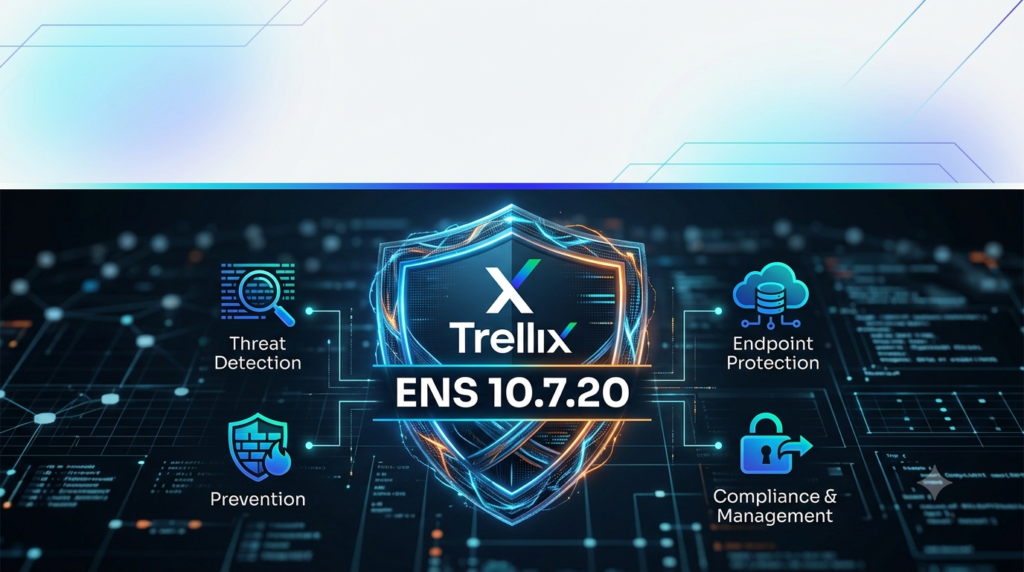
Trellix Endpoint Security (ENS) is a comprehensive security solution designed to protect endpoints across diverse network environments, from small businesses to large enterprises . The platform builds upon the legacy of McAfee Endpoint Security, incorporating advanced machine learning capabilities and a modular architecture that allows organizations to deploy only the protection components they need .
ENS 10.7.20 is managed centrally through the ePolicy Orchestrator (ePO) console, which provides administrators with a unified dashboard for policy management, threat monitoring, and software deployment across thousands of endpoints . The platform supports Windows, macOS, and Linux operating systems, with tailored protection modules for each environment .
Key Features
1. ML Protect: Machine Learning Threat Detection
ENS leverages machine learning classification to detect threats in real time. The ML Protect engine continuously evolves to identify emerging attack patterns and can restore endpoints to their last known good state, preventing infections and reducing administrative overhead .
2. Adaptive Threat Prevention
The platform includes adaptive scanning technology that intelligently skips trusted processes while prioritizing suspicious applications during scans. This approach balances robust security with optimal system performance .
3. Web Control
ENS provides comprehensive web protection and filtering capabilities, ensuring secure browsing across all managed endpoints . Administrators can enforce policies that restrict access to malicious or non-compliant websites.
4. Firewall and Network Attack Prevention
The integrated firewall utilizes Global Threat Intelligence (GTI) reputation scoring to protect endpoints against botnets, DDoS attacks, advanced persistent threats, and suspicious network connections . During system startup, the firewall restricts traffic to outbound-only connections, safeguarding endpoints when they are not connected to the corporate network.
5. Modular Architecture
ENS is composed of several modules that organizations can deploy on an as-needed basis :
-
Threat Prevention: Core anti-malware and virus protection engine
-
Firewall: Network-level protection and traffic filtering
-
Web Control: Internet usage and content filtering
-
Adaptive Threat Protection: Real-time behavioral monitoring and advanced threat detection
6. ePolicy Orchestrator Management
The ePO console serves as the central management interface, offering access to dashboards, reporting, policy management, automation, software deployment, and system administration. It also integrates with additional components like DLP, Mobile Security, Insights Threat Intelligence, and EDR .
What’s New in ENS 10.7.20
Enhanced Linux Protection
ENS 10.7.20 introduces dedicated Linux firewall and threat prevention modules, extending comprehensive protection to Linux-based endpoints and servers . This expansion addresses the growing need for endpoint security in heterogeneous enterprise environments where Linux systems play a critical role.
macOS Module Expansion
The release includes specialized modules for macOS, including Adaptive Threat Protection, Firewall, Threat Prevention, and Web Control, ensuring consistent protection across the organization regardless of the endpoint operating system .
Improved Deployment Flexibility
Organizations can now deploy ENS through multiple channels:
-
Cloud-based deployment
-
On-premises installation
-
Amazon-hosted management options
Streamlined Upgrading Process
The 10.7.20 release includes improved client task capabilities in ePO, enabling phased deployments through tag-based system identification and more granular control over the update process .
System Requirements
Management Console Requirements
-
ePolicy Orchestrator: Version 5.10.x or later
-
Browser: Modern web browsers with JavaScript support
-
Network: Connectivity between ePO server and managed endpoints
Windows Endpoints
-
Operating Systems: Windows 10, Windows 11, Windows Server 2016 and later
-
Memory: Minimum 4GB RAM (8GB recommended)
-
Disk Space: Minimum 2GB available
macOS Endpoints
-
Operating Systems: macOS 11 (Big Sur) and later
-
Memory: Minimum 4GB RAM
-
Disk Space: Minimum 1GB available
Linux Endpoints
-
Distributions: RHEL, CentOS, Ubuntu, SUSE (specific versions vary)
-
Memory: Minimum 4GB RAM
-
Disk Space: Minimum 1GB available
Installation Guide
Prerequisites
-
Valid Trellix license and ePO access credentials
-
Network connectivity between endpoints and ePO server
-
Firewall exceptions for Trellix communication ports
ePO-Based Deployment (Recommended)
Step 1: Access the ePO Console
Sign in to the Trellix ePO management console at the designated URL for your organization .
Step 2: Navigate to Product Deployment
Select “Product Deployment” from the main menu, then choose “Advanced Product Deployment” under the advanced options section .
Step 3: Create a New Deployment Package
-
Click “New Deployment” and enter a descriptive name for the deployment package
-
Select “Endpoint Security Adaptive Threat Protection 10.7.20” as the package
-
Check the “Install” action
-
Optionally add additional packages using “Add Another Package”
Step 4: Select Target Systems
Choose “Individual Systems” and select the endpoints where ENS 10.7.20 should be installed .
Step 5: Save and Execute
Click “Save” to initiate the deployment. The installation will proceed according to the ePO schedule. To expedite deployment on specific endpoints, right-click the Trellix system tray icon and select “Check for New Policies” .
Standalone Installation (Small Deployments)
For individual or small-scale deployments, download the standalone client installer. For self-contained installations, use the Standalone_Client_Install_Ens.zip package, which includes all necessary components in a single installation bundle .
Module-Specific Installation
Organizations requiring only specific protection modules can install them individually :
Windows Modules:
-
Endpoint Security Firewall
-
Endpoint Security Platform
-
Endpoint Security Threat Prevention
-
Endpoint Security Web Control
macOS Modules:
-
Adaptive Threat Protection for Mac
-
Firewall for Mac
-
Threat Prevention for Mac
-
Web Control for Mac
Linux Modules:
-
Trellix Endpoint Security for Linux Firewall
-
Trellix Endpoint Security for Linux Threat Prevention
How to Use Trellix Endpoint Security
Accessing the Endpoint Client Interface
After installation, the Trellix icon appears in the system tray (Windows) or menu bar (macOS). Right-clicking or clicking the icon provides access to:
-
Status Monitor: View current protection status and policy updates
-
Check for Policy Updates: Manually trigger policy synchronization with ePO
-
Client Version Information: Verify installed components and versions
Managing Protection Modules
For Windows Users
The ENS client shows installed components through the system tray interface. Administrators can verify installed modules by navigating to Windows “Programs and Features” in Control Panel .
For macOS Users
Installed components appear in the Application folder and can be verified through System Preferences.
For Linux Users
Modules operate as background services; administrators can check their status using system service management commands.
Policy Enforcement
Security policies are centrally managed through the ePO console. Endpoints automatically synchronize with ePO to receive:
-
Updated threat definitions
-
Policy configuration changes
-
Firewall rule updates
-
Web control exemptions
Performance Optimization
To ensure optimal performance, IT administrators should:
-
Exclude trusted directories from real-time scanning
-
Configure scan schedules for off-peak hours
-
Exclude trusted processes from read-scan operations
-
Customize scan profiles based on system role (workstation vs. server)
Best Use Cases
Large Enterprise Deployment
Organizations with thousands of endpoints across multiple locations benefit from the ePO console’s centralized management capabilities. Administrators can deploy ENS modules progressively, starting with workstations before rolling out to servers .
Implementation Strategy:
-
Deploy to a test group using tag-based system identification
-
Monitor for one week to identify potential issues
-
Gradually roll out to remaining workstations
-
Deploy to servers after workstation deployment is verified
Hybrid Cloud Environments
For organizations with on-premises and cloud infrastructure, ENS supports Amazon-hosted management options, enabling consistent protection policies across physical, virtual, and cloud-based endpoints .
Multi-Platform Organizations
Companies using Windows, macOS, and Linux systems can deploy the appropriate modules for each platform while maintaining a single management interface through ePO .
Regulated Industries
Financial services, healthcare, and government organizations benefit from ENS’s integrated compliance reporting and DLP integration capabilities, facilitating adherence to regulatory requirements .
Advantages and Limitations
Advantages
Centralized Management: The ePO console provides a single pane of glass for managing security across thousands of endpoints .
Modular Architecture: Organizations can deploy only the protection components they need, reducing resource consumption .
Advanced Threat Protection: Machine learning and behavioral analysis provide protection beyond signature-based detection .
Cross-Platform Support: Consistent protection across Windows, macOS, and Linux environments .
Flexible Deployment: Multiple deployment options accommodate diverse organizational needs .
Limitations
Administrative Complexity: Comprehensive features require trained administrators to manage effectively.
Resource Usage: Proper configuration of scanning schedules and exclusions is essential to maintain endpoint performance .
Licensing Constraints: Organizations must manage license counts carefully during PC replacements or when deploying to new endpoints .
Alternatives to Trellix Endpoint Security
Microsoft Defender for Endpoint
Platforms: Windows, macOS, Linux
Key Differentiator: Native integration with Windows ecosystems and Microsoft 365.
Best For: Organizations heavily invested in Microsoft products seeking integrated security.
CrowdStrike Falcon
Platforms: Windows, macOS, Linux
Key Differentiator: Cloud-native architecture with lightweight agent and exceptional threat intelligence.
Best For: Organizations preferring cloud-based endpoint protection with minimal on-premises infrastructure.
SentinelOne Singularity
Platforms: Windows, macOS, Linux
Key Differentiator: Strong autonomous threat response capabilities with Storyline technology.
Best For: Organizations prioritizing automated threat remediation and XDR integration.
Trend Micro Apex One
Platforms: Windows, macOS
Key Differentiator: Comprehensive threat protection with integrated vulnerability management.
Best For: Organizations requiring integrated security and vulnerability assessment.
Frequently Asked Questions
Q1: What is Trellix Endpoint Security ENS 10.7.20?
Trellix Endpoint Security ENS 10.7.20 is an enterprise-grade endpoint protection platform that provides threat prevention, firewall, and web control capabilities through a centralized ePolicy Orchestrator management console, supporting Windows, macOS, and Linux endpoints .
Q2: How do I install Trellix Endpoint Security 10.7.20?
Installation can be performed through the ePolicy Orchestrator console by creating a product deployment package and selecting target systems, or by using the standalone client installer for smaller deployments .
Q3: What modules are included in ENS 10.7.20?
ENS 10.7.20 includes Threat Prevention, Firewall, Web Control, and Adaptive Threat Protection modules, with platform-specific versions available for Windows, macOS, and Linux operating systems .
Q4: Which operating systems does Trellix ENS 10.7.20 support?
ENS 10.7.20 supports Windows 10 and later, Windows Server 2016 and later, macOS 11 and later, and major Linux distributions including RHEL, CentOS, Ubuntu, and SUSE .
Q5: How do I update Trellix Endpoint Security to version 10.7.20?
Updates are managed through ePO by downloading the latest extensions and packages, creating a client task assignment, and deploying to endpoints using tag-based system identification. A phased approach starting with test systems is recommended .
Q6: What is the ePolicy Orchestrator and why is it important?
ePolicy Orchestrator (ePO) is the central management console for Trellix products, providing administrators with tools for policy creation, compliance reporting, software deployment, and threat monitoring across all managed endpoints .
Q7: Can I install only specific ENS modules instead of the full package?
Yes, ENS offers a modular architecture that allows organizations to deploy only the protection components they need. Available modules include Threat Prevention, Firewall, Web Control, and Adaptive Threat Protection .
Q8: What is ML Protect in Trellix Endpoint Security?
ML Protect is Trellix’s machine learning-powered threat detection engine that analyzes file behavior and attributes in real-time to identify and block emerging threats before they can cause damage .
Final Thoughts
Trellix Endpoint Security ENS 10.7.20 delivers a robust, enterprise-ready security solution that combines comprehensive protection with deployment flexibility. The platform’s modular architecture, centralized ePO management, and support for multiple operating systems make it a strong choice for organizations seeking unified endpoint security across diverse environments.
The 10.7.20 release demonstrates Trellix’s commitment to evolving its protection capabilities, particularly in the Linux and macOS spaces, while maintaining the management features that enterprise security teams require. Organizations considering ENS should evaluate their specific needs regarding endpoint diversity, management preferences, and integration requirements to determine if this solution aligns with their security strategy.
For successful implementation, organizations should leverage the phased deployment approach using ePO tags, monitor performance with appropriate exclusions, and take advantage of the ML Protect engine’s capabilities to enhance their defensive posture against evolving threats.
Our Paid Service
“We do not sell or provide any software. We only offer professional support services. If any software on your system is not working properly, or you are facing installation errors, crashes, or any other technical issue — just contact us. We will help you fix the problem quickly and remotely via AnyDesk. No software will be provided from our side — only expert troubleshooting and support.”