
Overview of K-Réa v5.0.12
Table of Contents
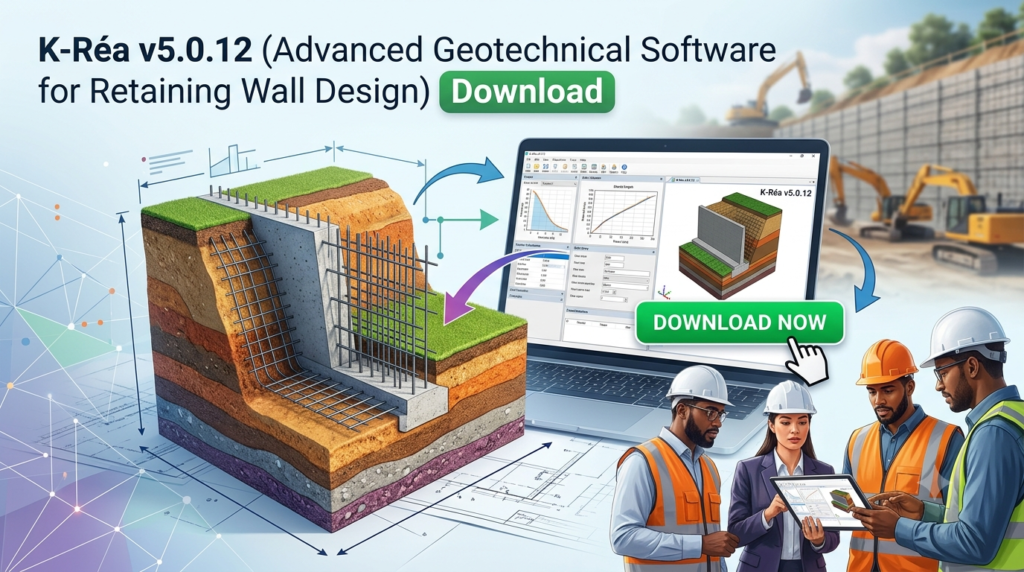
K-Réa is a specialized geotechnical software solution developed by Terrasol for the analysis and design of retaining walls using the subgrade reaction coefficient method (also known as the reaction coefficient method) . This advanced geotechnical engineering software supports a wide range of retaining wall types, including diaphragm walls, secant pile walls, Berlin walls, sheet pile walls, combiwalls, and composite walls .
The software employs sophisticated soil-structure interaction models to provide accurate geotechnical analysis for construction projects. K-Réa accounts for construction phasing, soil nonlinear behavior, anchor system effects, and complex loading scenarios, making it an essential tool for geotechnical engineers, civil engineering professionals, and structural designers . The current version, K-Réa v5.0.12, represents a significant evolution from previous versions, incorporating enhanced features for improved design workflows and compliance with modern engineering standards.
Key Features of K-Réa v5.0.12
K-Réa offers a comprehensive suite of features designed to streamline retaining wall design and analysis. Below are the core functionalities that make this geotechnical software a preferred choice for professionals in the field.
Advanced Calculation Engine
K-Réa utilizes a robust calculation engine based on a finite element formulation of the static equilibrium of the wall . This engine provides reliable and accurate analysis for serviceability limit states (SLS) and ultimate limit states (ULS), with safety formalisms derived from Eurocode 7 .
Comprehensive Soil Modeling
The software allows users to define detailed soil and wall properties, including:
-
Geometrical and geotechnical properties of soil layers
-
Groundwater level settings for each layer
-
Subgrade reaction coefficient calculation using various methods
-
Calculation of active and passive earth pressure coefficients using Rankine, Coulomb, or Kérisel and Absi methods
Construction Phasing and Loading
K-Réa enables detailed modeling of construction sequences:
-
Wall installation and excavation phases
-
Anchor installation and prestressing
-
Surcharge applications (Caquot, Boussinesq, Graux)
-
Water level changes and hydraulic gradients
-
Backfilling and earthworks operations
Script Mode and Phasing Tree Structure
Version 5 introduces two powerful features that significantly enhance workflow efficiency:
Script Mode: This interface allows users to modify or completely define a K-Réa project through a series of commands. The automatic script generation mode simplifies use and understanding, while parameters with default values are not mandatory, reducing required text input .
Phasing Tree Structure: This feature enables modeling of complex phasing scenarios, including multiple loading situations or construction scenarios. Users can compare several phasing variants within the same project to identify the most optimal approach .
ULS Verifications (Eurocode 7 Compliance)
K-Réa v5 incorporates comprehensive ULS verifications according to Eurocode 7 and the NF P 94-282 French application standard :
-
MEL / MISS-K models with ULS force calculations
-
Verification of passive pressure failure
-
Evaluation of vertical force balance
-
Verification of anchor block stability using the simplified Kranz method (including for multiple anchor levels)
Two Interacting Walls Module
An additional module enables modeling of two interacting walls through tie rods or struts. This feature is particularly valuable when symmetry conditions are not guaranteed, allowing for accurate analysis of complex structures .
Direct Interoperability
K-Réa offers direct interfaces with complementary software:
-
Talren: For importing active/passive pressure diagrams in complex situations
-
Scage: For structural verifications
Automatic Seismic Analysis
The software automatically handles seismic analysis, taking into account dynamic increments of active and passive pressure, ensuring compliance with seismic design requirements .
What’s New in K-Réa v5.0.12
K-Réa v5.0.12 builds upon the significant improvements introduced in version 5, which represented a major evolution of the software. Key updates include:
Enhanced Script Mode Capabilities
The script mode interface has been refined to improve usability and efficiency. The automatic script generation mode makes it easier to create, modify, and manage project files through command sequences, reducing manual input requirements .
Advanced Phasing Tree Structure
The phasing tree structure introduced in v5 provides enhanced capabilities for handling complex construction phasing scenarios. This feature enables engineers to model multiple loading situations and construction scenarios within a single project, with improved comparison tools for identifying optimal phasing strategies .
Expanded Interoperability
The direct gateways with Talren and Scage have been enhanced in v5.0.12, improving the seamless transfer of pressure diagrams and structural verification data between software platforms .
Updated Verification Methods
Recent updates have included modifications to partial coefficients during phasing and adjustments to seismic action calculations, ensuring continued compliance with evolving standards .
Improved Graphical Interface
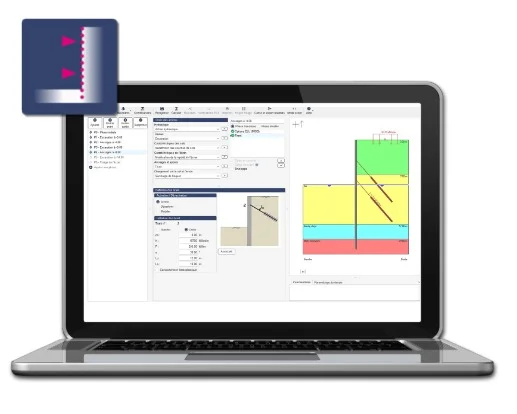
The Windows-based interface has been refined to provide a more user-friendly experience, with schematic display of each construction phase for easy data checking and result validation .
System Requirements
Before installing K-Réa v5.0.12, ensure your system meets the following minimum requirements :
Hardware Requirements
| Component | Minimum Specification |
|---|---|
| Processor | 1.5 GHz or faster, at least 2 cores |
| RAM | 8 GB |
| Display Resolution | 1366 x 768 |
| Storage | 1 GB available disk space |
| Port | USB port |
Operating System
-
Windows 10 (32-bit or 64-bit)
-
Windows 11 (32-bit or 64-bit)
Installation Guide
Follow these steps to install K-Réa v5.0.12 on your system:
Step 1: System Preparation
-
Verify that your system meets the minimum requirements listed above
-
Ensure you have administrative privileges on your computer
-
Close all other applications to avoid installation conflicts
Step 2: Obtain Installation Files
-
Access the K-Réa installation files from the official Terrasol distribution channel
-
If using a physical media (USB drive), insert it into your computer
-
If downloading, ensure the file is from an authorized source
Step 3: Run the Installer
-
Navigate to the installation file (usually
Setup.exeor similar) -
Right-click and select “Run as Administrator”
-
Follow the on-screen instructions in the setup wizard
Step 4: Installation Options
-
Select the installation directory (default location recommended)
-
Choose installation components (complete installation recommended for full functionality)
-
Accept the license agreement when prompted
Step 5: License Activation
-
After installation, launch K-Réa v5.0.12
-
Enter your license key or connect to the license server as provided by Terrasol
-
Complete the activation process according to your licensing agreement
Step 6: Initial Setup
-
Configure units and project settings according to your preferences
-
Set up default calculation options (number of iterations, steps, etc.)
-
Select output options for results display and reporting
How to Use the Software
Getting Started with a New Project
Step 1: Define General Project Options
-
Set units (MN, kN, or tons)
-
Configure water weight and vertical axis orientation
-
Define calculation parameters and output options
Step 2: Input Soil and Wall Properties
-
Define soil layers with geotechnical parameters
-
Set groundwater levels
-
Configure subgrade reaction coefficients using available wizards
-
Specify wall type and properties (diaphragm wall, sheet-pile wall, etc.)
-
Calculate product of inertia using built-in wizards
Step 3: Establish Construction Phases
-
Define excavation sequences
-
Install sheeting and support systems
-
Apply surcharges (Caquot, Boussinesq, Graux)
-
Install anchors with specified prestress forces
-
Model backfilling and water level changes
Step 4: Run Calculations
-
Perform SLS and ULS calculations according to Eurocode 7 requirements
-
Verify passive pressure failure using MEL/MISS-K models
-
Evaluate vertical force balance
-
Check anchor block stability using the Kranz method
Step 5: Review and Export Results
-
Analyze displacements, moments, shear forces, and anchor reactions
-
Review earth and water pressure distributions
-
Generate verification reports for compliance documentation
-
Export data to Talren or Scage for further analysis
Using Script Mode
-
Access the script mode interface from the main menu
-
Generate automatic scripts for common workflows
-
Edit command sequences for custom project definitions
-
Save scripts for reuse across similar projects
Working with Phasing Tree Structure
-
Create multiple phasing variants within a single project
-
Define complex phasing scenarios with multiple loading situations
-
Compare and optimize different phasing strategies
-
Select the most efficient phasing approach for your project
Best Use Cases
Deep Excavation Support Design
K-Réa excels in analyzing deep excavation support systems where multiple construction phases and complex soil conditions exist. The software’s ability to model construction phasing makes it ideal for:
-
Urban excavation projects with adjacent structures
-
Deep basement construction in challenging soil conditions
-
Temporary and permanent retaining wall systems
Anchored Retaining Wall Analysis
The software is particularly valuable for projects involving anchored retaining walls:
-
Multiple anchor levels with varying prestress forces
-
Verification of anchor block stability using the Kranz method
-
Analysis of anchor interactions with soil and wall elements
Seismic Analysis and Compliance
K-Réa’s automatic seismic analysis capabilities make it suitable for:
-
Projects in seismic zones requiring specialized analysis
-
Compliance with Eurocode 8 seismic design requirements
-
Evaluation of dynamic pressure increments in active and passive conditions
Complex Construction Sequencing
The phasing tree structure enables analysis of:
-
Multi-stage construction projects with varying load conditions
-
Comparison of different construction methodologies
-
Optimization of construction sequences for efficiency and safety
Interacting Wall Systems
The two interacting walls module supports analysis of:
-
Double-wall systems connected by struts or tie rods
-
Asymmetric configurations where symmetry conditions are not guaranteed
-
Complex retaining structures with multiple support systems
Advantages and Limitations
Advantages
Comprehensive Geotechnical Analysis
-
Full support for Eurocode 7 and NF P 94-282 standards
-
Robust soil-structure interaction modeling using the reaction coefficient method
-
Advanced verification capabilities including passive pressure failure and anchor block stability
Flexible Construction Phasing
-
Detailed modeling of construction sequences and load applications
-
Phasing tree structure for handling complex scenarios
-
Comparison of multiple phasing variants within a single project
Enhanced Workflow Efficiency
-
Script mode for automated project creation and modification
-
Direct interoperability with Talren and Scage
-
User-friendly Windows interface with graphical visualization
Professional-Grade Results
-
Comprehensive output including displacement, moment, and force diagrams
-
Verification reports for regulatory compliance
-
Envelope curves for ultimate and serviceability limit states
Limitations
Specialized Application Scope
-
Primarily focused on retaining wall analysis using the reaction coefficient method
-
May require complementary software for detailed structural design
-
Specific to geotechnical engineering applications
Technical Expertise Required
-
Requires knowledge of geotechnical engineering principles and Eurocode 7
-
Advanced features (script mode, phasing tree) may require learning curve
-
Proper interpretation of results demands geotechnical expertise
System Requirements
-
Windows-based platform only
-
Minimum hardware specifications may require upgrades for older systems
Alternatives to K-Réa
PLAXIS
PLAXIS is a comprehensive finite element software suite for geotechnical analysis offering broader applications including:
-
2D and 3D finite element modeling
-
Advanced constitutive models for soil behavior
-
Broader application scope beyond retaining walls
RISA Foundation
RISA Foundation provides integrated retaining wall analysis with:
-
AASHTO LRFD and other design code support
-
Complete wall, footing, and foundation design
-
Integration with other RISA structural software products
Advance Design
Advance Design offers comprehensive structural design with:
-
Retaining wall analysis and design capabilities
-
Broader structural engineering application scope
-
Integrated BIM workflows
Midas GTS NX
Midas GTS NX is another geotechnical analysis software providing:
-
Comprehensive geotechnical finite element analysis
-
Support for various retaining wall types
-
Advanced modeling capabilities
Comparison with Alternatives
| Feature | K-Réa v5.0.12 | PLAXIS | RISA Foundation | Midas GTS NX |
|---|---|---|---|---|
| Primary Focus | Retaining walls | General geotech | Retaining walls | General geotech |
| Method | Reaction coefficient | FEM | Multiple methods | FEM |
| Eurocode 7 Support | ✅ Full | ✅ Yes | ✅ Yes | ✅ Yes |
| Construction Phasing | ✅ Advanced | ✅ Yes | ✅ Limited | ✅ Yes |
| Script Mode | ✅ Yes | ❌ No | ❌ No | ✅ Yes |
| Interoperability | Talren, Scage | Multiple | Multiple | Multiple |
Frequently Asked Questions
What is K-Réa software used for?
K-Réa is a geotechnical engineering software designed for retaining wall analysis and design using the subgrade reaction coefficient method. It supports various wall types and provides comprehensive analysis capabilities aligned with Eurocode 7 standards .
What are the system requirements for K-Réa v5.0.12?
K-Réa v5.0.12 requires a Windows 10 or 11 system with a 1.5 GHz or faster processor (minimum 2 cores), 8 GB RAM, 1366 x 768 display resolution, and 1 GB available disk space .
How does K-Réa handle construction phasing?
K-Réa offers detailed construction phasing modeling through a phasing tree structure, enabling analysis of multiple loading situations or construction scenarios. Users can compare different phasing variants to identify the most optimal approach .
What verification methods does K-Réa support?
K-Réa supports Eurocode 7 verifications including passive pressure failure using MEL/MISS-K models, vertical force balance evaluation, and anchor block stability verification using the simplified Kranz method (including multiple anchor levels) .
Can K-Réa analyze anchored retaining walls?
Yes, K-Réa is specifically designed to analyze anchored retaining walls. It handles multiple anchor levels, prestress forces, and includes verification of anchor block stability using the Kranz method .
What wall types does K-Réa support?
K-Réa supports a wide range of wall types including diaphragm walls, secant pile walls, Berlin walls, sheet pile walls, combiwalls, and composite walls .
Does K-Réa integrate with other software?
Yes, K-Réa provides direct gateways with Talren for importing active/passive pressure diagrams and Scage for structural verifications .
Final Thoughts
K-Réa v5.0.12 stands as a sophisticated geotechnical software solution that has earned its position as a leading tool for retaining wall analysis and design. Developed by Terrasol, the software’s integration of the reaction coefficient method with comprehensive Eurocode 7 compliance makes it a valuable asset for geotechnical engineers and structural designers .
The software’s strength lies in its balanced approach to retaining wall analysis. By combining a robust calculation engine with a user-friendly interface, K-Réa enables engineers to model complex construction sequences, analyze soil-structure interaction, and perform critical verifications with confidence. The script mode and phasing tree structure features introduced in version 5 represent significant workflow improvements, while direct interoperability with Talren and Scage ensures seamless integration into broader engineering workflows .
For professionals working on deep excavation support, anchored retaining systems, or projects requiring detailed construction phasing analysis, K-Réa v5.0.12 provides the necessary tools to deliver accurate, compliant, and efficient designs. However, users should recognize that the software requires a solid understanding of geotechnical engineering principles and specific expertise in the reaction coefficient method to fully leverage its capabilities.
Whether for designing complex urban excavations, analyzing seismic effects on retaining systems, or optimizing construction sequences, K-Réa v5.0.12 continues to demonstrate why it is a trusted solution among geotechnical professionals worldwide.
Our Paid Service
“We do not sell or provide any software. We only offer professional support services. If any software on your system is not working properly, or you are facing installation errors, crashes, or any other technical issue — just contact us. We will help you fix the problem quickly and remotely via AnyDesk. No software will be provided from our side — only expert troubleshooting and support.”