
Overview of CYMCAP Software
Table of Contents
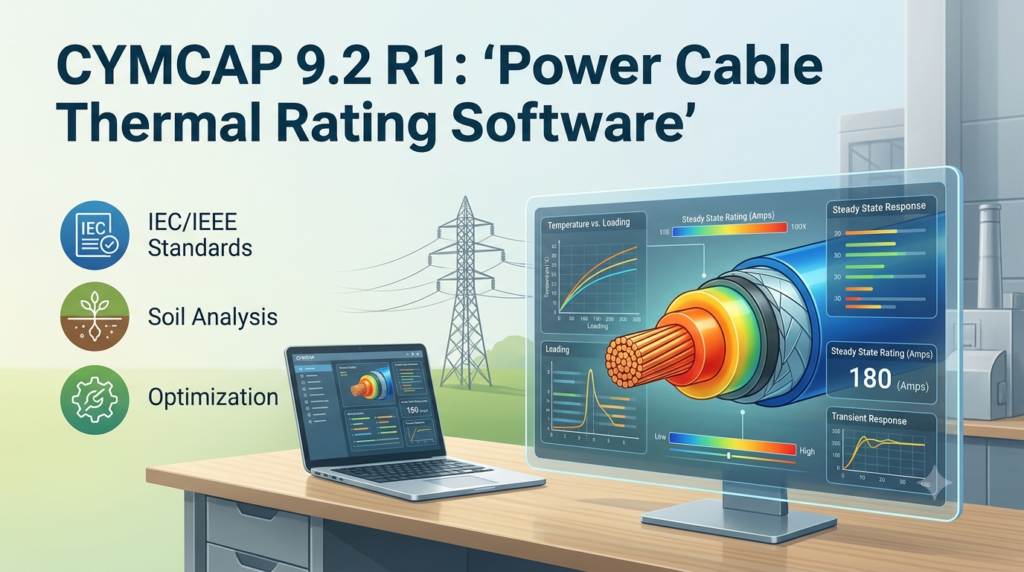
CYMCAP is a powerful, Windows-based software application dedicated to simulating the thermal behavior of power cables . It allows electrical engineers to calculate the maximum current (ampacity) a cable can carry without exceeding its thermal limits, based on the specific cable construction and installation environment . This capability is crucial for designing new cable systems, upgrading existing ones, and maximizing the utilization of valuable transmission and distribution assets.
The software’s calculation engine is built on the internationally recognized Neher-McGrath method and complies with key standards, including IEC 60287, IEC 60228, and IEC 60853, ensuring its results are trusted for critical infrastructure projects worldwide . Developed over 30 years in collaboration with Ontario Hydro (Hydro One), McMaster University, and CYME International, CYMCAP is a mature and reliable tool that serves as a global reference for cable thermal rating calculations .
Key Features of CYMCAP
CYMCAP provides a comprehensive suite of features designed for detailed cable analysis. Its capabilities allow engineers to model virtually any cable system configuration.
-
Comprehensive Cable Modeling: The software offers detailed graphical representation for a wide variety of cable types, including single-core, three-core, belted, pipe-type, submarine, and armored cables . Users can define precise construction details with multiple custom non-metallic layers, double armor, and corrugated sheaths .
-
Versatile Installation Conditions: CYMCAP supports modeling for numerous installation scenarios, such as direct burial, thermal backfill, underground ducts and duct banks, cables in air, riser poles, and submarine installations .
-
Steady-State and Transient Analysis: The software can perform both steady-state and transient thermal analyses, allowing engineers to assess performance under continuous loading as well as emergency and cyclic loading conditions .
-
Integrated Database: It includes dedicated, customizable libraries for cable specifications, duct bank configurations, load profiles, and heat sources, which streamlines the modeling process .
-
Advanced Modules: For complex projects, CYMCAP offers add-on modules, including 3D Modeling for non-parallel cable crossings and Advanced Tunnel Modeling for ventilated tunnels with multiple cables .
What’s New in CYMCAP 9.2 R1
The latest version, CYMCAP 9.2 R1, builds upon the powerful foundation of version 9.1 and represents a significant advancement. Version 9.1 itself introduced key enhancements, such as the capability for multiple cables per phase in the 3D Modeling module and compliance with updated IEC 60287:2023 and IEC 60228:2023 standards .
While specific details for version 9.2 R1 are part of Eaton’s official release notes, it is positioned as the latest iteration that ensures engineers have access to the most up-to-date calculation methods and modeling capabilities. This focus on continuous improvement underscores the software’s role in addressing emerging challenges in power system design, such as those found in complex urban environments and renewable energy projects .
System Requirements
To ensure optimal performance of the CYMCAP software, your system should meet the following recommended requirements:
-
Operating System: Windows 10, Windows 11, or later versions.
-
Processor: 64-bit (x64) processor.
-
Memory (RAM): 8 GB or more is recommended for complex simulations.
-
Hard Disk Space: Sufficient space for installation and project files (typically a few GB).
-
Display: A monitor with a resolution of 1920 x 1080 or higher for optimal viewing of detailed graphics.
Installation Guide
Installing CYMCAP 9.2 R1 is a straightforward process:
-
Download the Installer: Obtain the official CYMCAP installation package from Eaton’s customer portal or an authorized distributor.
-
Run the Setup: Double-click the executable file to launch the installation wizard.
-
Accept the License Agreement: Read and accept the End-User License Agreement (EULA).
-
Choose Installation Directory: Select the destination folder where the software will be installed or accept the default path.
-
Select Components: Choose the desired components and modules to install.
-
Complete the Installation: Follow the remaining on-screen prompts. Once the process is finished, you may be required to restart your computer.
For licensing, CYMCAP typically uses a license manager or hardware key. Follow Eaton’s instructions to activate your license and access the full software features .
How to Use the Software for Cable Ampacity Calculation
CYMCAP provides an intuitive workflow for conducting ampacity studies. A basic guide for a standard analysis is as follows:
-
Build Your Cable Model: Use the graphical interface or the cable library to create a model of your power cable. Define the conductor material, insulation type, sheath, armor, and other construction details. The dedicated cable database, often featuring real examples from cable manufacturers, can greatly simplify this step .
-
Define the Installation: Create a new “Installation” project. Use the software’s environment templates to define soil conditions, burial depth, ambient temperature, and installation method, such as direct burial, duct bank, or in air .
-
Run Analysis: Select the analysis type. For most projects, a steady-state analysis will determine the continuous current rating. For emergency or cyclic loading scenarios, select the transient analysis module.
-
Interpret Results: CYMCAP will display the results graphically, showing the temperature profiles of the cable components and the calculated ampacity. You can then use these results to validate your design or explore “what-if” scenarios to optimize parameters like cable spacing or burial depth .
Best Use Cases for CYMCAP
CYMCAP is an indispensable tool for a wide range of applications, providing value across the entire lifecycle of power cable systems.
-
Designing New Installations: For engineers designing new transmission lines, distribution feeders, or industrial plants, CYMCAP ensures cables are properly sized for their intended load.
-
Upgrading Existing Systems: When planning to increase load on an existing cable circuit, the software can accurately determine if the current installation can handle the increased demand or if an upgrade is required .
-
Submarine and Offshore Wind Projects: The specialized modules for submarine cable installations are essential for modeling cables in J-tubes, on the seabed, and buried in silt, making it a crucial tool for the renewable energy sector .
-
Optimizing Cable Trench and Tunnel Layouts: For complex cable routing in congested urban areas or tunnels, CYMCAP allows engineers to model mutual heating effects and optimize spacing to maximize overall system capacity .
Advantages and Limitations
Understanding the strengths and weaknesses of CYMCAP is important for making an informed decision.
Advantages:
-
High Accuracy: Its compliance with major international standards like IEC 60287 and its continuous development ensure reliable and precise results .
-
Extensive Modeling Capabilities: The software can handle an exceptionally wide range of cable types and installation conditions .
-
Global Industry Standard: With over 30 years of development, it is a recognized and trusted tool by utilities and consultants worldwide .
-
Advanced Add-On Modules: The availability of 3D modeling and tunnel analysis modules makes it suitable for the most challenging projects .
Limitations:
-
Complexity: The software’s extensive features come with a steeper learning curve compared to simpler tools .
-
Cost: As a professional-grade application, the licensing fees can be significant for individual engineers or small firms.
-
OS Compatibility: While the latest versions support modern operating systems, older versions were more limited . Users should ensure their system meets the requirements for the latest CYMCAP 9.2 R1.
Alternatives to CYMCAP
While CYMCAP is a top-tier solution, several other software packages offer cable ampacity and sizing capabilities. The choice often depends on specific project requirements, budget, and integration with other tools.
| Software | Key Strengths | Primary Use Case |
|---|---|---|
| CYMCAP | Industry standard with detailed cable modeling and broad installation condition support . | Complex utility, industrial, and renewable energy cable ampacity studies. |
| ETAP | Integrated power system analysis platform with a fast and flexible cable sizing module that links with load flow and short-circuit results . | Comprehensive power system design where cable sizing is part of a larger study. |
| ELEK Cable Pro | User-friendly software that provides code-compliant cable sizing for the NEC, focusing on a single, streamlined workflow . | Engineers and designers focused on NEC-compliant cable sizing in North America. |
| FEA-Based Tools | Emerging solutions that use finite element analysis (FEA) for flexible and potentially more accurate modeling of non-standard geometries . | Advanced research and complex geometries where analytical methods have limitations. |
Frequently Asked Questions
What is cable ampacity, and why is it important?
Cable ampacity is the maximum amount of electric current a cable can carry without exceeding its maximum operating temperature, which could damage its insulation. Accurate ampacity calculations are essential for system safety, reliability, and preventing premature cable failure .
What are the main standards used for cable ampacity calculations?
The primary international standards are IEC 60287 (for steady-state conditions) and IEC 60853 (for cyclic and emergency conditions). In North America, the Neher-McGrath method is also widely used .
Who is CYMCAP designed for?
CYMCAP is designed for electrical power system engineers, consultants, and project managers involved in the planning, design, and maintenance of cable infrastructure for utilities, industrial plants, and renewable energy projects .
Does CYMCAP include support for high-voltage direct current (HVDC) cables?
Yes, CYMCAP is capable of modeling and calculating ampacity for HVDC cables, which is a key feature for modern transmission projects .
Can CYMCAP model complex 3D cable installations?
Yes, with the 3D Modeling add-on module, CYMCAP can perform thermal analysis for non-standard cable geometries and complex crossings often found in congested areas .
Final Thoughts
CYMCAP 9.2 R1 stands as a cornerstone software for any engineer working on power cable systems. Its adherence to global standards, continuous development, and ability to model a vast array of cable types and installations make it an invaluable asset. Whether you are designing a new substation, upgrading urban distribution networks, or planning an offshore wind farm, CYMCAP provides the accuracy and reliability needed to make critical engineering decisions. While the learning curve and cost might be a consideration for some, the software’s ability to optimize system performance and prevent costly failures makes it a sound investment for organizations serious about electrical infrastructure engineering.
Our Paid Service
“We do not sell or provide any software. We only offer professional support services. If any software on your system is not working properly, or you are facing installation errors, crashes, or any other technical issue — just contact us. We will help you fix the problem quickly and remotely via AnyDesk. No software will be provided from our side — only expert troubleshooting and support.”