

Overview of IMAGINiT Utilities for Revit
Table of Contents
IMAGINiT Technologies, an Autodesk Authorized Developer, created this utilities package to address common challenges faced by Revit users across all disciplines . Rather than switching between applications or performing tedious manual work, teams can access these tools directly within the Revit environment.
The utilities are available at no additional cost for organizations that purchase Autodesk software through IMAGINiT Technologies . This makes them a valuable addition for firms already working with IMAGINiT, providing enhanced functionality without increasing software expenses.
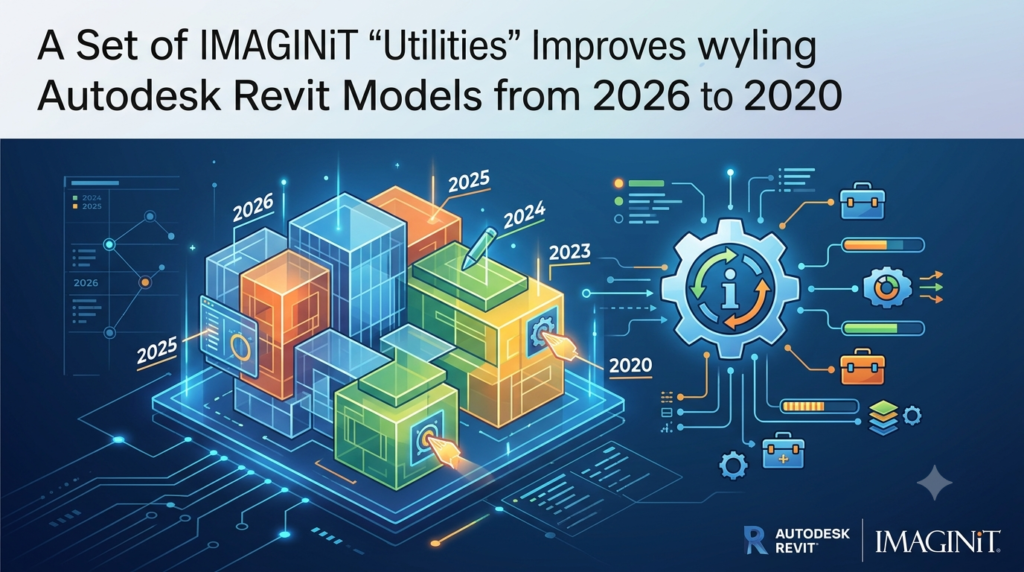
With a single installation covering Revit versions 2020 through 2026, these tools support teams working across different project versions . The suite includes tools for batch family editing, sheet creation, view cleanup, room management, and Excel integration .
Key Features
The IMAGINiT Utilities for Revit suite includes dozens of tools organized around common workflow needs. Here are some of the most valuable features teams rely on:
Batch Family and Parameter Management
Editing Revit families one at a time consumes valuable design time. The parameter management tools allow users to update parameters across multiple families simultaneously . This ensures data consistency across schedules and reduces the risk of errors from manual edits.
Sheet Creation and Management
Creating sheets for construction documentation is often a race against deadlines. Automated sheet creation ensures naming conventions and title block data remain consistent . Teams can focus on design rather than administrative setup.
View Cleanup and Model Maintenance
Revit models can become bloated with unused views, filters, and templates that slow performance. The Project Cleaner utility helps systematically remove unwanted items . Teams can establish repeatable cleanup settings to maintain model health.
Room and Space Management
Manually renumbering rooms or syncing spaces introduces errors and wastes time. The Room Renumber and related tools automate these processes . Data stays accurate for coordination and downstream workflows.
Excel Linking and Export
Not all project stakeholders work within Revit. The Excel integration tools enable seamless data synchronization . Teams can share updates, generate reports, and avoid double data entry.
Element Comparison
Comparing view templates, wall types, or other elements helps design teams make informed decisions . The Element Compare tool provides clarity when evaluating design options.
DWFplus Export
The DWFplus utility enhances standard DWF/DWFx export capabilities by embedding additional element parameters and view-specific metadata . This improves documentation quality for project stakeholders.
Grid Select
Isolating elements on specific grid lines improves view control and selection accuracy . The Grid Select tool enables rapid filtering of model elements.
What’s New in the Latest Version
The 2026 release of IMAGINiT Utilities for Revit introduces several new capabilities while maintaining broad version compatibility.
Merge Cleanup Tool
The Merge Cleanup utility identifies, compares, and consolidates duplicate or similar appearance elements within Revit projects . This new tool addresses model bloat by helping teams streamline their projects.
The Merge Cleanup tool represents a significant addition to the suite. Teams managing large models or multiple design iterations will find this particularly useful for reducing project file size and improving performance.
Multi-Version Support
The 2026-2020 version installs once and integrates with all Revit versions from 2020 through 2026 . Organizations working across multiple project versions benefit from consistent tool access.
Expanded Toolset
Each release includes additional tools beyond the core feature set. The 2026 version includes enhanced capabilities for project cleanup and model optimization.
System Requirements
Since IMAGINiT Utilities for Revit operates within the Revit environment, system requirements align with those of the host application. While specific requirements vary by Revit version, the following configuration is typical for effective operation:
Operating System: 64-bit Microsoft Windows 10 or Windows 11
Processor: Intel i-Series, Xeon, AMD Ryzen, or Ryzen Threadripper PRO, 2.5 GHz or higher
Memory: 16 GB RAM minimum; 32 GB recommended for larger projects
Graphics: DirectX 11 capable graphics card with Shader Model 5 and minimum 4 GB video memory
Disk Space: 30 GB free disk space
.NET Platform: .NET 8 for Revit 2025 and newer; .NET Framework 4.8 or later for earlier versions
Connectivity: Internet connection for license registration
File Format Compatibility: The utilities support Revit RVT, RFA, and RTE file formats across supported versions.
Installation Guide
Installing IMAGINiT Utilities for Revit requires several steps. The process involves obtaining a license authorization code (Authcode), downloading the installer, and activating the software.
Step 1: Generate Your Authcode
Organizations with Autodesk subscriptions through IMAGINiT Technologies qualify for free utilities .
-
Complete the form using your company email address
-
The system verifies your Autodesk subscription status
-
Receive an automated email with instructions and download links
Step 2: Download and Extract the Software
-
Click the download link from the confirmation email
-
Copy the downloaded .zip file to C:\Autodesk folder
-
Right-click the .zip file and select Properties
-
Check “Unblock” and click Apply, then Ok
-
Extract all files to the default location
Step 3: Uninstall Previous Versions
-
Exit all versions of Revit
-
Open Control Panel > Programs and Features
-
Find IMAGINiT Utilities for Revit and uninstall
Step 4: Install the New Version
-
Right-click the installer file (IMAGINiT Revit Utilities Installer.msi) and select Install
-
Read and accept the License Agreement
-
Click Install and wait for completion
Step 5: Activate with Your Authcode
-
Launch Revit and try any utility tool
-
When the licensing dialog appears, click “Activate Standalone with Authorization code”
-
Paste the Authcode from your email
-
Click Authorize
-
The system writes the license to your hard drive and confirms expiration date
-
Click Finish and test tools in Revit
Important Notes:
-
Computer names longer than 15 characters may cause licensing errors
-
If licensing fails, contact IMAGINiT support for assistance
-
The Authcode is specific to the installer version—use the correct code for the 2026 utilities
How to Use the Software
IMAGINiT Utilities for Revit integrates directly into the Revit ribbon, making tools accessible within your existing workflow.
Accessing Utilities
After installation, a dedicated IMAGINiT tab appears in the Revit ribbon. Tools are organized into logical categories for easy navigation. Click any tool to begin.
Using the Merge Cleanup Tool
For the new 2026 feature:
-
Navigate to the IMAGINiT tab in the Revit ribbon
-
Select Merge Cleanup from the available utilities
-
The tool scans for duplicate or similar elements
-
Review identified items and choose consolidation options
-
Confirm changes to clean up the model
Working with Batch Parameters
-
Select Merge Cleanup tool from the ribbon
-
Choose the family types to modify
-
Define parameter updates across selected families
-
Review changes before applying
Creating Sheets
-
Access sheet creation tools from the IMAGINiT tab
-
Define naming conventions and title block data
-
Specify the number of sheets needed
-
The tool generates sheets with consistent formatting
Best Use Cases
IMAGINiT Utilities for Revit supports various professional workflows. Here are common scenarios where the tools prove most valuable.
Architecture Firms
Architects benefit from room management, sheet creation, and view cleanup tools . Managing large residential or commercial projects becomes more efficient with automated room numbering and schedule generation.
MEP Engineering Teams
MEP professionals use room and space tools for accurate coordination . The parameter management features help maintain consistent data across complex systems.
Construction Teams
Construction teams rely on sheet management and view cleanup for document production . The automated tools reduce errors in deliverable creation.
Facilities Management
Excel linking and export capabilities help teams share data with non-Revit users. Reports generated from the utilities support ongoing facility operations.
Large-Scale Projects
Teams managing multiple project versions benefit from the broad version compatibility. A single installation supports work across Revit 2020 through 2026 .
Project Handoffs
The Project Cleaner helps prepare models for external stakeholders by systematically removing unused items . This reduces file size and improves performance when sharing files.
Advantages and Limitations
Advantages
Broad Version Support
Single installation covers Revit 2020 through 2026. Teams working across versions don’t need separate installations for each release .
Cost-Effective for Subscribers
Free for organizations purchasing Autodesk software through IMAGINiT Technologies . This eliminates additional software expenses for qualified firms.
Comprehensive Toolset
More than 50 tools address various workflow needs . Teams can use utilities across multiple disciplines.
Time Savings
Automation reduces hours of manual work. Teams report significant productivity gains from eliminating repetitive tasks .
Direct Integration
Tools run directly inside Revit without switching applications. Workflows remain uninterrupted.
Limitations
Eligibility Requirements
Free access requires Autodesk subscription through IMAGINiT Technologies . Organizations using other resellers may not qualify.
Licensing Complexity
Computer names exceeding 15 characters may cause licensing issues . Network installations require IT setup.
Learning Curve
With over 50 tools available, teams need time to learn effective usage. Training resources are available but require investment.
Version-Specific Features
Newer tools like Merge Cleanup require the 2026 version. Older releases lack the latest capabilities.
Network Dependencies
Network licensing requires port configuration (ports 5054, 5053, 27051) . Organizations need IT support for installation .
Alternatives to the Software
Several other tools provide similar functionality for Revit users. Here are notable alternatives.
Other Revit Add-in Collections
Several developers offer add-in collections for Revit. These typically include productivity tools for various disciplines. IMAGINiT Utilities competes on price point for qualified subscribers.
Custom Automation with Dynamo
Dynamo provides visual programming capabilities for automating Revit tasks. While flexible, it requires programming knowledge and setup time.
Manual Workflows
Some teams choose manual methods rather than add-in tools. This avoids software dependencies but requires more staff time.
Specialized Standalone Tools
Focused tools address specific needs like version management or file cleanup. These may offer deeper functionality in specific areas but require multiple software purchases.
Native Revit Features
Autodesk continues adding features to Revit. Some tasks previously requiring add-ins can now be handled natively.
IMAGINiT Clarity Suite
IMAGINiT also offers Clarity, a hosted BIM automation platform for larger organizations . This provides advanced analytics and workflow automation beyond the utilities.
Frequently Asked Questions
What is IMAGINiT Utilities for Revit?
IMAGINiT Utilities for Revit is a collection of more than 50 productivity tools that run directly inside Autodesk Revit. The suite automates repetitive tasks, manages project data, and improves coordination across AEC teams . It is developed by IMAGINiT Technologies, an Autodesk Authorized Developer .
How do I get IMAGINiT Utilities for free?
Organizations that purchase their Autodesk software through IMAGINiT Technologies can obtain the utilities at no additional cost . Visit www.IMAGINiT.com/utilities-request and complete the form using your company email address to verify eligibility.
Which Revit versions does IMAGINiT Utilities support?
The IMAGINiT Utilities 2026-2020 version supports Revit 2020, 2021, 2022, 2023, 2024, 2025, and 2026 . A single installation works across all these versions simultaneously.
What is the new Merge Cleanup tool in version 2026?
The Merge Cleanup utility identifies, compares, and consolidates duplicate or similar appearance elements within Revit projects . This new tool helps reduce model bloat and improve project performance.
How do I activate IMAGINiT Utilities for Revit?
After installation, launch Revit and try any utility tool. The licensing dialog will appear . Enter the Authcode received via email from IMAGINiT Technologies and click Authorize . Computer names longer than 15 characters may require additional support .
Is IMAGINiT Utilities available for network licensing?
Yes, network licensing is available using the Reprise License Manager . System administrators can create an IMAGINiTLicense.txt file containing “27051@ServerName” and place it in the ProgramData folder before installation .
What are the system requirements for IMAGINiT Utilities?
System requirements follow Revit host application specifications . Minimum requirements include Windows 10/11 64-bit, 16 GB RAM, 4 GB graphics memory, and 30 GB disk space . Higher specifications are recommended for larger projects.
Can I use IMAGINiT Utilities with Revit LT?
IMAGINiT Utilities are designed for full Revit versions. Compatibility with Revit LT is not explicitly supported in available documentation. Check with IMAGINiT Technologies for specific compatibility questions.
What file types does IMAGINiT Utilities work with?
The utilities support standard Revit file formats including RVT project files, RFA family files, and RTE template files across supported versions. DWFplus export enhances DWF and DWFx outputs .
Who develops IMAGINiT Utilities for Revit?
IMAGINiT Technologies, an Autodesk Authorized Developer, develops and maintains the utility suite . The company provides training, support, and consulting services for AEC and manufacturing industries .
Final Thoughts
IMAGINiT Utilities for Revit 2026 delivers substantial productivity improvements for AEC teams already working with Autodesk products. The suite’s broad version support, comprehensive toolset, and automation capabilities make it a valuable addition to Revit workflows.
The new Merge Cleanup tool addresses common model management challenges. Combined with existing features for sheet creation, parameter management, and data synchronization, the utilities help teams work more efficiently and reduce errors .
For organizations eligible for free access, the utilities represent significant value. With proper installation and licensing setup, teams can quickly start benefiting from the 50+ available tools . While limitations around licensing eligibility and network configuration exist, the overall utility suite provides meaningful productivity improvements for Revit professionals.
Our Paid Service
“We do not sell or provide any software. We only offer professional support services. If any software on your system is not working properly, or you are facing installation errors, crashes, or any other technical issue — just contact us. We will help you fix the problem quickly and remotely via AnyDesk. No software will be provided from our side — only expert troubleshooting and support.”