
Overview of the Uninet IColor ProRIP Software
Table of Contents
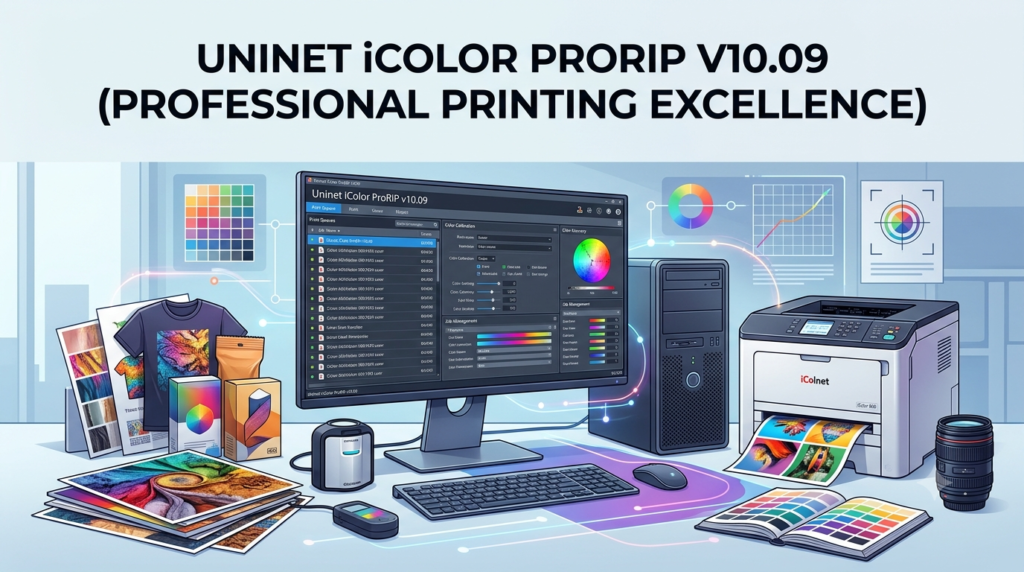
IColor ProRIP, developed by UNINET, is a professional software solution that transforms standard digital printers into powerful production tools for custom apparel and merchandise decoration. The software allows users to print white as an underprint or overprint in one pass—a critical capability for producing vibrant, long-lasting images on dark or clear media .
The primary function of ProRIP is to enable what standard printer drivers cannot: separate control of each color layer during printing. Regular drivers only concern themselves with the top layer visible to the eye. The RIP, however, gives you the ability to control not only what you see but also what lies behind that top layer—typically the white layer—allowing for full-color printing on virtually any substrate . The software supports direct printing from popular graphics programs and can import design files directly for processing .
Key Features
Spot White Channel Control
The software’s flagship feature is its ability to manage a dedicated white toner channel. You can print white as an underbase for dark garments or as an overprint for clear and metallic substrates . This eliminates the need to create multiple graphic files with different color configurations for dark and light materials .
Layer-Based Color Management
ProRIP allows colors to be put down in separate layers . This is essential for achieving accurate color reproduction on non-white surfaces. You can control opacity, choke, and trapping to ensure precise registration and avoid misprints. The software includes custom ICC profiles for each print mode and transfer paper, ensuring color accuracy across different materials .
Comprehensive Substrate Support
The software is compatible with an extensive range of materials, including :
-
Textiles: natural and synthetic fabrics, cotton, polyester, performance apparel, and denim
-
Hard surfaces: mugs, ceramics, glass, acrylic, wood, and metal
-
Specialty media: labels (light, dark, and clear), window cling, banners, and leather
Advanced Production Tools
The software includes features designed to streamline production workflows :
-
KnockMeBlackOut: This feature analyzes a design and removes black and dark toner areas, allowing the dark garment to provide the black tones. This results in softer-feeling transfers and reduces toner consumption .
-
Built-in image editing: Integrated tools for quick adjustments without requiring external software like Adobe Photoshop .
-
Production-oriented workflow: Designed for high-volume environments, ProRIP allows continuous, multiple-page printing without requiring manual intervention between jobs .
SmartCUT Integration
ProRIP integrates with IColor SmartCUT, software that enables printing oversized images larger than the printer’s maximum page size . SmartCUT automatically splits image files into smaller tiles and applies different splitting algorithms for light and dark garments. The tiles can be output as PNG or multi-page PDF files for seamless use with ProRIP . More advanced SmartCUT features include RealPreview and selective rasterization and masking functions .
What’s New in ProRIP v10.09
Based on the evolution of the IColor ProRIP software line, the v10.09 version incorporates several refinements for improved performance and usability. While specific changelog details are not publicly listed, the development team has focused on the following areas based on product documentation from early 2025:
-
Enhanced workflow stability: The latest version is optimized for continuous production printing without interruption .
-
Refined color management: Updated ICC profiles for new and existing transfer media types ensure accurate color reproduction .
-
Improved usability: Streamlined print settings eliminate the need for users to manually set options like mirror print, choke, white density, and media type for each job .
-
Dongle-less licensing options: Newer versions support dongle-less licenses, providing more flexibility in software deployment and management .
System Requirements
To run Uninet IColor ProRIP v10.09 effectively, your computer system must meet or exceed the following hardware and software specifications.
| Component | Minimum Requirement |
|---|---|
| Operating System | Windows 7, 8, 10, or 11 (64-bit recommended) |
| Processor | Intel i5-i7, 2.6 GHz or faster |
| Memory (RAM) | 8 GB (12 GB or more recommended for complex jobs) |
| Hard Drive Space | Minimum 50 GB of free space (SSD strongly recommended) |
| Graphics Card | Dedicated graphics card with adequate video memory |
| USB Port | One available USB port for the hardware dongle (dongle-dependent versions) |
| Internet Connection | Required for software activation and updates |
Important Compatibility Notes
-
Windows-Only: The software is natively designed for Windows. For Mac users, a Windows environment must be run via Parallels or Boot Camp .
-
Antivirus Software: Antivirus programs must be temporarily uninstalled during installation. After installation, ProRIP must be added to the ‘safe programs’ list. Windows Defender is the only antivirus program confirmed not to interfere with ProRIP functionality .
-
Hardware Dongle: If using a dongle-dependent version, the USB dongle must remain inserted when running the software as it serves as the license key .
Installation Guide
Installing IColor ProRIP v10.09 requires careful preparation to avoid conflicts. Follow this step-by-step guide for a successful setup.
Pre-Installation Preparation
-
Disable or Uninstall Antivirus: Temporarily disable or uninstall any third-party antivirus software. If this is not done, the installation may fail or the software may not function correctly. You can reinstall the antivirus after setup, provided you add ProRIP to its exception list .
-
Connect the Dongle: If your version uses a hardware dongle, plug it into a free USB port on your PC. The dongle contains the software, manuals, and acts as the license key .
-
Copy Installation Files: It is recommended to copy all installation files from the USB dongle to a folder on your computer. This ensures you have a backup and can simplify the installation process .
Installation Steps
-
Navigate to the RIP setup folder on the USB dongle or the folder on your PC where you copied the files .
-
Right-click the setup application file and select ‘Run as administrator’ .
-
Follow the on-screen prompts.
-
If using a dongle-less license, follow the activation process provided with your purchase to authenticate the software over the internet.
Post-Installation Setup
-
Reinstall Antivirus: If you uninstalled it, reinstall your antivirus software.
-
Add Exception: Add the ProRIP executable and its installation folder to your antivirus software’s exception or whitelist to prevent it from being blocked .
-
Restart: Restart your computer to finalize the installation.
How to Use the Uninet IColor ProRIP
The ProRIP interface is designed to make complex layer management straightforward. While full operation requires hands-on experience, understanding the core workflow is essential for getting started.
Step 1: Import Your Design
You can send a print job directly from your graphics program or import a file (such as a PDF, PNG, or JPEG) directly into ProRIP .
Step 2: Configure Job Properties
Right-click the print job and select Job Properties. This opens the configuration window where you can adjust settings . Key settings include:
-
Color Layer (Tab 2): Here you will find critical settings for white toner management and special features.
-
Processing Options: In this sub-menu, you can enable tools like KnockMeBlackOut for dark garments . The tolerance level determines which pixels are removed and can be adjusted from the default (70) .
Step 3: Select Your Media Profile
One of the software’s key advantages is its pre-configured print modes. Instead of remembering manual settings, you simply select your transfer paper type, and the software applies the correct mirror print, choke, white density, and ICC profile .
Step 4: Process and Print
Once all settings are confirmed, the software will rasterize the file and send it to the printer. The “production” atmosphere of ProRIP allows for continuous printing, making it ideal for fulfilling multiple orders without needing to press the ‘online’ button between jobs .
Best Use Cases
The ProRIP software is a versatile tool that supports a wide range of commercial and creative applications. Its ability to handle white toner opens up possibilities that standard color printers cannot match.
Custom Apparel Decoration
This is the primary application for ProRIP. The software is used to print vibrant, durable, and soft-feeling transfers for t-shirts, sweatshirts, aprons, and sports apparel. The software’s ability to handle white underbases and features like KnockMeBlackOut are essential for producing high-quality, durable transfers for both light and dark garments .
Promotional Product Personalization
Businesses use ProRIP to customize a wide array of hard-surface products, such as :
-
Ceramic mugs
-
Mouse pads
-
Leather goods (like notebooks or keychains)
-
Name badges and labels
On-Demand and Short-Run Production
The software is ideal for businesses that produce small batches of custom items. Whether printing a limited run of corporate logo shirts or creating personalized merchandise for a one-off event, the ProRIP’s streamlined workflow and color management capabilities ensure high-quality results for every print .
Advantages and Limitations
Understanding the strengths and weaknesses of the Uninet IColor ProRIP helps in making an informed purchasing decision.
Advantages
-
Superior Color Control: The ability to control each color layer separately ensures accurate color reproduction on dark and clear substrates that standard printers cannot achieve .
-
Single-Pass White Printing: The software allows for white underprint or overprint in one pass, significantly speeding up production .
-
Reduced Waste: Features like KnockMeBlackOut minimize toner usage, saving money and reducing the stiffness of transfers .
-
Workflow Efficiency: Pre-configured settings eliminate guesswork, making the software accessible to beginners while offering powerful tools for professionals .
-
Perpetual License: The ProRIP comes with a perpetual license for upgrades, meaning customers receive lifetime updates for the purchased version without recurring fees .
Limitations
-
Windows-Only: The lack of native macOS support is a significant drawback for users in Mac-centric design environments. While it can be run via virtualization, this adds complexity and resource overhead .
-
Hardware Dongle Requirement: Many versions require a USB dongle to be inserted at all times, which takes up a USB port and can be a point of failure if lost or damaged .
-
Hardware Dependence: The software’s capabilities are tied to the printer hardware. While it can upgrade the printing experience, it cannot exceed the printer’s physical limits (e.g., page size, print speed) .
Alternatives to IColor ProRIP
Several other RIP software solutions exist for specialty garment and substrate printing, each with its own strengths and target audience.
| Software | Key Differences | Best For |
|---|---|---|
| IColor TransferRIP | An older, more basic version; often included with IColor printers but lacks ProRIP’s advanced features and production-oriented workflow . | Entry-level users who need basic white printing without advanced controls. |
| IColor ProRIP Essentials | A limited version of the full ProRIP; includes fewer features and is often paired with entry-level IColor printers like the 560 . | Budget-conscious users with simpler printing needs. |
| Generic RIPs (e.g., Wasatch, Caldera) | These are industry-standard, high-end RIPs. They offer more granular control and compatibility with various printer brands but often come with a steeper learning curve and higher price. | Professional print shops needing a single RIP for multiple printer brands. |
| Onyx Graphics | A popular RIP for wide-format printing. It offers robust features for sign and display graphics but may not have the specialized white toner controls for garment transfers that IColor ProRIP is optimized for . | Shops focused on signage, banners, and wide-format graphics rather than garment transfers. |
Frequently Asked Questions
What is the difference between IColor ProRIP and TransferRIP?
The ProRIP is the more advanced version designed for production environments. It allows continuous, multi-page printing, has a more comprehensive set of controls for white ink and color management, and includes more built-in editing tools. TransferRIP is a simpler software that often requires pressing an ‘online’ button between pages .
Is IColor ProRIP compatible with Mac?
No, the software is native to Windows. However, Mac users can run it by creating a Windows environment using software like Parallels or Boot Camp .
What is the KnockMeBlackOut feature?
KnockMeBlackOut is a special dark garment function. It analyzes the image and removes black and dark toner areas. When printing on a black garment, the fabric itself provides the black color, which results in a softer-feeling transfer and uses less toner .
What are the system requirements for Uninet IColor ProRIP?
The software requires a PC running Windows 7, 8, 10, or 11 (64-bit is recommended), an Intel i5-i7 processor at 2.6 GHz or faster, a minimum of 8 GB of RAM, and at least 50 GB of free storage space (SSD recommended). A dedicated graphics card is also recommended .
Can I use ProRIP without a USB dongle?
Some newer versions support dongle-less licensing, but many still require a physical USB dongle to be inserted at all times as it serves as the license key . The dongle must always be connected when the software is installed or running.
Final Thoughts
Uninet IColor ProRIP v10.09 is a powerful and essential tool for businesses engaged in digital transfer printing. Its ability to handle complex color layering and dedicated white toner channels is unmatched by standard printer drivers. While the Windows-only platform and dongle requirement may present minor hurdles, the software’s advanced features, production-oriented workflow, and cost-saving benefits make it a worthwhile investment for professionals.
For businesses looking to expand into custom apparel, promotional products, or short-run merchandise, the ProRIP software, when paired with an IColor printer like the 540, 550, 560, 650, or 800W series, offers a complete solution for producing high-quality, durable, and vibrant prints in-house . The ability to control and manipulate white toner opens up a world of creative and commercial possibilities that can help businesses scale their operations and meet growing demand for custom, on-demand products.