
Overview of SignGo Pro
Table of Contents
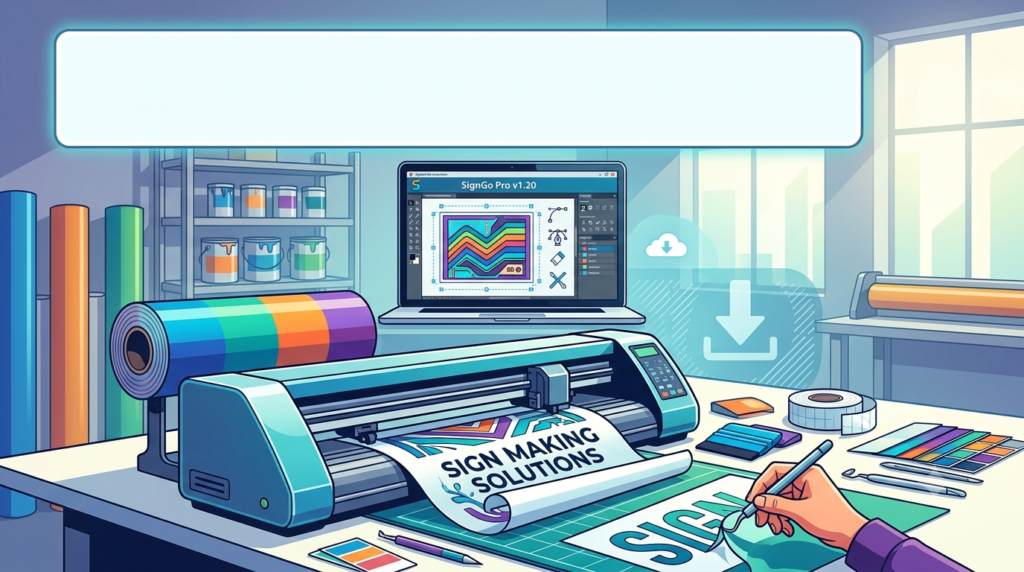
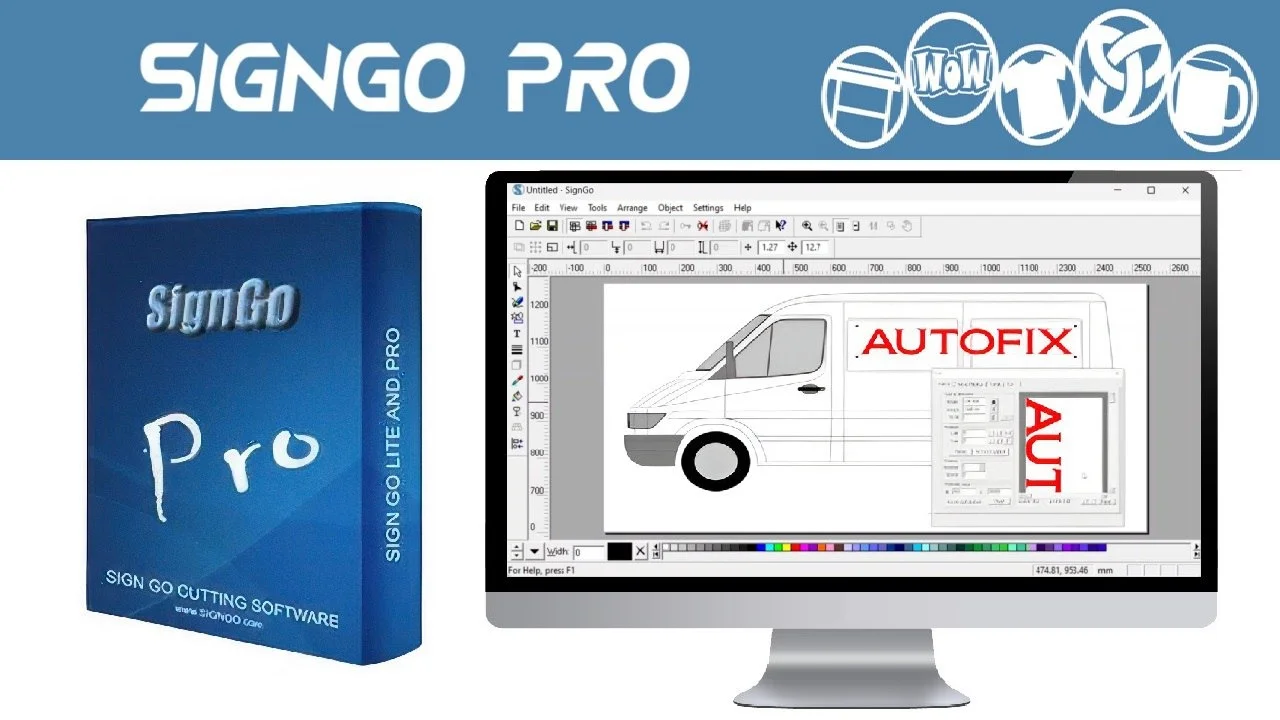
SignGo Pro is a specialized signmaking software designed for professionals and hobbyists who need to create custom signs for vinyl cutting applications. The software functions as both a graphic designer and editor, allowing users to create custom designs using color schemes, shapes, text, and freehand graphics.
What sets SignGo Pro apart is its vector-based approach. Each element placed on the working space is transformed into a vector, ensuring quality and ratio preservation even when images need to fit large formats. The software adds nodes on each design for facile editing, giving users precise control over their creations.
The software is ideal for anyone wanting to drive a cutting plotter, including signmakers, sign making companies, model makers, graphic designers, and hobbyists. Its interface is intuitive enough that anyone familiar with Windows software can start cutting perfect signs within minutes of installation.
Key Specifications:
-
Version: 1.20
-
Developer: Wissen UK Inc. Ltd.
-
File Size: 56.4 MB
-
License: Shareware, priced at $399 USD
-
Platform: Windows (XP/Vista/7/8/10/11)
-
Release Date: July 2014
Key Features
SignGo Pro includes a comprehensive suite of sign making tools designed to streamline the entire design-to-production workflow.
Design and Creation Tools
-
Text Creation and Manipulation: Add text on arc paths, create inline and outline effects, and apply shadows
-
Shape and Freehand Graphics: Create custom shapes and draw freehand graphics at any size for vinyl cutting
-
Vector Conversion: Transform any object into a vector image while preserving quality and ratio parameters
-
Node Editor: Fine-tune designs by adjusting nodes on each element for precise editing
Color and Fills
-
Color Modes: Support for multiple color modes including RGB, CMYK, and HLS
-
Color Palette: Drag and drop colors from the palette to shapes, with the ability to create custom gradients
-
Fill Options: Gradient fills, texture fills, and transparent fills for artistic effects
Import and Scanning Capabilities
-
Image Import: Import or paste graphics from your favorite graphics programs
-
Scanning and Tracing: Acquire images from a scanner and identify contours through tracing functionality
-
Graphics Compatibility: Import from various sources and formats for seamless workflow integration
Cutting and Production Tools
-
Cutting Plotter Support: Compatible with all popular cutting plotters
-
Powerful Cutting Utility: Drive your cutting plotter directly from the software
-
Tiling for Large Signs: Automatically tile output into smaller sections that your cutter can handle, with tile overlap and cut markers for reassembly with amazing accuracy
-
Welding Function: Combine shapes and elements for seamless designs
What’s New in the Latest Version
Version 1.20 represents a mature release of SignGo Pro that includes all essential sign making tools in a stable package.
The latest version delivers professional-grade signmaking capabilities including inline/outline effects, shadow creation, scanning and tracing functionality, welding operations, text-on-arc placement, comprehensive node editing, and multiple fill options including gradient, texture, and transparent fills.
The software supports all popular cutting plotters and includes a powerful cutting utility. Users can import or paste graphics from any graphics program for seamless workflow integration. The tiling feature enables production of signs larger than the cutter’s capacity by dividing output into manageable sections with precise overlap markers.
System Requirements
Minimum Requirements
-
Operating System: Windows XP, Vista, 7, 8, 10, or 11 (32-bit)
-
File Size: 56.4 MB of available disk space
-
System Type: Windows 32-bit compatible
Recommended Specifications
While specific minimum hardware requirements are not detailed in available documentation, the software’s design suggests:
-
Windows-compatible PC with standard graphics capabilities
-
USB or compatible connection for cutting plotter integration
-
Sufficient RAM for handling vector graphics (standard for Windows graphics applications)
Installation Guide
Step-by-Step Installation Process
-
Download the Installer
-
Obtain the SignGoProV1.20.exe file from the official developer website or authorized distributors
-
Verify the file size is approximately 56.4 MB
-
-
Run the Installation File
-
Double-click the SignGoProV1.20.exe file
-
Grant administrator permissions if prompted
-
-
Follow Installation Wizard
-
Read and accept the license agreement
-
Select installation directory (default recommended)
-
Choose any additional components if offered
-
-
Complete Installation
-
Wait for installation to finish
-
Click Finish to complete the process
-
-
Launch the Software
-
Find SignGo Pro in your Start Menu or desktop shortcut
-
Launch the application
-
-
Activation
-
The software operates in shareware mode with a 30-day trial
-
Enter your license key to unlock full functionality
-
No activation bypass methods are supported—purchase a legitimate license from Wissen UK Inc. Ltd.
-
How to Use the Software
Getting Started with SignGo Pro
Step 1: Familiarize with the Interface
Launch the software and explore the main window. The color palette is located in the lower section for easy access to shades and fills.
Step 2: Create a New Design
-
Use the drawing tools to create freehand shapes
-
Add text using the text tools
-
Import images or graphics from other software
-
Each element transforms into a vector format automatically
Step 3: Apply Colors and Effects
-
Drag and drop colors from the palette to apply to shapes
-
Create gradients using dedicated instruments
-
Apply texture fills, transparent fills, or shadows
Step 4: Edit and Refine
-
Use the node editor to adjust design elements precisely
-
Apply inline/outline effects to text and shapes
-
Weld elements together when needed
Step 5: Set Up for Cutting
-
Select the cutting area from your design
-
Set the sheet size and cutting direction
-
Configure cutting plotter settings
Step 6: Output
-
Save the project as WTP format for further editing
-
Print or export to other software
-
Use the cutting utility to drive your plotter for production
Step 7: Large Format Signs
-
For oversized projects, use the tiling feature
-
Define tile overlap and cut markers for precise assembly
-
Cut sections individually and reassemble with accuracy
Best Use Cases
Professional Sign Making
SignGo Pro is primarily designed for signmaking professionals and sign companies who need to produce custom vinyl signs efficiently. The software provides all essential tools for creating professional-looking signs from design through production.
Model Making
Model makers can use SignGo Pro to create scaled signs and custom graphics for architectural models, dioramas, and prototypes.
Graphic Design
Graphic designers can leverage the software for vector-based design work, creating graphics suitable for both digital display and physical production.
Hobbyist Projects
Hobbyists and DIY enthusiasts can create personalized signs for home projects, gifts, and crafts using the intuitive interface.
Commercial Sign Production
Businesses can produce storefront signs, vehicle graphics, banners, and promotional signage with professional results.
Advantages and Limitations
Advantages
| Advantage | Details |
|---|---|
| Ease of Use | Intuitive Windows interface allows rapid mastery |
| Comprehensive Toolset | All essential signmaking tools included |
| Vector-Based Quality | Preserves image quality at any scale |
| Plotter Compatibility | Works with all popular cutting plotters |
| Tiling Feature | Enables production of signs larger than cutter capacity |
| Multiple Color Modes | Supports RGB, CMYK, and HLS |
| Import Flexibility | Import from any graphics program |
Limitations
| Limitation | Details |
|---|---|
| Platform Restriction | Windows only, no Mac or Linux support |
| Software Age | Last updated 2014, may lack modern features |
| Licensing Cost | $399 USD shareware license |
| Limited Trial | 30-day trial with feature limitations |
| No Mobile Support | Desktop-only application |
Alternatives to SignGo Pro
VCarve Pro
VCarve Pro is a complete software solution for CNC routing, sign making, wood carving, and engraving. It provides powerful but intuitive tools for 2D design and calculation of 2D and 2.5D toolpaths. The software can import 2D designs from other programs and includes full drawing and editing tools. VCarve Pro offers toolpath options for profiling, pocketing, auto-inlays, drilling, V-Carving, prism carving, and fluting. It supports importing and toolpathing 3D models from files such as STL, OBJ, and SKP.
EnRoute
EnRoute is a professional signmaking software offering extensive features including true shape nesting, 3D engraving, and advanced toolpathing capabilities. It includes graphic design tools, vectorization, distortion effects, and text tools supporting one-line fonts. EnRoute also offers 3D relief creation and editing, automatic toolpath generation, and compatibility with hundreds of machine drivers.
FreeSign 4.2.4
FreeSign offers large-format cutting and printing tools designed specifically for signmaking businesses. It’s designed to provide performance that professional signmakers rely on for their daily operations.
CorelDRAW Graphics Suite
CorelDRAW is a comprehensive vector graphics editor widely used by graphic designers and signmakers. It offers extensive design capabilities but may require additional plugins for direct cutting plotter integration.
Comparison Table
| Feature | SignGo Pro | VCarve Pro | EnRoute |
|---|---|---|---|
| Platform | Windows | Windows | Windows |
| Primary Use | Vinyl cutting signs | CNC routing, signs | Professional signs, CNC |
| 3D Support | Limited | Yes | Advanced |
| Nesting | Manual | True shape nesting | True shape nesting |
| Trial Version | 30 days | Limited trial | Available |
| Price | $399 USD | Higher-end | Professional pricing |
Frequently Asked Questions
Q: What is SignGo Pro v1.20 used for?
SignGo Pro v1.20 is signmaking software used to create professional-quality signs for vinyl cutting. It includes design tools for text, shapes, and graphics, with vector conversion and cutting plotter support.
Q: Is SignGo Pro compatible with Windows 11?
Yes, SignGo Pro v1.20 is compatible with Windows 11, as well as Windows XP, Vista, 7, 8, and 10.
Q: What is the cost of SignGo Pro?
SignGo Pro is priced at $399 USD as a shareware license.
Q: Can SignGo Pro work with any cutting plotter?
Yes, SignGo Pro supports all popular cutting plotters through its powerful cutting utility.
Q: What file formats does SignGo Pro support?
The software supports saving projects as WTP format for further editing, along with printing and export to other software. It also allows importing graphics from various sources.
Q: How large of a sign can I make with SignGo Pro?
SignGo Pro can create signs of any size using its tiling feature. The software automatically divides large output into smaller sections that your cutter can handle, with tile overlap and cut markers for precise reassembly.
Q: Does SignGo Pro have a free trial?
Yes, SignGo Pro offers a 30-day trial period with limited functionality.
Q: Who developed SignGo Pro?
SignGo Pro was developed by Wissen UK Inc. Ltd.
Final Thoughts
SignGo Pro v1.20 remains a reliable and comprehensive signmaking software solution for professionals and enthusiasts alike. Its intuitive interface, powerful feature set, and broad cutting plotter compatibility make it an excellent choice for anyone entering the signmaking field or seeking to streamline their production workflow.
The software excels at providing essential signmaking tools in an accessible package. Users can create text, shapes, and freehand graphics at any size, with vector conversion ensuring quality is preserved regardless of scale. The inclusion of inline/outline effects, shadows, scanning, tracing, welding, and node editing tools means that most signmaking tasks can be completed without additional software.
The standout feature is the tiling capability, which allows production of signs larger than the cutter’s physical capacity. This, combined with compatibility with all popular cutting plotters, makes SignGo Pro a versatile solution for businesses of all sizes.
While the software’s last update was in 2014, and the $399 USD license fee represents a significant investment, the comprehensive feature set and reliability make it worthwhile for serious signmakers. Potential users should consider exploring alternatives like VCarve Pro or EnRoute for comparison, particularly if 3D capabilities or advanced nesting features are required.
For those ready to begin professional signmaking, SignGo Pro v1.20 offers all the essential tools needed to create, design, and produce high-quality signs efficiently. The 30-day trial provides an excellent opportunity to evaluate whether the software meets your specific needs before purchasing a full license.
Our Paid Service
“We do not sell or provide any software. We only offer professional support services. If any software on your system is not working properly, or you are facing installation errors, crashes, or any other technical issue — just contact us. We will help you fix the problem quickly and remotely via AnyDesk. No software will be provided from our side — only expert troubleshooting and support.”