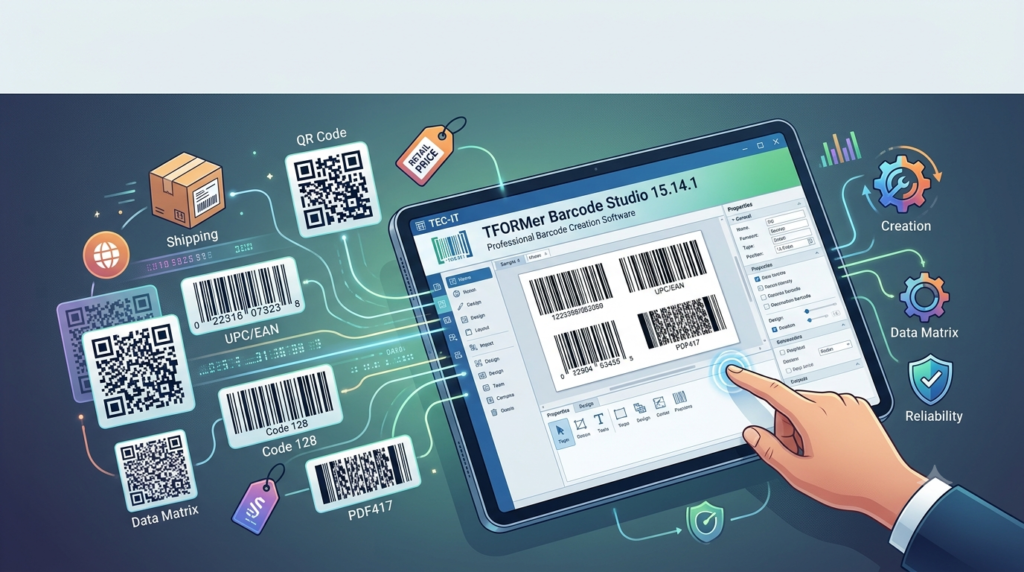

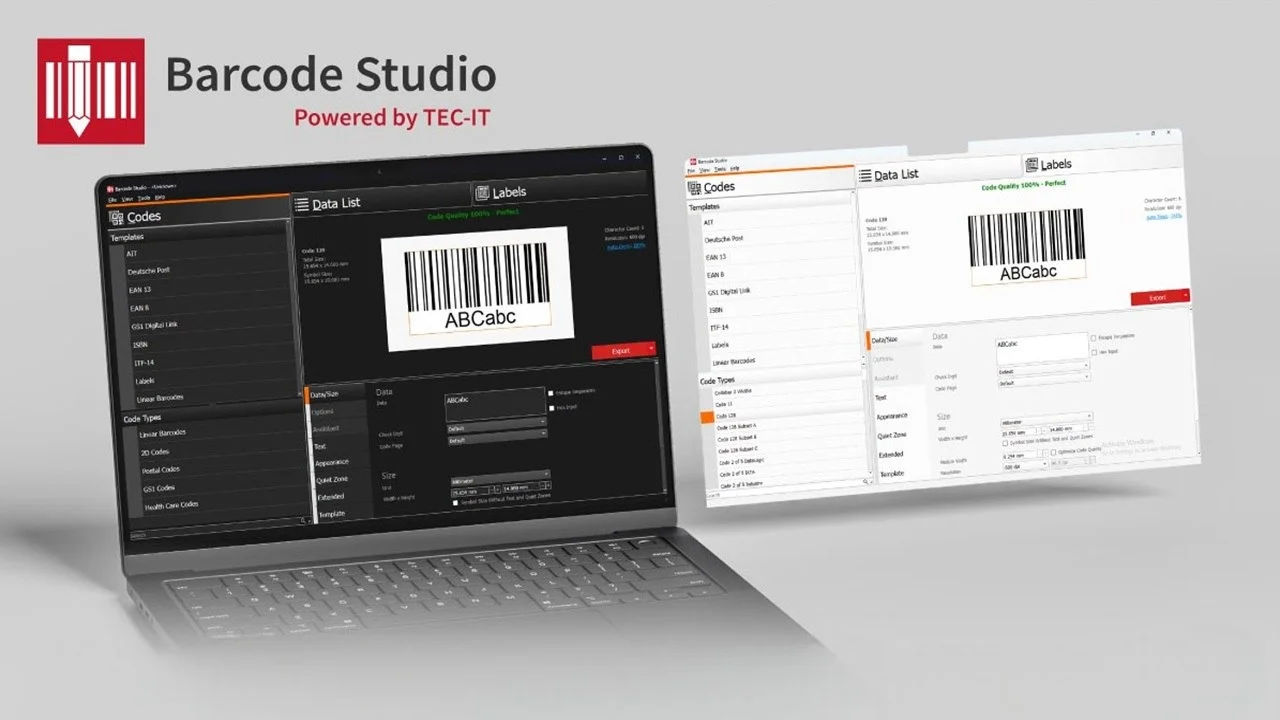
Overview of TFORMer Barcode Studio
Table of Contents
TFORMer Barcode Studio is a dedicated software application developed by TEC-IT Datenverarbeitung GmbH, an Austrian company with extensive experience in barcode, label, and data acquisition solutions since 1996. This tool stands out as a straightforward method for generating single or serial barcodes in both bitmap and vector graphic formats. It is designed for users who need a quick and efficient way to produce ready-to-use barcode graphics, bypassing the need to learn complex programming languages or APIs.
The software is part of a larger ecosystem that includes TFORMer Designer and TBarCode, but Barcode Studio is specifically tailored for rapid, high-quality barcode image creation. It allows you to parameterize barcodes directly on-screen and output them in various formats, making it an ideal solution for designers, business professionals, and anyone who needs to integrate barcodes into documents, databases, or design projects.
Key Features of Barcode Studio 15.14.1
TFORMer Barcode Studio is packed with features that make it a versatile tool for any barcode generation need. Here are some of its core capabilities:
-
Versatile Output Formats: One of the most significant advantages is its ability to export barcodes as both raster images (BMP, GIF, JPG, TIF, PNG) and scalable vector graphics (EPS, PDF, PostScript, SVG, AI). Vector formats ensure your barcodes remain crisp and scannable at any size.
-
Broad Symbology Support: The software supports all major 1D and 2D barcode symbologies, including UPC, EAN, QR Code, Data Matrix, GS1-128, and many more. This versatility makes it suitable for a wide array of industries.
-
Built-in Quality Preview: A standout feature is the integrated quality preview. It calculates the expected barcode quality in real-time based on the output resolution (DPI), helping you identify and correct potential readability issues before printing.
-
Data Import and Serialization: Barcode Studio excels at handling variable data. You can automatically generate sequential barcodes or import data from external TXT or CSV files to create large batches of unique codes efficiently.
-
Pre-configured Templates: The software includes ready-to-use templates for common barcode standards like EAN-13, UPC-A, and the German Post Premiumadress. This feature streamlines the creation of compliant barcodes.
-
Special Effects and Branding: Users can create visually appealing barcodes by embedding logos or graphics into the barcode image. This allows for customization and branding while maintaining scannability.
-
Command-Line Interface: For advanced users, a full-featured command-line interface supports batch operations and integration into third-party applications like Oracle Reports.
What’s New in the Latest Version
While specific release notes for Barcode Studio 15.14.1 are not detailed in the provided search results, the software is consistently updated by TEC-IT to ensure compatibility and maintain high performance. User feedback from professional settings highlights the software’s stability and the company’s commitment to providing reliable solutions for all barcode labeling purposes. The latest version continues to deliver on the promise of creating high-quality barcode images quickly and easily for users on Microsoft Windows, macOS, and Linux operating systems.
System Requirements
TFORMer Barcode Studio is a cross-platform application. Based on available information, the software is compatible with:
-
Microsoft Windows
-
macOS
-
Linux (UNIX upon request)
This broad compatibility ensures that it can be integrated into most professional and personal workflows. For the most precise and up-to-date system requirements, it is always best to check the official TEC-IT website.
Installation Guide
Installing TFORMer Barcode Studio is typically a straightforward process. You will need to follow these general steps, which are standard for software installation:
-
Download the Installer: Visit the official TEC-IT website and locate the download section for Barcode Studio. Select the appropriate installer for your operating system.
-
Run the Installer: Locate the downloaded file and double-click it to run the installation wizard.
-
Follow the Instructions: The wizard will guide you through the setup. You will typically need to accept the license agreement and choose an installation directory.
-
Complete Installation: Once the process is finished, you should be able to launch Barcode Studio from your computer’s applications menu.
How to Use TFORMer Barcode Studio
The software is designed with a focus on simplicity and user-friendliness. Here is a basic guide on how to create your first barcode.
-
Launch the Software: Open TFORMer Barcode Studio on your computer.
-
Select a Barcode Type: From the main interface, choose the desired symbology (e.g., Code 128, QR Code).
-
Enter Your Data: In the designated input field, type the text or numeric data you wish to encode. For serial barcodes, you can specify the starting number and increment value.
-
Adjust Settings: Modify parameters such as the module width (bar width), height, and font. You can also adjust color settings for the bars and background, or add a logo.
-
Preview Your Barcode: The software provides a real-time preview of the barcode. Check the “Quality Preview” to ensure it will be readable at your intended print resolution.
-
Generate and Export: Once you are satisfied with the design, you can export the barcode. For example, you can copy it to the clipboard, save it as a file (e.g., as a PDF or PNG), or print it directly from the software.
Best Use Cases for Barcode Studio
TFORMer Barcode Studio is used in various professional and business contexts:
-
Product Labeling: Creating UPC, EAN, or GS1 barcodes for retail products.
-
Logistics and Shipping: Generating labels with tracking numbers and GS1 Logistics Labels that need to comply with specific standards.
-
Inventory Management: Producing barcodes for internal asset tracking and stocktaking.
-
Document Management: Adding barcodes to documents for automated filing and retrieval.
-
Marketing and Business Cards: Creating QR codes for mobile marketing campaigns that link to websites, social media profiles, or vCards.
-
Integration with Design Software: Generating scalable vector barcodes (e.g., EPS, AI) that can be placed into professional design projects without loss of quality.
Advantages and Limitations
Advantages
-
Ease of Use: The software is very intuitive and does not require any programming skills to generate professional barcodes.
-
High-Quality Output: It produces high-quality barcodes in both bitmap and vector formats, ensuring compatibility and print-readiness for any application.
-
Extensive Format Support: It supports a wide range of output formats and barcode symbologies, making it exceptionally versatile.
-
Batch Processing: The ability to import data from CSV files and generate serial barcodes saves significant time for large projects.
-
Proven Reliability: Developed by TEC-IT, a company recommended by GS1, it is a trusted tool in the industry.
Limitations
-
Focus on Creation: It is a dedicated barcode creation tool, not a comprehensive label design suite like TFORMer Designer, which is better suited for designing complete label layouts with multiple fields and complex formatting.
-
Cost: As professional software, it requires a paid license. This might be a consideration for users who only need to generate barcodes once. However, the investment is justified for professional use by its reliability and feature set.
Alternatives to TFORMer Barcode Studio
Depending on your specific needs, other software solutions can handle barcode generation. Here is a brief comparison:
-
TEC-IT TFORMer Designer: For users who need to create complex, data-driven labels with multiple fields, graphics, and dynamic content, TFORMer Designer is the more powerful alternative from the same developer. It is a full-fledged label design and printing platform.
-
ZebraDesigner: Zebra offers both a free Essentials version and a paid Professional version. The Essentials version is suitable for basic barcode label design, while the Professional version offers more advanced features like database connectivity and scripting. This is a good option for users with Zebra printers.
-
iBarcoder: This is an all-in-one Mac-native barcode generator and label design tool. It also supports a wide range of symbologies and offers label printing features, making it a solid choice for Mac users looking for a comprehensive solution.
Frequently Asked Questions
What is the primary difference between Barcode Studio and TFORMer Designer?
Barcode Studio is a focused tool for generating high-quality barcode images in various formats, perfect for users who need a quick and easy way to create barcodes for documents or graphics. TFORMer Designer is a comprehensive label and form design software used to create entire layouts for printing on label sheets.
Is TFORMer Barcode Studio available for Mac?
Yes, Barcode Studio is a cross-platform application and is available for macOS, in addition to Microsoft Windows and Linux.
Can I use TFORMer Barcode Studio to create QR Codes?
Yes, Barcode Studio fully supports the creation of QR Codes, along with other 2D barcodes like Data Matrix. It includes a mobile marking assistant to simplify the creation of QR codes for vCards and URLs.
What types of barcode image files can I export?
You can export your barcodes as popular raster formats like PNG, BMP, GIF, JPG, and TIFF. It also offers vector formats such as EPS, PDF, PostScript, SVG, and AI.
How does Barcode Studio help ensure my barcodes are scannable?
A key feature is the built-in quality preview, which assesses the barcode’s quality in real-time based on the output resolution. This helps you optimize the module width and avoid unreadable barcodes before they are printed or exported.
Can I generate a large number of unique barcodes?
Yes, Barcode Studio is well-suited for batch generation. You can use its sequential numbering feature or import data from an external file (TXT or CSV) to produce hundreds of unique barcodes efficiently.
Final Thoughts
TEC-IT TFORMer Barcode Studio 15.14.1 is a powerful, efficient, and reliable tool for anyone who needs professional-quality barcode creation software. Its strength lies in its simplicity and focus, allowing users to generate a wide array of barcodes in the best possible quality without any programming knowledge.
Whether you are a graphic designer needing vector graphics for a product label, a logistics manager generating hundreds of shipping codes, or a marketing professional creating QR codes for a campaign, Barcode Studio provides a dependable solution. As part of TEC-IT’s suite of barcode and labeling products, it has earned the trust of industries and organizations worldwide. For a powerful, no-nonsense barcode generator, TFORMer Barcode Studio is a top-tier choice.
Our Paid Service
“We do not sell or provide any software. We only offer professional support services. If any software on your system is not working properly, or you are facing installation errors, crashes, or any other technical issue — just contact us. We will help you fix the problem quickly and remotely via AnyDesk. No software will be provided from our side — only expert troubleshooting and support.”