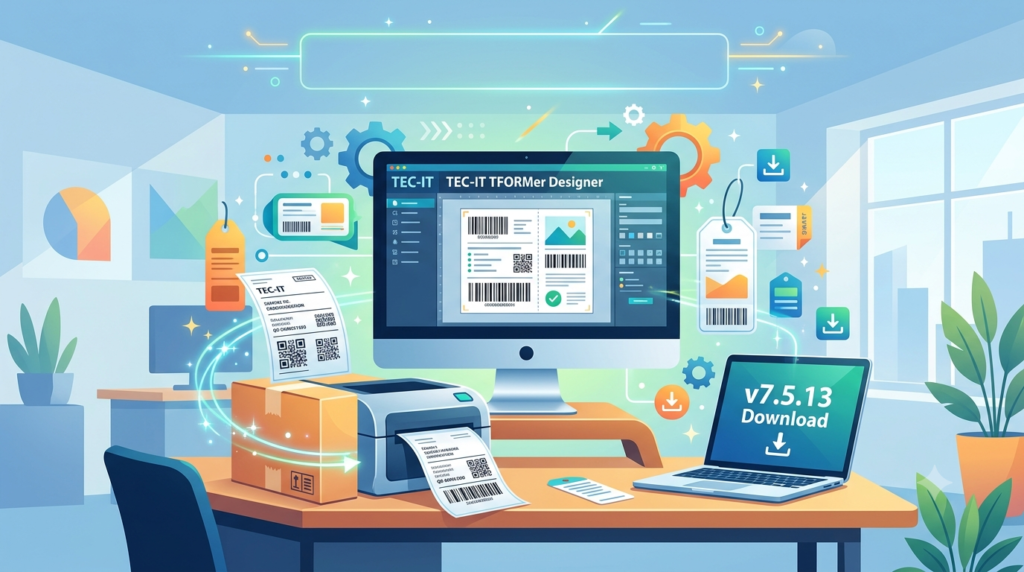

Overview of TEC-IT TFORMer Designer 7.5.13
Table of Contents
TFORMer Designer, developed by Austrian software company TEC-IT Datenverarbeitung GmbH, is a versatile labeling solution that serves industries ranging from logistics and automotive to retail and healthcare . The software eliminates complex design processes by offering an extensive library of ready-to-use templates while maintaining complete customization flexibility through its WYSIWYG layout editor .
The software functions as both a standalone design tool and a component of the broader TFORMer product family. Users can create layouts visually, import data from various sources, and output labels to virtually any printer or export them to multiple file formats . Version 7.5.13 represents a stable release that introduced improved printer visibility and enhanced error messaging capabilities .
Key Features of TFORMer Designer 7.5.13
Comprehensive Barcode Generation
TFORMer Designer includes a full-featured barcode generator supporting more than 100 barcode symbologies . The software handles all linear, 2D, Composite, and GS1 barcodes, producing high-quality output independent of printer hardware. Users can generate barcodes without requiring specialized barcode printers or hardware add-ons like barcode SIMMs or DIMMs .
Key supported barcode types include:
-
Linear barcodes: Code 128, Code 39, EAN, UPC, Interleaved 2 of 5
-
2D barcodes: QR Code, Data Matrix, PDF417, Aztec Code
-
Composite and GS1 barcodes: GS1-128, GS1 DataBar, Composite symbologies
Ready-to-Use Industry Templates
The software comes pre-loaded with standardized label templates for automotive, logistics, and industrial applications . Organizations can immediately deploy compliant labels without design delays. Standard templates include:
-
Automotive: VDA-4902, AIAG, AMES-T, Galia, Odette
-
Logistics: GTL Transport Labels, GS1 Logistics Labels
-
General: Compliance labels, shipping labels, product identification tags
User-Friendly Design Interface
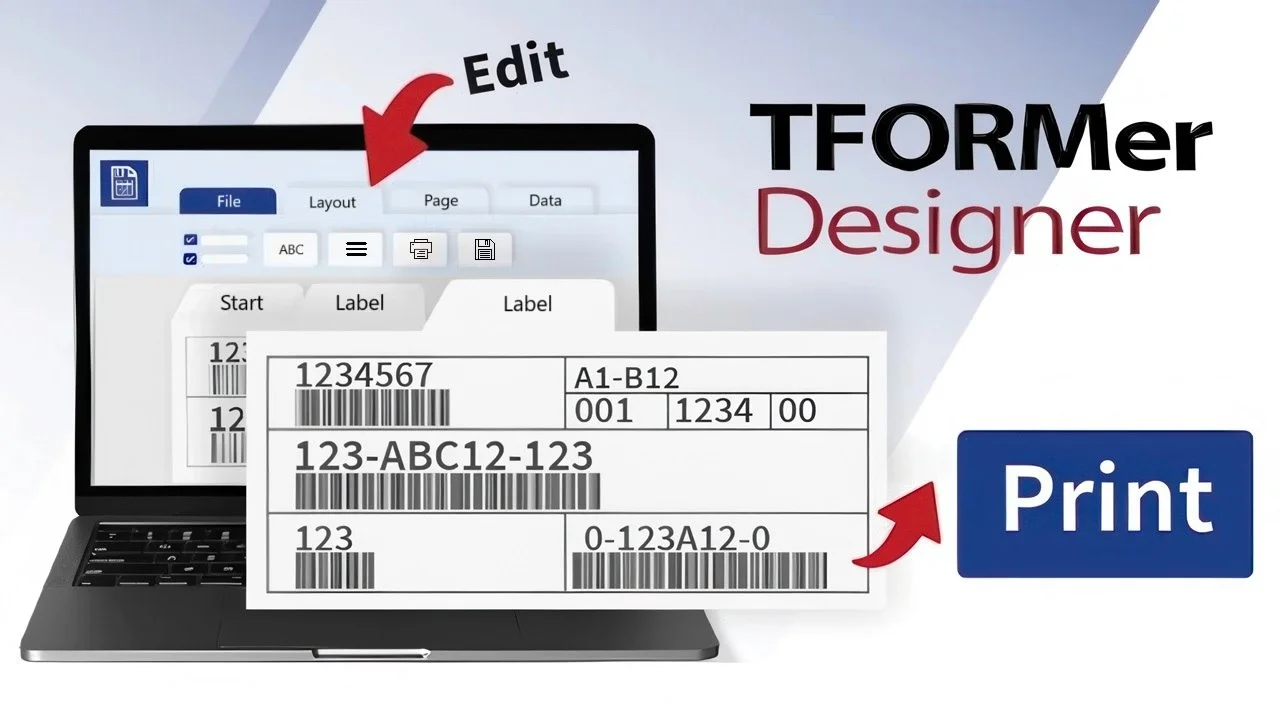
The WYSIWYG layout editor simplifies label creation with familiar tools and unlimited undo/redo functionality . Users can incorporate rich text formatting, images, graphical elements, and dynamic data fields directly into designs. The interface requires no programming knowledge, making label design accessible to business users while providing advanced capabilities for professional designers .
Flexible Data Import and Integration
TFORMer Designer supports manual data entry and automated data import from multiple sources . Organizations can connect to:
-
ODBC databases for enterprise data integration
-
Flat files including XML, TXT, and CSV formats
-
Manual input through user-friendly printing tools
The software separates data from layout design, enabling template reuse across different data sets and use cases .
Dynamic Layout Capabilities
Advanced users can create intelligent layouts with embedded computations, conditional printing rules, and printer tray control . These dynamic features enable:
-
Automated serial number management with network-wide unique allocation
-
Conditional content display based on data values
-
Format selection and printer control logic
-
Computed fields for calculations and data transformation
Universal Output Options
TFORMer Designer provides extensive output flexibility beyond direct printing . Users can export labels to multiple formats, including:
| Export Format | Use Case |
|---|---|
| Document archiving and sharing | |
| PostScript | Professional printing workflows |
| ZPL II | Zebra printer compatibility |
| HTML | Web display and integration |
| TIFF, GIF, JPG, BMP, PNG | Image-based applications |
No additional software is required for these exports—all functionality is integrated directly into TFORMer .
Unicode and Internationalization Support
TFORMer Designer supports Unicode character sets natively, enabling label printing in multiple languages including Cyrillic, Chinese, and Japanese . This makes the software suitable for multinational organizations and global supply chain operations .
Print Anywhere Capability
The software works with all printers supported by Microsoft Windows and provides native PostScript and ZPL-II output features for specialized printing environments . This printer independence ensures compatibility across diverse hardware deployments.
What’s New in Version 7.5.13
The 7.5.13 update introduced specific improvements to enhance user experience and system visibility :
Improved Printer Management
System printers became visible within the printer settings dialog, simplifying printer selection and configuration for users working in complex printing environments.
Enhanced Error Messaging
The software gained the ability to display error messages and confirmation prompts directly to users, improving feedback and reducing troubleshooting time .
System Requirements
TFORMer Designer 7.5.13 operates on Microsoft Windows platforms with the following requirements:
Minimum Requirements
-
Operating System: Windows 2000 or higher
-
RAM: 512 MB minimum
-
Disk Space: 30 MB for installation
-
.NET Framework: Some components require .NET 2.0 runtime
Recommended Environment
-
Operating System: Windows 10 or Windows 11
-
Processor: Intel Core i7 or equivalent
-
RAM: 8 GB or higher
-
Disk Space: 10 GB for optimal performance
-
Display: 1280 x 1024 resolution or higher
Additional Requirements by Platform
For software developers integrating TFORMer SDK, Linux and UNIX platforms require specific dependencies :
-
Linux (deb or rpm-based): fontconfig, freetype2, libxml2, libxslt, CUPS (for printing), unixODBC (optional for SQL)
-
HP-UX: freetype, libxml2, gettext, libxslt, fontconfig, and additional libraries
-
AIX: RPM package manager, fontconfig, freetype2, libxml2, zlib, libart_lgpl
The complete SDK documentation and sample applications require approximately 100 MB of additional storage on Linux/UNIX systems .
Installation Guide
Windows Installation
TFORMer Designer uses an MSI installer for straightforward setup on Windows platforms :
-
Download the installer from the official TEC-IT website
-
Run the MSI setup application as administrator
-
Follow the installation wizard to select installation components
-
Default installation path:
C:\Program Files\TEC-IT\TFORMer7 SDK(for SDK components) -
Complete installation and launch the software
Note: On 64-bit Windows systems, 64-bit DLLs install to the x86 folder (C:\Program Files (x86)) . Sample applications and layout templates may be found in C:\ProgramData\TEC-IT\TFORMer\7.0 (hidden folder) .
Linux and UNIX Installation
For SDK integration on Linux and UNIX systems, TFORMer provides platform-specific packages :
RPM-based Linux:
$ su
$ sh TFORMer-7.0.2-1.i586.rpm.bin
After confirming the license agreement, the RPM installs automatically .
Debian-based Linux:
$ sudo su
$ sh TFORMer-7.0.2-1-i386.deb.bin
Run the installation script and confirm the license to complete installation .
Other UNIX platforms (HP-UX, AIX, Solaris):
Use tarball installation with the included install script:
$ gunzip SetupTFORMer-[version]-[platform].tar.gz
$ tar xf SetupTFORMer-[version]-[platform].tar
$ cd SetupTFORMer
$ sh install.sh
Follow the license confirmation prompts to complete .
Default path on Linux/UNIX: /usr/local/bin/tfprint for the command-line application; configuration files in /usr/local/share/TFORMer/ .
How to Use TFORMer Designer 7.5.13
Creating Your First Label
Step 1: Select or Design a Layout
Launch TFORMer Designer and either create a new layout from scratch using the WYSIWYG editor or select a ready-to-use template from the library . Industry standard templates are available for immediate deployment .
Step 2: Provide Data
Import variable label data from external data sources or databases, or enter the label data manually . The software supports:
-
Manual data entry through the user interface
-
Database connections via ODBC
-
File imports from XML, TXT, CSV formats
Step 3: Design and Customize
Use the layout editor to:
-
Add static and dynamic content
-
Insert barcodes with your chosen symbology
-
Apply rich text formatting and graphics
-
Configure serial number generation and management
-
Set conditional printing rules and dynamic layouts
Step 4: Preview and Print
Preview the output to verify design and data. Then:
-
Print directly to any supported Windows printer
-
Export to PDF, PostScript, ZPL II, or image formats
-
Save for future use and template reuse
Advanced Usage: SDK Integration
For automated printing solutions, developers integrate TFORMer SDK into their applications . The SDK provides multiple API options:
-
COM Component: For integration with Windows applications (TFORMerCOM70.dll)
-
.NET Component: For C# and VB.NET applications (TECIT.TFORMer.dll)
-
DLL API: For C/C++ development (TFormer70.dll and TFormer70x64.dll)
-
Java API: For J2EE architectures and GUI applications (JAR file)
-
Command-Line Application: For script automation and server environments (tfprint.exe)
The SDK supports cross-platform deployment on Windows, Linux, and UNIX, enabling consistent label printing across heterogeneous environments .
Best Use Cases for TFORMer Designer 7.5.13
Logistics and Supply Chain Management
Organizations use TFORMer Designer to print GS1 logistics labels, shipping labels, and transportation documentation. The software’s ready-to-use templates for GTL Transport Labels and GS1 Logistics Labels enable rapid compliance with industry standards .
Automotive Industry
The automotive sector leverages TFORMer Designer for VDA-4902 labels, AIAG-compliant documentation, and other automotive-specific labeling . Manufacturers and suppliers can maintain consistent labeling standards across their supply chains.
Healthcare and Pharmaceutical
Healthcare organizations create patient identification labels, specimen tracking labels, and pharmaceutical compliance labels. The software’s Unicode support enables multilingual labeling for international healthcare operations .
Retail and E-commerce
Retailers generate product tags, shipping labels, and return labels. The integration with databases allows automated printing from order management systems .
Manufacturing and Production
Manufacturing facilities use TFORMer Designer for work-in-progress tracking labels, finished goods identification, and quality control documentation. Dynamic layouts support serial number management and batch tracking .
Software Development and Integration
Developers embed TFORMer SDK into custom applications for automated label printing. Typical integration scenarios include ERP systems, warehouse management software, and point-of-sale applications .
Advantages and Limitations
Advantages
User-Friendly Interface: The WYSIWYG editor and drag-and-drop functionality enable label creation without programming knowledge. Users can produce professional results immediately .
Extensive Barcode Support: More than 100 barcode symbologies eliminate the need for additional barcode generation software. All barcode types are supported, including QR Code and Data Matrix .
Industry-Ready Templates: Pre-designed templates for automotive, logistics, and other industries accelerate deployment and ensure compliance with industry standards .
Flexible Data Integration: Support for manual entry, database connections, and file imports accommodates diverse data sources and business processes .
Cross-Platform Compatibility: While the Designer tool itself runs on Windows, the SDK enables label printing on Linux and UNIX platforms, supporting heterogeneous IT environments .
Multiple Output Options: Direct printing to any printer plus export to PDF, ZPL II, PostScript, and image formats provides flexibility for various use cases .
Dynamic and Automated Printing: Conditional content, serial number management, and automated data processing reduce manual intervention and errors .
Strong Developer Support: Multiple API options (COM, .NET, DLL, Java, command-line) make integration straightforward for development teams .
Limitations
Windows-Only Designer: The design environment is available exclusively on Microsoft Windows, which may challenge organizations with mixed operating system environments .
Minimum Hardware Requirements: While the basic requirements are modest, recommended specifications for large-scale production are higher .
SDK Learning Curve: Developers require time to understand the SDK architecture and API options for optimal integration .
Licensing Model: Licenses are sold on a per-workstation (or per-user) basis, with annual subscription pricing. Organizations with 10+ workstations need to request customized pricing . The annual subscription automatically renews unless canceled in writing at least three months before expiration .
Alternatives to TFORMer Designer
ZebraDesigner Pro
ZebraDesigner Pro is a barcode label design program developed by Zebra Technologies. It focuses specifically on Zebra printer compatibility and offers template-based label design for logistics and retail applications.
Comparison: ZebraDesigner Pro provides strong integration with Zebra printers but offers less flexibility for multi-vendor printing environments compared to TFORMer Designer’s printer-independent design approach.
NiceLabel Express
NiceLabel Express is a basic barcode label design application from NiceLabel (now part of Zebra Technologies). It provides essential label design capabilities for small to medium businesses.
Comparison: NiceLabel Express offers straightforward label design but has fewer advanced features compared to TFORMer Designer’s comprehensive barcode support and dynamic layout capabilities.
CODESOFT
CODESOFT by TEKLYNX is a professional label design solution for enterprise environments . It focuses on barcode labeling, RFID encoding, and regulatory compliance.
Comparison: CODESOFT and TFORMer Designer compete in similar enterprise spaces. TFORMer Designer differentiates itself with simpler pricing models and extensive template libraries .
ByteScout BarCode Reader SDK
ByteScout provides barcode reading and generation SDKs for developers . The solution focuses on extracting barcodes from images and creating barcodes programmatically.
Comparison: ByteScout is primarily a developer tool for barcode reading/creation in applications, whereas TFORMer Designer offers both a visual design tool and a comprehensive SDK for label printing .
DRPU Barcode Label Maker
DRPU Barcode Label Maker is a basic barcode label design and printing application suitable for small businesses.
Comparison: DRPU offers essential barcode printing but lacks TFORMer Designer’s advanced features, industry templates, and SDK integration capabilities.
WaspLabeler
WaspLabeler by Wasp Barcode Technologies provides label design for retail and inventory management .
Comparison: WaspLabeler integrates with Wasp’s asset tracking ecosystem, while TFORMer Designer offers broader cross-industry application and more barcode symbology support.
Frequently Asked Questions
Is TFORMer Designer free to use?
TFORMer Designer is a commercial software product . A free demo version is available for download without registration, allowing users to evaluate the software before purchasing a license . The demo provides access to core features, enabling full testing of label design and printing capabilities.
What barcode types does TFORMer Designer support?
TFORMer Designer supports more than 100 barcode symbologies . This includes all linear barcodes such as Code 128, Code 39, EAN, and UPC; 2D barcodes including QR Code, Data Matrix, PDF417, and Aztec Code; plus Composite and GS1 barcodes like GS1-128 and GS1 DataBar .
Can TFORMer Designer integrate with my existing database?
Yes. TFORMer Designer can import data from various sources, including ODBC databases, XML files, TXT files, and CSV files . This integration supports automated label printing with variable data from existing business systems.
Which operating systems are compatible with TFORMer Designer?
The TFORMer Designer design environment runs on Microsoft Windows (Windows 2000 and higher, recommended Windows 10 or Windows 11) . The TFORMer SDK extends compatibility to Linux and UNIX platforms, enabling automated label printing across different operating systems .
What export formats does TFORMer Designer support?
TFORMer Designer supports multiple export formats including PDF, PostScript, ZPL II (Zebra printer language), HTML, TIFF, GIF, JPG, BMP, and PNG . These export features are completely integrated within TFORMer and require no additional software.
Is TFORMer Designer suitable for multilingual labels?
Yes. TFORMer Designer natively supports Unicode character sets, enabling the creation and printing of labels in multiple languages including Cyrillic, Chinese, Japanese, and other character sets . This makes it suitable for global organizations and international supply chains.
What types of templates are included with TFORMer Designer?
TFORMer Designer includes ready-to-use templates for various industries and applications . These include VDA-4902 labels for automotive, AIAG compliance labels, AMES-T and Galia templates, Odette labels, GTL Transport Labels, GS1 Logistics Labels, and many more industry-standard formats .
Can TFORMer Designer print serial numbers automatically?
Yes. TFORMer Designer manages serial numbers automatically . The QuickPrint feature supports network-wide, unique serial number allocation even in multi-user environments, making it ideal for sequential tracking and inventory management.
Final Thoughts
TEC-IT TFORMer Designer 7.5.13 stands as a robust, professional labeling solution that balances ease of use with advanced capabilities. Its comprehensive barcode support—covering more than 100 symbologies—and extensive industry template library enable rapid deployment for logistics, automotive, healthcare, and retail applications . The software’s WYSIWYG interface empowers business users while dynamic layouts and SDK integration serve developers creating automated printing solutions .
For organizations requiring consistent, compliant, and scalable labeling, TFORMer Designer offers a compelling value proposition. The separation of design from data enables template reuse across varied use cases, while the multiple API options support integration into diverse IT environments . Although the Designer tool is Windows-only, the SDK extends platform support to Linux and UNIX, accommodating mixed operating system deployments .
Version 7.5.13, with its improved printer management and error messaging, represents a stable, mature release suitable for production environments . Organizations seeking a professional label design solution with extensive integration capabilities and industry-standard compliance would benefit from evaluating TFORMer Designer’s capabilities against their specific labeling and printing requirements.
Our Paid Service
“We do not sell or provide any software. We only offer professional support services. If any software on your system is not working properly, or you are facing installation errors, crashes, or any other technical issue — just contact us. We will help you fix the problem quickly and remotely via AnyDesk. No software will be provided from our side — only expert troubleshooting and support.”