
Overview of AxelTech DML Video Logger Recorder
Table of Contents
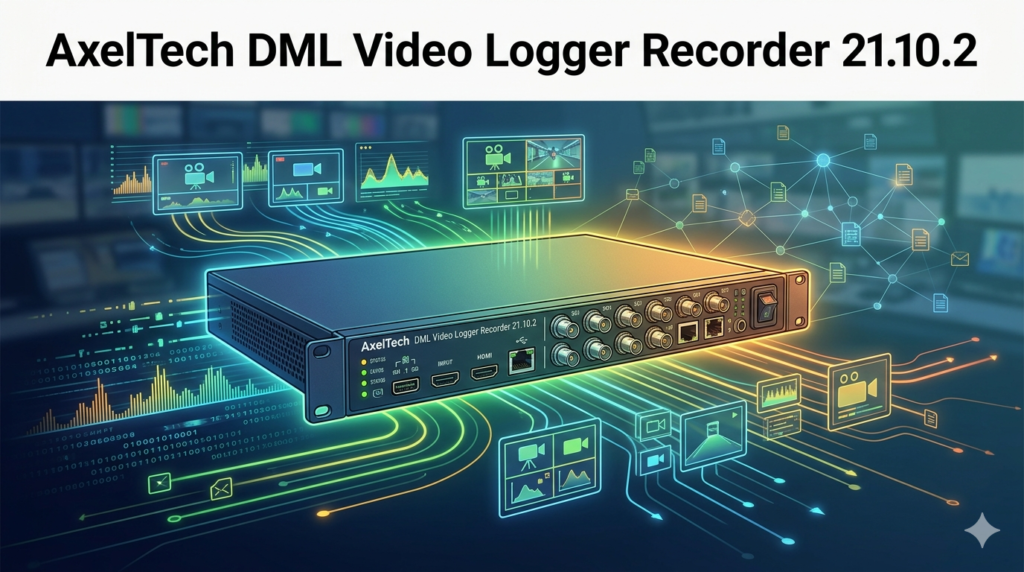
The DML Recorder is a professional-grade digital media logging system designed for continuous, 24/7 audio and video recording in broadcast environments. This sophisticated broadcast logging software enables television and radio stations to meet regulatory compliance requirements while providing powerful tools for content monitoring, advertisement verification, and quality control .
At its core, the DML (Digital Media Logger) system captures audio and video content from virtually any source—including SDI, HDMI, IP streams, DVB-T2, and composite signals—and stores them in standard multimedia formats for easy access and playback . What sets the Axel Technology DML Video Logger apart is its maintenance-free operation, automatic file management, and enterprise-grade reliability that broadcasters depend on for legal compliance and operational efficiency.
The DML Recorder 21.10.2 version represents the latest iteration of Axel Technology’s logging solution, building upon years of broadcast industry expertise to deliver enhanced performance, broader format support, and improved integration capabilities.
Key Features
Continuous 24/7 Recording
The DML Video Logger excels at uninterrupted recording around the clock. The system employs special Mux switching technology that ensures no video or audio frames are lost between consecutive files, maintaining seamless capture even during file segmentation . This reliability is essential for broadcasters who cannot afford gaps in their compliance recordings.
Multi-Channel Scalability
Depending on the configuration, the DML Recorder can handle up to 32 audio channels or 8 video channels per unit, making it suitable for everything from single-station operations to large-scale multi-channel deployments . The system scales effortlessly to match growing operational requirements.
Comprehensive Format Support
The AxelTech media logger supports an extensive range of codecs and formats including:
-
Video: H.265, H.264, MPEG2, MPEG4, DivX, AV1, MJPEG, DV
-
Audio: MP3, AAC, AC3, WAV, OGG
-
Container formats: MP4, TS, MOV, XDCAM, MXF, GXF, FLV, VOB, ASF, AVI, MKV
GPU-Accelerated Encoding
The DML Recorder 21.10.2 leverages NVIDIA, AMD, and Intel GPUs for accelerated encoding and decoding of H.264, H.265, and AV1 formats, enabling efficient multi-channel configurations without compromising performance .
IP Streaming Capabilities
Simultaneous capture and IP streaming allow viewing of encoded audio/video signals from anywhere via the internet. Supported protocols include UDP TS, RTP, RTSP, RTMP, HTTP, SRT, and NDI .
Time and Date Certification
Accurate date and time certification is guaranteed through synchronization with GPS satellite time reference using the optional AxelTech Sat Time Synchronizer receiver. Time and date displays can be superimposed onto video signals or embedded into the data stream for tamper-proof verification .
Comprehensive Monitoring and Alarms
The DML Video Logger includes sophisticated monitoring capabilities:
-
Video presence and freeze detection
-
Audio presence monitoring
-
Disk activity tracking
-
Data rate statistics
-
A/V stream integrity verification
When issues arise, the system can automatically notify operators via email, SMS, or Telegram, ensuring prompt attention to potential problems .
Automatic File Management
The system is entirely maintenance-free. According to configured settings, oldest recordings are automatically overwritten by newest ones when storage capacity is reached . Log periods can be defined from 30 to 365 days, accommodating various regulatory requirements.
Flexible Playback and Export
With the free DML Player software, content can be browsed, edited, downloaded to external media, and converted to popular video formats. The player supports simultaneous multi-channel playback and variable speed control from 0.5x to 16x .
What’s New in Version 21.10.2
The DML Recorder 21.10.2 introduces several enhancements over previous versions:
Enhanced GPU Acceleration
Expanded support for NVIDIA, AMD, and Intel GPUs enables more efficient capture in H.264, H.265, and AV1 codecs, supporting higher channel counts with lower CPU utilization .
Expanded Input Format Support
New compatibility includes advanced IP protocols like SRT and NDI, plus expanded audio options including AoIP Dante, Livewire, and AES67. FM, AM, and DAB reception is now supported through Sonifex RADCAP integration .
Improved Integration Capabilities
Version 21.10.2 introduces REST APIs for developers and SNMP protocol support, enabling seamless integration with existing broadcast infrastructure and third-party monitoring solutions .
Advanced Metadata Logging
Enhanced support for ancillary information including LTC timecode, Closed Captioning, SCTE-35/SCTE-104 triggers, Loudness data, and multitrack audio .
Enhanced Notification System
Expanded alarm notification options now include Telegram alongside traditional email and SMS, providing more flexibility for operators .
Web Dashboard Improvements
A more comprehensive web dashboard enables remote control and monitoring from any browser-capable device .
System Requirements
The Axel Technology DML Video Logger Recorder operates on Windows-based systems with the following recommended specifications:
Minimum System Requirements
-
Processor: Intel Core i3 or equivalent
-
RAM: 1 GB minimum, 8 GB recommended
-
Operating System: Windows 8, Windows 10, or newer
-
Graphics: DirectX 9.0c compatible, 16.8 million colors (24 or 32-bit) with hardware acceleration enabled
-
Network: 1 Gbps Ethernet
Recommended Production Configuration
-
Processor: Intel Core i7 or higher
-
RAM: 8 GB or more
-
Storage: Separate disk partition for each recording channel
-
Capacity: Approximately 1 TB per channel for 90-day retention at 1 Mbps
-
RAID Configuration: RAID architecture or software mirror recommended for data security
Supported Capture Cards
The DML Video Logger is compatible with:
-
Blackmagic Design Decklink and Intensity cards
-
WDM tuner cards
-
DVB-T, DVB-S/S2, DVB-C, ATSC tuners
-
SDI and ST2110 inputs from Bluefish, AJA, Dektec, Deltacast, and Magwell devices
Installation Guide
Step 1: Prepare the System
Ensure your Windows system meets the minimum requirements. Install necessary capture cards and drivers before proceeding with the DML software installation.
Step 2: Run the Installer
Launch the DMLRecorderSetup.exe file from the installation media . Follow the on-screen prompts:
-
Click “Next” to begin installation
-
Accept the license agreement terms
-
Enter User Name and Company Name
-
Select “Complete” installation type
Step 3: Complete Installation
Click “Install” to begin the installation process. The installer will also set up required multimedia components including ffdshow. Wait for the installation to complete and click “Finish” to exit the wizard. A system restart may be required .
Step 4: Hardware Connections
Connect your video and audio sources to the appropriate inputs :
-
Composite video: Connect to the Composite video input using 75 ohm impedance cable
-
S-Video: Connect to the SVHS video input using 4-pin connector cable
-
RF input: Connect antenna source to the RF input
-
Audio: Connect audio source to the audio input
Step 5: Network Configuration
Connect the DML Recorder to your network via Ethernet. The system uses TCP/IP for network communication and remote access .
Step 6: GPS Time Synchronization (Optional)
If using the Sat Time Synchronizer receiver:
-
Connect the GPS receiver to the DML rear panel
-
Ensure the Sat Time application is installed and configured
-
The receiver must remain connected even if satellite signal is unavailable
Step 7: Initial Configuration
Launch the DML Recorder application and access the Config window to set:
-
Recording path and storage locations
-
Channel ID and identification
-
Recording schedule and file segmentation
-
Alarms and notification preferences
-
Video and audio encoding settings
How to Use the Software
Navigating the Main Interface
The DML Recorder 21.10.2 interface provides intuitive access to all critical functions:
Main Window: Displays real-time video preview (configurable), current recording status, and system health indicators.
Config Window: Access detailed configuration settings including recording parameters, paths, alarms, and language preferences .
Alarms Window: Monitor system status with visual and audible alerts for video loss, audio issues, disk capacity, and other critical parameters .
Configuring Recording Parameters
-
Set the recording path for media files (use a separate partition from the OS for optimal performance)
-
Configure file segmentation: choose between hour-based, minute-based, or size-based file splitting
-
Set the logging period (30, 60, 90, 180, or 365 days)
-
Select video and audio codecs with appropriate quality settings
-
Enable automatic deletion of oldest files when storage is full
Setting Up Alarms
The DML Video Logger provides comprehensive alarm configuration :
-
Minimum/Maximum Recording Length: Set thresholds for acceptable recording duration
-
Video Threshold: Configure minimum video signal level and freeze detection timeouts
-
Audio Threshold: Set minimum audio level and error timeout
-
Data Rate: Define acceptable data rate ranges
-
Notification: Configure email, SMS, or Telegram alerts for various alarm conditions
Using Remote Access Tools
DML Player (Free): Browser and playback recorded content from any networked computer. Supports variable speed playback, simultaneous multi-channel viewing, and content export/conversion .
DML Monitor (Free): Real-time monitoring of one or more DML units over LAN or Internet. Displays current video frames, system status, streaming audio, and alarm notifications .
Web Dashboard: Access from any browser for remote control and monitoring without additional client software .
Exporting and Converting Content
Using the DML Player, users can:
-
Navigate to desired date and time in the calendar
-
Set mark-in and mark-out points for precise segment selection
-
Export content in various formats using flexible transcoding options
-
Download to external media or network locations
Best Use Cases
Regulatory Compliance
The AxelTech DML Video Logger is essential for broadcasters facing legal requirements for media logging. In most countries, media logging is mandatory for all TV broadcasters, requiring preservation and recovery of transmissions for regulatory audits . The system provides tamper-proof date and time certification and creates legally defensible records of broadcast content.
Advertisement Verification
Broadcasters use the DML Recorder to certify the broadcast of customer advertisements. When disputes arise, the system provides definitive proof of when and how advertisements aired, protecting both broadcasters and advertisers .
Quality Control and Monitoring
The system enables comprehensive quality surveillance including:
-
Video and audio quality monitoring
-
Technical parameter checking
-
Real-time system health monitoring
-
Continuous broadcast oversight
Competitive Intelligence
Broadcasters can record competing stations for programming analysis and customer intelligence. This capability helps organizations understand market positioning and competitive strategies .
News and Editorial Workflows
The DML Video Logger supports news and editorial operations through:
-
High-quality recording for re-broadcasting
-
Segment extraction for website and social media publishing
-
Content archiving for current programs and news editing
-
Post-broadcast analysis and quality control
Content Repurposing
Production teams use the system to extract recorded segments for:
-
Social media distribution
-
Website content
-
Promotional materials
-
Program highlights and compilations
Advantages and Limitations
Advantages
Reliability: The Axel Technology DML Video Logger is field-proven for 24/7 operation with enterprise-class components including RAID storage and real-time health monitoring .
Comprehensive Format Support: Unmatched compatibility with virtually any input format and codec, including emerging standards like AV1 and SRT .
Scalability: Single-unit configurations handle up to 8 video or 32 audio channels, with systems designed to scale to multi-station deployments .
Maintenance-Free Operation: Automated file management ensures the system requires minimal operator intervention .
Legal Compliance: GPS-synchronized time certification and tamper-proof recording create legally defensible audit trails .
Future-Proof Architecture: Designed for easy integration of new video formats and protocols .
Comprehensive Toolset: Free included utilities (DML Player, DML Monitor) add significant value without additional licensing costs .
Limitations
Windows Dependency: The DML Recorder operates exclusively on Windows platforms, which may not suit organizations with Linux-based infrastructure.
Storage Requirements: High-quality recording, particularly for 4K/8K content, demands substantial storage capacity. Organizations must plan carefully for long retention periods .
GPS Dependency: Accurate time certification requires the optional Sat Time Synchronizer receiver, adding to system cost .
Hardware Investment: As a professional broadcast solution, the system requires compatible capture cards and robust hardware, representing significant initial investment.
Alternatives to AxelTech DML Video Logger
Telestream Vantage
A comprehensive media processing platform that includes logging capabilities, media indexing, and workflow automation. Offers broader integration with cloud-based workflows.
Harmonic Media-Intelligence
Provides media logging and monitoring with advanced AI-powered content analysis, suitable for large-scale broadcast operations with complex content management needs.
Evertz Mediator-X
A complete media asset management and logging solution with advanced search, metadata tagging, and compliance tools. Particularly strong in large multi-channel environments.
Grass Valley STRATUS
Integrated production and logging platform suitable for broadcasters seeking tighter integration between playout, logging, and production workflows.
Dalet AmberFin
Transcoding and logging platform with specialized tools for content preparation, quality control, and multi-format delivery. Particularly strong in post-production environments.
Open Source Alternatives
FFmpeg with custom scripting can provide basic logging capabilities at lower cost, but lacks the professional features, support, and enterprise reliability of the AxelTech solution.
Frequently Asked Questions
What is the AxelTech DML Video Logger Recorder used for?
The AxelTech DML Video Logger Recorder is a professional broadcast logging system that continuously records audio and video content for regulatory compliance, advertisement verification, quality monitoring, and content archiving. It is essential for television and radio broadcasters who need to maintain tamper-proof records of their transmissions .
What version is the latest DML Recorder software?
The DML Recorder 21.10.2 is the latest stable version, featuring enhanced GPU acceleration, expanded input support including SRT and NDI, improved metadata logging capabilities, and REST API integration for developers .
What are the system requirements for DML Video Logger?
The DML Video Logger requires Windows 8 or newer, an Intel Core i3 or higher processor, 1-8 GB RAM, and a DirectX 9.0c compatible graphics card. Production configurations typically use Intel Core i7 processors with separate disk partitions for each channel .
How does the DML Recorder handle storage management?
The DML Recorder automatically manages storage by overwriting the oldest recordings when disk space reaches capacity. Log periods can be configured from 30 to 365 days, and the system maintains seamless recording without frame loss between files .
Can I access recordings remotely?
Yes, the AxelTech DML Video Logger provides multiple remote access options. DML Player allows content browsing and playback from any networked computer. The Web Dashboard enables browser-based access, and DML Monitor provides real-time status monitoring across LAN or Internet connections .
What input sources are supported?
The system supports virtually any input source including SDI, HDMI, composite, S-Video, IP streams (UDP, RTP, RTSP, RTMP, HTTP, SRT, NDI), DVB-T/S2/C, ATSC, and broadcast signals up to 8K resolution .
Is GPS time certification included?
Accurate time certification requires the optional AxelTech Sat Time Synchronizer receiver. This GPS-based system ensures tamper-proof date and time certification essential for legal compliance and regulatory audits .
What playback tools are available?
The free DML Player software provides comprehensive playback capabilities including variable speed control (0.5x to 16x), simultaneous multi-channel viewing, mark-in/out selection, content export, and format conversion. DML Monitor and Web Dashboard provide additional remote access options .
Final Thoughts
The AxelTech DML Video Logger Recorder 21.10.2 stands as a mature, enterprise-grade solution for professional broadcast logging needs. Its combination of reliability, comprehensive format support, and maintenance-free operation makes it an essential tool for broadcasters facing regulatory compliance requirements, quality monitoring needs, and content management challenges.
What distinguishes this DML Video Logger from competitors is its proven track record in demanding broadcast environments, the breadth of its input format support, and the robust toolset included at no additional cost. The system’s ability to handle everything from SD to 8K resolution, across virtually any input format, ensures it can adapt to evolving broadcast technologies.
The Axel Technology DML Recorder 21.10.2 version represents significant advancements in GPU acceleration, metadata logging, and integration capabilities, addressing the needs of both traditional broadcasters and modern content creators. The addition of REST APIs and expanded IP protocol support positions the system for increasingly network-centric broadcast workflows.
Whether you need to meet regulatory obligations, verify advertisement placements, monitor broadcast quality, or archive content for future use, the DML Video Logger provides the reliability and features that professional broadcast operations demand. Its automatic operation minimizes operator intervention while comprehensive monitoring and alarming ensure system integrity around the clock.
For organizations requiring legally defensible broadcast records and professional content management, the AxelTech DML Video Logger Recorder 21.10.2 delivers the performance, reliability, and features necessary for today’s demanding broadcast environment.
Our Paid Service
“We do not sell or provide any software. We only offer professional support services. If any software on your system is not working properly, or you are facing installation errors, crashes, or any other technical issue — just contact us. We will help you fix the problem quickly and remotely via AnyDesk. No software will be provided from our side — only expert troubleshooting and support.”