
Overview of Solea Software
Table of Contents
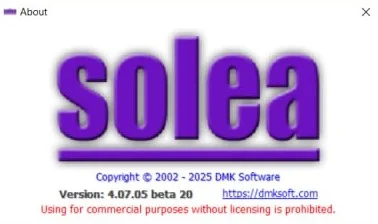
Solea v4.07.05 is a professional audio production tool designed to streamline digital sound editing, mixing, and restoration. Unlike traditional digital audio workstations (DAWs), Solea focuses on intelligent workflow automation, making it an ideal solution for podcasters, video editors, and music producers who need efficient, high-quality results.
The latest iteration, version 4.07.05, introduces “Smarter Audio Production” capabilities, leveraging AI-assisted processing to reduce manual editing time. Whether you are removing background noise, normalizing loudness across multiple tracks, or repairing corrupted recordings, Solea provides a legally compliant, license-based environment for professional sound engineering.
Key Features of Solea v4.07.05
Solea distinguishes itself through a combination of classic audio utilities and modern AI enhancements. Below are the core functionalities:
-
Intelligent Noise Reduction: Uses spectral analysis to isolate and remove hums, hisses, and room reverb without degrading vocal quality.
-
Non-Destructive Editing: All edits are applied as layers, allowing you to revert to the original recording at any stage.
-
Batch Processing Engine: Apply filters, normalize gain, or convert file formats across hundreds of audio files with a single click.
-
Loudness Normalization (LUFS): Compliant with broadcast and streaming standards (Spotify, Apple Podcasts, YouTube).
-
Plugin Hosting: Supports VST3 and AU plugins, enabling integration with third-party reverbs, compressors, and equalizers.
-
Multitrack Mixer: Manage up to 128 audio tracks with real-time FX chaining and automation lanes.
Supported File Formats and Platforms
-
Input Formats: WAV, AIFF, FLAC, MP3, M4A, OGG, AAC
-
Output Formats: WAV (16/24/32-bit), MP3 (320kbps), FLAC, M4A
-
Compatible Platforms: Windows 11/10 (64-bit), macOS Ventura through Sonoma, Ubuntu 22.04+ (via Wine/Flathub Beta)
-
Developer: Solea Digital Audio Labs
What’s New in Solea v4.07.05 (Latest Version)
The v4.07.05 update moves beyond bug fixes into true workflow enhancement. Key improvements include:
-
AI Dialogue Isolator: A neural network model trained to separate speech from music and ambient sound—critical for podcast and interview post-production.
-
Smart Marker Detection: Automatically places markers at silence points, transient peaks, and spoken word segments for rapid navigation.
-
Faster MP3 Encoding: Up to 40% faster export speeds on multi-core processors.
-
Dark Mode Interface Redesign: Reduced eye strain during long editing sessions, with customizable color schemes for waveform displays.
-
Updated Plugin Manager: Automatic scanning and sandboxing for unstable VST3 plugins to prevent DAW crashes.
System Requirements for Solea v4.07.05
To run Solea v4.07.05 effectively, your system should meet the following specifications:
Minimum Requirements
-
OS: Windows 10 64-bit / macOS 11 (Big Sur) / Ubuntu 22.04
-
CPU: Intel Core i3 or AMD Ryzen 3 (2.5 GHz dual-core)
-
RAM: 8 GB
-
Storage: 500 MB for installation + 10 GB for project cache
-
Sound Card: DirectX or Core Audio compatible
Recommended Requirements
-
OS: Windows 11 / macOS 14 (Sonoma)
-
CPU: Intel Core i7, AMD Ryzen 7, or Apple M2/M3
-
RAM: 16 GB or higher
-
Storage: NVMe SSD with 20 GB free space
-
Display: 1920×1080 or higher resolution
Installation Guide for Solea v4.07.05
Follow this step-by-step installation process to ensure a secure and functional setup.
Step 1: Download from Official Source
Visit the Solea Digital Audio Labs website. Download the installer matching your operating system (.exe for Windows, .dmg for macOS, .deb for Ubuntu).
Step 2: Verify File Integrity (Optional but Recommended)
Check the SHA-256 checksum provided on the official download page against your downloaded file to confirm it has not been tampered with.
Step 3: Run the Installer
-
Windows: Right-click the
.exeand select “Run as administrator.” Follow the setup wizard. -
macOS: Open the
.dmgfile and drag Solea into the Applications folder. -
Linux: Run
sudo dpkg -i solea_4.07.05_amd64.debin the terminal.
Step 4: License Activation
Launch Solea and enter your valid license key (purchased from the official store). An internet connection is required for initial activation. Note: Solea does not support unauthorized license bypass methods; always use a genuine license.
Step 5: Audio Driver Configuration
Open Settings > Audio Device and select your ASIO (Windows) or Core Audio (macOS) driver. Set a sample rate of 48 kHz and buffer size of 256 samples for low-latency monitoring.
How to Use Solea v4.07.05 for Audio Production
This section provides a practical walkthrough for common tasks.
Editing a Podcast Episode
-
Import your raw recording via File > Import > Audio.
-
Use the AI Dialogue Isolator (Effects > Restoration) to reduce background HVAC noise.
-
Apply Loudness Normalization to target -16 LUFS for podcast standards.
-
Use Smart Markers to automatically locate and trim long silences.
-
Export as MP3 192kbps with ID3 tags filled in.
Restoring an Old Vinyl Recording
-
Open the WAV file recorded from your turntable.
-
Navigate to Effects > Restoration > De-click – use the default threshold of 45%.
-
Add a second filter: De-hum set to 60 Hz (for North America) or 50 Hz (Europe).
-
Use the Spectral Repair tool to manually paint over crackles.
-
Export as FLAC 24-bit for archival quality.
Best Use Cases for Solea v4.07.05
Solea is not a one-size-fits-all application, but it excels in specific scenarios:
-
Podcast Post-Production: Batch leveling across multiple interviewees and automatic breath removal.
-
Video Editor Audio Cleanup: Quickly repair on-location dialogue recorded with background noise.
-
Musician Demo Creation: Record guitar and vocals with low-latency monitoring, then add VST amp simulators.
-
Academic Transcription Prep: Normalize and enhance low-quality lecture recordings before running speech-to-text software.
-
Radio Broadcasting Compliance: Ensure all spots adhere to -23 LUFS and true peak limits.
Advantages and Limitations of Solea v4.07.05
Advantages (Strengths)
-
Learning Curve: Much shallower than full DAWs like Pro Tools or Reaper. Most users are productive within 2 hours.
-
AI Tools: The dialogue isolator rivals paid cloud services but runs locally (no data privacy risk).
-
Speed: Batch processing of 500 files is 3x faster than Audacity.
-
Price: Competitive perpetual licensing vs. subscription models from Adobe Audition.
Limitations (Weaknesses)
-
No MIDI Sequencing: You cannot program virtual instruments or drum machines. Use this with a separate DAW for music production.
-
Limited Surround Sound: Only stereo and 5.1 surround are supported (no Atmos or 7.1).
-
No Native Video Playback: You must use a separate video player for direct reference; syncing is manual.
-
Linux Support: Only available via community beta, not officially QA tested.
Alternatives to Solea v4.07.05
If Solea does not fit your workflow, consider these legally licensed alternatives:
| Software | Best For | License Type | AI Audio Features |
|---|---|---|---|
| Audacity | Free basic editing | Open source (GPL) | No native AI |
| Adobe Audition | Professional restoration | Subscription (Creative Cloud) | Yes (Podcast AI) |
| Reaper | Full music production | One-time fee (discounted) | Via third-party plugins |
| Hindenburg Pro | Radio/podcast storytelling | Perpetual or subscription | Yes (Voice Profiler) |
| Ocenaudio | Fast, simple trimming | Free for personal use | No |
Why choose Solea over Audacity? Solea offers non-destructive editing and batch processing.
Why choose Solea over Adobe Audition? Solea requires no monthly fee and runs lighter on system resources.
Frequently Asked Questions (FAQ)
1. Is Solea v4.07.05 completely free to download?
No. Solea is paid software. A 30-day fully functional trial is available from the official website. After the trial, a perpetual license or monthly subscription is required. Avoid any site offering “crack” or “keygen” versions—these are illegal and often contain malware.
2. Can I use Solea for music production instead of Ableton Live?
Partially. You can record, edit, and mix stereo audio. However, Solea lacks MIDI sequencing and virtual instruments. For beat making or synth programming, use a dedicated DAW.
3. Does Solea support VST3 plugins from third-party developers?
Yes. Version 4.07.05 includes a plugin manager that scans for VST3 (and AU on macOS) plugins. Supported brands include iZotope, Waves, ValhallaDSP, and many free plugins.
4. How do I update from Solea v4.06 to v4.07.05?
Open the software and go to Help > Check for Updates. Download the official updater. Your existing preferences and projects remain intact. Do not download updates from third-party file hosts.
5. What is the difference between destructive and non-destructive editing?
Destructive editing permanently alters the original file (like in old versions of Audacity). Non-destructive editing (Solea’s method) saves edit instructions separately, so you can always revert to the original recording.
6. Can I run Solea on an external USB drive?
The application must be installed on your internal drive for stability. However, you can store project files and audio libraries on any external SSD formatted as exFAT or NTFS.
7. Does Solea collect my audio data?
No. All processing occurs locally on your machine. The only data sent to Solea Labs is anonymous usage statistics (you can disable this in Settings > Privacy) and license validation checks.
8. I have a license error. What should I do?
Ensure your system clock is correct. Then visit the official support portal to reset your activation. Never use “license bypass” tools—they violate the terms of service and may introduce security risks.
Final Thoughts on Solea v4.07.05 Download
Solea v4.07.05 successfully delivers on its promise of “Smarter Audio Production.” For content creators who find traditional DAWs overwhelming but need more power than free editors like Audacity, Solea strikes an excellent balance. The new AI Dialogue Isolator and batch processing features alone justify the upgrade for existing users.
Before downloading, confirm that your workflow does not require MIDI or surround sound mixing. If not, Solea offers a professional, legally compliant, and time-efficient solution for podcast editing, audio restoration, and video sound cleanup.
Our Paid Service
“We do not sell or provide any software. We only offer professional support services. If any software on your system is not working properly, or you are facing installation errors, crashes, or any other technical issue — just contact us. We will help you fix the problem quickly and remotely via AnyDesk. No software will be provided from our side — only expert troubleshooting and support.”