
Overview of iDigit 8.3 Software
Table of Contents
iDigit 8.3 Full is a professional-grade digital forensics and data recovery utility designed for IT professionals, law enforcement agencies, and advanced home users. Unlike standard file recovery tools, iDigit focuses on deep-sector analysis, deleted partition reconstruction, and mobile device forensics.
This software excels at retrieving lost data from hard disk drives (HDD), solid-state drives (SSD), USB flash drives, and memory cards. The latest version, iDigit 8.3, introduces improved file carving algorithms and expanded file system support. Whether you need to recover critical documents or perform a security audit, iDigit provides a legally compliant solution without relying on system modifications.
Key Features of iDigit 8.3 Full
The software includes several powerful modules designed for professional data retrieval.
-
Comprehensive File Carving: Recovers over 300 file types based on content signatures, not just file tables. This works even after a drive has been reformatted.
-
Raw Disk Access: Bypasses the operating system to read directly from storage sectors, maximizing recovery potential.
-
Mobile Device Extraction: Supports logical acquisition from Android and iOS backups.
-
Partition Reconstruction: Identifies and rebuilds deleted or damaged partition tables.
-
Hash Database Integration: Verifies file integrity using MD5 and SHA-1 checksums for forensic evidence validation.
-
RAID Recovery Module: Supports RAID 0, 1, 5, and 10 configurations.
What’s New in iDigit 8.3
The 8.3 release focuses on speed and modern file system compatibility. Key updates include:
-
APFS Support: Full read and recovery support for Apple File System (macOS).
-
Improved SSD TRIM Handling: Better detection of cells affected by TRIM commands to avoid false positives.
-
Parallel Processing: Uses multi-threaded scanning to reduce analysis time by up to 40%.
-
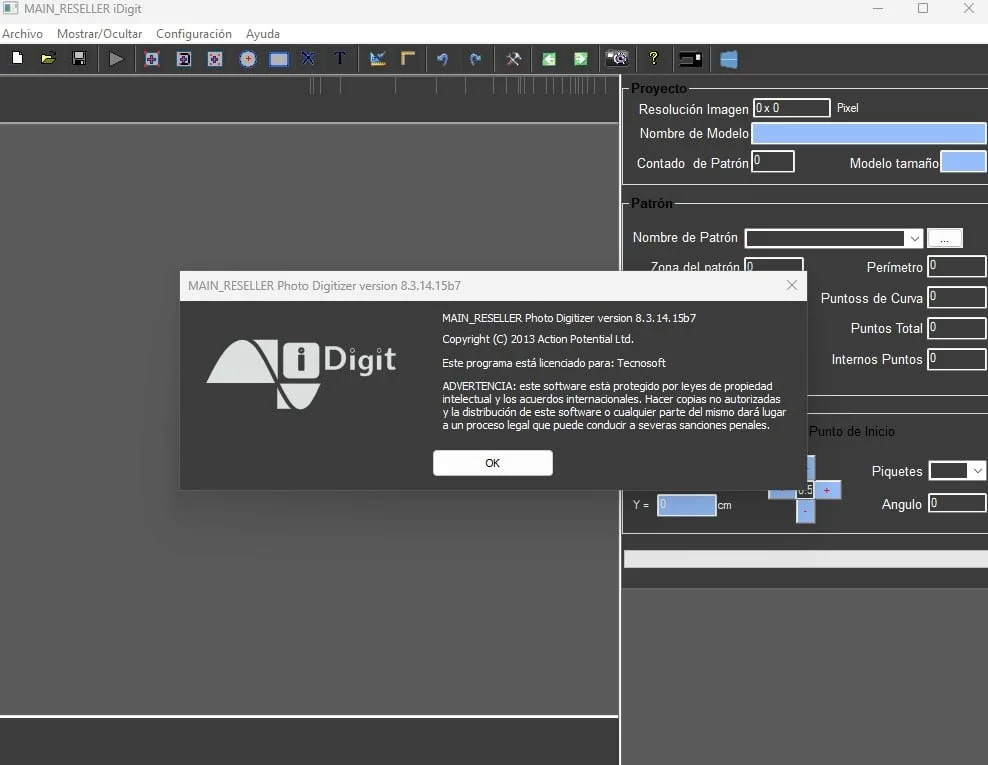
User Interface Overhaul: A dark mode interface with a clearer wizard-style recovery workflow.
System Requirements for iDigit 8.3
Before installing, ensure your workstation meets these specifications:
-
Operating System: Windows 10, 11 (64-bit); Windows Server 2019 or newer; macOS 12+ (for APFS module only)
-
Processor: Intel Core i5 or AMD equivalent (i7 recommended for RAID recovery)
-
RAM: 8 GB minimum (16 GB recommended for large drive analysis)
-
Storage: 500 MB for installation files
-
Additional: USB 3.0 port for external drives; Write-blocker recommended for forensic use
Installation Guide for iDigit 8.3 Full
Follow these steps to install the software legally and safely.
-
Download the official installer from the developer’s website. Avoid third-party distribution sites.
-
Right-click the
iDigit_Setup_8.3.exefile and select Run as Administrator. -
Accept the End-User License Agreement (EULA).
-
Choose Custom Installation to select the destination folder (avoid the system drive if recovering data from it).
-
Uncheck optional data collection tools if not required.
-
Click Install and wait for the progress bar to complete.
-
Launch the application and enter your valid license key to unlock the Full version.
How to Use iDigit 8.3 for Data Recovery
This guide covers the standard workflow for recovering deleted files from a USB drive.
Step 1 – Select the Source Device
Open iDigit and choose Physical Drive mode. Select your USB drive by its model number, not the drive letter.
Step 2 – Choose a Scan Method
-
Quick Scan: Searches the Master File Table (MFT) for recently deleted files (takes 2–5 minutes).
-
Deep Scan: Uses signature-based carving for formatted or severely corrupted drives (takes 20–60 minutes).
Step 3 – Filter and Preview
After the scan, use the Filter panel to search by file extension (e.g., .docx, .jpg) or modification date. Preview images and text documents before recovery.
Step 4 – Recover and Save
Select the files you need. Click Recover. Save the data to a different physical drive to avoid overwriting lost sectors.
Best Use Cases for iDigit 8.3
Different user types benefit from specific features of this tool.
-
For IT Administrators: Recover accidentally deleted user profiles from a server’s RAID array after a scripting error.
-
For Law Enforcement: Create a forensically sound image of a suspect’s hard drive using the write-blocking and hash verification modules.
-
For Photographers: Restore RAW photo files (CR2, NEF, ARW) from a corrupted SD card that shows as “unformatted.”
-
For Data Recovery Services: Use the raw sector editor to manually repair partition boot records on client drives.
Advantages and Limitations of iDigit 8.3
Advantages
-
Forensic Integrity: Generates logs and hash reports admissible in legal proceedings.
-
High Success Rate on Formatted Drives: The signature carver ignores logical damage.
-
No Write Operations: By default, the software mounts drives as read-only.
-
Portable Version: Can run from a USB stick without installation for emergency recoveries.
Limitations
-
SSD TRIM Impact: Cannot recover data that the SSD’s controller has permanently erased via TRIM commands.
-
Learning Curve: Advanced features require understanding of file systems (FAT32, NTFS, exFAT).
-
Price Point: The Full license is significantly more expensive than consumer tools like Recuva.
-
No Linux GUI: The software runs on Windows only; Linux users rely on a command-line version.
Alternatives to iDigit 8.3 Software
If iDigit does not fit your budget or technical environment, consider these legal alternatives.
| Software | Best For | Platform | Key Difference from iDigit |
|---|---|---|---|
| Autopsy (Free) | Law enforcement & hobbyists | Windows, Linux, Mac | Open-source; slower scan engine |
| R-Studio | Network & RAID recovery | Windows, Mac, Linux | Better for heavily degraded RAIDs |
| EaseUS Data Recovery | Home users | Windows, Mac | Simpler UI; weaker forensic logging |
| FTK Imager (Free) | Creating disk images | Windows | Imaging only; no file carving |
For enterprise environments requiring audit trails, iDigit remains superior to free tools. For one-time home use, EaseUS offers a more affordable subscription.
Frequently Asked Questions
1. What is the difference between iDigit Free and iDigit 8.3 Full?
The free version scans and previews files but limits recovery to 500 MB. The Full version removes this limit and unlocks RAID and mobile extraction modules.
2. Does iDigit 8.3 work on SSDs that have been trimmed?
No software can recover data from sectors that an SSD has physically erased via the TRIM command. iDigit will warn you if TRIM has been active since deletion.
3. Can iDigit recover passwords or encrypted files?
iDigit recovers the container (e.g., an encrypted VeraCrypt volume or ZIP file) but does not perform password cracking. You must decrypt the file using its original password.
4. Is iDigit legally admissible as forensic evidence?
Yes, when used with a hardware write-blocker and the SHA-1 logging feature, iDigit’s output meets standard digital evidence handling criteria (per NIST guidelines).
5. How do I request a refund for iDigit 8.3 Full?
The developer offers a 30-day money-back guarantee for technical failures (e.g., the software cannot recover a supported file type). Refunds are not issued for “no recoverable data” due to TRIM or physical damage.
6. Does the software install drivers or modify the Windows registry?
The portable version does not modify the registry. The installed version adds a kernel-level driver for raw disk access, which you can uninstall via Windows Device Manager.
Final Thoughts on iDigit 8.3 Full
iDigit 8.3 Full stands out as a reliable bridge between consumer recovery tools and expensive forensic suites like EnCase. Its new APFS support and parallel scanning engine address modern storage challenges effectively.
Choose iDigit if you require verifiable results for legal or compliance reasons. For simple undeletion tasks, a free alternative may suffice. However, for professionals who need to recover evidence from formatted partitions or damaged RAID arrays, iDigit 8.3 provides excellent value. Always maintain a verified backup strategy to avoid relying on recovery software as a primary safety net.
Our Paid Service
“We do not sell or provide any software. We only offer professional support services. If any software on your system is not working properly, or you are facing installation errors, crashes, or any other technical issue — just contact us. We will help you fix the problem quickly and remotely via AnyDesk. No software will be provided from our side — only expert troubleshooting and support.”