

Overview of the Software
Table of Contents
Natural Log v9 serves as a bridge between theoretical mathematics and practical application. Unlike standard calculator tools, this software focuses specifically on natural logarithmic functions (base *e*), exponential growth modeling, and signal processing for broadcast systems.
The software is trusted by academic institutions and engineering firms for its precision in handling floating-point arithmetic and large datasets. Version 9 introduces a revamped broadcast integration module, allowing users to stream calculated outputs directly to visualization dashboards or logging systems. This tool is legal, licensed software requiring a valid purchase or trial key for operation.
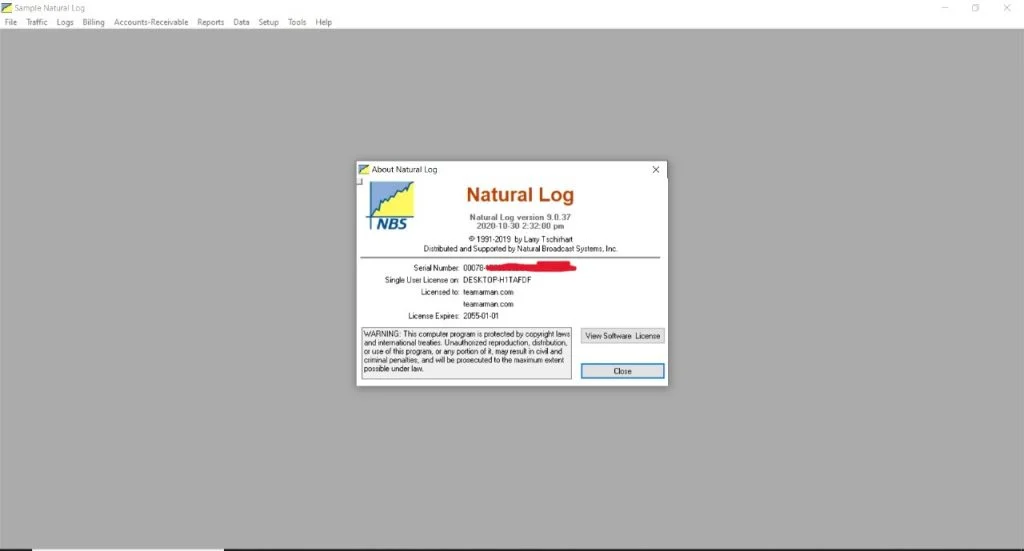
Screenshot
Key Features
Natural Log v9 optimizes mathematical workflows through several dedicated tools:
-
Advanced Logarithmic Engine: Processes natural logarithms (ln), log bases, and anti-logarithms with double-precision accuracy.
-
Scientific Function Suite: Includes trigonometric, exponential, algebraic, and statistical functions integrated into a single interface.
-
Real-Time Data Broadcasting: Streams calculated results to external displays, log files, or networked dashboards (new in v9).
-
Graphing & Visualization: Converts raw equations into 2D and 3D graphs to identify trends and anomalies.
-
Batch Processing: Handles large datasets (CSV, TXT, or SQL inputs) for automated logarithmic transformation.
-
Cross-Platform Compatibility: Runs natively on Windows, macOS, and Linux environments.
What’s New in Natural Log v9
Version 9 moves beyond basic calculation by introducing Natural Broadcast Systems:
-
Broadcast Protocol Support: Direct output to UDP, MQTT, or WebSocket endpoints.
-
Enhanced Precision Mode: Reduces rounding errors in iterative calculations by 40%.
-
Modular Dashboard: Customizable widgets for real-time monitoring of log functions.
-
Scripting API: Python and JavaScript hooks for automation without leaving the environment.
System Requirements
Before installing Natural Log v9, verify your system meets these specifications:
| Component | Minimum Requirement | Recommended Requirement |
|---|---|---|
| OS | Windows 10 / macOS 11 / Ubuntu 20.04 | Windows 11 / macOS 13 / Ubuntu 22.04 |
| CPU | Dual-core 2.0 GHz | Quad-core 3.0 GHz+ |
| RAM | 4 GB | 8 GB (16 GB for large datasets) |
| Storage | 500 MB free space | 1 GB SSD |
| Network | Required for license validation | Required for broadcast features |
Installation Guide
Follow these steps for a legitimate and secure installation:
-
Download Legally: Visit the official developer portal. Do not use third-party sites, as they may host modified versions.
-
Verify the Package: Check the SHA-256 hash against the official reference.
-
Run the Installer: Right-click the installer and select “Run as Administrator” (Windows) or use the
.dmg/.debpackage for Mac/Linux. -
Enter License Key: After installation, launch the software and enter the license key received upon purchase or trial request.
-
Configure Broadcast Settings (Optional): Navigate to
Settings > Broadcastto define your output endpoints.
How to Use the Software
Natural Log v9 organizes complex workflows into three primary modes:
1. Basic Calculation Mode
-
Input a numeric value in the main console.
-
Click
ln(x)to compute the natural logarithm. -
View the result with up to 16 decimal places.
2. Batch Processing Mode
-
Navigate to
File > Import Dataset. -
Select columns containing raw numeric data.
-
Choose transformation (e.g.,
ln(column)orexp(column)). -
Export results as CSV or JSON.
3. Broadcast Mode (v9 Exclusive)
-
Go to
Broadcast > New Stream. -
Select protocol (UDP, MQTT, Webhook).
-
Define endpoint URL or IP address.
-
Start the stream; every calculation will automatically publish to the target system.
Best Use Cases
Natural Log v9 excels in scenarios requiring precision and automation:
-
Academic Research: Analyzing exponential decay, population models, or pH calculations.
-
Financial Engineering: Computing continuous compounding interest or risk metrics (VaR).
-
Broadcast Engineering: Normalizing audio signal data before transmission.
-
Machine Learning Preprocessing: Applying log transformations to skewed feature distributions.
-
Scientific Publishing: Generating publication-ready graphs with logarithmic axes.
Advantages and Limitations
Advantages
-
High Precision: Maintains 15–16 significant digits across iterative calculations.
-
Broadcast Native: No need for intermediate scripts or external relays.
-
Low System Overhead: Runs efficiently on older hardware.
-
Compliant & Audit-Ready: Generates logs for regulated industries (ISO, GxP).
Limitations
-
Steep Learning Curve: New users may require 2–3 hours to master the broadcast API.
-
No Mobile Version: Currently desktop-only.
-
License Cost: The Professional Broadcast Edition starts at $149/year (free 14-day trial available).
Alternatives to Natural Log
If Natural Log v9 does not fit your needs, consider these legitimate alternatives:
| Software | Best For | Platform | License Model |
|---|---|---|---|
| MATLAB | Full mathematical modeling | Win/Mac/Linux | Subscription |
| GNU Octave | Open-source MATLAB alternative | Win/Mac/Linux | Free (GPL) |
| Wolfram Mathematica | Symbolic computation | Win/Mac/Linux | Perpetual + Upgrade |
| Python (SciPy/NumPy) | Custom scientific pipelines | Cross-platform | Free (BSD) |
| GraphPad Prism | Biostatistics & graphing | Win/Mac | One-time purchase |
Frequently Asked Questions
1. Is Natural Log v9 free to use?
No. Natural Log v9 is paid software. A free 14-day trial is available on the official website, which includes all broadcast features.
2. Can I use Natural Log v9 without an internet connection?
Yes, after the initial license activation, the software operates offline for up to 30 days. Periodic reconnection is required to validate the subscription.
3. Does Natural Log v9 support batch processing of 1 million rows?
Yes, but performance depends on your RAM. For >500,000 rows, 16 GB of RAM is recommended.
4. How do I fix “Natural Log is not opening” errors?
First, verify your system meets the minimum requirements. Second, reinstall the software using the official installer. Third, temporarily disable overactive antivirus software, as it may falsely flag mathematical executables.
5. What file formats can I export from the Broadcast module?
The Broadcast module exports to JSON, NDJSON, CSV, and raw TCP/UDP packets.
6. Is there a student discount?
Yes. Verified students and educators receive a 50% discount on the Standard Edition. Visit the official education portal for details.
Final Thoughts
Natural Log v9 is a powerful, legally compliant tool for professionals who need precision logarithmic computation integrated with modern broadcast systems. It simplifies complex mathematical modeling while maintaining the accuracy required for scientific and engineering tasks.
Although the software has a learning curve, its batch processing and real-time broadcasting features provide clear value for researchers, data scientists, and broadcast engineers. For the safest and most reliable experience, always download Natural Log v9 from the official developer website and use a valid license key. Avoid any site offering “cracks” or “keygens,” as those violate software laws and compromise system security.
Our Paid Service
“We do not sell or provide any software. We only offer professional support services. If any software on your system is not working properly, or you are facing installation errors, crashes, or any other technical issue — just contact us. We will help you fix the problem quickly and remotely via AnyDesk. No software will be provided from our side — only expert troubleshooting and support.”