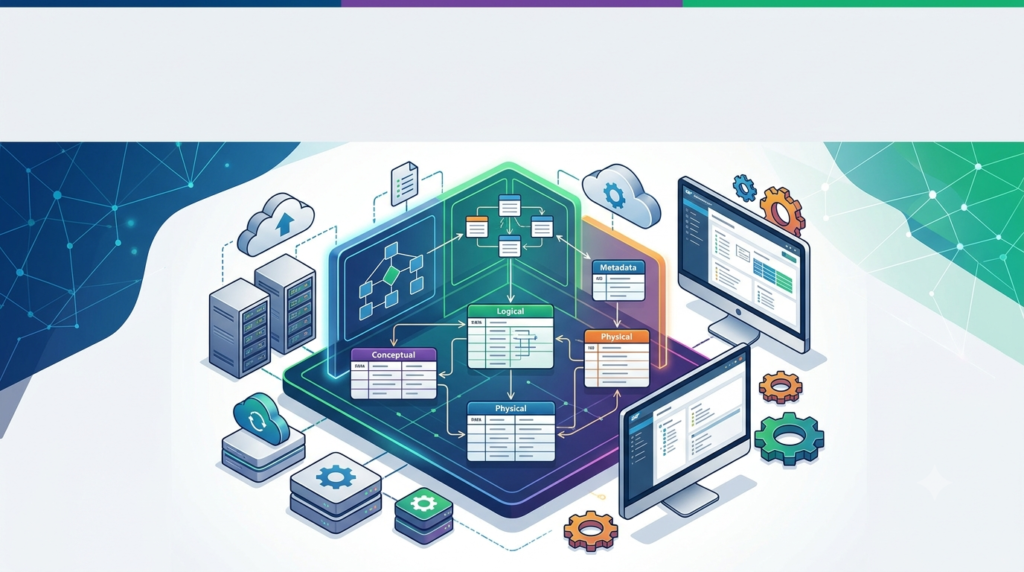


Overview of SAP PowerDesigner 16.7.7.7536 SP07
Table of Contents
SAP PowerDesigner 16.7.7.7536 SP07 is a sophisticated data modeling and enterprise architecture software solution designed for IT professionals, data architects, and system analysts. This enterprise-grade tool facilitates the design, documentation, and management of complex information systems and business processes through an integrated modeling environment.
The platform combines multiple modeling approaches, including data modeling, business process modeling, and enterprise architecture modeling, into a unified interface. With the Service Pack 07 update, this version brings enhanced features and performance improvements that strengthen its position as a leading data modeling tool for organizations seeking to align their IT infrastructure with business objectives.
SAP PowerDesigner distinguishes itself through its ability to support various industry-standard modeling notations, including UML, BPMN, and ER diagrams, enabling cross-functional teams to collaborate effectively on system design. The software’s metadata management capabilities and impact analysis tools provide crucial support for enterprise architecture management in complex organizational environments.
Key Features of SAP PowerDesigner 16.7.7.7536 SP07
Comprehensive Data Modeling Capabilities
SAP PowerDesigner offers robust conceptual data modeling and logical data modeling functionalities that enable architects to create sophisticated database designs. The platform supports multiple database management systems, including Oracle, Microsoft SQL Server, and SAP HANA. Users can generate physical data models with automatic script generation for various database platforms.
Enterprise Architecture Framework Support
The enterprise architecture software supports major frameworks such as TOGAF and Zachman. This compatibility ensures that organizations can maintain architectural standards while benefiting from the tool’s visual modeling capabilities. The framework integration facilitates strategic planning and alignment between business and IT objectives.
Business Process Modeling Notation (BPMN)
Integrated BPMN support allows organizations to design and optimize business processes. This feature bridges the gap between technical implementation and business requirements. Process modeling enables stakeholders to visualize workflows and identify optimization opportunities.
Metadata Management and Repository
SAP PowerDesigner provides centralized metadata management through its repository system. This feature enables version control, collaboration, and change tracking across enterprise modeling projects. The repository ensures consistency and governance across large-scale modeling initiatives.
Impact Analysis and Documentation Generation
Impact analysis tools help organizations understand the consequences of system changes before implementation. Automated documentation generation produces comprehensive reports in multiple formats, including HTML and PDF. This documentation capability is essential for regulatory compliance and knowledge transfer.
Integration with Development Environments
The data modeling tool integrates seamlessly with development environments through APIs and plug-ins. This integration supports continuous integration and deployment workflows. Developers can synchronize modeling artifacts with actual database implementations.
Web-Based Collaboration Features
The latest version includes enhanced web-based access capabilities, allowing distributed teams to collaborate on modeling projects. This feature is particularly valuable for geographically dispersed organizations and remote work scenarios.
What’s New in SAP PowerDesigner 16.7.7.7536 SP07
Performance Enhancements
Service Pack 07 introduces significant performance optimizations for large-scale modeling environments. Database reverse engineering processes are now faster, and model loading times have been reduced. These improvements benefit enterprise-scale implementations with extensive metadata repositories.
Extended Database Compatibility
This version expands support for newer database systems, including updated SAP HANA versions and improved integration with cloud database services. Enhanced compatibility ensures organizations can work with modern database architectures.
Improved User Interface
The user interface receives refinements to improve usability and productivity. Navigation improvements and additional customization options enhance the user experience for both new and experienced users.
Enhanced API Capabilities
Extended API functionality allows for better integration with development workflows and automation tools. The improved APIs support programmatic access to modeling artifacts and metadata.
Bug Fixes and Stability Improvements
The service pack addresses numerous issues identified in previous versions, improving overall system stability and reliability. These fixes enhance the software’s performance in complex enterprise environments.
System Requirements for SAP PowerDesigner 16.7.7.7536 SP07
Supported Operating Systems
-
Windows 10 (64-bit) – Professional and Enterprise editions
-
Windows 11 (64-bit) – Professional and Enterprise editions
-
Windows Server 2019 (64-bit)
-
Windows Server 2022 (64-bit)
Hardware Requirements
-
Processor: Intel Core i5 or AMD equivalent, 2.5 GHz minimum (Core i7 recommended)
-
RAM: 8 GB minimum, 16 GB recommended for large models
-
Storage: 10 GB free disk space (SSD recommended)
-
Display: 1920 x 1080 resolution minimum
Software Dependencies
-
Microsoft .NET Framework 4.8 or later
-
Visual Studio 2019 or 2022 (for integration features)
-
Microsoft Office 2016 or later (for documentation features)
-
Java Runtime Environment 8 or later for specific features
Database Compatibility
-
Oracle 19c, 21c
-
Microsoft SQL Server 2019, 2022
-
SAP HANA 2.0
-
IBM DB2 11.5
-
PostgreSQL 14, 15
-
MySQL 8.0
Repository Requirements
-
Microsoft SQL Server 2019 or later (for repository database)
-
Oracle 19c or later (alternative repository database)
Installation Guide for SAP PowerDesigner 16.7.7.7536 SP07
Pre-Installation Preparation
-
Verify system requirements compliance
-
Confirm administrative privileges on the target system
-
Disable antivirus software temporarily during installation
-
Close all open applications
-
Ensure sufficient disk space for installation and future model storage
Step-by-Step Installation Process
Step 1: Download the Installation Package
Obtain the official SAP PowerDesigner installation package from the official SAP Software Download Center. Users with valid licenses can access the installation files directly.
Step 2: Extract Installation Files
Extract the downloaded package to a temporary directory. The installation package typically comes as a compressed archive requiring extraction.
Step 3: Run Setup
Launch the setup executable from the extracted directory. User Account Control may prompt for administrative permissions.
Step 4: Accept License Agreement
Review and accept the End User License Agreement to proceed with the installation.
Step 5: Select Installation Type
Choose between:
-
Complete Installation: Installs all components and features
-
Custom Installation: Allows selection of specific components
-
Repository Installation: Installs only repository server components
Step 6: Configure Installation Directory
Specify the installation path. The default location is C:\Program Files\SAP\PowerDesigner.
Step 7: Select Components
For custom installations, select required components:
-
Database Modeling tools
-
Business Process Modeling tools
-
Enterprise Architecture frameworks
-
Repository services
-
Documentation generation tools
Step 8: Configure Repository Settings
If installing repository features:
-
Specify the database connection details
-
Configure authentication settings
-
Set up repository database initialization
Step 9: Complete Installation
Proceed with the installation process. This may take several minutes depending on selected components. The setup will create necessary registry entries and environment variables.
Step 10: Apply Service Pack
Since this article covers the SP07 version, apply the service pack update following the standard patch installation procedures.
Post-Installation Configuration
-
Launch PowerDesigner and configure initial settings
-
Set up license activation through the licensing tool
-
Configure database connections for modeling
-
Set up repository access if applicable
-
Configure workspace preferences
How to Use SAP PowerDesigner 16.7.7.7536 SP07
Creating a New Data Model
Step 1: Open Model Creation Wizard
Launch PowerDesigner and select File → New. The model creation wizard presents various model types including conceptual data model, physical data model, and process models.
Step 2: Select Model Type
Choose the appropriate model type:
-
Conceptual Data Model (CDM): For business-level entity-relationship modeling
-
Physical Data Model (PDM): For implementation-specific database design
-
Business Process Model: For workflow and process optimization
-
Enterprise Architecture Model: For overall organizational architecture design
Step 3: Define Model Properties
Set model-specific properties including:
-
Model name and description
-
Target database system for PDM
-
Modeling notation preferences
-
Naming conventions for model elements
Step 4: Create Model Elements
Use the toolbox palette to add elements to the model canvas. Available elements vary based on model type:
-
For data models: Tables, Columns, Relations, Keys
-
For process models: Activities, Gateways, Events, Data Objects
-
For EA models: Systems, Applications, Infrastructure components
Step 5: Establish Relationships
Connect model elements using relationship tools. Define relationship properties including cardinality and constraints. PowerDesigner provides automatic relationship validation to ensure model integrity.
Step 6: Add Documentation
Attach descriptions, usage notes, and requirements to each model element. This documentation is valuable for team communication and model governance.
Reverse Engineering from Database
Step 1: Access Reverse Engineering Feature
Select File → Reverse Engineer → Database from the menu. This functionality allows importing existing database structures.
Step 2: Configure Database Connection
Specify connection parameters including:
-
Database type
-
Server name and port
-
Authentication credentials
-
Database/schema selection
Step 3: Select Objects to Import
Choose the database objects to reverse engineer:
-
Tables and views
-
Stored procedures and functions
-
Constraints and indices
-
Triggers and sequences
Step 4: Define Import Options
Configure import preferences:
-
Generate relationships based on foreign keys
-
Apply naming conventions
-
Generate documentation from comments
Step 5: Execute Reverse Engineering
Proceed with the reverse engineering process. The system will analyze the database structure and generate corresponding model elements. Progress indicators show the status of large imports.
Step 6: Refine Generated Model
Post-import, review and refine the generated model. Add missing elements, organize objects into packages, and enhance documentation. The model can now be used for analysis and forward engineering.
Impact Analysis
Step 1: Open Impact Analysis Tool
Access the Impact Analysis feature through Tools → Impact Analysis. This tool helps evaluate the effects of proposed changes to model elements.
Step 2: Select Target Elements
Choose the model element requiring analysis. This could be a database table, business process, or application component.
Step 3: Configure Analysis Scope
Set analysis parameters including:
-
Dependency depth
-
Target dependency types
-
Analysis target (reference data models, related models)
Step 4: Execute Analysis
Run the impact analysis to generate dependency reports. The system traces all relationships where the selected element appears.
Step 5: Review Results
Examine the impact analysis results which include:
-
Direct dependencies
-
Indirect dependencies
-
Recommended actions
-
Risk assessment of proposed changes
Generating Documentation
Step 1: Access Report Generation
Select Report → Generate Report. This opens the documentation wizard with various output format options.
Step 2: Choose Output Format
Select from available output formats:
-
HTML with interactive navigation
-
PDF for distribution
-
Word document for editing
-
RTF for cross-platform compatibility
Step 3: Customize Template
Select or customize a report template. PowerDesigner includes standard templates for various use cases including:
-
Database design documentation
-
Data dictionary
-
Architecture documentation
-
Governance documentation
Step 4: Select Content Options
Choose the model elements and properties to include in the documentation. Filter options allow excluding specific elements or element types.
Step 5: Generate Report
Execute report generation. The system compiles model information into structured documents with automatically generated tables and diagrams.
Exporting and Importing Models
Step 1: Export Model
Select File → Export → Model. This creates a portable model representation for sharing.
Step 2: Choose Export Format
Available export formats include:
-
PowerDesigner binary format (.pdm)
-
XML-based format (.xmi)
-
Database script (.sql)
-
Documentation file formats
Step 3: Import Model
Select File → Import → Model to bring in external model files. Import options allow controlling how elements merge with existing models.
Best Use Cases for SAP PowerDesigner 16.7.7.7536 SP07
Enterprise Database Design
Organizations use PowerDesigner to design and maintain enterprise-scale database implementations. The tool supports the full lifecycle of database development from conceptual design to physical implementation. Database administrators leverage the forward and reverse engineering features to keep implementations synchronized with designs.
Business Process Optimization
Business analysts document and improve organizational workflows using PowerDesigner’s business process modeling capabilities. The BPMN support enables modeling complex processes with clear visualization of decision points and parallel activities. Process optimization opportunities become apparent through process analysis.
Enterprise Architecture Management
Large organizations implement PowerDesigner to maintain their enterprise architecture frameworks. The tool provides comprehensive capabilities for mapping business capabilities to IT assets. Enterprise architects use the platform to document strategic alignment and identify architectural gaps.
Data Governance Programs
PowerDesigner supports data governance initiatives by providing clear data lineage and metadata management. Organizations document data systems, standards, and usage patterns. The repository features enable controlled access to data architecture documentation.
System Migration Planning
Organizations planning system migrations leverage PowerDesigner to analyze their current architecture and plan migration strategies. Impact analysis helps identify dependencies that affect migration timelines. The tool’s modeling capabilities facilitate the design of target system architectures.
Compliance Documentation
Regulated industries use PowerDesigner to maintain documentation required for compliance audits. The platform generates comprehensive documentation of IT systems and business processes. Version control features help maintain documentation updates.
Cloud Migration Strategy
Organizations moving to cloud platforms use PowerDesigner to plan architectural changes and update system documentation. The tool supports modeling both on-premises and cloud architectures. Integration capabilities help organizations plan hybrid deployment strategies.
Advantages and Limitations of SAP PowerDesigner 16.7.7.7536 SP07
Advantages
Comprehensive Modeling Capabilities
SAP PowerDesigner provides integrated support across multiple modeling domains. Users can work with data models, business processes, and enterprise architecture within a single environment.
Enterprise-Grade Features
The software scales to support large organizations with extensive metadata repositories. Features such as version control and impact analysis are designed for enterprise use.
Vendor- Supported Platform
As an SAP product, PowerDesigner receives ongoing support and updates. The enterprise vendor backing ensures reliability and future development.
Extensive Integration Options
PowerDesigner integrates with major development platforms and databases. The API support enables automation of repetitive tasks and integration into development workflows.
Strong Documentation Generation
Automated documentation capabilities save significant time in maintaining architecture documentation. Various output formats accommodate different audience needs.
Industry-Framework Support
Built-in support for TOGAF and other enterprise architecture frameworks facilitates industry-standard practices.
Limitations
Significant Learning Curve
The platform’s extensive feature set requires substantial learning investment. New users may require formal training or extensive self-study.
High Licensing Costs
Enterprise licensing can be expensive for small to medium organizations. The total cost of ownership includes training, implementation, and support costs.
Complex Upgrades
Software upgrades can require significant planning and testing. Complex configurations may need adjustments with each version.
Resource Requirements
System requirements can be demanding, especially for large models and repositories. Performance may suffer on under-provisioned systems.
Legacy Interface Design
Some users find the interface dated compared to newer modeling tools. The traditional desktop application model may not suit all modern work preferences.
Alternatives to SAP PowerDesigner 16.7.7.7536 SP07
Enterprise Modeling Alternatives
Sparx Enterprise Architect
This UML modeling tool provides enterprise architecture support and data modeling capabilities. It features an intuitive interface with a lower learning curve. Sparx Enterprise Architect offers strong UML support and modeling capabilities at a moderate price point.
ER/Studio Data Architect
ER/Studio focuses specifically on data modeling and database design. The platform provides robust data architecture management features. It is particularly strong for database-centric modeling tasks.
Visual Paradigm
Visual Paradigm offers comprehensive modeling tools including data modeling, business process modeling, and enterprise architecture support. The platform provides a modern user interface and integrates with development tools.
Open-Source Options
ArchiMate
ArchiMate provides a modeling language specifically for enterprise architecture. Open-source implementations of the standard are available. The tool supports architecture modeling without significant financial investment.
MySQL Workbench
MySQL Workbench provides database modeling capabilities specifically for MySQL. It supports forward and reverse engineering for MySQL databases. This is a good option for organizations focused on MySQL.
Cloud-Based Solutions
AWS Database Design
Amazon provides cloud-based database design tools integrated with AWS. These services support database schema design and analysis for AWS environments. The cloud-based model may suit organizations with Amazon as their primary cloud provider.
Azure Data Factory Integration
Microsoft offers data modeling capabilities integrated with Azure services. These tools support database design and data pipeline development. Organizations using Microsoft cloud services may find Azure options convenient.
Frequently Asked Questions About SAP PowerDesigner
What is the primary function of SAP PowerDesigner?
SAP PowerDesigner is an enterprise data modeling and architecture tool that helps organizations design, document, and manage their data systems, business processes, and enterprise architecture. It provides comprehensive modeling capabilities for database design, business process modeling, and architectural planning.
Which operating systems support SAP PowerDesigner 16.7.7.7536 SP07?
SAP PowerDesigner 16.7.7.7536 SP07 supports Windows 10 and 11 (Professional and Enterprise editions), as well as Windows Server 2019 and 2022. It does not support Linux or macOS operating systems natively.
How can I learn SAP PowerDesigner effectively?
Users can learn PowerDesigner through SAP’s official training courses, online tutorials, documentation, and user communities. The platform supports a variety of modeling approaches with different learning paths for data modeling, business process modeling, and enterprise architecture.
What are the hardware requirements for SAP PowerDesigner?
The minimum requirements include a 2.5 GHz Intel Core i5 processor, 8 GB RAM, and 10 GB storage space. For optimal performance with large models, an Intel Core i7 processor and 16 GB RAM are recommended along with SSD storage.
Can SAP PowerDesigner reverse engineer existing databases?
Yes, the software includes robust reverse engineering functionality that can import database structures including tables, views, procedures, and constraints. It supports multiple database systems including Oracle, SQL Server, SAP HANA, and IBM DB2.
How does SAP PowerDesigner support enterprise architecture?
PowerDesigner supports enterprise architecture through comprehensive modeling capabilities, including various standard frameworks such as TOGAF and Zachman. The platform facilitates strategic planning and alignment between business and IT objectives.
Is SAP PowerDesigner compatible with cloud databases?
SAP PowerDesigner supports modeling for various cloud databases. The latest version includes enhanced compatibility with cloud database services. Organizations can design cloud-based data architectures using the platform.
What is the difference between conceptual data models and physical data models in SAP PowerDesigner?
Conceptual data models focus on representing business entities and their relationships at a high level. Physical data models include implementation details necessary for database creation, such as table structures, column definitions, and database-specific constraints. SAP PowerDesigner supports both types of modeling within a single platform.
Final Thoughts
SAP PowerDesigner 16.7.7.7536 SP07 represents a mature, comprehensive solution for organizations requiring robust data modeling and enterprise architecture capabilities. The software’s extensive feature set supports the full spectrum of modeling requirements from conceptual design through implementation and maintenance.
The service pack 07 update demonstrates SAP’s commitment to ongoing improvement, delivering performance enhancements and extended compatibility that benefit enterprise users. Organizations evaluating the platform should consider their specific modeling needs, existing infrastructure, and available resources.
For data architects and enterprise modelers, SAP PowerDesigner provides the depth and breadth required for managing complex modeling environments. The integrated approach to data modeling, business process management, and architecture design represents significant value for organizations seeking to improve their IT governance and design processes.
SAP PowerDesigner distinguishes itself as a professional-grade enterprise modeling solution that continues to serve organizations requiring sophisticated architecture design capabilities. With the growing complexity of IT environments and data landscapes, dedicated modeling tools like PowerDesigner remain essential investments for organizations committed to effective data management and system design.
Our Paid Service
“We do not sell or provide any software. We only offer professional support services. If any software on your system is not working properly, or you are facing installation errors, crashes, or any other technical issue — just contact us. We will help you fix the problem quickly and remotely via AnyDesk. No software will be provided from our side — only expert troubleshooting and support.”