
Overview of the Software
Table of Contents
PASS 2026 (Power Analysis and Sample Size) is a flagship product from NCSS Statistical Software. While NCSS handles data analysis, PASS focuses exclusively on the planning phase. Unlike general tools like G*Power, PASS operates as a standalone Windows application covering over 1,100 statistical test scenarios—from equivalence trials to survival analysis.
The software calculates the minimum number of subjects needed to detect a specific effect size or estimates the power of a test given a fixed sample size. In regulated industries like clinical trial research, using PASS 2026 helps satisfy FDA and ICH guidelines requiring prospective sample size justification.
Key Features of PASS 2026
PASS 2026 introduces refinements to its procedural library and reporting engine. Below are the core functional modules.
-
Procedure Library: Direct search for 1,100+ procedures including non-inferiority, crossover designs, and group-sequential tests.
-
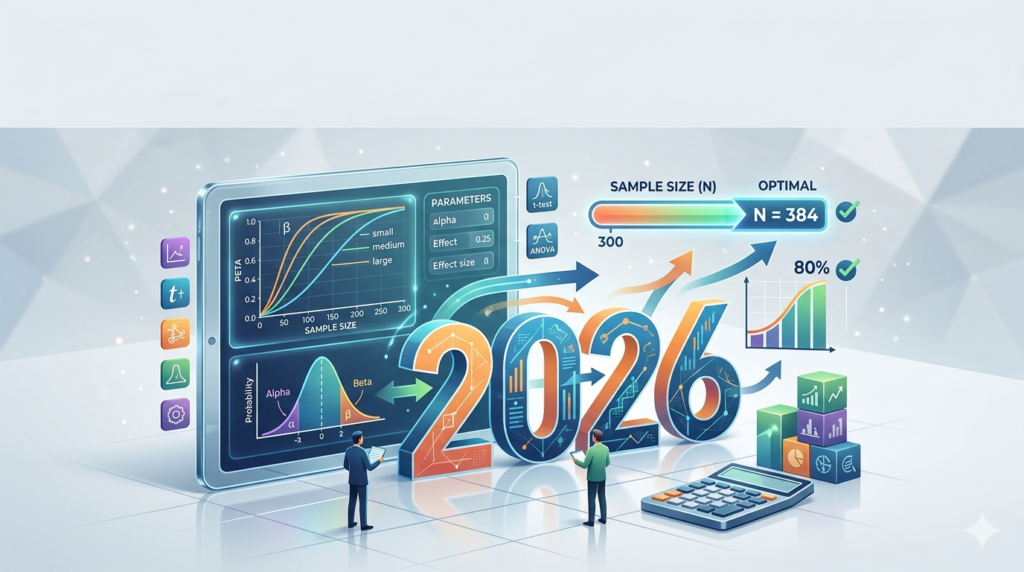
Plotting Engine: Automatic generation of power curves, sample size charts, and effect size vs. power diagrams.
-
Report Generator: Exports professional Power Analysis Reports (DOCX/PDF/RTF) suitable for IRB submissions or grant proposals.
-
Searchable Interface: Type keywords like “logrank” or “binary” to filter procedures instantly.
-
Batch Processing: Run up to 1,000 calculations simultaneously for sensitivity analysis.
What’s New in PASS 2026
The 2026 version focuses on usability and coverage. New procedures include:
-
Bayesian Power Analysis (Normal Prior): for modern adaptive trial design.
-
Mann-Whitney Test (Clustered Data): supporting intracluster correlation coefficients.
-
Equivalence Tests for Diagnostic Accuracy: sample size for sensitivity and specificity thresholds.
System Requirements
Before installation, verify your environment:
| Component | Requirement |
|---|---|
| Operating System | Windows 10, Windows 11, Windows Server 2019/2022 |
| Processor | 1.6 GHz or faster (64-bit required) |
| RAM | 4 GB minimum (8 GB for batch processing) |
| Disk Space | 500 MB for program + 1 GB for example files |
| .NET Framework | Version 4.8 or later |
Note: PASS 2026 does not run natively on macOS or Linux. Users on those platforms must run Windows via Parallels or Boot Camp.
Installation Guide
Follow these steps for a standard installation:
-
Download the installer from the official NCSS website after purchase.
-
Disable antivirus temporarily to prevent .dll false positives (re-enable after install).
-
Right-click the
PASS2026_Setup.exeand select Run as Administrator. -
Accept the license agreement and enter your serial number (found in your NCSS account).
-
Choose “Complete” installation for all procedures.
-
Launch PASS 2026 and activate via online validation (one-time).
How to Use PASS 2026 (Workflow Guide)
PASS simplifies power analysis into a 5-step wizard. Below is a practical example for a two-sample t-test.
Step 1: Find the Procedure
Open PASS 2026 → Click “Find Procedure” → Type “two-sample t-test” → Select “Two-Sample T-Tests (Equal Variances)”.
Step 2: Solve For
Choose your calculation goal:
-
Find Sample Size (most common: “N” for given power)
-
Find Power (for existing data collection)
-
Find Effect Size (minimum detectable difference)
Step 3: Input Parameters
Enter key values. For clinical trial planning:
-
Power (1-β): Enter
0.80or0.90 -
Alpha (α):
0.05(two-sided) -
Mean Difference: clinically relevant delta (e.g.,
5units) -
Standard Deviation: pooled SD from pilot data (e.g.,
10) -
Allocation Ratio (N2/N1):
1.0for equal groups
Step 4: Run & Analyze
Click “Run” . The output displays:
-
Required N per group (e.g., N1 = 64, N2 = 64)
-
Actual power (e.g., 0.802)
-
Dropout adjustment (add 15% for lost follow-up)
Step 5: Generate Report
Click “Reports” → “Copy to Word Processor” . This creates a compliant table for your research protocol.
Best Use Cases for PASS 2026
PASS excels where precision is mandatory. Avoid using Excel for these scenarios.
-
Clinical Trial Protocol Development: Calculate sample size for RCTs to meet ethics board requirements.
-
Grant Writing: Include power analysis in NIH/Wellcome Trust applications (reviewers expect PASS/NCSS citations).
-
Pharmaceutical Equivalence Testing: Prove a generic drug is therapeutically equivalent (using Two One-Sided Tests – TOST).
-
Veterinary Studies: Adjust for smaller herd sizes and clustered animal data.
Advantages and Limitations
Advantages
-
Unmatched breadth: More procedures than SAS PROC POWER or R
pwrpackage. -
Audit-ready output: Every report includes calculation formulas and references.
-
No coding required: Point-and-click interface prevents syntax errors.
-
Technical support: Free email support from statisticians (not just sales).
Limitations
-
Windows only: No native cloud or web version.
-
Steep pricing: $2,295+ for a single-user license (vs. free G*Power).
-
Minimal data visualization: Output plots are functional but basic.
-
No embedded R/Python: cannot export scripts for reproducibility.
Alternatives to PASS 2026
Depending on your budget and platform, consider these legal alternatives:
| Software | Platform | Price | Best For |
|---|---|---|---|
| G*Power | Windows/Mac (free) | $0 | Students & basic t-tests/ANOVA |
| SAS Power and Sample Size | Windows (requires SAS) | $1,500+ (add-on) | Enterprise SAS shops |
R package pwr |
Cross-platform | Free | Programmers needing simulation |
| nQuery | Web/Windows | $3,000+/year | Adaptive/Bayesian trial design |
| Sample Size Calculator (ClinCalc) | Web | Free | Quick two-proportion tests |
Recommendation: Use G*Power for education. Use PASS 2026 for FDA submission work. Use R
pwrfor reproducible research pipelines.
Frequently Asked Questions (FAQ)
1. Is PASS 2026 free for students?
No. NCSS offers a 7-day free trial, but no perpetual free student version. Students may access it via their university’s site license.
2. Can PASS 2026 calculate sample size for logistic regression?
Yes. Use the “Logistic Regression (Binary Response)” procedure. You must input the probability of the event at baseline and the odds ratio of interest.
3. How accurate is PASS compared to manual calculation?
PASS uses exact algorithms (e.g., Fleiss methods for proportions). It is more accurate than manual approximation formulas and matches validated tables from Biometrika.
4. Does PASS 2026 work with R or Python?
No native integration. However, you can copy PASS output tables into R Markdown as static references.
5. Is PASS 2026 compliant with 21 CFR Part 11?
PASS 2026 is not fully Part 11 compliant (no audit trails). Use NCSS Data Analysis for validated environments.
6. What is the difference between PASS and NCSS?
PASS designs the study (sample size). NCSS analyzes the final data (descriptive stats, mixed models). Most researchers buy both.
7. Can I use PASS 2026 for A/B testing in marketing?
Yes. Use the “Two Proportions” procedure. Enter baseline conversion rate and minimum detectable lift (e.g., 1.5% improvement).
Final Thoughts
PASS 2026 remains the gold standard for statisticians who prioritize procedural breadth and regulatory defensibility. While the upfront cost and Windows-only limitation create friction for casual users, the software pays for itself in a single successful grant application or FDA meeting.
For researchers needing a free alternative, G*Power covers 80% of basic scenarios. However, for complex cluster-randomized trials, non-inferiority margins, or Bayesian designs, PASS 2026 provides the documentation regulators expect. Before purchasing, run your specific test in the free trial to verify output matches your protocol requirements.
Our Paid Service
“We do not sell or provide any software. We only offer professional support services. If any software on your system is not working properly, or you are facing installation errors, crashes, or any other technical issue — just contact us. We will help you fix the problem quickly and remotely via AnyDesk. No software will be provided from our side — only expert troubleshooting and support.”