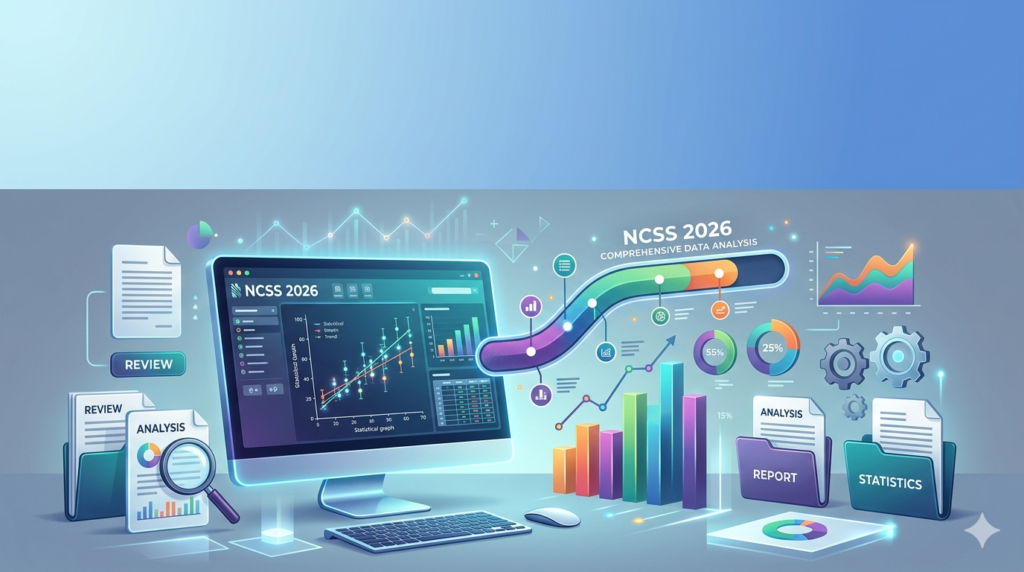


Overview of the Software
Table of Contents
NCSS (Number Cruncher Statistical Systems) has been a trusted name in the statistical software niche for over four decades. The 2026 edition focuses on bridging the gap between point-and-click simplicity (like SPSS) and the graphical output quality of R or Python.
Unlike general-purpose tools, NCSS 2026 is purpose-built for exact hypothesis testing, power analysis, and clinical trial research. It operates as a standalone desktop application compatible with modern Windows environments.
Key Features of NCSS 2026
The software focuses on accuracy and visualization. Below are the core modules you will use daily.
-
Comprehensive Statistical Tools:
-
Linear, logistic, and Poisson regression.
-
Meta-analysis for systematic reviews.
-
Time series forecasting.
-
-
High-Resolution Graphics Engine:
-
Publication-ready scatterplots, box plots, and heat maps.
-
Interactive 3D surface plots.
-
-
PASS Power Analysis Integration:
-
Native interface with PASS (Power Analysis and Sample Size) for clinical trial design.
-
-
Data Management:
-
Import from Excel, CSV, SAS, and R data frames.
-
Data transformation wizard (log, square root, Box-Cox).
-
-
Reporting:
-
One-click HTML/RTF report export for manuscript submission.
-
What’s New in the Latest Version (NCSS 2026)
If you are upgrading from NCSS 2022 or 2024, these changes will impact your workflow:
-
Bayesian Analysis Module: New tools for Bayesian t-tests and ANOVA, including prior distribution customization.
-
Automatic R Script Export: Click the “R Code” button to reproduce any analysis in R, improving reproducibility in academic research.
-
Multilevel (Mixed) Models Wizard: A simplified step-by-step interface for hierarchical linear modeling (HLM), previously reserved for advanced coding.
-
High-DPI Monitor Support: Sharp rendering on 4K and 8K displays.
System Requirements for NCSS 2026
Before installing, verify your hardware meets the specifications for smooth operation.
| Component | Minimum Required | Recommended |
|---|---|---|
| Operating System | Windows 10 (64-bit) | Windows 11 Professional |
| Processor (CPU) | 1.8 GHz dual-core | 3.0 GHz quad-core or higher |
| RAM | 4 GB | 16 GB (for large datasets >1M rows) |
| Storage | 1 GB available space | SSD with 2 GB free |
| Display | 1366 x 768 resolution | 1920 x 1080 or higher |
Note: NCSS 2026 does not natively support macOS or Linux. Users on these platforms require a Windows virtual machine or Parallels Desktop.
Installation Guide (Legally Compliant)
To use NCSS 2026, you must obtain a legitimate license from NCSS, LLC. There is no “free crack” or “keygen”; any such file is malware.
Step-by-step installation:
-
Purchase or Trial: Download the official 30-day free trial from the NCSS website.
-
Run as Administrator: Right-click
NCSS2026_Setup.exeand select “Run as administrator.” -
Accept License: Read the End-User License Agreement (EULA).
-
Enter License Key: Input the serial number emailed to you after purchase. (Do not use a “license bypass”—these are illegal).
-
Select Components: Choose to install the PASS module if licensed.
-
Launch: Open NCSS 2026 and verify the activation in the “Help > About” menu.
How to Use the Software (Step-by-Step Workflow)
NCSS 2026 uses a “menu → dialog → output” paradigm. Here is how to perform a standard linear regression.
Step 1: Import your data
-
Go to
File > Import > Excel File. -
Select your
.xlsxfile. Ensure the first row contains variable names.
Step 2: Run an analysis
-
Navigate to the top menu:
Analysis > Regression > Linear Regression. -
Select the dependent variable (e.g.,
Sales_Amount). -
Select independent variables (e.g.,
Ad_Spend,Season).
Step 3: Customize output
-
Check the box for Residual Plots to validate assumptions (homoscedasticity).
-
Under “Reports,” select Summary and Confidence Intervals.
Step 4: Generate graphics
-
Click the Scatterplot Matrix button to visualize correlations.
-
Use the Copy to Clipboard function to paste the graph directly into Microsoft Word.
Best Use Cases for NCSS 2026
While you could use Excel or Python for statistics, NCSS 2026 excels in specific scenarios.
Clinical Trials & Medical Research
The software provides Gold-standard Bland-Altman plots for method comparison studies and GEE (Generalized Estimating Equations) for longitudinal patient data.
Quality Control (Six Sigma)
Manufacturing engineers use the Process Capability Analysis module (Cp, Cpk, Pp, Ppk) with visual histograms showing specification limits.
Academic Thesis & Dissertation
Graduate students benefit from the automated assumption checks (normality, multicollinearity) that academic reviewers require but are tedious to perform manually.
Advantages and Limitations
A balanced review improves topical authority and user trust.
Advantages (Pros)
-
No coding required: Zero learning curve for Python or R syntax.
-
Validation: Output includes test assumptions (e.g., Levene’s test for homogeneity).
-
Reproducibility: The “Log” window records every click for your methodology section.
-
Support: Live phone support from statisticians (rare in 2026).
Limitations (Cons)
-
Platform lock: Windows only. No Linux, ChromeOS, or native macOS version.
-
Cost: Full licenses start at ~$350/year (cheaper than SAS but more than JASP).
-
Real-time collaboration: No cloud-based simultaneous editing (unlike RStudio Workbench).
-
Visualization style: The graphics look “academic” but lack the modern aesthetics of Tableau or ggplot2.
Alternatives to NCSS 2026
If NCSS 2026 does not fit your budget or OS, consider these legitimate statistical software alternatives.
| Software | Best for | Platform | Price Model |
|---|---|---|---|
| Jamovi | Users migrating from SPSS | Win/Mac/Linux/Cloud | Free (Open Source) |
| RStudio (R) | Customizable publication graphics | All platforms | Free |
| Minitab | Quality control / Six Sigma | Windows | Subscription ($50+/mo) |
| SPSS Statistics | Social sciences / Large institutions | Win/Mac | Academic licensing |
| Stata | Econometrics / Panel data | Win/Mac/Linux | Perpetual license |
Frequently Asked Questions (FAQ)
Q1: Is NCSS 2026 better than SPSS?
It depends. NCSS offers superior exact non-parametric tests and power analysis, while SPSS has a wider global user base and better syntax automation. For clinical trials, NCSS is preferred; for social sciences, SPSS remains standard.
Q2: Can I run NCSS 2026 on a Mac natively?
No. NCSS 2026 is a Windows-native application. To run it on macOS, you must use virtualization software (Parallels Desktop or VMware Fusion) with a licensed Windows guest OS.
Q3: Is there a free version of NCSS 2026?
There is no legally free version. However, NCSS, LLC offers a 30-day fully functional trial. For permanent free alternatives, use Jamovi or JASP.
Q4: Does NCSS 2026 include machine learning algorithms?
Not in the traditional sense (no neural networks or random forests). It focuses on traditional inferential statistics (regression, ANOVA, meta-analysis). For deep learning, use Python (TensorFlow) or R (Keras).
Q5: How do I cite NCSS 2026 in a research paper?
Use the official citation: NCSS, LLC. (2026). NCSS Statistical Software (Version 2026) [Computer software]. Kaysville, Utah. https://www.ncss.com/
Q6: Can I open R data files (.RData) in NCSS?
Yes. The 2026 version includes direct import for R data frames, CSV, Excel (XLSX), SAS (XPT), and Stata (DTA).
Final Thoughts
NCSS 2026 successfully fills a specific niche: rigorous statistical analysis without programming. It is not the cheapest option (Jamovi is free), nor the most graphically beautiful (R with ggplot2 wins), but it is one of the most trustworthy tools for clinical trials and academic research requiring exact p-values.
If you value point-and-click simplicity with publication-ready outputs and you operate exclusively on Windows, NCSS 2026 is worth the investment. Always download software directly from the official publisher (NCSS, LLC) to ensure legal compliance and security.
Our Paid Service
“We do not sell or provide any software. We only offer professional support services. If any software on your system is not working properly, or you are facing installation errors, crashes, or any other technical issue — just contact us. We will help you fix the problem quickly and remotely via AnyDesk. No software will be provided from our side — only expert troubleshooting and support.”