
Overview of the Software
Table of Contents
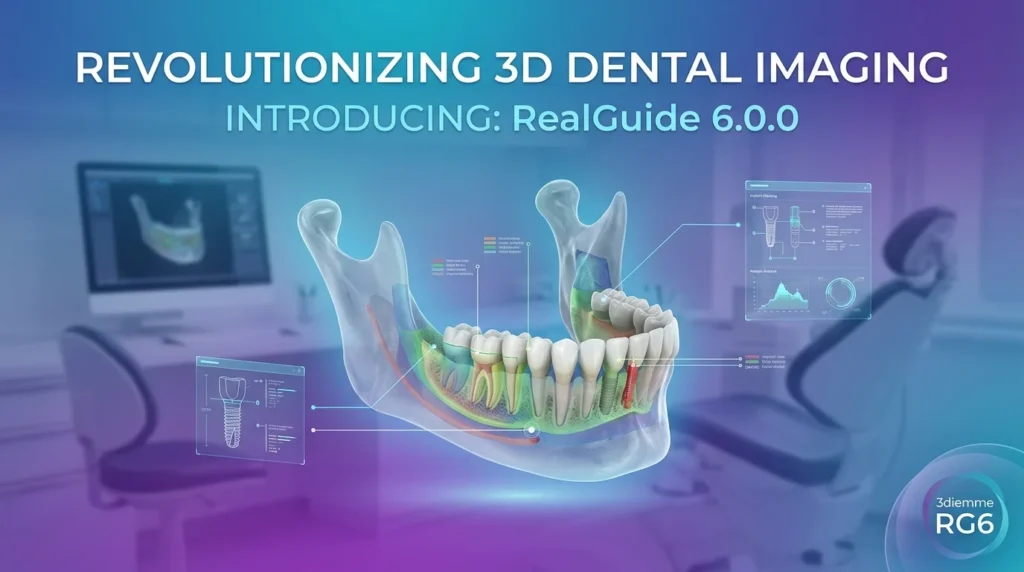
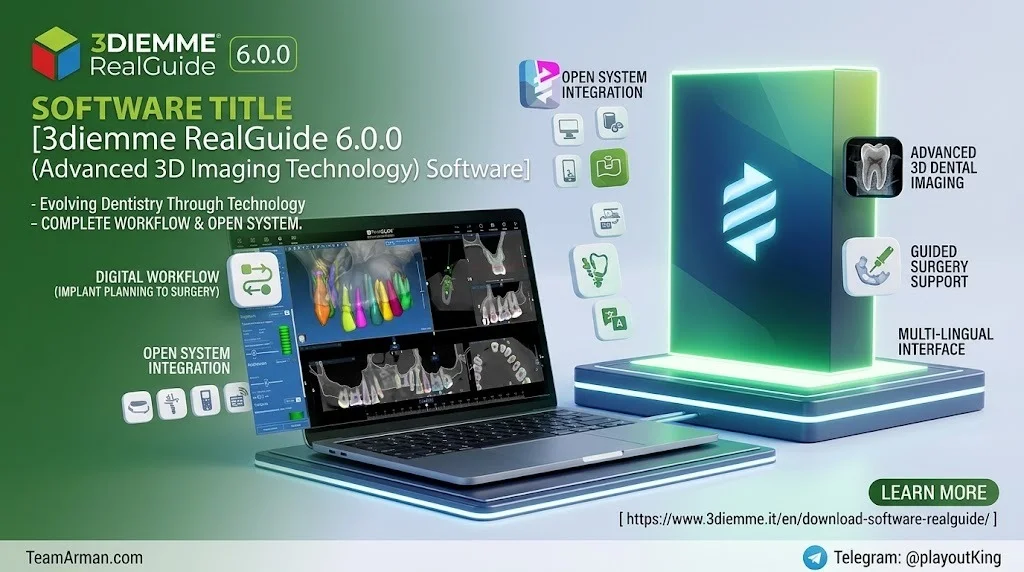
3diemme RealGuide 6.0.0 represents a significant evolution in digital dental planning and guided surgery software. Unlike its predecessors, version 6.0 introduces a completely redesigned desktop experience alongside a new web-based platform, allowing clinicians and technicians to access cases from anywhere with an internet connection.
The software functions as an open system, meaning it is compatible with a wide range of hardware and third-party applications commonly found in dental practices and laboratories. It supports the import and export of standard file formats, including DICOM images from CT and CBCT scanners, STL files from intraoral scanners, and proprietary project files.
RealGuide 6.0.0 holds CE certification (Class IIA) and FDA clearance (Class II), reflecting its compliance with stringent medical device regulations. The software is developed under an ISO 13485:2016 quality management system, ensuring reliability and safety for clinical applications.
Key Features
AI-Powered Automation
RealGuide 6.0.0 incorporates extensive artificial intelligence capabilities that dramatically reduce manual planning time. The AI can automatically segment teeth from CT scans and convert them into STL files, perform partial or complete virtual extractions, and assist with implant positioning. These tools are designed to save both time and costs, making advanced digital planning accessible to a broader range of clinicians.
Unified Patient Database and Status Icons
The new unified patient database is accessible from both the desktop application and the web platform. When you log in with your RealGuide account, all patients associated with your account appear in a single list regardless of where they were created or stored. Status icons displayed next to each patient clearly indicate whether data is stored locally, in the cloud, or both, and whether a project has been shared with collaborators or sent for production.
Cloud-Based Licensing and Web Access
One of the most notable changes in version 6.0 is the elimination of hardware dongles through a cloud-based licensing system. This allows users to access their license and patient data from any compatible device, whether they are working from a clinic desktop, a laptop, or a mobile device. The web-based platform ensures that cases can be reviewed and managed remotely, facilitating collaboration between clinics, laboratories, and production centers.
Comprehensive Implant Library and CAD/CAM Integration
RealGuide 6.0.0 includes a vast implant library with automatic updates, ensuring that users always have access to the latest implant components from various manufacturers. The software supports the full workflow for guided surgery, including virtual implant planning, surgical guide design, and CAD modelling for crowns, bridges, and custom abutments.
Advanced Visualization and Analysis Tools
The software provides advanced visualization capabilities, including multi-planar reconstruction (MPR), 3D volume rendering, and tools for measuring anatomical structures. The nerve drawing feature allows clinicians to trace the mandibular nerve accurately, reducing the risk of complications during implant placement. The panoramic curve can be traced automatically, further streamlining the planning process.
What’s New in the Latest Version
RealGuide 6.0.0 introduces several enhancements that distinguish it from previous versions:
-
Completely redesigned desktop interface for faster and more intuitive case management
-
RealGuide Web — a new online platform that provides access to cases from any device with a browser
-
Cloud-based licensing that eliminates the need for physical dongles
-
Unified patient database accessible from both desktop and web, with advanced filtering tools
-
Enhanced AI algorithms for bone segmentation, virtual extractions, and implant positioning
-
Built-in communication and file sharing platform to foster collaboration between team members
-
Real-time order management with full tracking of the production workflow
System Requirements
To run 3diemme RealGuide 6.0.0 effectively, your system should meet the following specifications:
For Windows PCs and Laptops:
-
Processor: Intel Core i5 or i7 (laptops); Quad Core recommended for workstations
-
RAM: Minimum 4 GB; 8 GB recommended for large datasets
-
Hard Disk: Minimum 300–500 GB for patient data storage
-
Graphics Card: With at least 3 GB of VRAM
-
Screen Resolution: 1920 x 1080 for optimal display
For macOS:
-
macOS 11.0 or later with Apple M1 chip or later
For iOS:
-
iOS 12.0 or later; iPadOS 12.0 or later
For Apple Vision:
-
visionOS 1.0 or later
Network:
-
An internet connection is required for cloud-based features and license validation
Installation Guide
Installing RealGuide 6.0.0 follows a straightforward process. Before beginning, verify that your hardware and software meet the specifications listed above.
Windows Installation Steps
-
Download the installation file from the official 3DIEMME website or authorized distributor.
-
Run the installer and follow the on-screen prompts.
-
Once installed, launch the application. It will open in Offline mode initially.
-
A registration window will appear. Create a RealGuide account or log in with existing credentials.
-
After registration, the software will validate your license and enable full functionality.
macOS Installation Steps
-
Verify your macOS version and hardware compatibility.
-
Download the macOS installer from the official source.
-
Open the downloaded file and drag RealGuide to your Applications folder.
-
Launch the application and complete the registration process as described above.
iOS Installation Steps
-
Search for “RealGuide” in the App Store.
-
Download and install the application.
-
Open the app and log in with your RealGuide account credentials.
For additional assistance during installation, 3DIEMME provides video tutorials and direct support through their helpdesk.
How to Use the Software
Getting Started with a New Case
The typical workflow for a guided surgery case in RealGuide 6.0.0 involves several key stages:
-
Create a New Patient Folder: Click the “Add Patient” icon on the toolbar to create a new patient record.
-
Import Data: Import DICOM images from CT or CBCT scans. The software accepts standard DICOM files without post-processing requirements. You can also import STL files from intraoral scans.
-
Matching: Align the STL scan with the DICOM data to create a virtual patient model. The software offers assisted matching tools to simplify this process.
-
Implant Planning: Use the implant library to select appropriate implants and position them virtually within the 3D model. The AI-assisted implant positioning feature can suggest optimal placement based on anatomical data.
-
Nerve Tracing: Trace the mandibular nerve to ensure safe implant placement. The automatic nerve recognition feature assists with this critical step.
-
Surgical Guide Design: Design the surgical guide directly within the software. The guide can then be exported as an STL file for 3D printing.
-
Prosthesis Design: Use the CAD modules to design crowns, bridges, or custom abutments that integrate with the planned implant positions.
Working with the Cloud
RealGuide 6.0.0 allows you to upload patient projects to the cloud for remote access and collaboration. You can share projects with colleagues or send orders to production centers directly through the platform. The status icons in the patient list provide immediate visibility into where each project is stored and its current status.
Best Use Cases
RealGuide 6.0.0 is suitable for a wide range of clinical and laboratory applications:
Guided Implant Surgery
The software provides a complete solution for planning and executing guided implant surgery. Clinicians can plan implant positions virtually, design surgical guides, and order them for production, all within a single platform.
Full-Arch Rehabilitation
For complex full-arch cases, RealGuide 6.0.0 offers tools for bone segmentation, virtual extractions, and prosthetic design that support the entire workflow from diagnosis to final restoration.
Orthodontic and Orthognathic Planning
The software can process cases requiring endodontic, orthodontic, and orthognathic treatments connected to oral and maxillofacial rehabilitation.
CAD/CAM Prosthesis Design
Dental laboratories can use RealGuide 6.0.0 to design custom abutments, crowns, and bridges that are compatible with various CAD/CAM milling systems and 3D printers.
Educational and Research Applications
The software is also used in academic settings for teaching digital dentistry workflows and in research for analyzing radiological images and planning clinical studies.
Advantages and Limitations
Advantages
-
Open System Architecture: RealGuide 6.0.0 is compatible with a wide range of hardware and third-party software, reducing the need for proprietary equipment.
-
Comprehensive AI Tools: The extensive AI capabilities significantly reduce planning time and improve efficiency.
-
Cloud Accessibility: The web-based platform and cloud licensing allow access from anywhere, facilitating remote work and collaboration.
-
Unified Workflow: From diagnosis to prosthesis design, all steps are integrated within a single platform, eliminating the need to transfer data between disparate software applications.
-
Regulatory Compliance: CE and FDA certifications ensure the software meets rigorous safety and quality standards.
Limitations
-
Learning Curve: New users may require time to become proficient with the comprehensive feature set, particularly the AI-assisted tools.
-
Internet Dependency: Cloud-based features and license validation require a stable internet connection.
-
Hardware Requirements: The software demands a reasonably powerful computer with a dedicated graphics card for optimal performance.
-
Platform Compatibility: While the software runs on Windows, macOS, and iOS, project compatibility across different versions is limited. Projects created with versions prior to 5.1 are not supported.
Alternatives to the Software
Several other software solutions exist for digital dental planning and guided surgery. RealGuide 6.0.0 distinguishes itself through its open architecture and extensive AI integration. Alternatives include:
-
3Shape Dental System: A widely used CAD software for dental laboratories, offering robust design tools but with a more closed ecosystem.
-
Exocad DentalCAD: Known for its flexibility and open architecture, Exocad is a popular choice for dental labs but lacks the integrated surgical planning features of RealGuide.
-
Dental Wings Cares: Another CAD/CAM solution with a focus on workflow efficiency, though it may not offer the same level of AI-assisted planning tools.
-
Blue Sky Plan: A free implant planning software that offers basic guided surgery features but lacks the comprehensive CAD and AI capabilities of RealGuide.
-
coDiagnostiX: A dedicated guided surgery planning software with strong implant planning tools, though it is less integrated with CAD/CAM design workflows.
RealGuide 6.0.0’s key differentiator is its combination of surgical planning, CAD design, AI automation, and cloud collaboration within a single platform.
Frequently Asked Questions
What is 3diemme RealGuide 6.0.0 used for?
3diemme RealGuide 6.0.0 is a 3D imaging and planning software for dental and medical professionals. It is used for implant planning, surgical guide design, CAD/CAM prosthesis modelling, and guided surgery workflows.
Do I need to register to use RealGuide?
Yes, you must create a RealGuide user account to use the software. After installation, the software opens in Offline mode and prompts you to register.
Can I use RealGuide on a Mac or iPad?
Yes. RealGuide 6.0.0 is a multiplatform application that runs on Windows PCs, macOS (version 11.0 or later with Apple M1 chip or later), and iOS devices (iOS 12.0 or later).
What file formats does RealGuide support?
The software supports standard DICOM files from CT and CBCT scanners, STL files from intraoral scanners and 3D printers, and proprietary project formats including ORP and MPR2.
How does the cloud licensing work in RealGuide 6.0.0?
Version 6.0 eliminates hardware dongles by using a cloud-based licensing system. Your license is associated with your RealGuide account, allowing you to access the software from any compatible device with an internet connection.
What AI features are included in RealGuide 6.0.0?
The AI capabilities include automatic teeth segmentation, virtual extractions, bone segmentation, nerve recognition, automatic panoramic curve tracing, and AI-assisted implant positioning.
Can RealGuide 6.0.0 open projects created with older versions?
Projects created with RealGuide versions prior to 5.1 are not supported. Cross-compatibility between different variant series is also not supported.
Is RealGuide 6.0.0 certified for clinical use?
Yes. RealGuide holds CE certification (Class IIA) and FDA clearance (Class II). It is developed under an ISO 13485:2016 quality management system.
Final Thoughts
3diemme RealGuide 6.0.0 represents a comprehensive solution for digital dentistry workflows, combining advanced 3D imaging, AI-powered automation, and cloud-based collaboration into a single platform. Its open architecture and broad hardware compatibility make it accessible to a wide range of clinical and laboratory environments. The introduction of the web platform and cloud licensing in version 6.0 addresses the growing demand for remote accessibility and flexible working arrangements.
For professionals seeking to streamline their digital workflow, reduce planning time through AI assistance, and collaborate more effectively with colleagues and production centers, RealGuide 6.0.0 offers a compelling set of features. While the learning curve and hardware requirements should be considered, the software’s regulatory compliance and integrated approach to implant planning, surgical guide design, and CAD/CAM modelling position it as a valuable tool in the modern digital dental practice.
Our Paid Service