
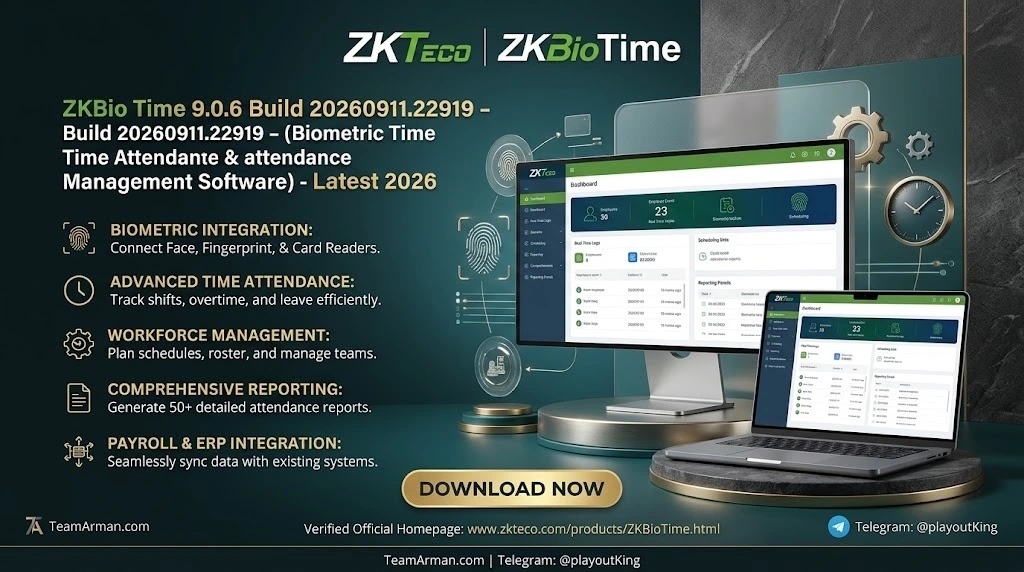
Overview of ZKBio Time 9.0.6
Table of Contents
ZKBio Time 9.0 is a web-based time and attendance management software developed by ZKTeco. It runs on a server you control—typically Windows 10/11 or Windows Server—and acts as a private cloud for your attendance devices. Compatible ZKTeco terminals using the TA PUSH protocol push punch records to the server over Ethernet, Wi-Fi, or mobile networks, depending on the device model. Administrators access the system through a supported browser; employees can use the ZKBio Time mobile app or a browser for self-service functions.
The platform is positioned for organizations that want on-premises control over attendance data rather than a fully hosted SaaS model. That distinction matters for payroll-sensitive environments, sites with intermittent connectivity, and IT teams that need to keep attendance records inside their own network or VPN. ZKBio Time 9.0.6 is not an accounting engine or a statutory payroll calculator; it captures and organizes time events, applies attendance rules, and produces exportable reports that downstream payroll systems can consume.
Key Features
ZKBio Time 9.0.6 ships with the core workforce management toolset that ZKTeco has refined across the 9.0 line. The features below are the ones most relevant to day-to-day administration and to evaluating whether the platform fits your attendance workflow.
Attendance Capture and Biometric Authentication
-
Multi-modal authentication: Fingerprint, face, palm, RFID card, and PIN are supported, depending on the terminal model paired with the server.
-
TA PUSH device connectivity: ZKTeco standalone terminals with push-communication capability send attendance transactions to the platform without requiring a persistent PC-to-device cable connection.
-
Biometric template synchronization: Templates can be synchronized across compatible devices so that enrollment on one terminal is reflected on others within the same deployment.
Scheduling, Rules, and Exception Handling
-
Flexible shift scheduling: Supports fixed shifts, rotating patterns, and flexible timetables to accommodate different workforce structures.
-
Attendance calculations: Applies configurable rules for lateness, early departure, overtime, and rounding, reducing manual calculation effort.
-
Supervisor-driven missed-punch correction: Captured events can be routed into approval workflows when punches are missing, tying corrections to supervisor review rather than leaving exceptions unmanaged.
Reporting and Payroll Preparation
-
Comprehensive attendance reports: Generates detailed reports that summarize attendance, exceptions, and workforce activity for management review.
-
Payroll-ready exports: Attendance data can be exported for payroll preparation. The platform supplies the time-and-attendance inputs; payroll software or an ERP remains responsible for statutory deductions, payslip generation, and final payroll processing.
-
Documented API: A scoped API is available for integrations with ERP or HR systems, subject to licensed access and field mapping.
Administration and Self-Service
-
Multi-level approvals and email alerts: Request workflows can be structured hierarchically, with automatic notifications to approvers and employees.
-
Role-based access control: User roles can be defined by site, department, or function, which is important in multi-site deployments.
-
Mobile self-service: The ZKBio Time app allows employees to clock in/out where permitted by policy, view balances, and submit requests. Mobile access in a self-hosted deployment depends on how the server and network are configured for remote connectivity.
What’s New in the Latest Version (9.0.6)
ZKBio Time 9.0.6 represents a maintenance and hardening release within the 9.0 branch rather than a wholesale interface redesign. The most consequential change for security-conscious administrators is that 9.0.6 addresses a previously disclosed vulnerability; ZKTeco’s guidance states that upgrading to version 9.0.6 mitigates the issue and recommends updating to the latest version as soon as possible. Organizations running earlier 9.0.x builds should treat this as a priority patching consideration, particularly if the server is reachable from outside a trusted internal network.
From a platform standpoint, the 9.0.4–9.0.6 change log documents incremental updates across the 9.0 line. The underlying components in the current release include Apache 2.4.65, Python 3.11.3, Django 4.1.13, jQuery 3.7.1, and PostgreSQL 15.14, with TLS 1.3 and 1.2 support noted in the release documentation. These component versions matter for IT teams evaluating patch currency and compatibility with existing infrastructure.
It is also important to distinguish between the product information version (9.0.6 build 20260911.22919) and the publicly downloadable installer (build 20260514.22132). Resellers and ZKTeco documentation note that the linked download may lag behind the latest product listing; administrators should confirm the exact build available through their licensed download channel before planning an upgrade.
System Requirements
ZKBio Time 9.0.6 is a 64-bit, server-class application. Requirements vary slightly depending on whether you follow ZKTeco’s regional product pages or reseller installation guidance; the table below reconciles the two sources and notes where they differ.
| Component | Minimum / Supported Specification |
|---|---|
| Operating System | Windows 10/11 (64-bit); Windows Server 2012/2012 R2/2016/2019/2022; ZKTeco’s global product page also lists Server 2025 for the current release |
| CPU | Dual-core 2.4 GHz or faster |
| RAM | 4 GB minimum on ZKTeco Pakistan’s parameter page; ZKTeco’s global page lists 8 GB for the current release |
| Storage | 100 GB free; NTFS partition recommended for the installation directory |
| Database | PostgreSQL (default); SQL Server 2016/2019/2022/2025; MySQL 8.0; Oracle 19c |
| Browser | Edge 117+, Chrome 117+, Firefox 104+ (current global specification); older regional pages list Chrome 33+/Firefox 27+/IE11+ |
| Display | 1366 × 768 or above on the current global specification; 1024 × 768 on the older regional page |
| Device capacity | Standard platform capacity of 500 devices; larger deployments require assessment and appropriate licensing |
| Authentication | Fingerprint, face, palm, RFID, PIN (terminal-dependent) |
The RAM and display discrepancies are a reminder that regional ZKTeco pages are not always synchronized. For a production deployment, use the specification tied to the exact build and datasheet you are installing, and confirm requirements with a licensed reseller if your deployment approaches the 500-device platform capacity.
Installation Guide
ZKBio Time is installed on a Windows server that you manage. The process is straightforward for administrators who are comfortable with Windows service configuration and database selection, but it is not a “double-click and forget” installation. The steps below reflect the current Windows installation workflow.
Pre-Installation Checklist
-
Confirm that the server meets the OS, RAM, and storage requirements for your build.
-
Decide whether you will use the default PostgreSQL database or an existing SQL Server, MySQL, or Oracle instance. The default database is the simplest path for a first deployment; “Other Database” should be selected only if you already administer the target database platform.
-
Obtain the installer through ZKTeco’s official download page. ZKTeco’s download portal may require a Silver-level account or above to access the current installer.
-
If the server is behind a firewall, identify a port for the web interface (for example, 8080) and plan the firewall exception.
Step-by-Step Installation
-
Run the installer as administrator: Right-click the
.exeand select “Run as Administrator”. -
Select language and accept the license agreement.
-
Choose the installation path; the default path is suitable for most deployments.
-
Set the port number and enable the firewall exception if the server will be accessed from other machines on the network.
-
Select the database option: Default PostgreSQL for a standard deployment, or “Other Database” if you are connecting to SQL Server, MySQL, or Oracle.
-
Set the backup path for automatic database backups.
-
Complete the installation and restart the server when prompted.
Post-Installation Configuration
After the restart, open the ZKBio Time Platform Service Console and start the service if it is not already running. Then open the ZKBio Time home page from the desktop icon or browser. On first login, create the Super System Administrator account. The default login hint is admin / admin123; change this immediately after the first successful login.
From there, the administrative sequence is typically: add devices (using the TA PUSH configuration appropriate for each terminal model), enroll employees or synchronize biometric templates, configure shifts and attendance rules, and then test a small group of punches before rolling out to the full workforce. If the server will be accessed remotely, configure VPN or port forwarding according to your organization’s security policy; self-hosted ZKBio Time does not provide the same “remote access out of the box” experience as the hosted ZKBio Time Cloud variant.
How to Use the Software
ZKBio Time 9.0.6 is organized around a web administration console, and most day-to-day work happens in a small number of functional areas.
Device and Employee Setup
Begin by adding compatible ZKTeco terminals to the platform and confirming that they can communicate over the TA PUSH protocol. Device management is central to ZKBio Time’s operating model: if a terminal is not correctly paired and pushing transactions, attendance data will not reach the server. After devices are online, add employees either individually or through bulk import, and complete biometric enrollment at the terminal or synchronize templates from an existing device.
Shift and Attendance Rule Configuration
Define timetables and shift patterns before expecting the system to calculate exceptions accurately. ZKBio Time supports fixed and flexible schedules, and the attendance engine applies the rules you configure for lateness, early departure, overtime, and rounding. A common implementation mistake is to import employees and start collecting punches before the rule set is finalized; the resulting exception volume can obscure real attendance patterns and create unnecessary supervisor correction work.
Daily Administration and Reporting
The dashboard provides a view of device status, real-time punches, and pending approval requests. Supervisors use the missed-punch and exception workflows to review and correct attendance records. HR and payroll teams then generate attendance reports and export the data for payroll preparation. The export supplies time-and-attendance inputs; payroll calculations, statutory deductions, and payslip production remain in the payroll system.
Best Use Cases
ZKBio Time 9.0.6 fits best where the organization has already standardized on ZKTeco biometric terminals and needs a self-hosted attendance layer that connects those terminals to reporting and payroll preparation.
-
Multi-site operations with ZKTeco hardware: The platform’s device-centric model and role-based access by site or department make it a practical fit for organizations that run the same terminal family across locations. The missed-punch and supervisor correction workflow is a frequently cited strength in this scenario.
-
On-premises data control requirements: Teams that need attendance data to remain inside a private network or VPN will find the self-hosted deployment model more appropriate than a cloud-only attendance service.
-
Sites with constrained or intermittent connectivity at the terminal level: TA PUSH devices can continue capturing punches locally and push transactions when connectivity is available, depending on the terminal model and configuration.
-
Organizations that need attendance exports for payroll, not payroll calculation: ZKBio Time is an attendance and workforce management layer, not a payroll engine. It is a good fit when the payroll function already exists in another system and needs cleaner time inputs.
It is a less natural fit for very small teams with flat salaries and no downstream payroll system, where the platform’s scheduling and reporting depth may exceed operational needs. It is also not a substitute for a dedicated HR or payroll suite if statutory deduction calculation and payslip generation are hard requirements.
Advantages and Limitations
Advantages
-
Strong ZKTeco device alignment: Terminal enrollment, device pairing, and attendance capture are treated as first-class workflows rather than bolted-on integrations.
-
Self-hosted control: The organization manages the server, database, backups, and network exposure, which is attractive for data-governance and on-premises mandates.
-
Mature attendance rule set: Flexible scheduling, exception handling, and supervisor-driven correction workflows reduce reliance on spreadsheets for attendance reconciliation.
-
Payroll-oriented outputs: Reports and exports are designed to feed payroll preparation workflows, and a documented API supports scoped ERP/HR integration.
-
Vendor security certifications cited: ZKTeco attributes ISO/IEC 27001:2013, ISO/IEC 27701:2019, ISO 9001, and ISO 20000 to the product line, though these are vendor certification statements and do not certify a customer’s deployment.
Limitations
-
ZKTeco ecosystem concentration: Integration depth and device support are strongest within ZKTeco’s terminal ecosystem. Organizations with mixed-vendor biometric hardware may find the device-agnostic API surface less extensive than they need.
-
Self-hosted operational burden: The organization is responsible for server hardening, patching, backups, and database maintenance. Remote access requires deliberate network configuration (VPN, port forwarding, or a hosted VM) rather than being enabled by default.
-
Mobile app reliability varies by environment: Public app-store reviews describe intermittent connectivity issues, login problems after updates, and device-specific compatibility problems. These reports are environment- and version-dependent, but they are a signal to pilot mobile self-service before broad rollout.
-
Not a payroll engine: ZKBio Time does not calculate statutory deductions or produce compliant payslips for a given jurisdiction. Payroll processing remains a downstream responsibility.
-
Documentation lag between product version and public installer: The product listing may refer to a newer build than the publicly downloadable installer, which can complicate upgrade planning if the exact build is not available through the licensed channel.
Alternatives to ZKBio Time
The right alternative depends on whether the primary constraint is hosting model, device ecosystem, or payroll depth. The options below are the most relevant comparisons based on current market positioning.
ZKBio Time Cloud (Same Vendor, Hosted Model)
ZKBio Time Cloud is ZKTeco’s hosted attendance service, built on AWS. It removes the need to maintain a local attendance server and is designed for remote access and simpler multi-site management. Core attendance functionality overlaps with the self-hosted product, but Cloud is the better fit when the organization does not want to manage server infrastructure and is comfortable with a hosted service model. The self-hosted 9.0.6 remains the right choice when data residency, on-premises network control, or a scoped internal API integration is a hard requirement.
Synerion
Synerion is an enterprise workforce management suite with biometric time and attendance, facial recognition, and fingerprint terminal support. Its standout capability is a supervisor-mediated correction workflow with structured exception handling and audit visibility. In comparative reviews it scores highly on features and ease of use, and it is often positioned for multi-site operations that need controlled approvals and clear audit trails. The tradeoff is that rule-heavy overtime and rounding configurations require upfront governance, and deep payroll mapping can take time when HR data structures differ from the vendor’s defaults.
BioStar 2 (Suprema Ecosystem)
BioStar 2 is Suprema’s web-based security platform with time attendance functions. It is the natural comparison point for organizations that standardize on Suprema biometric terminals rather than ZKTeco hardware. Like ZKBio Time, it is strongest when the device ecosystem and the software are aligned; choosing between them is often a device-standardization decision as much as a software-feature decision.
EasyTime
EasyTime is a cloud-based alternative that supports the same ZKTeco device fleet via ADMS/TA PUSH connectivity but adds multi-company SaaS hosting, a mobile app with GPS verification, Hikvision device support, and payroll export workflows for specific regional requirements. It is positioned as a cloud alternative for teams that want to keep their existing ZKTeco terminals but move attendance hosting off a local server.
ZKBio Zlink
ZKBio Zlink is ZKTeco’s cloud-based management platform, distinct from ZKBio Time Cloud. It is aimed at smaller and multi-branch organizations that want cloud attendance with no server to maintain. Compared with ZKBio Time, Zlink emphasizes simpler cloud deployment and branch-level visibility rather than the deeper self-hosted scheduling and rule configuration of the Time platform.
Frequently Asked Questions
Is ZKBio Time 9.0.6 the same as BioTime 9.5?
ZKBio Time is the current branding for ZKTeco’s web-based time and attendance platform in the 9.0 line. “BioTime” appears in older documentation and regional pages, and some resellers still use the name. For a new deployment, confirm the exact product name and build with your licensed supplier; the 9.0.6 build referenced in this article is the current ZKBio Time release.
What is the difference between build 20260911.22919 and build 20260514.22132?
The former is the product-information version associated with the current ZKBio Time 9.0.6 listing; the latter is the installer build that has been publicly linked on ZKTeco download pages. Reseller documentation notes that the public installer may lag behind the product listing. Confirm the build available through your licensed download channel before planning an upgrade.
Does ZKBio Time 9.0.6 work with non-ZKTeco biometric devices?
ZKBio Time is designed around ZKTeco’s TA PUSH protocol and ZKTeco standalone terminals. Device support is strongest within the ZKTeco ecosystem. Third-party devices may connect through supported protocols in specific configurations, but broad multi-vendor device support is not the platform’s primary design goal.
Can I access ZKBio Time remotely without a VPN?
Remote access is possible, but in the self-hosted 9.0.6 deployment it depends on how the server and network are configured. A VPN, port forwarding, or a hosted VM is typically required. This differs from ZKBio Time Cloud, which is hosted on AWS and designed for remote browser and mobile access without a local server.
Does ZKBio Time calculate payroll, taxes, or statutory deductions?
No. ZKBio Time calculates attendance and produces payroll-ready exports, but it is not an accounting or payroll engine. Statutory deductions, payslip generation, and payroll compliance remain the responsibility of the payroll system that receives the exported data.
How many devices can ZKBio Time 9.0.6 support?
ZKTeco lists a standard platform capacity of 500 devices. Larger deployments require assessment and appropriate licensing. The purchased license tier also imposes device and user allowances, so both the platform capacity and the license limits need to be considered together.
Is ZKBio Time 9.0.6 a security update?
Yes, it includes mitigation for a previously disclosed vulnerability. ZKTeco’s guidance states that upgrading to 9.0.6 addresses the issue and recommends updating to the latest version. Administrators running earlier 9.0.x builds should evaluate the patching priority based on their exposure.
What database should I use for a new ZKBio Time installation?
PostgreSQL is the default and the simplest path for a first deployment. SQL Server, MySQL, and Oracle are supported for organizations that already standardize on those platforms. The “Other Database” option during installation is intended for administrators who already manage the target database platform.
Final Thoughts
ZKBio Time 9.0.6 is a specialist tool for a specific operating model: self-hosted attendance management built around ZKTeco biometric terminals, with scheduling, exception handling, and payroll-ready reporting in one web-based console. It is not the broadest device-agnostic attendance platform on the market, and it is not a payroll engine. Its value is strongest when an organization has already invested in ZKTeco hardware, wants to keep attendance data on its own infrastructure, and needs a more structured workflow than spreadsheets can provide.
The 9.0.6 release should be treated as a security-relevant maintenance upgrade for existing 9.0.x deployments, not merely a feature update. Before upgrading, confirm which build is available through your licensed channel, back up the database, and validate the installation in a test environment if the production server supports a large workforce. For organizations that are still choosing a platform, the decisive questions are whether the ZKTeco terminal ecosystem is already in place, whether self-hosting is a requirement or a preference, and whether the downstream payroll system can consume ZKBio Time’s exports without custom development that outweighs the platform’s attendance-management benefits.