

Download the VoxPro 7.1.0.51 by Wheatstone (Professional Digital Audio Editor for Broadcast) from this link…

Overview of VoxPro 7.1.0.51
Table of Contents
VoxPro has been an industry standard in radio and television newsrooms for over two decades. Version 7.1.0.51 refines Wheatstone’s original vision: a fast, keyboard-driven audio editor that mimics the workflow of analog tape but with modern digital precision. The software is not a general-purpose DAW (Digital Audio Workstation) like Audacity or Adobe Audition. Instead, it excels at rapid voice editing, call screening, and playlist building for live broadcast.
Primary functions include:
-
Recording telephone calls or microphone inputs directly.
-
Non-destructive editing with infinite undo/redo.
-
Assigning audio clips to hotkeys for one-button playback.
-
Logging and archiving audio with searchable metadata.
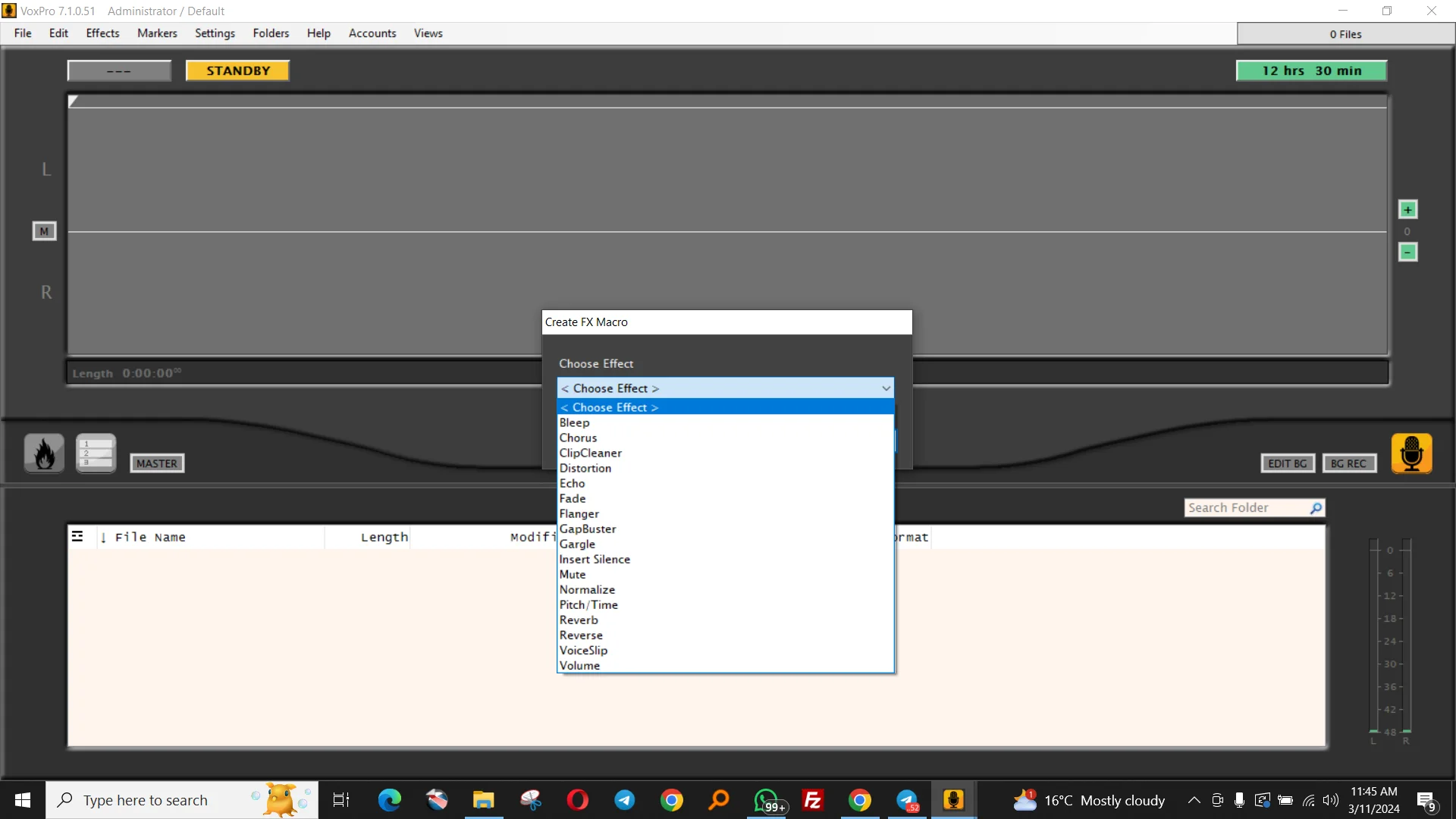
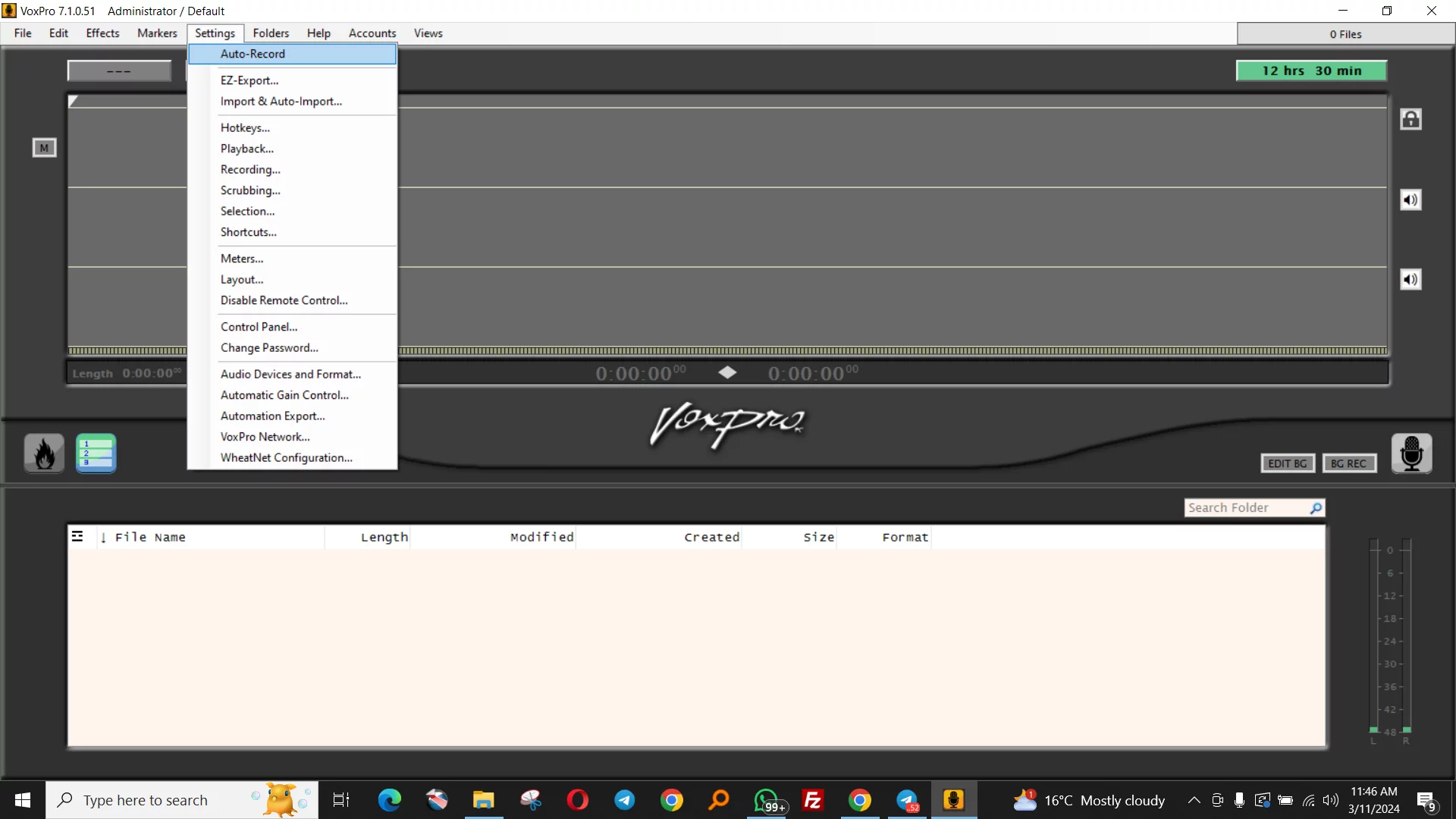
Screenshot
Key Features
VoxPro 7.1.0.51 includes a robust set of professional audio tools:
-
Rich playback options – Variable speed playback, scrubbing, and jog wheel support for precise cueing.
-
Editable recordings – Create and manipulate edit points using multiple methods (drag, click, or keyboard shortcuts).
-
Infinite undo/redo – Persists for the lifetime of a file, even after closing and reopening.
-
Audio effects – Normalization, mute, bleep (tone or silence), reverse, pitch change, and time stretch.
-
Import/export – Standard formats including WAV, MP3, AIFF, and Broadcast WAV (BWF).
-
Customizable scrubbing – Fast, sample-accurate positioning while editing.
-
Password-protected user accounts – Ideal for shared studio workstations.
-
Optional control panel – Includes transport controls and a jog wheel for external controllers.
-
Hotkey assignments – Unlimited one-button playback triggers for sound effects, beds, or interviews.
-
MultiTrack panel – Overlay additional audio files (music, sound effects) on the title track without destructive mixing.
-
GapBuster effect – Automatic silence removal for cleaning interviews or call recordings.
-
Simultaneous playback and recording – Record in the background while editing or playing in the foreground.
-
File management – Copy, move, delete, or rename files directly from the Search panel.
-
Unicode support – Labels for hotkeys and markers can use international characters.
What’s New in Version 7.1.0.51
Wheatstone’s 7.1.0.51 release focuses on stability and workflow improvements:
-
Improved MultiTrack latency for overlaying multiple audio sources.
-
Enhanced GapBuster algorithm to preserve natural speech rhythm.
-
Updated file browser with faster search indexing for large audio archives.
-
Bug fixes for Windows 10 and Windows 11 audio driver compatibility.
-
Refined hotkey engine to prevent conflicts with system shortcuts.
System Requirements
Before installing VoxPro 7.1.0.51, ensure your workstation meets these specifications:
| Component | Minimum Requirement | Recommended |
|---|---|---|
| OS | Windows 10 (64-bit) | Windows 11 Pro |
| Processor | Intel Core i3 2.0 GHz | Intel Core i5 or i7 |
| RAM | 4 GB | 8 GB or more |
| Storage | 500 MB for software + 20 GB for audio | SSD + 100 GB HDD for archive |
| Audio | Windows-compatible sound card | ASIO-compatible interface |
| Display | 1280 x 720 | 1920 x 1080 or higher |
Installation Guide
Follow these steps to install VoxPro 7.1.0.51 legitimately (requires a valid license from Wheatstone or an authorized reseller):
-
Download the official installer from Wheatstone’s customer portal.
-
Close any other audio applications to avoid driver conflicts.
-
Run
VoxPro_7.1.0.51_Setup.exeas Administrator. -
Accept the End User License Agreement (EULA).
-
Choose installation type:
-
Typical – For single-user workstations.
-
Custom – To select specific components (e.g., MultiTrack, control panel drivers).
-
-
Select audio driver model (WASAPI recommended for Windows 10/11).
-
Complete installation and restart your computer.
-
Activate using your Wheatstone license key (online or offline activation).
How to Use the Software
VoxPro’s workflow is optimized for speed. Here is a basic editing sequence:
Recording Audio
-
Click the Record button or press
F2. -
Speak into your microphone or route a telephone call.
-
Press Stop (
F3) to save the recording to the current project.
Basic Editing
-
Select a region by dragging the mouse over the waveform.
-
Press
Deleteto remove the selection (non-destructive – can be undone). -
To apply a bleep (censorship tone): Select the region → Effects → Bleep.
-
Use GapBuster to trim silence from the beginning or end of a clip.
Assigning Hotkeys
-
Load an audio file into a track.
-
Right-click any empty hotkey button.
-
Select “Assign Clip” and choose a portion of the audio.
-
Press that key during live broadcast for instant playback.
Using MultiTrack
-
Click MultiTrack panel.
-
Drag a music bed or sound effect into a secondary track.
-
Adjust gain and start time independently of the main voice track.
Best Use Cases
VoxPro 7.1.0.51 is not a general consumer tool. It excels in specific professional environments:
| Use Case | Why VoxPro |
|---|---|
| Radio newsrooms | Instant clip assembly and hotkey playback for live shows. |
| Podcast production | Rapid silence removal and interview editing. |
| TV broadcast logging | Record and searchable archive of program audio. |
| Legal transcription | Foot pedal and scrubbing support for accurate transcription. |
| Call center quality assurance | Record and annotate customer calls with markers. |
Advantages and Limitations
Advantages
-
Extremely low latency playback – critical for live broadcast.
-
Hotkey-driven workflow eliminates mouse dependency.
-
Infinite undo even after file save.
-
Small footprint – runs on modest hardware.
-
Unicode support for multilingual labels.
Limitations
-
Windows only – No native macOS or Linux version.
-
Not a full DAW – Lacks VST plugin support, MIDI, and multitrack mixing beyond 4–6 tracks.
-
Steep learning curve for users accustomed to linear editors like Audacity.
-
Expensive – Licensing is aimed at broadcast stations, not hobbyists.
Alternatives to VoxPro
If VoxPro 7.1.0.51 does not fit your budget or workflow, consider these legitimate alternatives:
| Software | Platform | Best For |
|---|---|---|
| Audacity (free, open source) | Win/Mac/Linux | General voice editing, podcasting |
| Adobe Audition | Win/Mac | Advanced restoration and multitrack |
| Reaper (inexpensive license) | Win/Mac/Linux | Customizable DAW with broadcast templates |
| Hindenburg Journalist | Win/Mac | Radio and podcast storytelling |
| Dalet Galaxy (enterprise) | Win | Large-scale newsroom automation |
Frequently Asked Questions
1. Is VoxPro 7.1.0.51 free?
No. VoxPro is commercial software sold by Wheatstone. Free trials may be available from authorized dealers, but full functionality requires a paid license.
2. Can I use VoxPro for music production?
Not recommended. VoxPro lacks MIDI, virtual instruments, and multi-effect chains. It is optimized for voice and broadcast dialogue.
3. Does VoxPro support ASIO drivers?
Yes. In the Audio Settings menu, you can select ASIO for low-latency operation with professional interfaces.
4. How do I transfer VoxPro recordings to another computer?
Use the built-in Export function to save as WAV or MP3. For project files, copy the .vxp project file along with all associated audio media.
5. What is the difference between VoxPro and Wheatstone’s Audioarts?
Audioarts is a hardware audio console line. VoxPro is software. They integrate via Wheatstone’s AoIP (Audio over IP) protocols but are separate products.
6. Can I legally download VoxPro from third-party websites?
Only if the website is an authorized Wheatstone reseller. Downloading from file-sharing sites often results in modified, malware-infected, or non-licensed copies. Always obtain software directly from Wheatstone or a verified partner.
7. Does VoxPro work with a foot pedal?
Yes. VoxPro supports USB foot pedals (e.g., Infinity or VEC) for hands-free recording and playback control.
8. How do I update from VoxPro 7.0 to 7.1.0.51?
Log into your Wheatstone account, download the 7.1.0.51 installer, and run it over your existing installation. Your license and settings will be preserved.
Final Thoughts
VoxPro 7.1.0.51 remains a specialized, powerful tool for broadcast professionals who prioritize speed and reliability over broad feature sets. It is not a replacement for Audacity or Adobe Audition for music or podcast post-production. However, in a live news environment where producers need to cut, cue, and play audio within seconds, VoxPro has few equals. Wheatstone continues to refine the software without bloating its core workflow—a rare discipline in modern audio software.
For legal, licensed users, VoxPro 7.1.0.51 offers a stable, professional-grade audio editing environment that respects broadcast deadlines and operational simplicity. Always acquire software through official channels to ensure security, updates, and compliance with copyright law.
Our Paid Service
Looking for full-version software without limitations? You’re in the right place. Instead of wasting time on unreliable or outdated sources, unlock a powerful bundle of 10k+ premium tools covering marketing, SEO, broadcasting, automation, and business productivity — all in one place at an affordable price. This collection is specially curated for freelancers, agencies, and business owners who want fast, real results with professional tools.
Direct contact: Telegram ID :
Join Us For Update Telegram Group :
Join Us For Updated WhatsApp group:
You Can test through AnyDesk before Buying,
And When You Are Satisfied, Then Buy It.
Unlimited PCs/Users.
Join today and upgrade your workflow with premium tools.