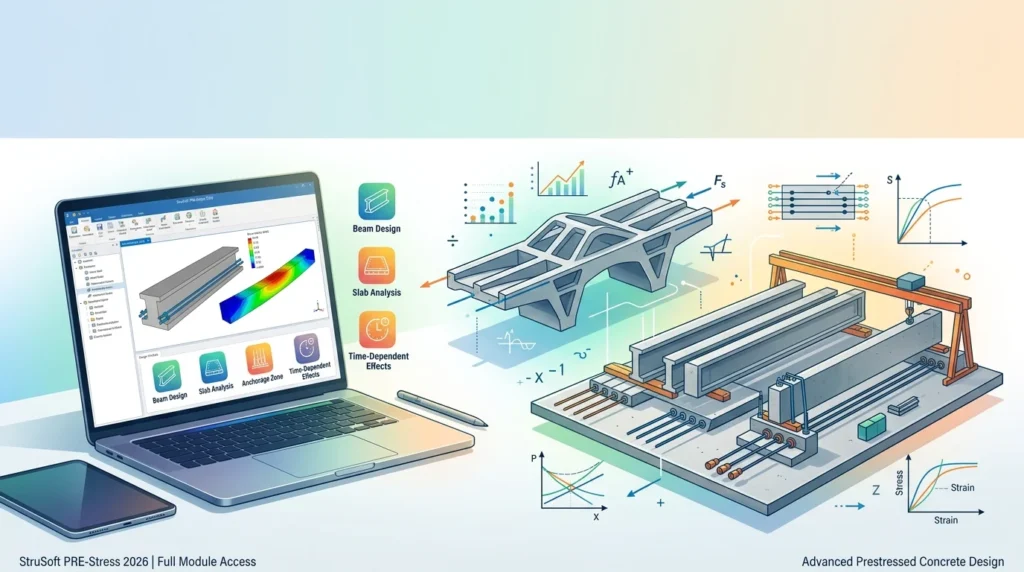

Overview of StruSoft PRE-Stress
Table of Contents
PRE-Stress is part of StruSoft’s integrated suite of structural design applications, which also includes FEM-Design for finite element analysis, WIN-Statik for common design tasks, IMPACT for precast production, and VIP-Energy for building energy simulation. While FEM-Design addresses global 3D structural modeling, PRE-Stress focuses exclusively on the detailed design of prestressed concrete elements. It calculates stresses, strains, and cracking at every stage of an element’s life, from strand release in the factory through outdoor storage, transport, erection, and long-term service.
The software is widely used in the precast concrete industry, particularly in Nordic and European markets where Eurocode compliance is mandatory. It integrates directly with IMPACT Precast, allowing hollow core calculations to be performed within the production drawing environment.
Key Features of PRE-Stress 2026
PRE-Stress 2026 includes a comprehensive set of tools for prestressed element design. The following features represent the core capabilities available in the full module configuration.
Cross-Section and Geometry Definition
Users can select from a library of predefined cross-sections or create custom profiles by specifying dimensions. The software supports hollow core slabs, solid slabs, wall panels, beams, sloped beams, double-T elements, and the newer “angled TT” beam types. CAD drawings of cross-sections can be imported, and the software automatically generates the new section geometry.
Reinforcement Pattern Manager
The Reinforcement Pattern Manager enables rapid definition of prestressing strands and non-tensioned reinforcement. Engineers can use default patterns or create and save their own layouts, which can then be quickly applied to different elements. Strands and rebars can be added manually by position or through predefined arrangements.
Life-Cycle Stage Analysis
This is the defining capability of PRE-Stress. The software models each stage of an element’s life as a dependent calculation, remembering cracks, stresses, and strains from previous stages. The stages typically include:
-
Release – strand cutting in the factory
-
Storage – outdoor yard conditions with different supports
-
Transport – dynamic loads and temporary support conditions
-
Erection – on-site lifting and placement
-
Final stage – short-term and long-term service, plus fire design
Eurocode Design and National Annexes
Calculations are performed according to Eurocode, with support for the British, Danish, Finnish, Norwegian, and Swedish National Annexes. Second-generation Eurocode support is under development. The program automatically applies the correct partial factors based on the selected national annex and generates load combinations accordingly.
Load Application and Combinations
Engineers can apply eccentric distributed forces to simulate slab loading on beams, with precise control over eccentricity from the centroid, left edge, or right edge. Self-weight is automatically applied for the element and any topping. The load combination generator produces the necessary combinations for each design stage.
Fire Design
PRE-Stress includes a fire design module that produces tabular results for fire effects on reinforcement. Temperature distribution through the section is presented graphically, with an indicator for the damaged zone.
Reporting
Results are available on screen or through user-defined reports. These reports provide all information needed for cost-efficient design decisions, including internal forces, stresses, crack widths, and reinforcement requirements.
What’s New in the 2026 Version
The 2026 release of PRE-Stress is distributed as version 6.7.28 within the StruSoft installer framework. Key updates include:
-
Full module availability – The 2026 edition provides access to all design modules, including hollow core, beam, slab, and fire design capabilities.
-
Enhanced integration with IMPACT Precast – Section data and load definitions from IMPACT models are transferred directly to PRE-Stress, with key results returned to the production drawing.
-
Angled TT beam support – The software now supports the calculation and analysis of angled TT beams in addition to standard double-T elements.
-
Improved reporting options – User-defined report templates allow engineers to customize output for specific project documentation requirements.
-
Ongoing Eurocode development – Work continues on second-generation Eurocode implementation.
For students and educators, StruSoft provides a free PRE-Stress Student version with full design modules, watermarked output, and disabled update functions.
System Requirements
StruSoft PRE-Stress runs on Windows platforms. The StruSoft installer manages installation files, previous versions, updates, and licenses through a single interface. While StruSoft does not publish a detailed hardware specification sheet on its public product pages, the software operates within the same environment as other StruSoft applications. Typical requirements for structural engineering software of this class include:
-
Operating System: Windows 10 or Windows 11 (64-bit)
-
Processor: Dual-core or higher (quad-core recommended for larger models)
-
Memory: 8 GB RAM minimum; 16 GB recommended for complex hollow core or multi-stage models
-
Storage: Several gigabytes of free disk space for installation and project files
-
Display: 1920×1080 resolution or higher
-
Licensing: Network or standalone license managed through StruSoft Installer
Prospective users should verify current specifications with StruSoft or a local sales representative, as hardware recommendations may vary by module configuration and project complexity.
Installation Guide
Installing PRE-Stress 2026 follows a streamlined process through the StruSoft Installer.
Step 1: Download the StruSoft Installer
All StruSoft software, including PRE-Stress, is distributed through the StruSoft Installer application. This program handles all installation files, including previous versions, updates, and license management.
Step 2: Obtain a License
Two licensing paths are available:
-
Commercial trial – StruSoft offers an automated two-week trial of PRE-Stress. Request a trial license through the StruSoft website, fill out the form, and select “PRE-Stress” from the software list. You will receive an email with the download link, license activation key, and video guides.
-
Student license – Students can apply for a free full-access version. Upload a copy of your student ID, and StruSoft will send installation instructions by return email.
Step 3: Install via StruSoft Installer
Launch the StruSoft Installer, select PRE-Stress from the available applications, and follow the on-screen prompts. The installer manages dependencies and ensures the correct version is deployed.
Step 4: Activate the License
Enter the activation key provided with your trial or commercial license. Network licenses may require configuration of a license server, which is handled through the same installer interface.
Step 5: Verify Installation
After installation, launch PRE-Stress and confirm that the desired modules are accessible. The Help > About dialog displays the installed version number and license status.
How to Use PRE-Stress: Core Workflow
The typical design workflow in PRE-Stress follows a logical sequence from geometry definition to final report generation.
Define the Cross-Section
Begin by selecting a predefined section from the built-in library or creating a custom profile. Dimensions are specified manually, or a CAD drawing can be imported for automatic section generation.
Configure Reinforcement
Use the Reinforcement Pattern Manager to define prestressing strands and non-tensioned reinforcement. Choose from default patterns or create custom layouts that can be saved and reused across projects.
Set Life-Cycle Stages
Define the stages of the element’s life: release, storage, transport, erection, and final service. For each stage, specify the relevant support conditions, load cases, and environmental parameters. The software maintains dependencies between stages, carrying forward cracks, stresses, and strains.
Apply Loads and Generate Combinations
Apply permanent and variable loads, including eccentric slab loads on beams. The program automatically adds self-weight and, depending on the load type, applies the correct factors according to the selected National Annex. Load combinations are generated automatically.
Run Analysis and Review Results
Execute the calculation. Results are presented on screen and can be exported to a user-defined report. Review stresses, crack widths, deflections, and reinforcement requirements for each stage and limit state.
Perform Fire Design (Optional)
If required, run the fire design module to obtain temperature distributions and reinforcement effects under fire exposure.
Best Use Cases for PRE-Stress
PRE-Stress is designed for structural engineers, precast concrete producers, and engineering students who work with prestressed elements. Representative use cases include:
-
Hollow core slab design – Production-ready analysis of prestressed hollow core units, including integration with IMPACT Precast for automated drawing updates.
-
Precast beam design – Complete life-cycle analysis for T-beams, I-beams, sloped beams, and angled TT beams.
-
Slab-on-beam systems – Simulation of slab loading on beams with eccentric distributed forces and automatic load combination generation.
-
Fire safety verification – Assessment of prestressed elements under fire exposure for code compliance.
-
Educational projects – Student version provides full design functionality for coursework and thesis projects without commercial use restrictions.
Advantages and Limitations
Advantages
-
Complete life-cycle modeling – PRE-Stress is one of the few tools that explicitly models release, storage, transport, and erection stages as dependent calculations, which reflects the real behavior of precast elements.
-
Strong Eurocode compliance – Support for multiple National Annexes makes the software suitable for projects across Europe.
-
Integration with IMPACT Precast – Seamless data transfer between production drawings and detailed design calculations reduces manual re-entry and errors.
-
Reinforcement Pattern Manager – Saves time on repetitive reinforcement layouts and encourages standardized detailing.
-
Student access – Free full-access version for educational use lowers the barrier to learning prestressed concrete design.
Limitations
-
Windows-only – The software does not run natively on macOS or Linux.
-
Focused scope – PRE-Stress is specialized for prestressed elements; it is not a general-purpose 3D structural analysis tool. Engineers needing global building analysis typically pair it with FEM-Design.
-
Limited public documentation on hardware requirements – Detailed system specifications are not prominently published, requiring users to contact StruSoft for precise guidance.
-
Second-generation Eurocode pending – Full support for the next generation of Eurocode is still under development.
Alternatives to StruSoft PRE-Stress
Several other software packages address prestressed concrete design. The following alternatives are commonly considered alongside PRE-Stress.
Structural Engineering Software Alternatives
-
FEM-Design (StruSoft) – A general-purpose finite element analysis and design tool for concrete, steel, and timber structures. It complements PRE-Stress rather than replacing it, and is often used together for global analysis and detailed prestressed element design.
-
ADAPT-ABI / ADAPT-Builder – Specialized software for post-tensioned and prestressed concrete, including bridge and building applications.
-
Conspan / Consplice – Precast/prestressed bridge beam analysis and design tools, particularly common in North American bridge engineering practice.
-
LEAP Bridge Software Suite – Includes Presto for precast and prestressed concrete beam analysis, along with modules for multistory columns and wall panels.
-
SCIA Engineer (by ALLPLAN) – A broader structural analysis platform that includes prestressed concrete design capabilities within a general FEM environment.
Each alternative has a different focus. PRE-Stress distinguishes itself through its life-cycle stage modeling and its tight integration with precast production workflows via IMPACT.
Frequently Asked Questions
What types of elements can PRE-Stress design?
PRE-Stress supports hollow core units, solid slabs, wall panels, beams, sloped beams, T-beams, double-T beams, and angled TT beams. Slabs with or without topping are also supported.
Does PRE-Stress comply with Eurocode?
Yes. Calculations are performed according to Eurocode, with support for the British, Danish, Finnish, Norwegian, and Swedish National Annexes. Second-generation Eurocode is under development.
Is there a free version of PRE-Stress?
StruSoft offers a two-week automated commercial trial with full functionality. Students can apply for a free Student version that includes all design modules, watermarked output, and disabled update functions.
How does PRE-Stress differ from FEM-Design?
FEM-Design is a general-purpose finite element analysis and design tool for 3D structures. PRE-Stress is a specialized tool for the detailed design and life-cycle analysis of prestressed concrete elements. They are complementary and often used together.
Can PRE-Stress model transport and storage stages?
Yes. This is a core capability. The software models release, storage, transport, erection, and final service stages as dependent calculations, carrying forward cracks, stresses, and strains from each stage to the next.
What file formats does PRE-Stress support?
PRE-Stress supports CAD import for cross-section geometry. Detailed file format documentation is available in the PRE-Stress Wiki and user manual.
How do I obtain a license for PRE-Stress 2026?
Licenses are obtained through StruSoft. Commercial users can request a trial or purchase a license through a local sales representative. Students apply through the StruSoft website with a student ID.
Does PRE-Stress integrate with BIM workflows?
PRE-Stress integrates with IMPACT Precast, StruSoft’s database-driven system for modeling and production of precast concrete elements. Loads, supports, and section data defined in IMPACT models are transferred to PRE-Stress, and key results are returned directly into the production drawing.
Final Thoughts
StruSoft PRE-Stress 2026 remains a focused and technically rigorous tool for engineers who design prestressed concrete elements. Its strength lies in life-cycle stage modeling, Eurocode compliance across multiple national annexes, and deep integration with precast production workflows through IMPACT. The availability of a full-function student version and an automated commercial trial lowers the barrier to evaluation. For structural engineers working in precast concrete, PRE-Stress offers a level of detail in stage-dependent analysis that general-purpose FEM software does not provide out of the box. Engineers seeking to evaluate the software should request a trial through StruSoft and test it against their specific element types and national annex requirements.
Our Paid Service