
Overview of SpinFire Insight
Table of Contents
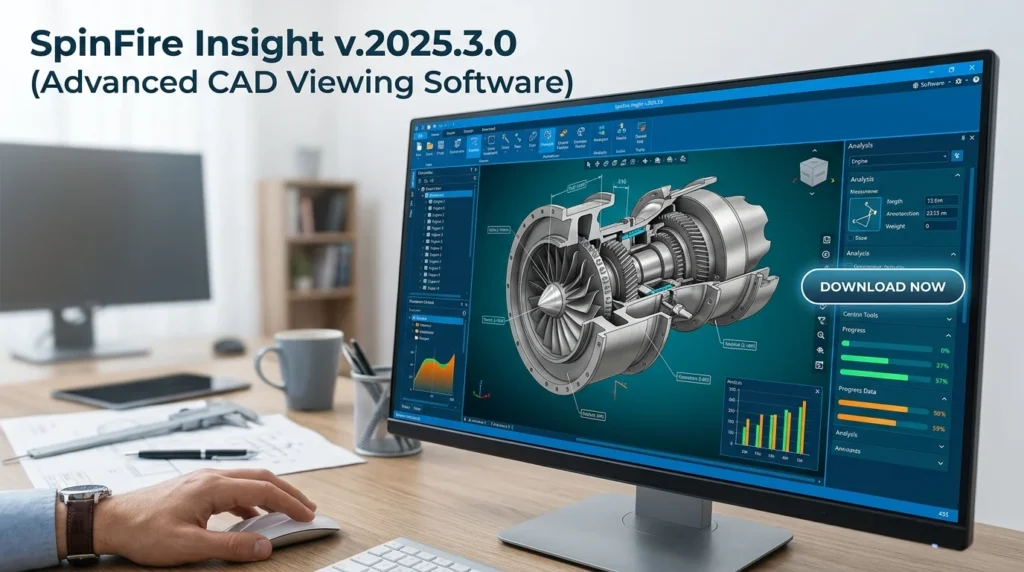
SpinFire Insight is a market-leading 3D model visualization tool developed by Actify. It serves as a universal CAD viewer, supporting over 25 native CAD file formats. The software’s core purpose is to democratize access to design data. Engineers can publish lightweight, secure 3D files, and non-technical users—such as sales, marketing, and supply chain teams—can review designs with ease. This ensures that everyone involved in a product lifecycle can access accurate visualizations and metadata, accelerating decision-making and reducing errors.
Key Features of SpinFire Insight
This CAD file viewer is packed with features that enhance productivity and analysis. Here are the standout capabilities of SpinFire Insight v.2025.3.0:
-
Native File Support: Directly import and view files from SolidWorks, CATIA, Siemens NX, Creo, Autodesk Inventor, and SOLIDWORKS, as well as neutral formats like STEP, IGES, and STL.
-
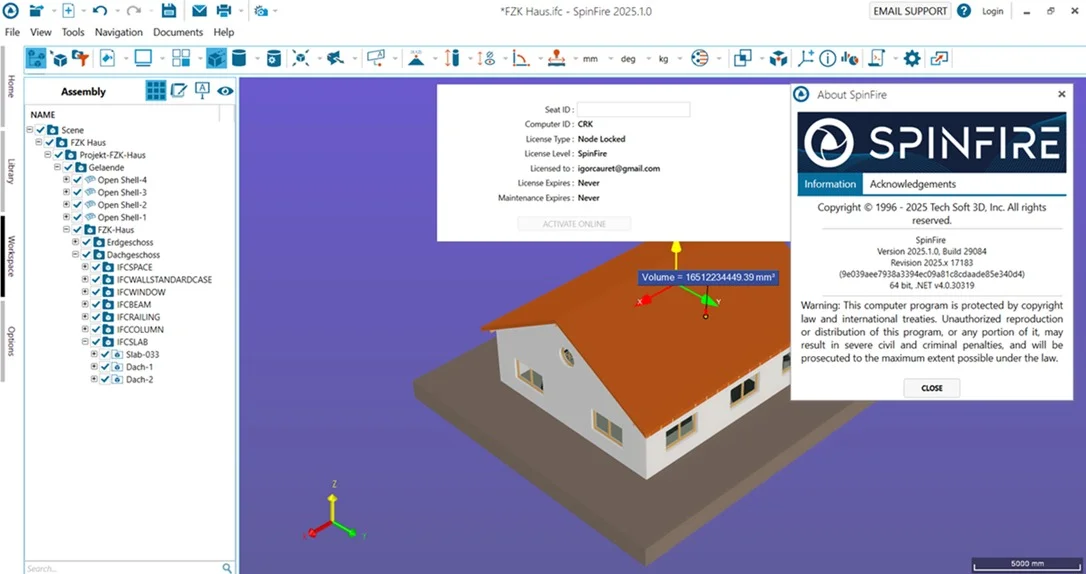
3D Measurement Tools: Accurately measure distances, angles, radii, and clearance between components to ensure fit and function.
-
Sectioning and Clipping: Create dynamic cross-sections to inspect internal geometry and assembly structure.
-
Markup and Annotation: Add callouts, notes, and dimensions directly onto the 3D model for clear communication.
-
Secure Publishing: Publish files in the secure .3D format, reducing file size by up to 90% while encrypting sensitive design data.
-
BOM (Bill of Materials) Viewer: Extract and view part properties and metadata alongside the 3D model.
-
Collaboration Tools: Use the integration with SAP, Oracle Agile, and PTC Windchill to embed design data into enterprise workflows.
-
Realistic Rendering: High-quality shading and lighting options for better visual communication of design intent.
What’s New in SpinFire Insight v.2025.3.0
The latest version of this engineering collaboration platform introduces several enhancements to boost efficiency and user experience:
-
Enhanced Performance: Improved loading speeds for large assemblies, reducing time-to-insight for complex engineering data.
-
Updated File Format Support: Added compatibility for the latest releases of Siemens NX, CATIA V6, and Creo, including support for newer software versions.
-
Modernized User Interface: A cleaner, more intuitive UI reduces the learning curve and improves navigation for all users.
-
Advanced Security Features: Strengthened encryption protocols and audit trails to ensure compliance with industry data protection standards.
-
Cloud Integration: Enhanced connectivity for sharing .3D files via secure cloud links, facilitating easier remote collaboration.
System Requirements
Before initiating the SpinFire Insight download, ensure your system meets the necessary specifications for optimal performance. This engineering software is designed to run efficiently on standard enterprise workstations.
-
Operating System: Windows 10 (64-bit) or Windows 11 (64-bit).
-
Processor: Intel Core i5 or equivalent (recommended: Intel Core i7 or Xeon for large assemblies).
-
Memory (RAM): 8 GB minimum (recommended: 16 GB or more for complex models).
-
Hard Disk Space: 2 GB of free space for installation.
-
Graphics Card: Dedicated graphics card with OpenGL 3.3 support (recommended: NVIDIA Quadro or AMD Radeon Pro).
-
Display: 1920 x 1080 resolution (or higher) for best viewing experience.
Installation Guide
This step-by-step guide will help you complete the SpinFire Insight installation smoothly. Always use the official installer obtained from the Actify website.
-
Download the Installer: Log in to your Actify account and download the SpinFire Insight v.2025.3.0 setup file.
-
Run the Setup: Double-click the
.exefile to launch the installation wizard. Click “Yes” to allow the application to make changes to your device. -
Accept License Agreement: Read and accept the End-User License Agreement (EULA) to proceed.
-
Select Installation Directory: Choose the destination folder or use the default path.
-
Choose Components: Select the components you need (e.g., core viewer, plugins, or integration tools).
-
Install: Click “Install” to begin the process. Wait for the installation to complete.
-
Launch the Software: Once finished, click “Finish” and launch SpinFire Insight from your desktop or Start menu.
-
Activation: Enter your product license key to activate the software and unlock all features.
How to Use SpinFire Insight
This guide will teach you how to leverage the 3D CAD software for essential viewing tasks. Here’s a typical workflow:
Opening a CAD Model
-
Launch the CAD viewer software.
-
Go to File > Open or click the “Open” icon on the toolbar.
-
Navigate to your CAD file. Select it and click “Open.” The model will load in the main viewport.
Navigating and Inspecting
-
Use the mouse to navigate: Left-click to rotate, right-click to pan, and scroll to zoom.
-
Use the ViewCube in the corner to orient to standard views like Front, Top, and Right.
-
Use the “Section” tool under the “Analyze” tab to create a cut-plane and inspect the internal structure.
Taking Measurements
-
Navigate to the “Measure” tab on the top ribbon.
-
Select the measurement type (Distance, Angle, Radius, etc.).
-
Click on the desired edges, faces, or vertices. The measurement results will be displayed in the dialog box.
Publishing a Secure File
-
Go to the Publish menu.
-
Select “Publish 3D PDF” or “Publish as .3D File.”
-
Specify the location to save the file and enter a password if you want to secure the file.
-
Click “Publish” to create a lightweight, secure copy of your design.
Best Use Cases for SpinFire Insight
SpinFire Insight is a versatile tool across various industries. Here are some common applications where this design software excels:
-
Cross-Departmental Collaboration: Share 3D models with sales, marketing, and procurement teams who do not have access to native CAD software.
-
Supplier Communication: Send secure, interactive 3D files to suppliers for quoting, ensuring they have accurate specifications without exposing your design history.
-
Quality Assurance: Inspect incoming parts and assemblies with precise measurement tools to ensure compliance with engineering blueprints.
-
Technical Documentation: Create high-resolution 2D and 3D images for user manuals, service guides, and proposals.
-
Remote Design Review: Enable team members in different locations to view and comment on designs in a collaborative review session.
Advantages and Limitations of SpinFire Insight
Like any CAD viewing solution, SpinFire Insight has strengths and areas for improvement. Understanding these helps you set expectations and integrate the tool effectively.
Advantages
-
Broad File Compatibility: Minimizes the need for multiple viewers by supporting nearly all major CAD formats.
-
Strong Security: The proprietary .3D format protects your intellectual property, preventing unauthorized edits.
-
Ease of Use: The interface is intuitive for beginners and efficient for experts, reducing training costs.
-
Enterprise Integration: Seamless integration with leading PLM systems (SAP, Windchill) for a unified data management workflow.
-
Cost-Effective: Reduces the cost of licensing multiple native CAD viewers for a wider audience.
Limitations
-
No Editing Tools: This is a viewer, not a full-featured CAD editor. Users cannot modify the geometry.
-
Cost: While cost-effective for the enterprise, the pricing structure may be prohibitive for individual users or freelancers.
-
Dependency on .3D Format: To unlock the full security and collaboration features, files must be published into the proprietary .3D format, which requires a publisher license.
Alternatives to SpinFire Insight
If you are evaluating options, consider these alternatives to this 3D design software.
| Software Name | Key Feature | Best For |
|---|---|---|
| Adobe Acrobat 3D | Converts CAD to 3D PDF for universal review. | Companies heavily invested in the Adobe ecosystem. |
| SAP Visual Enterprise Viewer | Integrates deeply with SAP environments for engineering data. | Organizations with a strong SAP ERP backbone. |
| eDrawings Viewer | Simple, free viewer for 3D models, offering basic measurement tools. | Individuals or small teams needing a quick, no-cost solution. |
| Autodesk Viewer | Web-based viewer with support for many common formats. | Teams that prefer browser-based, zero-install solutions. |
| SolidWorks eDrawings | A standard viewer for native SolidWorks files. | Companies that work primarily within the SolidWorks ecosystem. |
Frequently Asked Questions
1. What is SpinFire Insight used for?
SpinFire Insight is used for viewing, measuring, and analyzing 3D CAD models and 2D drawings without the native CAD software. It is an essential tool for cross-functional teams to collaborate on product designs.
2. Which CAD formats are supported in SpinFire Insight v.2025.3.0?
SpinFire Insight supports over 25 formats, including native files from SolidWorks, CATIA, Siemens NX, Autodesk Inventor, and Creo. It also supports neutral formats like STEP, IGES, and STL.
3. Is SpinFire Insight free?
SpinFire Insight is a commercial, enterprise-grade solution. However, Actify offers a free trial to explore its features. Please check the official Actify website for specific licensing options.
4. How do I install SpinFire Insight?
To install this CAD file viewer, download the official installer from Actify’s website, run the setup file, accept the license, and follow the on-screen instructions. Activate the software using your purchased license key.
5. Can I edit models with SpinFire Insight?
No, SpinFire Insight is an advanced viewer and analysis tool. It does not offer geometry creation or modification tools. To edit a model, you must use the original CAD software it was created with.
6. How does SpinFire Insight protect my data?
SpinFire Insight uses a secure .3D file format that compresses and encrypts your CAD data. This ensures intellectual property is protected when shared, and recipients can only view, measure, and mark up the data, not reverse-engineer it.
7. Does SpinFire Insight work with PLM systems?
Yes, it integrates with popular PLM systems, including SAP, Oracle Agile, and PTC Windchill, providing a seamless workflow for managing product data and streamlining the engineering lifecycle.
Final Thoughts
SpinFire Insight v.2025.3.0 stands out as a robust CAD viewer that solves real-world challenges in product development. It successfully balances security with accessibility, enabling seamless communication in complex supply chains and diverse teams. This engineering collaboration software is a worthy investment for any organization looking to protect their design data while improving workflow efficiency. By democratizing 3D data, it empowers decision-making across your business, ensuring designs are reviewed and approved faster. Explore the potential of SpinFire Insight and consider downloading a free trial to experience its impact on your operations.
Our Paid Service
“We do not sell or provide any software. We only offer professional support services. If any software on your system is not working properly, or you are facing installation errors, crashes, or any other technical issue — just contact us. We will help you fix the problem quickly and remotely via AnyDesk. No software will be provided from our side — only expert troubleshooting and support.”