

Download the Solar Fire V9 (Advanced Astrology Software Features & 9.1.0 Update Guide) from this link…

Overview of Solar Fire V9 Astrology Software
Table of Contents
Solar Fire V9, developed by Esoteric Technologies, is widely recognized as the industry-leading astrology software for professional astrologers and serious enthusiasts. This powerful application provides a comprehensive environment for natal chart calculation, predictive astrology, and in-depth astronomical data analysis.
Unlike basic online chart generators, Solar Fire V9 offers a professional-grade suite of tools designed for high-precision calculations, extensive chart customization, and advanced research capabilities. Whether you are analyzing planetary transits, synastry for relationship compatibility, or electional astrology for timing events, this software delivers the accuracy and depth required for professional practice.
This article explores the full functionality of Solar Fire V9, the improvements introduced in the 9.1.0 updates, and how to leverage the software for personal growth, client work, or academic research in astrology.
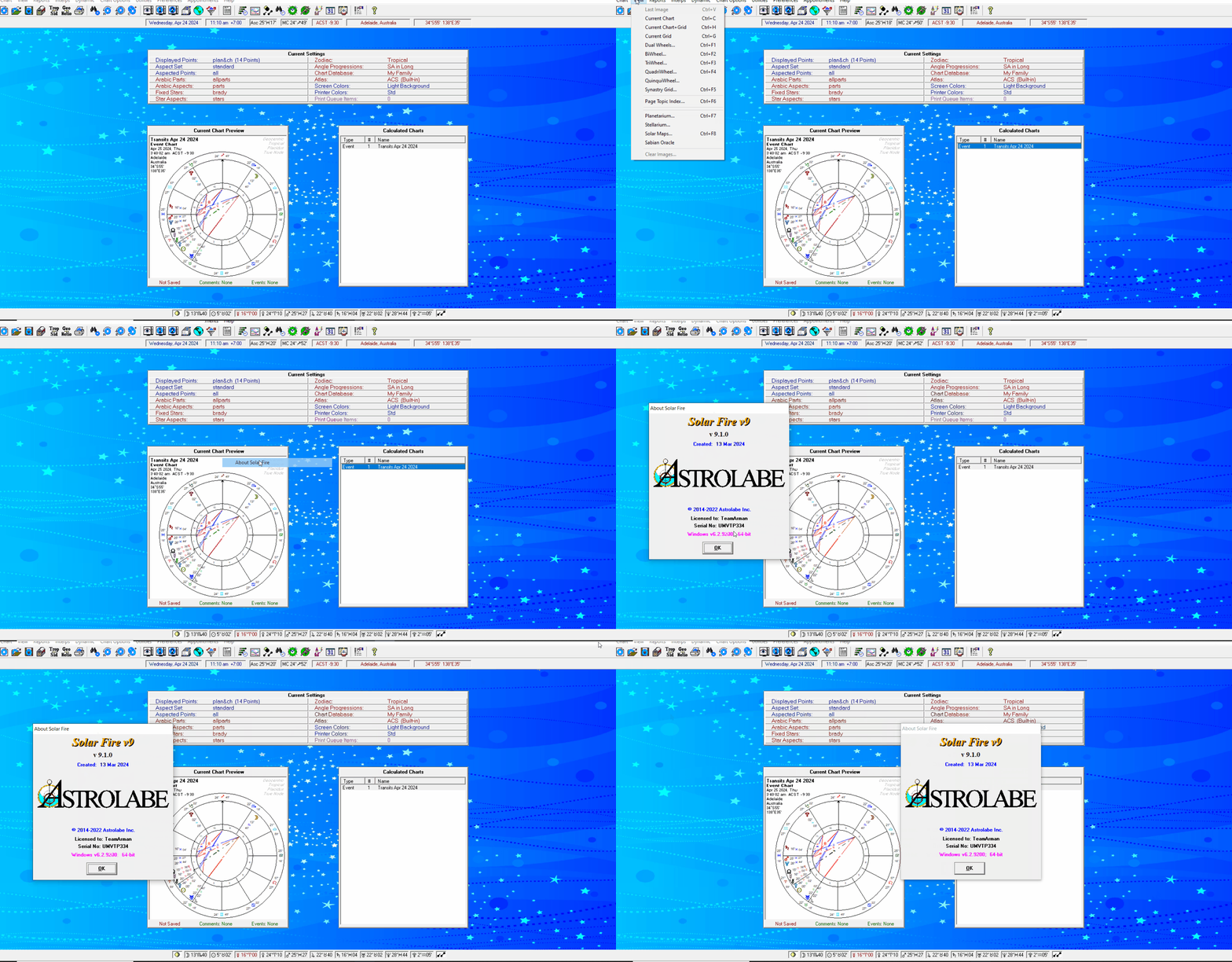
Screenshot

Key Features of Solar Fire V9
Solar Fire V9 is built on a robust architecture that prioritizes both depth of analysis and ease of use. Below are the primary features that distinguish this software in the market.
Natal Chart Generation and Calculation
The core function of Solar Fire is its precise calculation engine. Users can generate natal charts (birth charts) using multiple house systems (Placidus, Koch, Whole Sign, etc.) and zodiacs (Tropical or Sidereal). The software displays planetary positions, house cusps, and luminaries with up to 6 decimal places of accuracy.
Advanced Aspect Analysis and Interpretation
Solar Fire V9 includes a dynamic aspect grid and interaspect charts, allowing astrologers to visualize the geometric relationships between planets. Users can define custom orbs, aspect sets, and apply these filters to multiple charts simultaneously. The software also provides automated interpretive text reports for beginners.
Dynamic Forecasting and Predictive Tools
Professional astrologers rely on Solar Fire for its predictive accuracy. The software includes:
-
Transits: Current planet positions overlaid on a natal chart.
-
Secondary Progressions: A day-for-a-year symbolic forecasting method.
-
Solar and Lunar Returns: Charts for annual and monthly forecasting.
-
Directions: Primary and symbolic directions.
-
Time Maps: Visual tools for seeing planetary changes over a timeline.
Research Tools and Data Management
For academic and research-oriented users, Solar Fire V9 includes a powerful Chart Data Editor and a Search Engine. You can build a database of thousands of charts, filter by specific planetary positions (e.g., “Find all charts with Sun in Leo and Moon in Cancer”), and perform statistical analysis on astrological patterns.
What’s New in the Solar Fire V9 9.1.0 Updates
The 9.1.0 update for Solar Fire V9 focuses on stability, modern OS compatibility, and user-requested enhancements. Key improvements include:
-
Windows 11 Optimization: Full compatibility with the latest Windows 11 operating system, including high-DPI display scaling for 4K monitors.
-
Improved Graphic Rendering: Faster redraw rates for complex chart wheels and bi-wheels, reducing lag when comparing multiple charts.
-
Enhanced Report Module: The interpretive report generator now supports richer text formatting, custom fonts, and direct PDF export without third-party printers.
-
Expanded Time Zone Database: Updated historical time zone and daylight saving data for over 400 regions, improving chart accuracy for historical figures.
-
Bug Fixes: Resolution of rare calculation errors in tertiary progressions and harmonic charts.
System Requirements for Solar Fire V9
Before installing, ensure your computer meets the following specifications:
| Component | Minimum Requirement | Recommended |
|---|---|---|
| Operating System | Windows 10 (64-bit) | Windows 11 (64-bit) |
| Processor | 1.5 GHz dual-core | 2.5 GHz quad-core or higher |
| RAM | 4 GB | 8 GB or more |
| Hard Disk Space | 500 MB | 1 GB (for chart databases) |
| Display Resolution | 1366 x 768 | 1920 x 1080 or higher |
| Additional | Internet connection for activation | DVD-ROM drive (physical version) |
Note: Solar Fire V9 does not natively support macOS, but users report successful operation via virtualization software like Parallels Desktop or VMware Fusion.
Installation Guide for Solar Fire V9
Follow these steps to safely install Solar Fire V9 on your Windows PC:
-
Purchase a license: Obtain a legal license key from the official Esoteric Technologies website or authorized reseller.
-
Download the installer: Log into your user account and download the
SolarFireV9_Setup.exefile (or insert the installation DVD). -
Run as administrator: Right-click the installer and select “Run as administrator” to ensure proper registry entry.
-
Accept the license agreement: Read and accept the End User License Agreement (EULA).
-
Enter license key: Input the unique 20-character license key provided at purchase.
-
Choose installation path: Use the default path (
C:\Program Files\Esoteric Technologies\Solar Fire V9) unless you have specific storage requirements. -
Complete installation: Click “Install” and wait for the process to finish (typically 2–5 minutes).
-
Apply 9.1.0 update: Download the 9.1.0 patch from the official site and run it after the base installation.
How to Use Solar Fire V9: A Step-by-Step Workflow
Creating Your First Natal Chart
-
Launch Solar Fire V9.
-
Click “Chart” > “New Chart”.
-
Enter the birth data: Date, time, and location (use the built-in atlas for coordinates).
-
Select your preferred house system (e.g., Placidus or Whole Sign).
-
Click “Calculate”. The chart wheel will render instantly.
-
To save, click “File” > “Save to Data Base”.
Running a Transit Forecast
-
Open a saved natal chart.
-
Navigate to “Predictions” > “Transits”.
-
Set the date range (e.g., next 6 months).
-
Choose transit planets (outer planets are common for long-term trends).
-
Solar Fire will generate a timeline highlighting exact aspect dates.
Best Use Cases for Solar Fire V9
Solar Fire V9 is not merely a calculation tool; it is a professional workstation for multiple astrological disciplines.
-
Professional Astrology Practices: Manage hundreds of client charts, generate professional reports, and print high-resolution wheels for consultations.
-
Academic Astrological Research: Use the statistical research module to test astrological hypotheses (e.g., Mars return patterns in athletes).
-
Personal Self-Development: Track your own progressions and transits to identify periods of opportunity or challenge.
-
Relationship Analysis (Synastry & Composite): Compare two natal charts side-by-side and generate composite midpoint charts to assess relationship dynamics.
-
Electional Astrology: Find the most auspicious moment to launch a business, schedule surgery, or get married using the dedicated election search tool.
Advantages and Limitations
Advantages (Strengths)
-
Unmatched Accuracy: Professional-grade ephemeris with high-precision calculations.
-
Deep Customization: Control every visual element, aspect set, and interpretation style.
-
Extensive Data Management: Handle databases with thousands of charts without performance loss.
-
Offline Functionality: Works entirely offline after activation (no cloud dependency).
Limitations
-
Windows Only: No native Mac or Linux version (requires emulation).
-
Steep Learning Curve: New users may need 2–4 weeks to master advanced features.
-
Outdated UI Elements: Some dialog boxes retain a classic Windows 98 aesthetic despite functional upgrades.
-
Price Point: Higher cost than subscription-based web apps (though a perpetual license).
Alternatives to Solar Fire V9
Depending on your budget and platform, consider these alternatives:
| Software | Platform | Best For | Price Model |
|---|---|---|---|
| Solar Fire V9 | Windows | Professional astrologers | One-time purchase |
| AstroGold | iOS, macOS, Windows | Mobile professionals | One-time purchase |
| PlanetDance | Windows | Beginners and hobbyists | Free (donationware) |
| Luna Astrology | Web browser | Collaborative research | Monthly subscription |
| Sirius Astrology | Windows | Electional and horary specialists | One-time purchase |
Frequently Asked Questions (FAQ)
Q1: Is Solar Fire V9 compatible with Windows 11?
Yes. Solar Fire V9, particularly with the 9.1.0 update, is fully compatible with Windows 11, including high-DPI screen scaling.
Q2: Can I use Solar Fire V9 on a Mac computer?
Not natively. However, Mac users can run Solar Fire V9 reliably using virtualization software such as Parallels Desktop, VMware Fusion, or Boot Camp (Intel-based Macs).
Q3: What is the difference between Solar Fire V9 and free online chart calculators?
Solar Fire V9 offers professional-grade accuracy, advanced predictive techniques (progressions, directions, returns), large database management, and statistical research tools—none of which are available in free online tools.
Q4: Does Solar Fire V9 include interpretation reports?
Yes. The software includes a built-in interpretation module with several report styles (e.g., “The Astrologer’s Handbook” style). You can also import custom interpretation texts.
Q5: How do I update from an older version (V8 or V7) to V9?
Esoteric Technologies offers an upgrade discount for owners of previous versions. You will need to purchase the V9 upgrade license and perform a clean installation. Chart databases from V8 can be migrated.
Q6: What house systems are available in Solar Fire V9?
Solar Fire V9 supports over 30 house systems, including Placidus, Koch, Regiomontanus, Campanus, Topocentric, Whole Sign, Equal, and Morinus.
Q7: Does the software require an internet connection?
Only for initial activation and downloading updates. After activation, Solar Fire V9 operates entirely offline.
Final Thoughts
Solar Fire V9 remains the gold standard in astrology software for good reason. Its combination of calculation precision, feature depth, and offline reliability makes it indispensable for working astrologers and serious students. The 9.1.0 updates successfully modernize the experience for Windows 10 and 11 users without altering the core workflow that professionals have trusted for decades.
While the learning curve and Windows-only limitation are notable, the software’s ability to handle complex predictive techniques and large datasets justifies the investment. For anyone seeking to move beyond casual astrology into professional practice or rigorous personal study, Solar Fire V9 is the definitive choice.
Always obtain your license directly from Esoteric Technologies or an authorized partner to ensure you receive legitimate updates, technical support, and malware-free software.
Our Paid Service
Looking for full-version software without limitations? You’re in the right place. Instead of wasting time on unreliable or outdated sources, unlock a powerful bundle of 10k+ premium tools covering marketing, SEO, broadcasting, automation, and business productivity — all in one place at an affordable price. This collection is specially curated for freelancers, agencies, and business owners who want fast, real results with professional tools.
Direct contact: Telegram ID :
Join Us For Update Telegram Group :
Join Us For Updated WhatsApp group:
You Can test through AnyDesk before Buying,
And When You Are Satisfied, Then Buy It.
Unlimited PCs/Users.
Join today and upgrade your workflow with premium tools.