
Overview of Planary 5.0.6
Table of Contents
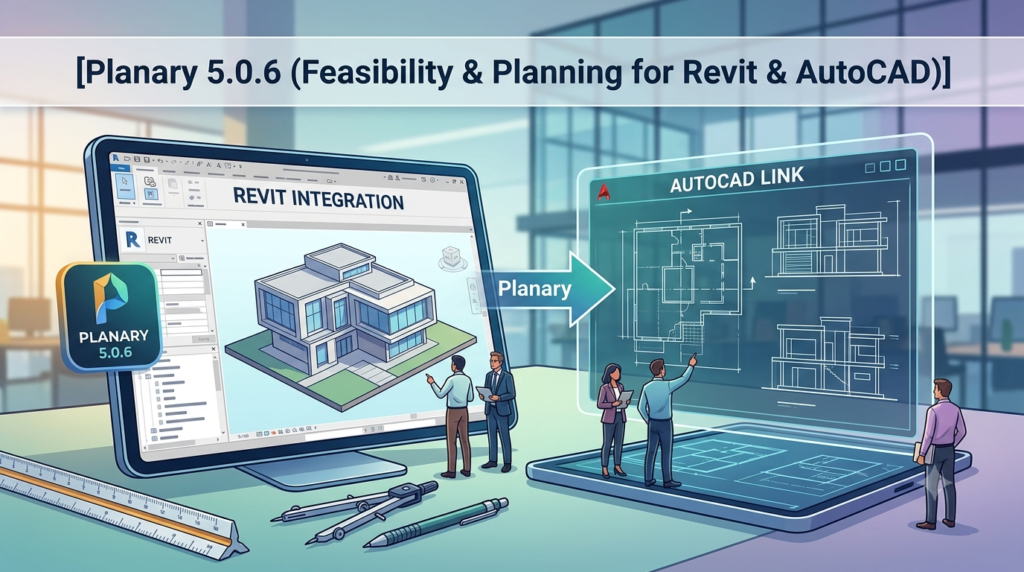
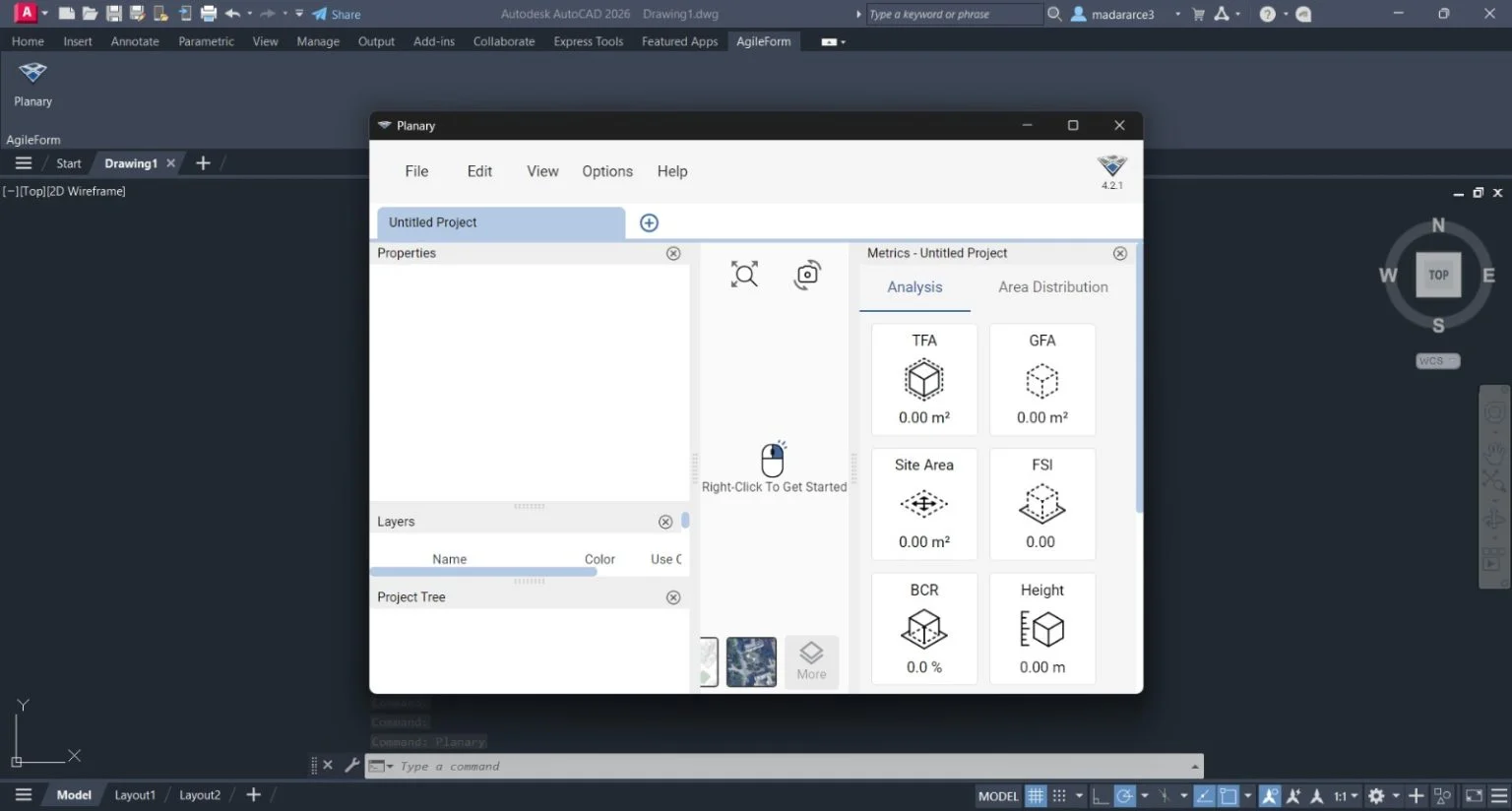
Planary is a powerful feasibility and planning software extension designed for architects, structural engineers, and design professionals working within Autodesk Revit and AutoCAD environments . This innovative tool transforms how professionals approach early-stage project planning by leveraging 2D drawing tools to generate massing studies, building analytics, and feasibility analyses directly within their preferred design platforms . Planary 5.0.6 represents the latest iteration of this specialized software, bringing enhanced compatibility and refined performance to streamline architectural workflows.
Unlike generic project management tools, Planary integrates directly with AutoCAD and Revit, allowing users to conduct feasibility analysis without leaving their primary design environment . This deep integration makes Planary an essential solution for professionals seeking to accelerate their architectural planning and building feasibility workflows.
Key Features
AutoCAD and Revit Integration
Planary’s greatest strength lies in its seamless compatibility with both Autodesk Revit and AutoCAD . This dual-platform support enables design teams to work within their preferred software while accessing Planary’s advanced feasibility and planning capabilities. The software leverages native 2D drawing tools including filled regions, lines, and property lines to generate massing and analytics, making it intuitive for existing software users .
Feasibility Analysis and Planning
Planary excels at transforming early-stage design concepts into data-driven feasibility studies. The software enables professionals to quickly assess building space usage, analyze key metrics such as Gross Floor Area (GFA) and Net Sellable Area (NSA) , and evaluate building efficiency . This capability is particularly valuable during the concept and feasibility phases of architectural projects .
Multiple Unit-Mix Sets
Planary 5.0 introduces flexible unit-mix management, allowing users to assign different unit mixes across various building types including residential towers, hotels, and housing developments . This feature provides greater control and flexibility for complex, mixed-use projects requiring diverse planning parameters.
Interactive Presentation View
The software now includes an interactive presentation environment where professionals can showcase planning visuals and key metrics in a unified space . This feature transforms client meetings, internal design reviews, and stakeholder discussions by presenting data visually and interactively, making complex planning information more accessible and engaging.
Floor Breakdown Analytics
Planary’s new metric panel provides instant floor-by-floor area data visualization . This detailed breakdown by program type is particularly valuable for mixed-use projects, enabling precise planning comparisons and comprehensive project reporting.
Smart Share Link
Collaboration is streamlined through Planary’s Smart Share Link feature, which enables users to share entire projects with team members, clients, or collaborators . The tool offers flexible access control, allowing users to choose between View Mode for clients and stakeholders or Full Access for project team members.
What’s New in Planary 5.0.6
Planary 5.0.6 is a refinement release that builds upon the significant improvements introduced in Planary 5.0. While the 5.0 version brought major feature enhancements including multiple unit-mix sets, interactive presentation view, and Smart Share Link functionality , version 5.0.6 focuses on performance optimization and expanded compatibility.
Enhanced Platform Support
The most notable improvement in Planary 5.0.6 is expanded software compatibility, now supporting AutoCAD 2027 and Revit 2027 . This ensures professionals using the latest Autodesk software versions can continue leveraging Planary’s capabilities without compatibility concerns.
Performance Refinements
Building on improvements introduced in earlier 5.x versions, Planary 5.0.6 continues to deliver enhanced performance when handling complex geometry. The removal of the 500-vertex selection limit—implemented in version 5.0.5—has significantly improved the software’s ability to process complex building shapes, with performance warnings now displayed for shapes that may impact processing speed .
System Requirements
Supported Platforms
Planary 5.0.6 supports Autodesk Revit versions 2020 through 2027 and AutoCAD versions 2020 through 2027 . This broad compatibility ensures professionals across different software versions can access the tool’s functionality.
Hardware Considerations
As a planning and feasibility extension that operates within Revit and AutoCAD, Planary’s performance is influenced by the host application’s requirements. Users working with complex building geometries should ensure their systems meet or exceed the recommended specifications for their respective Autodesk software versions. When processing shapes with high vertex counts, Planary may display performance warnings to help users manage system resources effectively .
Installation Guide
Pre-Installation Preparation
Before installing Planary 5.0.6, ensure all instances of Revit and AutoCAD are closed. This prevents installation conflicts and ensures proper software registration .
Installation Steps
-
Download the Installer: Obtain the official Planary 5.0.6 installer from Agile Form’s official distribution channels.
-
Launch the Installer: Double-click the downloaded installer file to initiate the installation process .
-
Follow On-Screen Prompts: The installation process follows standard Windows software installation procedures.
-
Complete Installation: Allow the installation to complete before reopening Revit or AutoCAD.
Post-Installation Verification
After installation, launch Revit or AutoCAD to verify Planary appears in the software’s extension menu. Users should verify that the software functions correctly with their specific version of the host application.
How to Use Planary
Accessing Project Preferences
Planary’s project preferences system enables users to tailor and manage settings for building space usage and analytics formulas . This includes configuration options for:
-
Gross Floor Area (GFA) calculations
-
Net Sellable Area (NSA) analysis
-
Building efficiency metrics
-
Unit mix configuration
-
Parking analytics
Creating Feasibility Studies
The software leverages 2D drawing tools such as filled regions, property lines, and lines to generate massing and analytics . Users can create feasibility studies by:
-
Defining building footprints using native Revit or AutoCAD drawing tools
-
Configuring project preferences for area calculations and analytics
-
Applying unit-mix configurations to different building sections
-
Generating floor breakdown reports for detailed analysis
Using Interactive Presentation View
Planary’s new presentation environment allows users to present planning visuals and key metrics in an interactive space . This feature is ideal for:
-
Client presentations
-
Internal design reviews
-
Stakeholder discussions
-
Design collaboration sessions
Collaboration with Smart Share Link
The Smart Share Link feature enables project sharing with team members and stakeholders through a single link . Users can configure access permissions, choosing between View Mode (for clients and reviewers) or Full Access (for team members).
Best Use Cases
Architectural Feasibility Studies
Planary is ideally suited for architects conducting feasibility studies during early project phases . The software’s ability to generate massing studies, calculate GFA and NSA, and analyze building efficiency from within Revit or AutoCAD streamlines the iterative design process.
Mixed-Use Development Planning
The multiple unit-mix sets feature makes Planary particularly valuable for complex mixed-use developments . Teams can assign different unit configurations across residential towers, commercial spaces, and hotel components, ensuring comprehensive planning across diverse program types.
Team Collaboration
Architectural firms and design teams benefit from Planary’s collaborative features, including the Smart Share Link and interactive presentation capabilities . These tools facilitate effective communication between team members, clients, and stakeholders throughout the planning process.
Concept Phase Analysis
Planary supports early-stage design decisions through its integration with Revit and AutoCAD drawing tools . The software’s feasibility analytics help teams make data-driven decisions before committing significant resources to detailed design development.
Project Reporting
The new floor breakdown feature enables comprehensive project reporting by program type . This capability is essential for documentation, stakeholder communication, and project verification.
Advantages and Limitations
Advantages
Seamless Platform Integration: Planary operates directly within Autodesk Revit and AutoCAD, eliminating workflow disruptions and enabling users to conduct feasibility analysis within their primary design environment .
Comprehensive Feasibility Analysis: The software excels at generating detailed building analytics and feasibility studies, supporting data-driven decision-making during critical early project phases .
Collaboration and Presentation Tools: Features including the Interactive Presentation View and Smart Share Link enhance communication between design teams, clients, and stakeholders .
Flexible Unit-Mix Configuration: The ability to assign multiple unit-mix sets across different building types supports complex mixed-use developments .
Broad Software Compatibility: Support for multiple Revit and AutoCAD versions (2020-2027) ensures professionals can access the tool regardless of their platform version .
Limitations
Specialized Focus: Planary is specifically designed for feasibility and planning within architecture and structural engineering, making it less suitable for general project management or non-AEC applications.
Autodesk Dependency: The software requires an active Revit or AutoCAD installation, limiting its utility for professionals using alternative design platforms.
Learning Curve: While Planary leverages familiar drawing tools, mastering its feasibility analysis and unit-mix configuration features may require dedicated learning, particularly for users new to the software.
Performance Considerations: Complex building geometries with high vertex counts may trigger performance warnings , suggesting potential processing limitations for very large or intricate projects.
Alternatives to Planary
Project and Portfolio Management Tools
While not direct substitutes for Planary’s specialized architectural feasibility analysis, several project management tools may be considered depending on specific requirements:
Microsoft Project: A comprehensive project management solution with strong integration capabilities within the Microsoft ecosystem. It offers robust scheduling, resource management, and Gantt chart functionality .
Smartsheet: A flexible work management platform that combines spreadsheet familiarity with project management capabilities, offering strong team collaboration features .
Planview: A portfolio management solution suitable for enterprise organizations, offering comprehensive tools for project and resource management across multiple projects .
AEC-Focused Solutions
Navisworks: While different in functionality, Autodesk Navisworks offers coordination and project review capabilities for construction projects, providing complementary functionality to Planary’s feasibility focus.
SketchUp with Extensions: Some users may consider SketchUp with third-party extensions for preliminary feasibility studies, though without the direct Revit and AutoCAD integration that Planary provides.
Note on Comparison: It’s important to recognize that Planary serves a specific niche—feasibility analysis within Revit and AutoCAD—that many general project management tools do not address. The alternatives listed above address different aspects of project management and may not offer the same specialized functionality.
Frequently Asked Questions
What is Planary software used for?
Planary is a feasibility and planning extension for Autodesk Revit and AutoCAD that helps architects and structural engineers create building massing studies, conduct feasibility analysis, and generate building analytics using familiar 2D drawing tools .
Which versions of Revit and AutoCAD does Planary 5.0.6 support?
Planary 5.0.6 supports Autodesk Revit versions 2020 through 2027 and AutoCAD versions 2020 through 2027 .
What new features were introduced in Planary 5.0?
Planary 5.0 introduced multiple unit-mix sets for different building types, an Interactive Presentation View for client presentations, Smart Share Link for project collaboration, and a Floor Breakdown metric panel for detailed area analysis .
Is Planary compatible with other CAD software?
Planary is specifically designed for integration with Autodesk Revit and AutoCAD. The software supports both platforms, enabling users to conduct feasibility analysis within their preferred Autodesk design environment .
How does Planary calculate Gross Floor Area (GFA)?
Planary calculates Gross Floor Area using configurable project preferences that allow users to tailor settings for building space usage and analytics formulas . Users can adjust these preferences based on project requirements and local building standards.
What is the installation process for Planary?
Planary installation follows standard Windows software installation procedures. Users should close all Revit and AutoCAD instances before running the installer. The process requires downloading the official installer and following the on-screen installation prompts .
Can Planary handle complex building geometries?
Planary 5.0.6 includes performance refinements that improve handling of complex geometries. Version 5.0.5 removed the 500-vertex selection limit, and the software displays performance warnings for shapes that may affect processing speed .
Final Thoughts
Planary 5.0.6 stands as a sophisticated solution for architectural feasibility and planning within the Autodesk ecosystem. Its deep integration with Revit and AutoCAD, combined with specialized features for feasibility analysis, makes it an essential tool for architects and design professionals engaged in early-stage project planning.
The latest version’s expanded software compatibility, performance refinements, and collaborative features demonstrate Agile Form’s commitment to supporting evolving professional workflows. Planary 5.0.6 empowers design teams to conduct comprehensive feasibility studies, generate detailed building analytics, and effectively communicate design decisions—all within their familiar design environment.
For professionals seeking to streamline their feasibility workflows and enhance their planning capabilities, Planary 5.0.6 offers a specialized solution that directly addresses the unique challenges of architectural planning and design analysis.
Our Paid Service
“We do not sell or provide any software. We only offer professional support services. If any software on your system is not working properly, or you are facing installation errors, crashes, or any other technical issue — just contact us. We will help you fix the problem quickly and remotely via AnyDesk. No software will be provided from our side — only expert troubleshooting and support.”