
Overview of the Software
Table of Contents
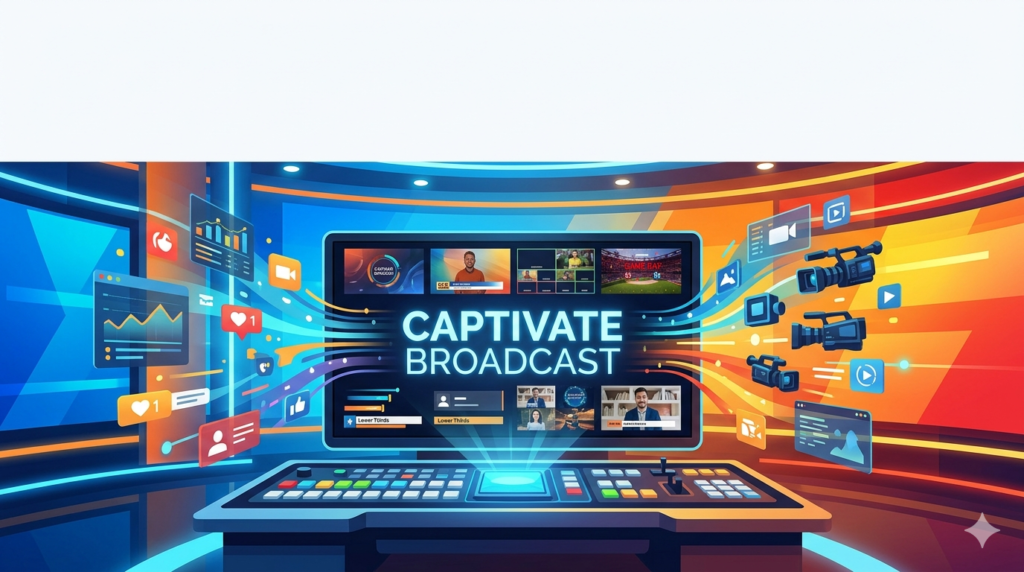
In fast-paced live broadcast environments, every second directly impacts production quality. NewBlue Captivate Broadcast V5.0 is a professional live graphics engine designed to help broadcasters, sports producers, and corporate video teams deliver dynamic 4K visuals without compromising speed or reliability. Unlike traditional titling tools, this software specializes in data-driven, real-time motion graphics that integrate directly with popular video switchers and streaming platforms.
From managing live scoreboards during a championship game to displaying speaker names in a corporate webcast, NewBlue Captivate Broadcast V5.0 ensures that your visual branding remains consistent, responsive, and broadcast-safe. The software supports up to 16 channels of simultaneous 4K graphics, making it a robust choice for complex multi-camera productions.
ScreenShoot
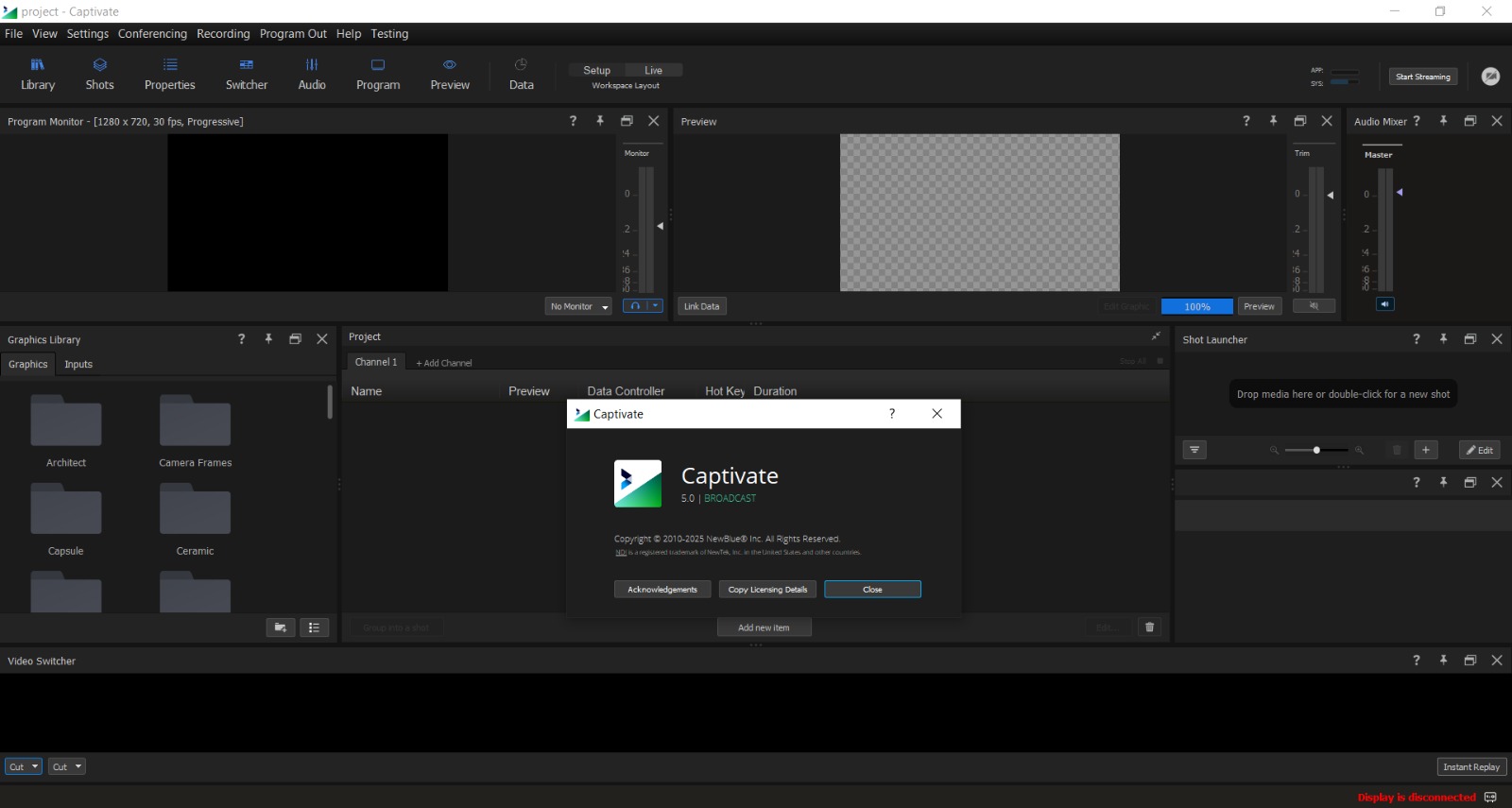
Key Features
NewBlue Captivate Broadcast V5.0 is built around workflow efficiency and visual impact. Below are its core capabilities:
-
Unlimited Graphics Layers: Create visually rich storytelling by layering lower thirds, bugs, crawls, transitions, and 3D animations without rendering limits.
-
Real-Time 3D Animation: Apply animated graphic effects to live video feeds instantly, enhancing viewer engagement during critical broadcast moments.
-
Spreadsheet-Based Workflow: Modify text, images, and colors using a built-in data table approach, which reduces graphic duplication and manual editing.
-
PTZ Camera Control: Full support for pan, tilt, and zoom camera presets, allowing operators to manage camera angles and graphic layers from a single interface.
-
NDI-Enabled Compatibility: Seamlessly connect with NDI-compatible hardware and software for low-latency video and graphics over standard networks.
-
Custom API Integration: Control graphic triggers and data inputs programmatically, enabling automation for repeated broadcast segments.
What’s New in Version V5.0
The latest release introduces several enhancements that respond directly to user feedback from live production teams:
-
Full Duplex I/O with Zoom and Teams: Bidirectional communication allows remote guests to appear as native sources with synchronized graphics.
-
Live Chat Integration: Viewer comments from streaming platforms can now be displayed directly as on-screen graphics.
-
QA Controller: A dedicated quality assurance panel for previewing graphic outputs before they go live.
-
Bitfocus Companion 3+ Compatibility: Enhanced macro control for stream decks and custom production surfaces.
-
ATEM Enhancements: Improved preset management for Blackmagic Design ATEM switchers.
-
Global Account Management: Simplified licensing and project transfer across multiple production systems.
System Requirements
Before installing NewBlue Captivate Broadcast V5.0, verify that your production hardware meets these recommended specifications:
| Component | Minimum Requirement | Recommended for 4K Workflows |
|---|---|---|
| Operating System | Windows 10 (64-bit) / macOS 11+ | Windows 11 / macOS Ventura or later |
| Processor | Intel Core i5 (6th gen) | Intel Core i7 / AMD Ryzen 7 (12th gen or newer) |
| RAM | 8 GB | 16 GB or 32 GB |
| GPU | Dedicated GPU with 2 GB VRAM | NVIDIA GeForce RTX 3060+ / AMD Radeon Pro |
| Storage | 5 GB free SSD space | NVMe SSD for real-time asset streaming |
| Network | Gigabit Ethernet for NDI | 10GbE for multi-channel 4K environments |
Installation Guide
Follow these steps to install NewBlue Captivate Broadcast V5.0 correctly:
-
Download the official installer from the NewBlueFX website or your authorized reseller portal.
-
Disable antivirus temporarily (optional but recommended) to prevent installation interruptions.
-
Run the installer as administrator (Windows) or drag to Applications (macOS).
-
Enter your valid license key when prompted. The software requires online activation once.
-
Select your components: Choose integrations for Adobe After Effects, Photoshop, or broadcast switcher plugins.
-
Complete the installation and restart your production system before first launch.
How to Use the Software
Setting Up Your First Live Graphic
-
Launch NewBlue Captivate Broadcast V5.0 and create a new project.
-
Import a template from the library or connect to Adobe Photoshop/After Effects for custom designs.
-
Assign graphic layers (e.g., lower third, bug, transition) to available output channels.
-
Map data sources: Connect a spreadsheet, API feed, or scoreboard system to populate dynamic text.
-
Preview the output using the built-in multiview before going live.
-
Trigger graphics via keyboard shortcuts, stream deck, or automation macros during broadcast.
Managing Real-Time Changes
When a player name or statistic changes mid-show, simply update the linked spreadsheet cell or API value. The graphic automatically scales, repositions, and refreshes without manual intervention. This automated scaling feature ensures consistent brand appearance regardless of text length.
Best Use Cases
NewBlue Captivate Broadcast V5.0 serves multiple production environments effectively:
Sports Broadcasting
Integrate live scoreboard data from Sportzcast, Daktronics, Fair-Play, Stat Crew, OES, or Scorebird. Display player stats, game clocks, and lower thirds in real time. Users report producing network-quality sports productions in minutes rather than hours.
Education & Campus Studios
Schools and universities use the software for both classroom teaching and live-streamed athletic events. The budget-friendly licensing model supports live graphics needs without dedicated full-time operators.
Worship Services
Churches display sermon notes, lyrics, and scripture using animated graphics. Seamless integration with EasyWorship and ProPresenter minimizes the learning curve for volunteer production teams.
Corporate Communications
Integrate with Zoom and Teams to bring broadcast-quality lower thirds and branded overlays into internal meetings, shareholder webcasts, and advisory board presentations.
Government & Municipal Broadcasts
Agencies at municipal, county, and state levels use Captivate to engage constituents through live video updates and public meetings. The platform works within tight budgets while maintaining professional output.
Live Events (Virtual & In-Person)
From music festivals to hybrid conferences, live graphics, dynamic data inputs, and social media integration elevate production value without requiring a full network television crew.
Advantages and Limitations
Advantages
-
Real-time data binding eliminates manual text entry errors.
-
16-channel 4K output supports complex multi-show workflows.
-
Cross-platform compatibility with Blackmagic, NewTek, Broadcast Pix, and Tricaster.
-
Adobe Creative Cloud integration allows designers to work in familiar tools.
-
PTZ camera control reduces required operator positions for small crews.
Limitations
-
No native Linux version – production servers must run Windows or macOS.
-
Learning curve for API customization – non-technical users may need initial training.
-
Hardware dependent – 4K performance requires a recommended-spec GPU.
-
Subscription licensing model – not a one-time purchase for perpetual use.
Alternatives to the Software
If you are evaluating live graphics solutions, consider these professional alternatives:
| Software | Best For | Key Difference from Captivate |
|---|---|---|
| Vizrt Viz Trio | Large news networks | Higher entry cost; steeper learning curve |
| Burst Link Designer | Sports scorebug automation | More specialized for sports; less general-purpose |
| Ross XPression | Real-time 3D character generation | Stronger 3D modeling; more complex workflow |
| vMix GT Titler | Budget-conscious streamers | Lower price; fewer 4K channels and API options |
| Singular.live | Browser-based graphics | Cloud-native; requires stable internet for all features |
For teams already using NewTek or Blackmagic hardware, Captivate Broadcast V5.0 offers the most seamless integration and spreadsheet-based speed.
Frequently Asked Questions
1. Is NewBlue Captivate Broadcast V5.0 compatible with Blackmagic ATEM switchers?
Yes. The software includes specific ATEM enhancements for preset management and direct graphic triggering over network protocols.
2. Can I use this software without Adobe After Effects or Photoshop?
Absolutely. The built-in template library and spreadsheet editor allow full graphic creation without Adobe products. However, the Adobe integration is available for advanced custom designs.
3. Does Captivate support live scoreboard data from Daktronics?
Yes. The software connects to Daktronics, Sportzcast, Fair-Play, Stat Crew, OES, and Scorebird systems via standard data feeds.
4. What is the difference between Captivate Broadcast and standard titling software?
Unlike basic titlers, Captivate offers unlimited layers, real-time 3D animation, PTZ camera control, and dynamic data binding from spreadsheets or APIs.
5. How many computers can I install my license on?
A single user license typically allows installation on two machines (e.g., a studio workstation and a laptop) but only one active session at a time. Check your specific license agreement.
6. Does the software work with Zoom and Microsoft Teams?
Yes. Version V5.0 introduces full duplex I/O for Zoom and Teams, allowing remote participants to appear as native sources with synchronized graphics.
7. Is there a free trial available?
NewBlueFX offers a fully functional time-limited trial. No credit card is required to test compatibility with your existing broadcast hardware.
8. What video formats and codecs are supported?
Captivate supports standard broadcast formats including ProRes, DNxHD, H.264, and H.265, along with image sequences and alpha-channel transparency for overlays.
Final Thoughts
NewBlue Captivate Broadcast V5.0 stands out as a practical, professional-grade live graphics engine for broadcasters who cannot afford delays or visual inconsistency. Its spreadsheet-driven workflow reduces manual errors, while the unlimited layer support and 4K multi-channel output handle demanding productions ranging from high school sports livestreams to corporate global webcasts.
The software’s integration with PTZ cameras, NDI networks, and popular video switchers makes it a versatile addition to any production suite. While the subscription model and hardware requirements may not suit every budget, teams that prioritize real-time data visualization and broadcast-safe animation will find Captivate to be a reliable, time-saving investment.
For production managers evaluating live graphics tools, the most practical next step is to download the official trial and test the spreadsheet workflow with your actual scoreboard or API data. Experience directly confirms whether NewBlue Captivate Broadcast V5.0 fits your specific live production environment.
Our Paid Service
“We do not sell or provide any software. We only offer professional support services. If any software on your system is not working properly, or you are facing installation errors, crashes, or any other technical issue — just contact us. We will help you fix the problem quickly and remotely via AnyDesk. No software will be provided from our side — only expert troubleshooting and support.”