
Overview of NewBlue Captivate Broadcast
Table of Contents
NewBlue Captivate Broadcast is the flagship edition of NewBlue’s live graphics software family, offering advanced features for demanding production environments. The software provides tools for creating dynamic lower thirds, crawls, bugs, transitions, scoreboards, and animated leaderboards with real-time data integration .
The platform serves a wide range of users, including broadcast television stations, sports production teams, corporate communications departments, educational institutions, houses of worship, and live event producers . Captivate Broadcast’s timeline-based workflow is intuitive for editors familiar with Adobe Premiere Pro or Photoshop, significantly reducing the learning curve .
The software supports unlimited simultaneous graphics layers across up to 16 output channels . This architecture enables complex productions requiring multiple graphic elements to run simultaneously without performance degradation. Integration with Adobe After Effects and Photoshop allows users to import existing designs directly into Captivate and connect them to live data controllers .
Key Features
Unlimited Graphics Layers and Multi-Channel Output
Captivate Broadcast supports unlimited graphics layers within up to 16 individual channels of NDI or SDI output . This scalability enables complex broadcasts that require multiple concurrent graphic elements—scoreboards, lower thirds, sponsor logos, and data visualizations—to run simultaneously without limitation.
4K NDI and SDI Key/Fill Support
The software integrates with professional broadcast workflows through support for 4K NDI or SDI key/fill outputs . This enables seamless integration with production switchers and broadcast infrastructure, ensuring compatibility with existing studio setups. As one user noted, “Captivate’s subscription pricing keeps costs predictable, while updates (including Apple Silicon support) continue to roll in” .
Real-Time Data Controllers
Captivate Broadcast connects to live data sources through multiple data controllers, enabling automated on-air content updates. The software can pull data from Google Sheets, Microsoft Excel spreadsheets, XML files, RSS feeds, and custom API endpoints . This data-driven approach eliminates manual updates for dynamic content like sports standings, election results, and social media feeds.
The new Animated Leaderboard feature, introduced in Captivate 2026, connects directly to live data sources for professional ranking displays with smooth animated transitions .
After Effects and Photoshop Integration
Users can import After Effects compositions and MOGRTs directly into Captivate Broadcast as real-time, data-driven live graphics . This integration allows design teams to create complex motion graphics in familiar Adobe tools and deploy them in live productions without re-creation . As one high school broadcast program noted, “The ability to assign portions of the graphics as variables makes it easy to change them everyday” .
Bitfocus Companion and Stream Deck Integration
The software offers extensive Bitfocus Companion integration with expanded presets, enabling one-tap control of scoreboards, tables, replay functions, clocks, and file management . The updated integration includes dynamic button backgrounds, visual status feedback, and improved communication reliability . This centralized control approach simplifies operation, allowing producers to manage complex graphics workflows from a single surface.
PTZ Camera Control
For broadcast environments using NDI-enabled PTZ cameras, Captivate Broadcast includes pan, tilt, zoom, and focus controls directly within the Layer Properties panel . Users can store up to eight camera presets for quick recall during live productions .
Live Video Layer Support
Captivate Broadcast can incorporate live video sources as layers within a channel, supporting Windows/Mac devices, NDI sources, screen captures, and browser sources . The Lock On feature allows a live video source to be set as a downstream key that persists below all other layers .
What’s New in Latest Version
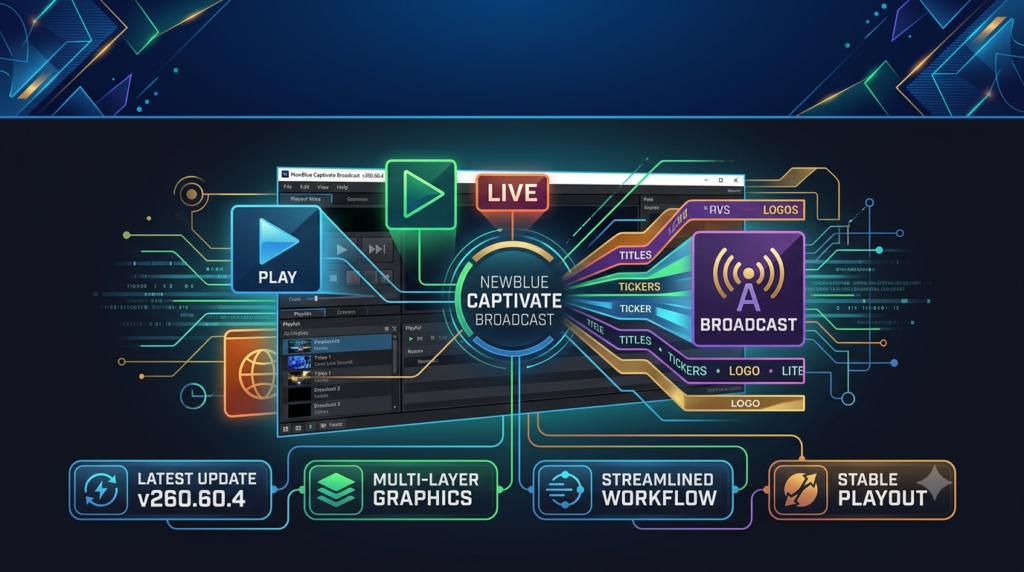
Captivate 2026 introduces significant advancements that build on the v260.60.4 release. The latest version delivers improvements across platform performance, graphics automation, and operator control .
Apple Silicon Support
Native Apple Silicon support unlocks faster responsiveness and improved efficiency on newer Apple systems, while broad system optimizations enhance reliability for demanding live productions .
Animated Leaderboard Conductor Workflow
The new animated leaderboard feature connects to live data sources for automatic on-air updates through the Leaderboard Conductor workflow. This enables smooth animated transitions, pylon-style tables, and live standings graphics without constant manual operation . The feature is included with Captivate Broadcast subscriptions or available as an add-on for Captivate Sport users .
Enhanced Crawl Workflows
Powered by the new Conductor system, enhanced crawl workflows simplify management of dynamic on-air content. Crawls can now incorporate images, video, colors, and other media assets, transforming them into richer visual experiences for news and live events .
Expanded Bitfocus Companion Presets
The updated integration includes performance improvements, dynamic button backgrounds with visual status feedback, clock controllers, file management controls, API command support, and enhanced instant replay workflows .
System Requirements
Operating System Compatibility
-
Windows: Windows 10 or later
-
macOS: macOS 10.15 or later, with native Apple Silicon support in Captivate 2026
Minimum Hardware Requirements
| Component | Minimum | Recommended |
|---|---|---|
| CPU | 2 GHz or faster | 2 GHz or faster |
| Memory | 4 GB | 8 GB |
| VRAM | — | 2 GB |
| Storage | 1.82 GB | 1.82 GB |
Output Protocol Support
-
NDI: High-quality video streaming with ultra-low latency
-
SDI: Blackmagic Design Ultra HD Mini for professional equipment integration
-
HDMI: Standard output for monitors and control screens
-
RTMP: Compatibility with YouTube, Facebook Live, and other streaming platforms
-
Zoom/Teams: Direct integration for conferences and webinars
Installation Guide
Step 1: System Preparation
-
Verify that your system meets the minimum requirements for Captivate Broadcast
-
Ensure Windows 10 or macOS 10.15 or later is installed
-
Close all other applications to prevent installation conflicts
Step 2: Download the Software
-
Obtain the Captivate Broadcast installer from the official NewBlueFX website or authorized reseller
-
Ensure you have a valid license key or subscription active
Step 3: Run the Installer
-
Launch the downloaded installer file
-
Follow the on-screen prompts to select installation directory
-
Accept the license agreement to proceed
Step 4: Activate the Software
-
Launch Captivate Broadcast after installation completes
-
Enter your license key or sign in with your NewBlue account credentials
-
Follow the activation prompts to complete the process
Step 5: Verify Installation
-
Open Captivate Broadcast and check for any pending updates
-
Confirm that all output options (NDI, SDI, etc.) are available
-
Test basic functionality by loading a sample project
How to Use the Software
Basic Workflow Overview
Step 1: Create or Import Graphics
-
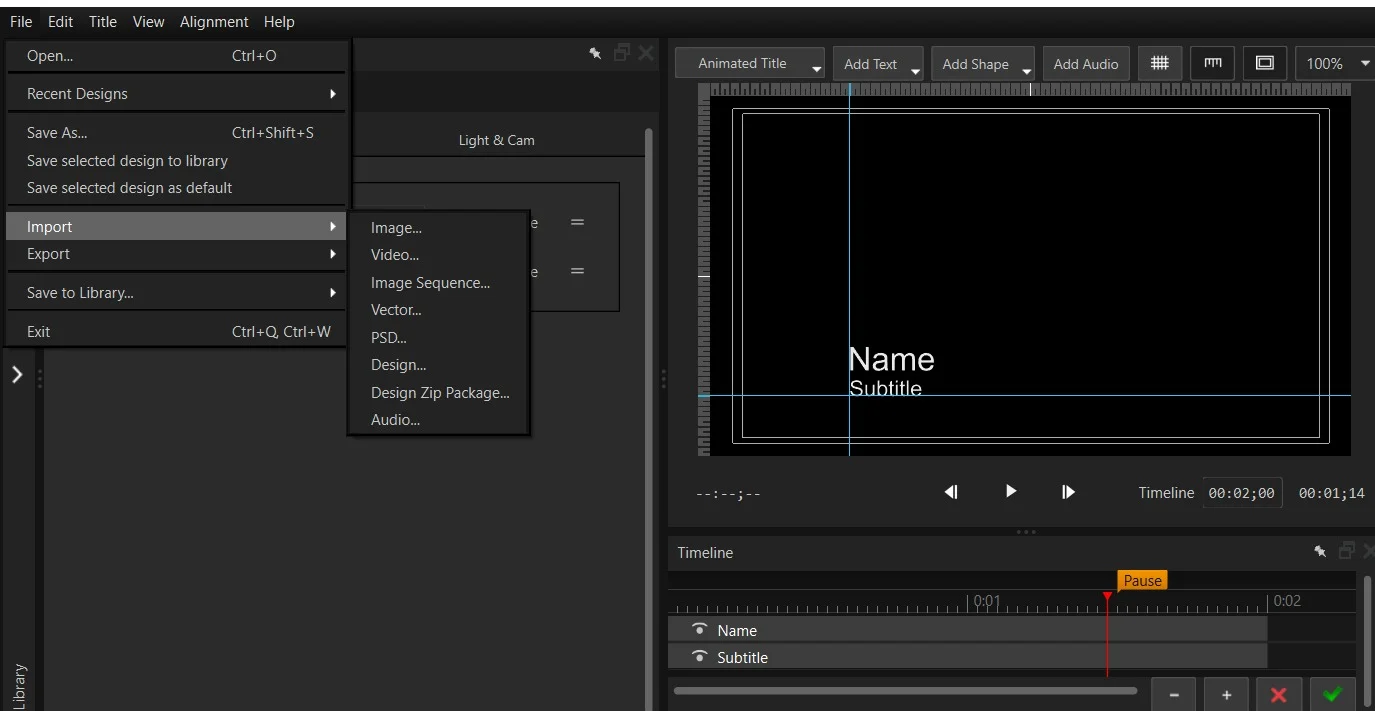
Open Captivate and navigate to File > New or import existing projects
-
Use Captivate Designer to create custom graphics from scratch
-
Import Adobe After Effects compositions or Photoshop designs
-
Choose from 1000+ pre-made templates in the Title Designer
Step 2: Set Up Data Connections
-
Connect to Google Sheets, Excel spreadsheets, XML files, or RSS feeds
-
Use the Scoreboard Tool to drive sports data
-
Configure custom API data controllers for specialized data sources
Step 3: Build Your Channel Layout
-
Create a new channel in the Project List
-
Add graphics layers, live video layers, and media layers
-
Use Shot Layouts to manage multiple graphics in a single scene
Step 4: Configure Output
-
Select output format: NDI, SDI key/fill, or HDMI
-
For live video sources, add NDI, USB camera, screen capture, or browser sources
-
Set up PTZ controls for NDI cameras if applicable
Step 5: Control Production
-
Use Bitfocus Companion or Stream Deck for one-tap control
-
Leverage Shot Control to step through a rundown without reloading projects
-
Manage crawls and leaderboards through the Conductor workflows
Pro Tips from Experienced Users
-
Store images and textures in the project folder for reliable pathing
-
Use autoplay and shot layouts to pair rotating sponsor logos with main graphics
-
Use Block Mode for faster switching of entire data blocks in a single graphic playout
Best Use Cases
Live Sports Broadcasting
Captivate Broadcast excels at sports production. Users like AG Video use the software for 12-15 camera shows with data-driven leaderboards, sponsor billboards, and animated pylons . The Scoreboard Tool and Animated Leaderboards provide professional-caliber sports graphics accessible to smaller productions .
Television News Production
Troy University’s TROY TrojanVision program produces three live newscasts daily using Captivate Broadcast . Students build rundowns, graphics, and data elements from scratch each afternoon, using Captivate’s After Effects integration and Google Sheets connectivity for fast turnaround .
Corporate Events and Webinars
The software supports Zoom and Teams integration, allowing live comments, tweets, and chat to appear on-screen . Companies can add branded lower thirds and data visualizations to enhance professional appearance.
Educational and High School Broadcast Programs
Whitney High School’s WCTV19 uses Captivate Broadcast to produce award-winning daily news shows . The program has won nine “Broadcast Excellence” awards since 2011 for its professional-quality daily show .
Stadium Events and Live Entertainment
With support for 16 output channels and unlimited graphics layers, Captivate Broadcast powers stadium displays, hype videos, and sponsor content . The advanced media sequencing capability allows precise queueing of promotional content and transitions .
Advantages and Limitations
Advantages
Professional Broadcast Quality: Captivate Broadcast delivers network-level graphics on independent budgets. Users report that “NewBlue’s graphics look clean and professional. They really elevate the feel of our show” .
Data-Driven Automation: The software’s data controllers dramatically reduce manual work. As one user explained, “being able to connect Google Sheets to each graphic has enabled us to edit the text remotely which has saved us a lot of time” .
Ease of Use: “If you know Photoshop or Premiere, you’ll feel right at home with Captivate” . The timeline-first creation approach makes the software accessible to editors without specialized graphics training.
Scalable Architecture: From single-operator productions to 15-camera shows, Captivate Broadcast scales without workflow overhaul .
Comprehensive Integration: Support for After Effects, Photoshop, NDI, SDI, and major production switchers ensures compatibility with existing workflows.
Limitations
Learning Curve for Advanced Features: While basic functions are intuitive, mastering advanced features like custom data controllers and complex animation workflows may require training . NewBlue offers monthly webinars to address this .
Subscription Model: Captivate uses a subscription pricing structure, which may not suit organizations preferring perpetual licenses .
Hardware Requirements: Professional features like 4K output and multi-channel playout require capable hardware, especially for complex productions.
Windows-Centric: While macOS support exists, some advanced features may perform better on Windows systems.
Alternatives to NewBlue Captivate Broadcast
Telestream Wirecast
An all-in-one live streaming studio for capturing multiple inputs and streaming to multiple destinations . Wirecast functions as a complete production solution but may not offer the same depth of graphics capabilities as Captivate Broadcast .
Best for: Webinars, corporate communications, and users needing an all-in-one production tool.
vMix
A popular live production software that integrates with Captivate for graphics overlay . While vMix offers robust switching and streaming capabilities, it lacks Captivate’s specialized graphics design tools.
Best for: Live production switching and streaming with basic graphics needs.
PTZOptics Hive
A browser-based, cloud-native video production tool with drag-and-drop UI . This solution is beginner-friendly but may not match Captivate’s broadcast graphics capabilities.
Best for: Remote producers and teams needing cloud flexibility and simplicity.
Comparison Decision Framework
| Feature | Captivate Broadcast | Wirecast | vMix | Hive |
|---|---|---|---|---|
| Professional Graphics | ★★★★★ | ★★★☆☆ | ★★★☆☆ | ★★☆☆☆ |
| Data-Driven Graphics | ★★★★★ | ★★☆☆☆ | ★★★☆☆ | ★★☆☆☆ |
| After Effects Integration | ★★★★★ | ★★☆☆☆ | ★★☆☆☆ | ★☆☆☆☆ |
| 4K Output Support | ★★★★★ | ★★★★☆ | ★★★★☆ | ★★★☆☆ |
| Ease of Use | ★★★★☆ | ★★★★★ | ★★★☆☆ | ★★★★★ |
| Pricing Value | ★★★★☆ | ★★★☆☆ | ★★★★☆ | ★★★☆☆ |
Frequently Asked Questions
What is NewBlue Captivate Broadcast used for?
NewBlue Captivate Broadcast is a professional live graphics playout software used for creating and delivering real-time broadcast graphics. It serves television stations, sports productions, corporate events, educational institutions, and live streaming environments, enabling users to produce dynamic lower thirds, crawls, scoreboards, and animated leaderboards .
What’s the difference between Captivate Sport and Captivate Broadcast?
Captivate Sport focuses on live sports broadcasts with integrated data graphics, while Captivate Broadcast unlocks all professional features including unlimited output channels, NDI and SDI support, and After Effects integration. Captivate Broadcast also includes the Animated Leaderboard feature and advanced tools for scalable productions .
Does Captivate Broadcast support Apple Silicon?
Yes. Captivate 2026 introduced native Apple Silicon support, delivering faster responsiveness and improved efficiency on newer Apple systems .
Can I import After Effects projects into Captivate Broadcast?
Yes. Captivate Broadcast allows direct import of After Effects compositions and MOGRTs as real-time data-driven live graphics. Users can open After Effects projects and connect them to live data controllers for dynamic on-air content .
What data sources can Captivate Broadcast connect to?
The software connects to Google Sheets, Microsoft Excel spreadsheets, XML files, RSS feeds, custom API endpoints, and the built-in Scoreboard Tool. This enables real-time data integration for sports standings, social media feeds, weather, and other dynamic content .
What control surfaces work with Captivate Broadcast?
Captivate Broadcast integrates with Bitfocus Companion, Stream Deck, and ATEM switchers. The Companion integration includes ready-to-use presets for scoreboards, tables, replay, clocks, and file management . PTZ cameras with NDI can be controlled directly from the software interface .
Final Thoughts
NewBlue Captivate Broadcast v260.60.4 represents a powerful evolution in live broadcast graphics software. The platform successfully bridges the gap between professional broadcast quality and accessible production workflows, making network-level graphics achievable for organizations of all sizes.
The software’s strength lies in its combination of unlimited creative capabilities—unlimited layers, After Effects integration, and 4K output—with practical data-driven automation that reduces manual operation. As demonstrated by users ranging from high school broadcast programs to university newsrooms and independent sports producers , Captivate Broadcast delivers professional results across diverse production environments.
The platform’s open architecture and extensive integration with industry standards (NDI, SDI, Adobe Creative Cloud, Bitfocus Companion) ensure it fits seamlessly into existing workflows rather than requiring complete retooling. For organizations seeking to elevate their live production value without the overhead of traditional broadcast graphics systems, Captivate Broadcast offers a compelling solution.