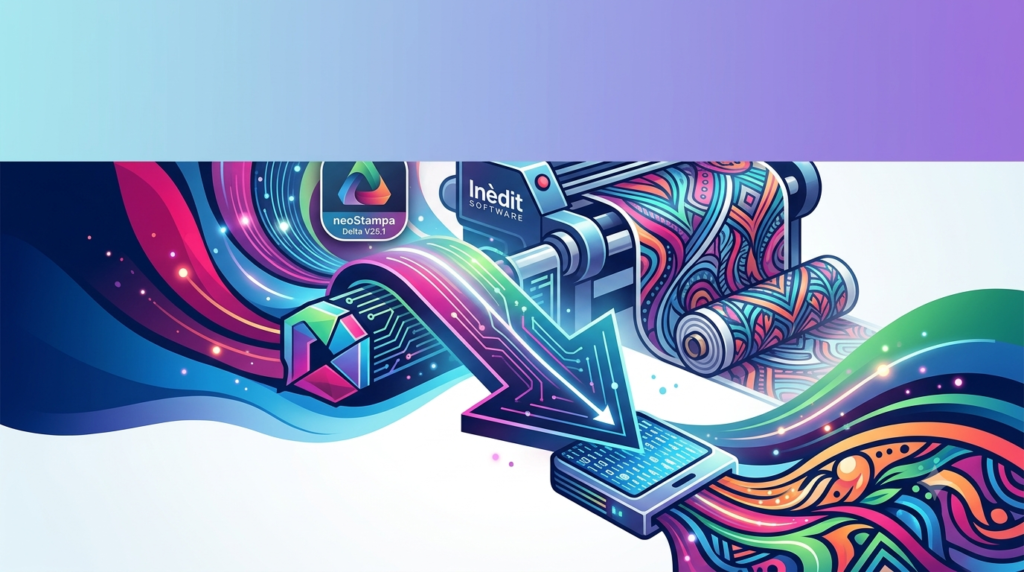


Overview of neoStampa Delta
Table of Contents
neoStampa Delta stands as a benchmark in the digital textile printing industry, known for its robust color management and intuitive interface . Developed with over 27 years of industry experience, Inèdit Software created this RIP software to address the challenges of producing consistent color across various printers, inks, and fabric types .
At its core, the software translates digital designs into precise instructions for large-format textile printers. It supports a wide range of applications, from roll-to-roll sublimation to direct-to-garment (DTG) printing. A key reason for its success is its ability to serve as the central hub for a complex print workflow, connecting design, color management, and production seamlessly .
The software is compatible with over 700 digital printers from major brands, including Mutoh, Epson, EFI Reggiani, Mimaki, and Konica Minolta, making it a highly versatile choice for print shops with diverse equipment .
Key Features of neoStampa Delta
neoStampa Delta is packed with features designed to give users ultimate control over the printing process. Its capabilities extend far beyond basic image processing, offering a comprehensive suite of tools for professional production.
Advanced Color Management: The software boasts a powerful color management engine, enabling users to achieve identical colors across different printers and media. This is crucial for brands requiring consistency across various products .
Seamless Workflow Integration: It supports direct printing from industry-standard design tools like Adobe Photoshop® and Illustrator® via its QUICK PRINT panel, eliminating the need for intermediate file exports . It is also compatible with Inèdit’s own workflow tools like neoCatalog and neoTextil .
Mako® PDF Engine: This new engine, developed with Global Graphics, provides enhanced performance and precision in PDF printing. It fully supports PDF/X standards, ensuring that complex design files are processed quickly and print exactly as intended .
Intelligent Ink Management: The software is designed to reduce waste and save costs. In DTG applications, it can save up to 50% on white ink through advanced layering and “knock-out” technology, which analyzes how much white underbase is needed under non-solid colors .
Queue Manager: Users can control all their print jobs from a single, centralized screen. This manager allows for the easy addition, deactivation, and movement of jobs across different print queues, streamlining production .
Calibration Wizard: The calibration process is made simple with an intuitive, step-by-step wizard. A DTG printer, for example, can be calibrated in approximately 30 minutes using this guided process .
Cost Control Dashboard: The software includes a robust reporting feature that monitors ink consumption, printer speed, and job status in real-time, allowing for accurate cost tracking and improved business transparency .
Multi-Color Support: neoStampa supports color combinations of up to 16 colors. This includes base inks (CMYK, Orange, Green, etc.), light inks, and special inks like white, metallic, and spot inks, providing flexibility for advanced printing applications .
What’s New in neoStampa Delta V25.1
The release of neoStampa Delta V25.1 brings several important enhancements and bug fixes to the software, further refining its performance and reliability .
New Features & Enhancements:
-
Skippable White Ink: Users can now choose to skip using white ink for registration marks with the “Dynamic Fill” option. This helps in reducing ink consumption for specific tasks.
-
Optimized Ink Charts: The ink charts for primer and effect setups have been optimized, improving the accuracy and efficiency of these specific printing processes.
-
PDF Raster Optimizations: The software now includes optimizations for PDF rasterization, leading to potentially faster processing of PDF files .
Key Bug Fixes:
-
Resolved an issue where “Center X” and “Roll” options in the hotfolder caused significant increases in RIP processing times.
-
Fixed a crash that occurred during the color replacement process.
-
Corrected a problem where effect inks were not displayed correctly in the color replacement interface.
-
Addressed an issue where the white channel would become empty if the choke value was set too low (below 0.03 cm).
-
Fixed a bug that caused empty ripped files when using the Kerajet Master driver .
System Requirements for neoStampa Delta
To ensure optimal performance, your system must meet specific requirements. The following table provides a general guideline.
| Component | Recommendation |
|---|---|
| Operating System | Windows 10 or Windows 11 (64-bit). NeoStampa is a Windows-based application . |
| Processor | Intel Core i7 or Xeon equivalent or higher. |
| RAM | 16 GB or more (32 GB recommended for large files). |
| Storage | 256 GB SSD for the OS and software; 1 TB or more for caching and storing print jobs. |
| Monitor | Minimum resolution 1920 x 1080 with 24-bit color depth. |
| Connectivity | Network connectivity to printer(s) and other workstations. |
For the most up-to-date and detailed requirements, it is always best to check the official Inèdit Software website or contact their support .
Installation Guide for neoStampa Delta
Installing neoStampa Delta is a straightforward process. The software is distributed as a .exe file for Windows .
Step-by-Step Installation:
-
Access the Installer: Download the installation file from the official Inèdit Software website or your provided distribution method .
-
Run the Installer: Double-click the
.exefile in your “Downloads” folder to launch the installation wizard. -
Follow the Prompts: The installer will guide you through the process. Accept the license agreement and choose the installation directory.
-
Driver Installation: During the initial installation, a missing driver warning may appear. This is standard. Click “OK” to open the printer configuration window where you can search for and add your specific printer model(s) .
-
Restart: After installation, a system restart is often recommended to finalize the setup.
For a visual walkthrough, Inèdit provides tutorial videos on its support portal .
How to Use neoStampa Delta
Once installed, the software is designed for ease of use. Its main worktable interface allows users to access most features and quickly add designs to the print queue .
Core Workflow:
-
Importing a Design: Import designs in PostScript format or common image formats like TIF, JPG, PSD, or PDF .
-
Image Adjustment: Scale designs to the required measurements with maximum quality. Use the robust color correction algorithms to adjust the look of the image .
-
Printer Configuration: Ensure the correct printer and media settings are selected. The software uses ICC printer characterization profiles to maintain color consistency .
-
Sending to Print: Send the job to the Queue Manager. From here, you can control the print order, monitor the job’s progress, and manage multiple printers from a single screen .
Best Use Cases for neoStampa Delta
neoStampa Delta is a versatile RIP that excels in a variety of digital textile printing applications.
Direct to Garment (DTG) and Direct to Film (DTF): It is a gold-standard solution for DTG and DTF. The specific DTG mode provides better color results and saves up to 50% on expensive white ink, making it highly valuable for garment decorators .
Sports and Performance Apparel: The ability to handle complex designs and achieve vibrant, consistent colors across different materials makes it ideal for the sports apparel market .
Roll-to-Roll Sublimation: For high-volume roll-to-roll sublimation on fabrics, the software offers unmatched color management and workflow automation, including a powerful queue manager for handling multiple jobs .
Ceramics, Film, and Promotional Graphics: With the integration of the new PDF engine, neoStampa Delta is now a perfect option for applications beyond textiles, such as ceramics and film printing, where design integrity and precision are critical .
Advantages and Limitations of neoStampa Delta
Advantages:
-
Superior Color Management: Provides unmatched color accuracy and consistency across different devices and media .
-
Workflow Efficiency: Features like the Queue Manager and direct Adobe integration streamline production and reduce manual steps .
-
Cost Savings: Intelligent ink management features can lead to significant savings on consumables, especially white ink .
-
Ease of Use: Despite its advanced capabilities, the interface is designed to be intuitive and easy to navigate .
-
Wide Compatibility: Supports over 700 printer models, offering great flexibility for print shops .
-
Continuous Updates: Inèdit Software regularly provides updates with new features, improvements, and bug fixes, as seen with V25.1 .
Limitations:
-
Platform: It is a Windows-only application, which may be a limitation for Mac-based design shops .
-
Cost: As a premium, professional-grade software, it represents a significant investment compared to entry-level RIP solutions.
Alternatives to neoStampa Delta
While neoStampa Delta is a market leader, other professional RIP solutions are available.
Caldera: A popular alternative, particularly in the sign and display graphics market, Caldera offers powerful workflow automation and color management features. Its latest versions have focused on integration with PDF workflows .
Ergosoft: This is a complete production suite that provides a modular system for file preparation, color management, and printing. It is known for its automated prepress tools .
Onyx Graphics: ONYX is a well-established RIP option that focuses on production RIP software and workflow solutions, known for its shape-based nesting and extensive media profiles .
ColorGATE Productionserver: This solution is common in industrial applications like textile, ceramics, and décor printing. It’s known for features like its white underbase creation tools .
CADlink Digital Factory: CADlink is a strong contender in the DTG/DTF space, known for high-fidelity color management and fast processing, with a focus on automated white ink management .
Frequently Asked Questions About neoStampa Delta
Q: What does neoStampa Delta do?
A: neoStampa Delta is a professional RIP software used in digital textile printing. It translates digital image files into instructions that a large-format textile printer can understand, ensuring accurate color reproduction and efficient print job management .
Q: Is neoStampa Delta compatible with my printer?
A: The software is compatible with over 700 digital printers from major manufacturers, including Epson, Mimaki, Mutoh, and others. It is best to consult the official compatibility list on the Inèdit Software website for confirmation .
Q: What is the Mako® PDF engine in neoStampa Delta?
A: It is a new PDF processing engine developed with Global Graphics. It significantly improves the speed and accuracy of PDF printing, ensuring that complex files are processed efficiently and print with precise color reproduction .
Q: What is new in neoStampa Delta V25.1?
A: Version 25.1 includes optimizations to the PDF rasterizer, a new option to skip white ink for registration marks, optimized ink charts for primers/effects, and several important bug fixes related to job processing and color replacement .
Q: Where can I download neoStampa Delta?
A: The software can be downloaded from the official Inèdit Software website, typically from their “Access” or “Download” page. It is distributed as a .exe file for the Windows operating system .
Q: Can I save money on ink with neoStampa Delta?
A: Yes, its intelligent ink management features are designed to reduce waste. In DTG printing, the software can save up to 50% on white ink by analyzing designs and only applying a white underbase where it is absolutely necessary .
Final Thoughts
neoStampa Delta V25.1 cements its position as a premier RIP solution for the digital textile industry. Its combination of a sophisticated color management engine, seamless workflow connectivity, and intelligent ink-saving features makes it an indispensable tool for print shops seeking the highest quality and efficiency . The latest update continues this trend by offering optimizations and key bug fixes, demonstrating Inèdit Software’s commitment to refining their product. For professionals in DTG, DTF, and roll-to-roll textile printing, neoStampa Delta provides the precision, control, and reliability needed to produce consistent, vibrant results on a commercial scale .
Our Paid Service
“We do not sell or provide any software. We only offer professional support services. If any software on your system is not working properly, or you are facing installation errors, crashes, or any other technical issue — just contact us. We will help you fix the problem quickly and remotely via AnyDesk. No software will be provided from our side — only expert troubleshooting and support.”