
Overview of NChizma 7.0
Table of Contents
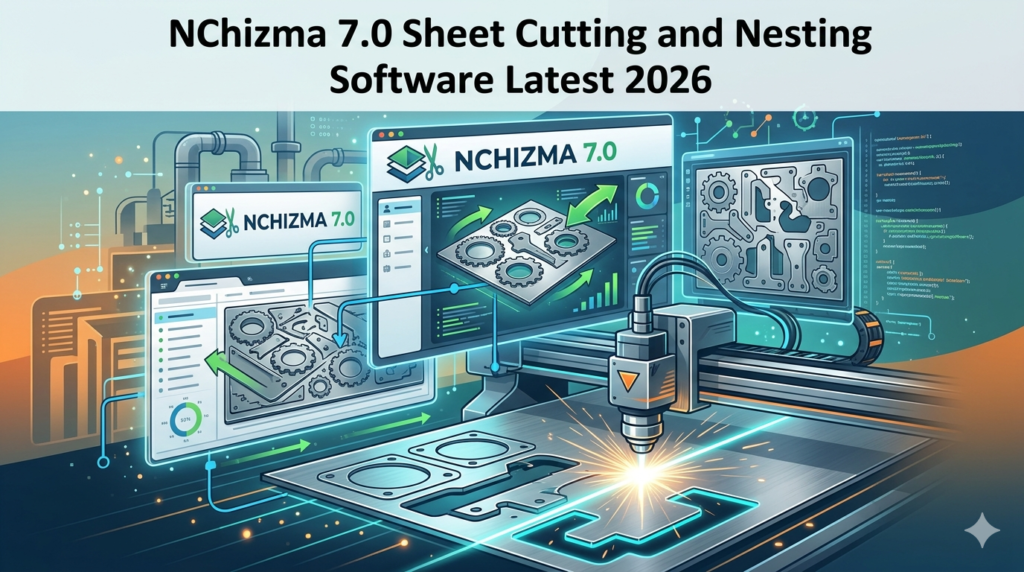
NChizma 7.0 is a professional nesting software designed to streamline the cutting workflow from design to production. The software combines powerful 2D CAD tools with advanced nesting algorithms to help users create optimized cutting layouts automatically or manually .
What Does Nesting Software Do?
Nesting software arranges irregularly shaped parts on a sheet of material to minimize waste. NChizma 7.0 accomplishes this by:
-
Analyzing part geometries and quantities
-
Calculating the most efficient arrangement on sheets
-
Generating cutting paths with appropriate lead-ins and technology
-
Producing CNC code for machine execution
-
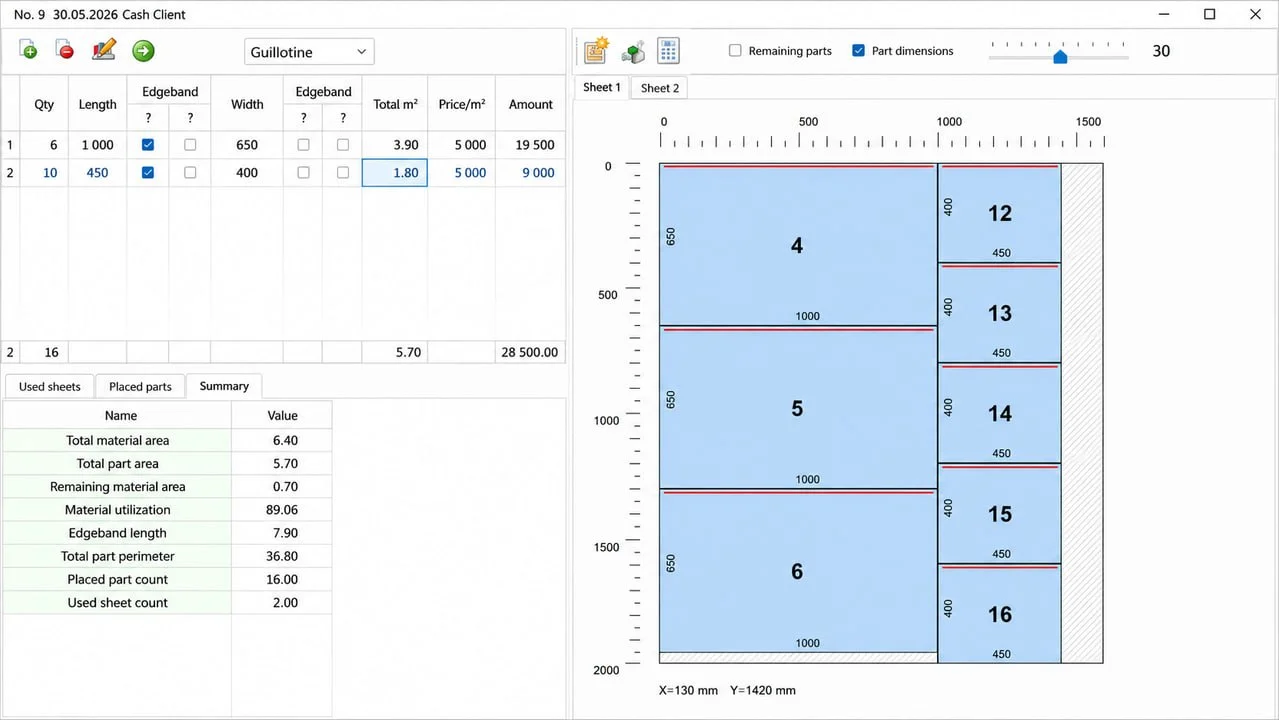
Tracking material usage and remnant management
This software serves industries such as metal fabrication, woodworking, glass processing, and composite manufacturing. Users consistently achieve material utilization rates exceeding 85% with sophisticated nesting algorithms .
Developer and Company Background
NChizma is developed by an engineering team specializing in CAD/CAM solutions for fabrication industries. The software has evolved through multiple versions, with 7.0 representing a significant milestone in automation capability and user experience.
Key Features
NChizma 7.0 includes a comprehensive set of tools for the entire cutting workflow.
Automatic and Manual Nesting
The software offers flexible nesting options to accommodate different production scenarios :
-
Automatic Nesting: Advanced algorithms calculate optimal part arrangements with minimal user input
-
Semi-Automatic Nesting: Users guide the process while the software handles complex calculations
-
Manual Nesting: Complete control for users who need specific part placement
Users can set nesting parameters including border spacing, part-to-part gaps, and start corners to fine-tune results for specific material and machine requirements .
2D CAD System
A built-in 2D CAD system enables:
-
Construction of custom workpieces
-
Modification of imported geometry
-
Verification of part compatibility with material thickness
-
Integration with external CAD via DXF and DWG file formats
Technology Database
NChizma 7.0 includes a comprehensive technology database that stores:
-
Cutting parameters for different materials
-
Lead-in and lead-out profiles
-
Tool assignments
-
Feed rates and interpolation speeds
-
Cut profile configurations
Users can assign global technologies to ensure consistent cutting quality across all parts .
Nesting Parameters and Optimization
The software provides extensive control over nesting behavior :
-
Border Spacing: Set left, right, top, and bottom margins
-
Part Spacing: Define minimum distance between parts
-
Start Corner: Choose nesting direction origin
-
Nest Direction: Optimize part orientation
-
Part in Part Nesting: Place smaller parts inside larger cutouts
-
Skeleton Creation: Generate cutting skeletons for improved stability
Reports and Documentation
NChizma 7.0 generates detailed reports including:
-
Material requirements and balance lists
-
Utilization summaries for each layout
-
Weight and area calculations
-
Cutting instructions and bills of materials
CNC Code Generation
The software produces machine-ready CNC code for various cutting technologies:
-
Plasma cutting
-
Laser cutting
-
Oxy-fuel cutting
-
Waterjet cutting
This eliminates manual programming and reduces setup time.
What’s New in Version 7.0 (2026)
The 2026 release introduces several significant improvements.
Enhanced Nesting Algorithms
Version 7.0 features updated algorithms that improve material utilization by up to 3-5% compared to previous versions. The software now handles complex nested layouts more efficiently, particularly for parts with intricate shapes .
Improved Nest Scheme Management
The nesting scheme interface has been redesigned for better usability. Users can now:
-
Create, delete, and rename nesting schemes easily
-
Apply different schemes for different applications
-
Save and reuse configuration presets
Performance Optimizations
NChizma 7.0 processes nesting jobs significantly faster through:
-
Optimized search algorithms
-
Improved memory management
-
Multi-threaded processing for large jobs
Extended File Format Support
The latest version supports additional CAD file formats and offers improved import/export capabilities for DXF and DWG files. The software maintains compatibility with AutoCAD DWG as the native file format to eliminate proprietary file issues .
Advanced Pre-Cut Functionality
A new pre-cut feature enables preliminary rectangular cutting paths for panel-type pieces. This is particularly useful for:
-
Reducing thermal stress during cutting
-
Improving cut quality on thick materials
-
Enhancing production stability
The pre-cut function can be configured with dedicated cutting technologies and includes an “Apply Z feed” option for depth control .
System Requirements
Before installing NChizma 7.0, verify your system meets these requirements.
Minimum Requirements
| Component | Requirement |
|---|---|
| Operating System | Windows 10 or Windows 11 (64-bit) |
| Processor | Intel Core i3 or equivalent |
| RAM | 8 GB |
| Storage | 1 GB available space |
| Graphics | DirectX 11 compatible |
Recommended Requirements
| Component | Requirement |
|---|---|
| Operating System | Windows 11 (64-bit) |
| Processor | Intel Core i5 or i7 |
| RAM | 16 GB or more |
| Storage | SSD with 5 GB available space |
| Graphics | Dedicated graphics card with 2 GB VRAM |
Additional Requirements
-
Internet connection for license activation
-
Display resolution of 1920 x 1080 or higher recommended
-
Mouse or compatible pointing device
Installation Guide
Follow these steps to install NChizma 7.0 successfully.
Step 1: Download the Installer
Download the official NChizma 7.0 installation package from the software developer’s website.
Step 2: Prepare Your System
-
Close all running applications
-
Verify sufficient disk space
-
Ensure Windows is updated to the latest version
-
Disable antivirus software temporarily if required
Step 3: Run the Installer
-
Double-click the downloaded installation file
-
Click “Yes” when prompted by User Account Control
-
Follow the on-screen installation wizard instructions
Step 4: Configure Settings
During installation, you can:
-
Select the installation directory
-
Choose additional components to install
-
Set up language preferences
Step 5: Activate the Software
After installation:
-
Launch NChizma 7.0
-
Enter your license key when prompted
-
Verify activation with the license server
-
Register the software if required
Step 6: Post-Installation Setup
-
Configure machine settings
-
Import technology databases
-
Set up default nesting parameters
-
Verify system integration
Troubleshooting Installation Issues
If you encounter installation problems:
-
Check system requirements
-
Run the installer as administrator
-
Temporarily disable firewall or antivirus
-
Verify sufficient disk space
-
Check Windows compatibility settings
Contact NChizma technical support for persistent issues.
How to Use NChizma 7.0
Understanding the workflow will help you get started quickly.
Step 1: Create or Import Parts
Begin by adding parts for nesting:
-
Create parts using the built-in 2D CAD tools
-
Import DXF or DWG files
-
Define part properties (material, thickness, quantity)
-
Group parts by material type and thickness
Step 2: Configure Nesting Parameters
Set up your nesting parameters :
-
Select or create a nesting scheme
-
Define border spacing values
-
Set part-to-part gaps
-
Choose starting corner
-
Configure nesting direction
-
Enable Part in Part nesting if required
Step 3: Select Material
Specify the material to be used:
-
Select sheet size from inventory
-
Define material type and thickness
-
Set number of sheets available
-
Enable remnant sheet management
Step 4: Run Nesting Process
Execute the nesting calculation:
-
Click the Nest button or select from menu
-
Monitor progress through the status bar
-
Review automatically generated layout
The software will automatically search for optimal part placement .
Step 5: Review and Refine Layout
After nesting completes:
-
Review the proposed layout visually
-
Adjust part positions if necessary
-
Rotate or mirror parts as needed
-
Verify material utilization
Step 6: Generate Cutting Technology
Apply cutting parameters:
-
Assign lead-in and lead-out profiles
-
Set cutting speed and feed rates
-
Configure Z feed depths
-
Define cut order and paths
Step 7: Create CNC Program
Generate the machine code:
-
Select appropriate post-processor
-
Configure CNC settings
-
Generate NC program
-
Save or export code for machine
Step 8: Generate Reports
Create documentation:
-
Nesting layout report
-
Material usage report
-
Cutting instructions
-
Bill of materials
Advanced Usage Tips
-
Batch Processing: Process multiple jobs simultaneously
-
ERP Integration: Connect with manufacturing software
-
Remnant Management: Track and prioritize offcuts
-
Multi-Torch Support: Configure multiple torches on compatible machines
Best Use Cases
NChizma 7.0 serves diverse applications across multiple industries.
Sheet Metal Fabrication
Metal fabrication shops use the software for:
-
Optimizing material usage for steel, aluminum, and stainless steel
-
Creating efficient cutting paths for plasma and laser
-
Managing remnant sheets
-
Reducing waste and material costs
CNC Cutting Services
Job shops and cutting services benefit from:
-
Quick turnaround of nesting layouts
-
Increased production throughput
-
Reduced programming time
-
Accurate cost estimation
Industrial Manufacturing
Manufacturers integrate NChizma 7.0 for:
-
Component nesting for production lines
-
High-volume part optimization
-
Multi-sheet nesting
-
Process standardization
Woodworking and Panel Processing
Woodworking operations utilize the software for:
-
Optimizing panel cutting for cabinets and furniture
-
Efficient processing of sheet materials
-
Production planning and scheduling
Glass Processing
Glass manufacturers use the software for:
-
Optimizing glass sheet cutting
-
Minimizing breakage with cutting path optimization
-
Maximizing yield from standard sheet sizes
Advantages and Limitations
Advantages
Superior Material Utilization
NChizma’s advanced nesting algorithms consistently deliver high utilization patterns. Users typically achieve 85-95% material usage, significantly reducing waste and lowering material costs .
Flexible Nesting Options
The combination of automatic, semi-automatic, and manual nesting provides users with the right level of control for any situation. Beginners benefit from automated features, while experts can fine-tune layouts manually .
Comprehensive Workflow Integration
The software covers the entire cutting process from CAD design to CNC code generation. This eliminates the need for multiple programs and reduces errors .
Broad Machine Compatibility
NChizma supports various cutting technologies including plasma, laser, oxy-fuel, and waterjet. This versatility makes it suitable for diverse fabrication environments.
Detailed Reporting
Comprehensive reports enable accurate cost estimation, production planning, and material tracking. Users can generate detailed documentation for each job .
Industry-Standard File Formats
Support for DXF and DWG files ensures compatibility with popular CAD systems. The native DWG format prevents proprietary lock-in .
Limitations
Learning Curve
New users may find the extensive feature set overwhelming. The initial learning process requires investment in training.
Resource Intensive
Complex nesting jobs can be resource-intensive. Larger jobs may require more powerful hardware for optimal performance.
Price
Professional nesting software represents a significant investment. Licensing costs may be substantial for smaller businesses.
Industry-Specific Features
Some industry-specific features (like glass-specific cutting optimization) may require additional modules or configurations.
Alternatives to NChizma 7.0
Several alternative nesting software solutions exist. Here are the key competitors.
CutLeader
CutLeader is a versatile nesting software solution designed for sheet metal and plate cutting. It provides automatic nesting for plasma, laser, and oxy-fuel cutting machines.
Key Features:
-
Automatic part nesting
-
Multiple nesting schemes
-
Border and space optimization
-
Part in part nesting
-
Skeleton creation
Nesting Scheme Management: CutLeader enables users to create and manage multiple nesting schemes. Each scheme can be configured with specific parameters for different applications. This flexibility is useful for job shops handling diverse materials and cutting technologies .
ZINSER Nest
ZINSER Nest is a comprehensive CAD/CAM software package for the cutting workflow. It includes robust nesting capabilities and supports multiple cutting technologies.
Key Features:
-
2D CAD system
-
Automatic and manual nesting
-
Technology databases
-
CNC program generation
-
Remnant sheet management
-
Multi-torch optimization
All-in-One Workflow: ZINSER Nest provides a complete cutting solution from design to NC code. Users can create workpieces, perform nesting, and generate CNC programs within a single environment. The software reduces preparation and programming times while maximizing material utilization .
SS-Nest
SS-Nest is a professional nesting solution designed for production environments. It provides automatic nesting for multiple part configurations.
Key Features:
-
True shape and rectangular nesting
-
Part library with advanced search
-
Part in part nesting
-
Work in process tracking
-
ERP/MRP integration
-
DWG native file format
Manufacturing Integration: SS-Nest offers deep integration with external manufacturing systems. Its direct interface with SolidWorks, Autodesk Inventor, and Solid Edge makes it suitable for environments using these CAD systems. The software can batch process DXF and DWG files and work with production schedules from ERP systems .
PLUS 2D
PLUS 2D is a nesting optimization software developed by Nirvana Technologies for sheet metal, glass, and woodworking industries.
Key Features:
-
2D nesting optimization
-
Ring and disc optimization
-
Concentric and non-concentric patterns
-
Material requirement reporting
-
DXF export interface
Specialized Optimization: PLUS 2D excels at specific optimization scenarios such as ring and disc nesting. It minimizes scrap for applications involving circular parts. The software is part of the broader Nirvana Technologies suite of optimization solutions .
Comparison Summary
| Feature | NChizma 7.0 | CutLeader | ZINSER Nest | SS-Nest | PLUS 2D |
|---|---|---|---|---|---|
| Automatic Nesting | ✓ | ✓ | ✓ | ✓ | ✓ |
| Manual Nesting | ✓ | – | ✓ | – | – |
| 2D CAD Tools | ✓ | – | ✓ | – | – |
| DXF/DWG Support | ✓ | ✓ | ✓ | ✓ | ✓ |
| CNC Code Gen. | ✓ | ✓ | ✓ | ✓ | – |
| Multiple Cutting Tech. | ✓ | ✓ | ✓ | ✓ | – |
| ERP Integration | – | – | – | ✓ | – |
| Remnant Management | ✓ | – | ✓ | ✓ | – |
| Ring Optimization | – | – | – | – | ✓ |
Frequently Asked Questions
How much material can I save using NChizma 7.0?
Nesting optimization typically improves material utilization by 15-30% compared to manual layout methods. Users achieve utilization rates between 85% and 95% depending on part geometry and sheet size. The software’s automatic nesting algorithms arrange parts to maximize density while maintaining required clearances .
Which file formats does NChizma 7.0 support?
NChizma 7.0 supports industry-standard DXF and DWG file formats for both import and export. This ensures compatibility with popular CAD systems including AutoCAD, SolidWorks, and other drafting software. The software uses AutoCAD DWG as its native file format, preventing proprietary file lock-in .
Can NChizma 7.0 work with multiple cutting technologies?
Yes, NChizma supports multiple cutting technologies including plasma, laser, oxy-fuel, and waterjet cutting. Users can assign different technology databases and cutting parameters for each machine type. The software also supports multi-torch configurations for compatible machines .
What is Part in Part nesting?
Part in Part nesting places smaller parts inside the cutouts of larger parts. This advanced feature maximizes material utilization by filling spaces that would otherwise become waste. It’s particularly useful for parts with large interior cutouts .
Does NChizma 7.0 include CAD tools?
Yes, NChizma includes a 2D CAD system for constructing workpieces. Users can create parts, modify imported geometry, and verify compatibility with material specifications. The CAD tools eliminate the need for separate drafting software .
Can I use NChizma 7.0 without a post-processor?
A post-processor is required to convert toolpath data into machine-specific CNC code. NChizma includes post-processors for common cutting systems and supports custom post-processor configuration for unique machine setups. The software generates the technology data, which the post-processor converts into executable code.
How does remnant management work?
NChizma tracks remnant sheets in the material inventory and automatically prioritizes them for nesting jobs. This reduces waste by maximizing the use of leftover material. Users can view remaining sheet sizes and incorporate them into future jobs .
Is NChizma suitable for woodworking applications?
Yes, while the software is primarily used in metal fabrication, it also serves woodworking and panel processing applications. The flexibility of the nesting algorithms and support for various materials make it suitable for optimizing sheet material cuts in woodworking environments .
Final Thoughts
NChizma 7.0 delivers powerful sheet cutting and nesting capabilities for fabrication professionals. The software’s combination of automatic algorithms, flexible nesting options, and comprehensive reporting tools makes it a valuable asset for workshops and manufacturing facilities seeking to optimize material usage.
The 2026 version introduces meaningful improvements in nesting efficiency, performance, and workflow integration. Enhanced algorithms and faster processing help users achieve better results with less effort.
Before committing to NChizma 7.0, consider your specific requirements:
-
Part complexity: Is automatic or manual nesting more appropriate?
-
Material types: Does the software support your materials?
-
Machine integration: Is your cutting machine compatible?
-
Budget: Does the investment align with expected material savings?
-
Production scale: Are you processing simple or complex nesting jobs?
Nesting software represents a significant investment, but for businesses with substantial material consumption, the return on investment can be rapid. Consider starting with a trial or demonstration to evaluate NChizma’s fit with your workflow.
For pricing, licensing, and technical support information, contact NChizma directly through their official channels.
Our Paid Service
“We do not sell or provide any software. We only offer professional support services. If any software on your system is not working properly, or you are facing installation errors, crashes, or any other technical issue — just contact us. We will help you fix the problem quickly and remotely via AnyDesk. No software will be provided from our side — only expert troubleshooting and support.”