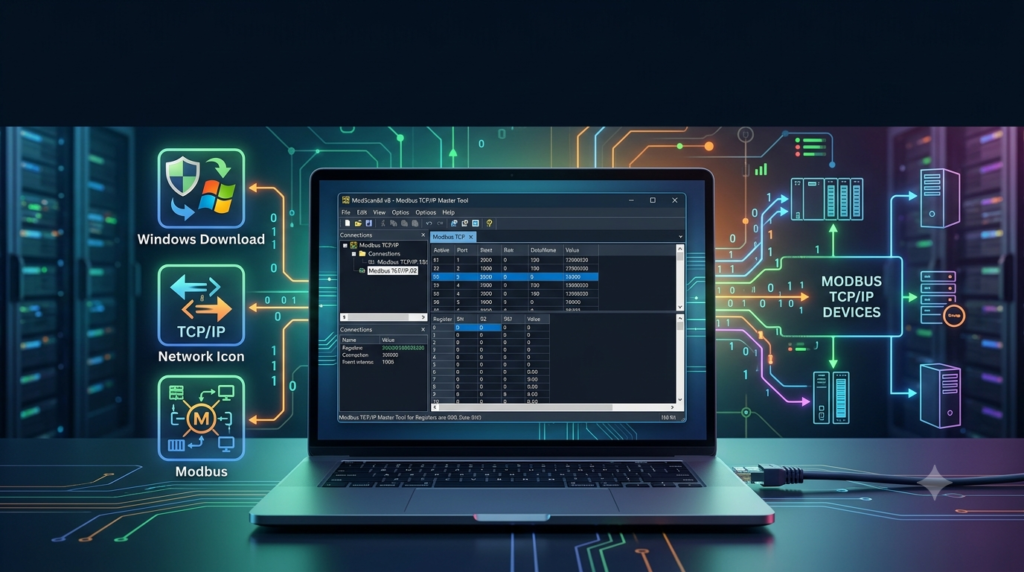


Overview of ModScan64 v8
Table of Contents
ModScan64 operates as a Modbus master device, allowing your PC to poll connected slave devices for data and modify data points as needed. The software has become the de-facto standard for Modbus network maintenance worldwide due to its reliability and simplicity.
The application supports both IPv4 and IPv6 addressing, making it suitable for modern industrial networks transitioning to newer IP standards. As a 64-bit application, it takes full advantage of Windows’ memory management capabilities, providing improved performance when handling large data sets and complex Modbus operations.
The software includes comprehensive protocol support, including the ability to communicate using standard Modbus message types 01-06, 15, and 16. Advanced users can also transmit custom command strings to exercise special features of slave devices and observe their responses—an invaluable feature for diagnosing proprietary or unusual implementations.
Key Features of ModScan64 v8
ModScan64 v8 comes packed with features designed to make Modbus troubleshooting efficient and straightforward:
Protocol Support
-
Full Modbus TCP/IP client functionality for network-based communication
-
Modbus RTU and ASCII transmission modes for serial connections
-
TCP tunneling capabilities for traversing network boundaries
-
Secure Modbus support introduced in Version 8
Data Operations
-
Read and write coils and holding registers
-
Access input registers and discrete inputs
-
Support for standard Modbus function codes
-
Custom user-defined message transmission for testing proprietary implementations
Advanced Capabilities
-
Test script execution for production testing environments
-
Data display in multiple formats (hexadecimal, decimal, floating-point)
-
Real-time monitoring of register values
-
Logging and export functionality for documentation and analysis
The interface is designed to be intuitive for both beginners and experienced professionals, featuring clearly organized menus and display options that mirror the familiar layout ModScan users have relied on for decades.
What’s New in ModScan64 Version 8
Version 8 represents a significant update to the ModScan platform, introducing several important enhancements:
Secure Modbus Support – The most notable addition in Version 8 is native support for secure Modbus communication. This allows users to work with Modbus devices that implement security features, addressing the growing need for secure industrial communication in modern OT environments.
Enhanced Windows Compatibility – ModScan64 v8 is specifically optimized for Windows 10 and Windows 11, ensuring full compatibility with modern operating systems and their security features. Microsoft Defender SmartScreen protection is supported for safe installation and operation.
Improved IPv6 Support – While IPv6 compatibility existed in previous versions, Version 8 refines this support for seamless operation in IPv6-enabled industrial networks.
Legacy User Support – Despite being optimized for modern Windows, WinTECH maintains separate versions for legacy users running older operating systems such as NT, XP, Vista, Win2K, and Win7/32-bit.
System Requirements for ModScan64 v8
To successfully install and run ModScan64 v8, your system should meet these requirements:
Operating System
-
Windows 10 (64-bit) or Windows 11 (64-bit)
-
For legacy systems: Windows NT, XP, Vista, 2000, or Windows 7 (32-bit) with appropriate version
Hardware
-
x64-compatible processor
-
Minimum 4GB RAM recommended for optimal performance
-
Sufficient storage space for installation and log files
Network Connectivity
-
Ethernet adapter for Modbus TCP/IP communication
-
Serial COM port or USB-to-Serial adapter for RTU/ASCII connections
Additional Requirements
-
An active internet connection for software download and activation
-
Appropriate permissions for installing Windows applications
Installation Guide for ModScan64 v8
Follow these steps to install ModScan64 v8 on your Windows system:
-
Download the Software – Visit the official WinTECH Software website to download the ModScan64 v8 installer. The site offers both the full version and a free demo for evaluation.
-
Verify System Compatibility – Ensure your Windows version matches the system requirements. The standard version supports Windows 10 and Windows 11 (64-bit).
-
Run the Installer – Double-click the downloaded executable file. If Windows SmartScreen displays a warning, click “More info” then “Run anyway” to proceed.
-
Follow Installation Prompts – Accept the license agreement and select your preferred installation directory. The default location is typically
C:\Program Files\WinTECH\ModScan64. -
Complete Installation – Once installation finishes, launch ModScan64 from the Start menu or desktop shortcut.
-
License Activation – If you have purchased a license, enter your license key when prompted. The free demo version provides limited functionality for testing purposes.
Existing licenses from previous ModScan versions remain valid for Version 8, ensuring smooth upgrades for long-term users.
How to Use ModScan64 v8
Using ModScan64 effectively requires understanding its core workflow:
Establishing a Connection
-
Launch ModScan64 – Start the application from your Windows Start menu.
-
Configure Connection Type – Click the Connection menu and select Connect.
-
Select Interface – Choose between TCP/IP for network connections or COM for serial connections.
-
Set Connection Parameters – For TCP/IP connections, enter the slave device’s IP address and port number (default port is 502 for Modbus TCP/IP).
-
Configure Serial Settings – For serial connections, specify the COM port, baud rate, data bits, stop bits, and parity settings matching your slave device.
-
Establish Communication – Click OK to initiate the connection. ModScan64 will attempt to connect to the specified slave device.
Reading Data
-
Select the data type you wish to read (coils, discrete inputs, input registers, or holding registers).
-
Specify the starting address and the number of points to read.
-
Click the Read button to poll the slave device for data.
-
View the results displayed in the data window, with support for multiple display formats including decimal, hexadecimal, and floating-point.
Writing Data
-
Navigate to the relevant data type (coils for bit-level writing, holding registers for word-level writing).
-
Select the specific address you want to modify.
-
Use the Set Value option from the Setup menu to enter your desired value.
-
Confirm the write operation to send the new value to the slave device.
Advanced Features
-
Custom Command Messages – Create and transmit user-defined messages to test specialized slave features.
-
Test Scripts – Automate production testing by creating and executing scripts.
-
Data Logging – Export register data to CSV files for analysis and documentation.
Best Use Cases for ModScan64 v8
ModScan64 v8 is invaluable across multiple industrial scenarios:
Field Troubleshooting – When a Modbus network experiences communication issues, ModScan64 enables rapid diagnosis by verifying slave responses, checking register values, and identifying configuration errors.
System Commissioning – During new installations, ModScan64 verifies that all Modbus devices are communicating correctly before full system integration. Engineers can validate communication parameters such as register types and data formats.
Slave Device Development – Developers of Modbus slave devices can use ModScan64 to test and validate their implementations against standard Modbus commands and responses.
Maintenance and Diagnostics – Regular preventive maintenance using ModScan64 can identify communication issues before they cause system failures, reducing downtime in critical industrial processes.
Training and Education – The tool serves as an excellent teaching aid for engineers learning Modbus protocols, providing clear visibility into request/response cycles and data structures.
Advantages and Limitations of ModScan64 v8
Advantages
-
Industry Standard – With over 30 years of development, ModScan has become the de-facto standard for Modbus troubleshooting worldwide.
-
Comprehensive Protocol Support – The software handles all common Modbus variants including RTU, ASCII, TCP/IP, and now secure Modbus.
-
User-Friendly Interface – The familiar, intuitive interface reduces training time and allows engineers to focus on problem-solving.
-
Cross-Version License Compatibility – Existing licenses remain valid for Version 8, protecting user investments.
-
Multi-Instance Support – Multiple instances can run simultaneously for testing different devices or configurations.
-
Reliable Performance – The application is known for its stability and trustworthy operation in demanding industrial environments.
Limitations
-
Windows-Only – ModScan64 is designed exclusively for Windows, though an iOS mobile version is available for field use.
-
Licensing Cost – The full version requires a paid license, which may be expensive for occasional users.
-
Learning Curve – While basic operations are straightforward, mastering advanced features requires familiarity with Modbus protocol concepts.
-
No Native Linux Support – Users working in Linux environments need alternative solutions or compatibility layers.
Alternatives to ModScan64 v8
Several alternatives exist for engineers seeking Modbus testing solutions:
OpenModScan – An open-source drop-in replacement for WinTECH’s ModScan that supports both Modbus-TCP and Modbus-RTU protocols. Available for Windows and Arch Linux, it offers similar functionality to the commercial version.
ScanBus-BR – A free, portable Modbus toolkit for Windows and Linux that combines multiple engineering tools including RTU Master, TCP Client, and RTU Sniffer features. Distributed as freeware with no advertisements or bundled software.
ModbusMaster – An open-source Windows application supporting multiple protocols including RTU, TCP, UDP, and various combinations. Available for Windows with Mono versions for Linux and Mac OS X.
ModbusTool – Another open-source option supporting both master and slave functionality with import/export capabilities. Available via GitHub or Windows Package Manager.
QModBus – A free, open-source Qt-based Modbus master application for Windows and Linux with bus monitoring capabilities.
Frequently Asked Questions
What is ModScan64 v8 used for?
ModScan64 v8 is a professional Modbus master tool used for testing, troubleshooting, and maintaining Modbus communication networks in industrial automation environments. It allows engineers to read and write data to Modbus slave devices, diagnose communication issues, and verify system configurations.
Is ModScan64 v8 compatible with Windows 11?
Yes, ModScan64 v8 is fully compatible with Windows 11 and Windows 10 (64-bit). WinTECH Software has optimized the latest version for modern Windows operating systems.
Does ModScan64 support secure Modbus communication?
Yes, Version 8 introduced support for secure Modbus communication, addressing the growing need for secure industrial communication protocols in modern OT environments.
How do I connect ModScan64 to a Modbus device?
Connect via the Connection menu by selecting either TCP/IP (for network connections) or COM (for serial connections). Enter the appropriate parameters such as IP address and port for TCP/IP or COM port and baud rate for serial connections. The default Modbus TCP/IP port is 502.
Are existing ModScan licenses compatible with Version 8?
Yes, existing licenses from previous ModScan versions remain valid for Version 8, allowing users to upgrade without purchasing new licenses.
Can ModScan64 run on older Windows versions?
WinTECH provides separate versions for legacy users running Windows NT, XP, Vista, 2000, and Windows 7 (32-bit).
Final Thoughts
ModScan64 v8 represents the evolution of a tool that has served the industrial automation community for over three decades. Its combination of comprehensive protocol support, reliable performance, and familiar interface makes it an essential component of any engineer’s toolkit when working with Modbus networks.
The introduction of secure Modbus support in Version 8 demonstrates WinTECH’s commitment to keeping the software relevant for modern industrial communication needs while maintaining compatibility with existing licenses ensures long-term users are supported through upgrades.
While the software requires a paid license for full functionality, the investment is justified by its reliability, the depth of its feature set, and the time savings it provides in diagnosing communication issues. For engineers regularly working with Modbus networks, ModScan64 remains the gold standard for troubleshooting and maintenance.
The availability of alternative tools, particularly open-source options like OpenModScan, provides flexibility for users with different requirements or budget constraints. However, the proven track record and continuous development of ModScan64 make it the preferred choice for professional applications where reliability is paramount.