
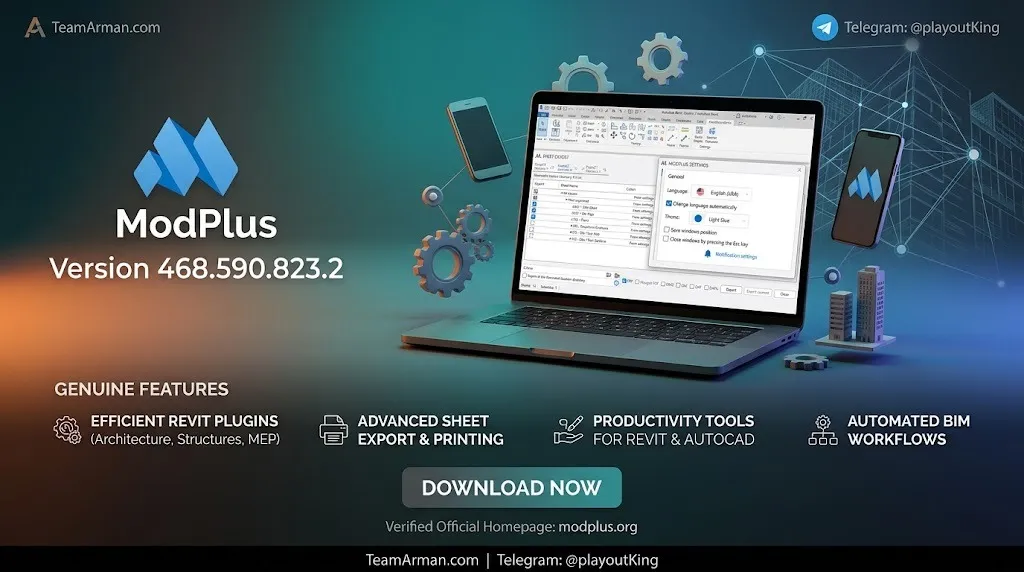
Overview of ModPlus
Table of Contents
ModPlus is not a standalone application. It functions as an ecosystem of interconnected components that integrate directly into the ribbon interface of supported CAD and BIM software. The platform consists of several core elements:
-
Core Libraries: DLL files (such as
ModPlus_xxxx.dllfor AutoCAD andModPlus_Revit_xxxx.dllfor Revit) that connect ModPlus to the host application. -
Auto-Update Module: A background service that monitors and installs component updates automatically. It also manages plugin connections, menu configuration, and application settings.
-
Plugin Collection: Over 50 individual plugins organized into functional categories. These are delivered as independent DLL libraries, enabling granular updates.
-
Product Database: Regulatory databases containing information on assortments, materials, and standards, used by plugins requiring compliance data.
The platform’s modular design means that users can install only the plugins they need, keeping the interface uncluttered and the software lightweight. The initial Configurator tool, which required manual setup, has been replaced by a streamlined installer and the enhanced auto-update module, making installation and configuration significantly more accessible.
Key Features
ModPlus organizes its extensive plugin library into discipline-based and function-based groups. Below is a breakdown of the major feature categories.
Discipline-Specific Plugins
-
Architecture: Includes tools for apartment layout generation, room volume coloring, and automatic floor creation from room boundaries. These plugins address common architectural modeling tasks that otherwise require manual repetition.
-
Structure: Provides four comprehensive reinforcement plugins for walls, slabs, columns, and beams, plus a rebar splitting tool and auxiliary utilities for reinforcement workflows.
-
Steel and MEP: Additional plugins support steel detailing and mechanical, electrical, and plumbing (MEP) design tasks within Revit.
View and Sheet Management
This plugin group automates the often tedious management of views and sheets:
-
Duplicate sheets and views with configurable parameters
-
Number sheets sequentially or by custom rules
-
Copy sheets between documents
-
Copy view filters between projects
-
Manage cropping and view extents
Export and Import Tools
-
Export Schedules to Excel: Transfers Revit schedules into spreadsheet format for external analysis and reporting.
-
Import Tables from Excel: Brings structured Excel data into Revit schedules and drawing tables.
-
Export Sheets to PDF: Batch-prints and exports sheets as PDF files.
Annotation and Detailing
-
Create dimensions along a line or chain
-
Automatically offset dimension text to avoid overlap
-
Batch-generate dimensions across plans and sections
-
Create and manage annotations with standardized settings
Utility and Modification Plugins
-
Numbering: Sequentially numbers text objects and table cells with extensive configuration options.
-
Search and Replace: Finds and replaces text within elements, now supporting mask mode for partial matches and processing of filter names, system names, and schedule filters.
-
Parameter Summation: Aggregates values across multiple elements.
-
Copy Properties: Transfers parameter values from one element to many others.
-
Elements Join: Automates joining operations for model elements.
-
Split by Height: Divides elements at specified elevations.
Project Management Tools
The Manage category includes plugins for:
-
Fixing duplicate families
-
Complex parameterization across project elements
-
Project cleanup and workset management
-
Element filtering and selection
-
CAD insert management
Built-in Services
ModPlus includes integrated services that operate in the background:
-
Autosave functionality for projects and families
-
Tab coloring for improved visual organization
-
Favorite functions panel for quick access to frequently used tools
What’s New in the Latest Version
The ModPlus platform receives continuous updates through its auto-update module. Recent notable developments include:
-
Model Comparison Plugin (Revit): A tool that identifies differences between opened and linked files. It compares types, materials, phase filters, worksets, filters, and view templates.
-
Find and Replace with Mask Mode: The Revit Find and Replace plugin now supports partial text matching and can process filter names, system names, system identifiers, and schedule filters. Multiple search functionality has also been added.
-
Copy Elements 3.0: The plugin now features two tabs—one for browser elements (supporting fill patterns and families) and one for direct model element copying, including elements from linked files.
-
Auto-Update Module as Control Center: The auto-update module has absorbed all Configurator functionality, including plugin management, menu management, and application connection settings.
-
NuGet Package Availability: ModPlus libraries for Revit, AutoCAD, and Renga are now available as NuGet packages, enabling developers to create custom plugins that integrate with the ModPlus ecosystem.
System Requirements
ModPlus has relatively modest system requirements, making it accessible across a wide range of engineering workstations.
Minimum Requirements
-
Operating System: Windows 7 or later
-
Framework: .NET Framework 4.5 or higher
-
Supported CAD/BIM Software: AutoCAD 2013+, Revit 2017+
-
Disk Space: Varies by installed plugin set; core installation is approximately 1.5 MB, with additional space required for plugins and databases
Recommended Specifications
-
Operating System: Windows 10 or Windows 11 (64-bit)
-
Framework: Latest .NET Framework version
-
RAM: 16 GB or more for complex BIM models
-
CAD/BIM Software: AutoCAD 2020+, Revit 2020+ for full plugin compatibility
Important compatibility note: Certain Revit plugins require version 2019 or later due to API dependencies that are not available in earlier releases.
Installation Guide
ModPlus has evolved from a manual Configurator-based setup to a streamlined installer with automatic updates. The current installation process is straightforward.
Standard Installation (Online)
-
Download the Installer: Visit the official ModPlus website and download the latest installer package.
-
Run the Installer: The welcome page will appear. Select your preferred language.
-
Click Install: The installer automatically performs the following steps:
-
Creates the necessary folder structure in
%appdata%\ModPlus -
Downloads and extracts core working libraries
-
Detects compatible CAD/BIM software on your system
-
Downloads and installs plugins compatible with detected software
-
-
Complete Setup: Once installation finishes, launch your CAD or BIM application. The ModPlus ribbon will appear with your installed plugins.
Offline Installation
For systems without internet access, ModPlus provides an offline installer (MSI package):
-
Download the offline MSI package on a connected computer.
-
Transfer the file to the target machine.
-
Run the MSI installation.
-
Navigate to
%appdata%\ModPlusand launch the Configurator (mpConfig.exe) if manual configuration is needed. -
In the Configurator, check the boxes for the CAD applications you want ModPlus to connect to.
Critical note: When updating ModPlus using the offline installer, ensure that AutoCAD and Revit are closed. Initial installation can be performed with these applications open.
Silent Installation
For enterprise deployment, the offline installer supports silent mode using command-line arguments, allowing IT administrators to push ModPlus across multiple workstations without user interaction.
How to Use ModPlus
ModPlus integrates directly into the ribbon interface of your CAD or BIM software, typically appearing as a dedicated tab. Below is a general workflow for getting started.
Accessing Plugins
After installation, locate the ModPlus tab in the ribbon. Plugins are organized by category (Disciplines, View, Design, Modify, Manage) with dropdown menus and buttons for each tool. The favorite functions panel allows you to pin frequently used plugins for one-click access.
Configuring Plugins
Most plugins include settings dialogs that allow you to customize behavior, such as default values, naming conventions, and output formats. These settings are accessed through the plugin’s interface or the ModPlus settings menu.
Example Workflow: Batch Dimensioning
-
Open the ModPlus tab and navigate to the Design group.
-
Select the dimensioning plugin.
-
Choose the dimensioning method (by line, chain, or automatic).
-
Configure offset values and text placement rules.
-
Select the elements or views to dimension.
-
Click Apply. The plugin generates dimensions automatically according to your settings.
Example Workflow: Model Comparison
-
Open the Model Comparison plugin from the Design group.
-
Click “Select Documents” to choose the files you want to compare.
-
The plugin window displays tabs for Types, Materials, Phase Filters, Worksets, Filters, and View Templates.
-
Each tab shows differences between the opened and linked files.
-
Use the results to identify discrepancies and synchronize changes.
Best Use Cases
ModPlus delivers the most value in specific professional scenarios within architecture, engineering, and construction workflows.
High-Volume Documentation Projects
Projects requiring extensive sheet sets, annotations, and schedule management benefit significantly from ModPlus automation. Batch sheet duplication, numbering, and export tools reduce documentation time from hours to minutes.
Structural Reinforcement Modeling
The four reinforcement plugins (walls, slabs, columns, beams) automate rebar placement and configuration. Structural engineers working on concrete structures can generate reinforcement layouts that conform to design standards without manual modeling.
BIM Coordination and Quality Control
The Model Comparison plugin enables BIM coordinators to systematically identify differences between model versions or linked files. This is particularly valuable during design reviews and clash detection workflows.
Regulatory Compliance in CIS Regions
ModPlus includes tools specifically designed to generate documentation according to SPDS (System of Project Documentation Standards) requirements, which are mandatory in Russia and several CIS countries. This makes ModPlus an essential tool for firms operating in those markets.
Excel Integration Workflows
Teams that rely heavily on Excel for cost estimation, quantity takeoffs, or data management can use ModPlus to synchronize schedules and tables bidirectionally between Revit and Excel.
Advantages and Limitations
Advantages
-
Modular Architecture: Install only the plugins you need. Components update independently, so a bug fix in one plugin does not require updating the entire platform.
-
Free Core Functionality: Many plugins are completely free. Paid plugins offer either limited functionality or a 30-day trial period.
-
Multi-Platform Support: A single platform serves Revit, AutoCAD, Civil 3D, Renga, and nanoCAD users, making it versatile for mixed-software environments.
-
Active Development: The developer maintains a blog, Telegram channel, and community forums. User feedback directly influences development priorities, and bug fixes can be released within days.
-
Regulatory Compliance Tools: Built-in support for SPDS standards and regulatory databases makes ModPlus uniquely suited for engineering documentation in CIS regions.
-
NuGet Integration: Developers can extend ModPlus with custom plugins using the published NuGet packages, enabling enterprise-specific automation.
Limitations
-
Windows-Only: ModPlus requires .NET Framework and Windows. There is no macOS or Linux version.
-
Version-Specific Licensing: Some paid plugins require separate licenses for each version of Revit or AutoCAD, which can increase costs for firms that maintain multiple software versions.
-
Interface Language: While the platform is available in English, much of the community content and documentation is in Russian, which may present a barrier for non-Russian speakers.
-
Auto-Update Frequency: Some users have reported that the auto-update module can be persistent and update components they do not actively use.
Alternatives to ModPlus
Several tools compete with ModPlus in the CAD and BIM automation space, each with distinct strengths.
pyRevit
pyRevit is an open-source Revit add-in that provides a Python and C# scripting environment for custom tool development. It is free, actively maintained, and highly extensible. Unlike ModPlus, pyRevit requires programming knowledge to build custom tools, though it ships with a substantial library of pre-built scripts. ModPlus offers more out-of-the-box tools for common documentation tasks, while pyRevit excels for teams with development resources who need bespoke automation.
Graitec PowerPack
Graitec PowerPack is a comprehensive commercial add-on for Revit and AutoCAD. It includes tools for structural analysis, reinforcement detailing, and BIM data management. PowerPack is more expensive than ModPlus but offers deeper integration with Graitec’s structural analysis software. It is best suited for firms already invested in the Graitec ecosystem.
Ideate Software
Ideate Software (now part of the Graitec Group) offers a suite of Revit add-ins focused on data management, model auditing, and BIM quality assurance. Tools like Ideate BIMLink and Ideate Explorer provide advanced parameter management and model navigation. Ideate is primarily targeted at large AEC firms and offers enterprise-level support and training.
BimStep and FutureBIM
BimStep and FutureBIM are alternative Russian-developed plugin suites for Revit. They offer overlapping functionality with ModPlus in areas such as sheet management, parameter handling, and documentation automation. The choice between these platforms often comes down to specific workflow requirements and licensing preferences.
Dinamiclabs
Dinamiclabs provides a collection of Revit plugins known for creative solutions to specific modeling challenges. It is a smaller ecosystem than ModPlus but offers some unique tools that complement rather than replace ModPlus’s broader platform.
Frequently Asked Questions
Is ModPlus free to use?
ModPlus offers a substantial collection of free plugins. Some plugins are entirely free, while others are paid. Paid plugins typically offer limited functionality in their free version or provide a 30-day trial period. Licenses can be purchased for individual plugins, or as a subscription covering all paid plugins for a specific platform (Revit, AutoCAD, Renga, or nanoCAD).
What versions of Revit and AutoCAD does ModPlus support?
ModPlus supports AutoCAD from version 2013 onward and Revit from version 2017 onward. Certain Revit plugins require version 2019 or later due to API dependencies. The platform is also compatible with Civil 3D, Renga, and nanoCAD.
Does ModPlus work on Windows 11?
Yes. ModPlus is built on .NET Framework 4.5+ and runs on Windows 7 and above. Windows 10 and Windows 11 are the recommended operating systems for optimal performance and compatibility with recent CAD software versions.
Can I use ModPlus on multiple computers?
Licensing terms depend on the license type you purchase. Individual licenses are typically tied to a single user or workstation. Corporate and multi-user subscriptions are available for organizations that need to deploy ModPlus across teams. A web license server is available for enterprise seat management.
How do I update ModPlus?
ModPlus includes an auto-update module that runs in the background and installs updates automatically. You can also manually check for updates through the auto-update module interface. For offline environments, updated installation packages are available for download and manual deployment.
Does ModPlus support BIM 360 or ACC?
ModPlus plugins operate within the Revit and AutoCAD environments and are compatible with projects hosted on BIM 360 and Autodesk Construction Cloud (ACC) to the extent that the host application supports those platforms. Specific cloud integration features depend on the individual plugin and the capabilities of the underlying Autodesk software.
Is ModPlus safe to install?
ModPlus is developed by a known author (Alexander Pekshev) with an active community and official distribution channels. The software should only be downloaded from the official website (modplus.org) or authorized resellers. Avoid third-party sources that may distribute modified or unofficial versions.
Can I create custom plugins for ModPlus?
Yes. ModPlus libraries for Revit, AutoCAD, and Renga are published as NuGet packages. Developers can use these packages to create custom plugins that integrate with the ModPlus ecosystem, accessing ModPlus services and extending the platform’s functionality for enterprise-specific needs.
Final Thoughts
ModPlus 468.590.823.2 represents a mature and actively maintained modular platform for CAD and BIM automation. Its strength lies in the breadth of its plugin library, the granularity of its modular architecture, and its focus on regulatory compliance for engineering documentation.
For individual architects and engineers, the free plugin tier provides substantial productivity gains without financial commitment. For firms operating in CIS regions with SPDS documentation requirements, ModPlus is arguably the most comprehensive solution available. For enterprises, the NuGet package availability and corporate licensing options make ModPlus a viable platform for standardized automation deployment.
The platform’s limitations—Windows-only operation, version-specific licensing for some plugins, and a community that is predominantly Russian-speaking—are real considerations. However, for the core audience of Revit and AutoCAD professionals seeking to reduce repetitive work and improve documentation quality, ModPlus delivers measurable value.
Whether you are evaluating ModPlus for the first time or considering an upgrade to the latest release, the auto-update module ensures you always have access to the newest features and bug fixes. Download the installer, explore the free plugin library, and evaluate how ModPlus can fit into your existing design and documentation workflows.
Our Paid Service