
Overview of the Software
Table of Contents
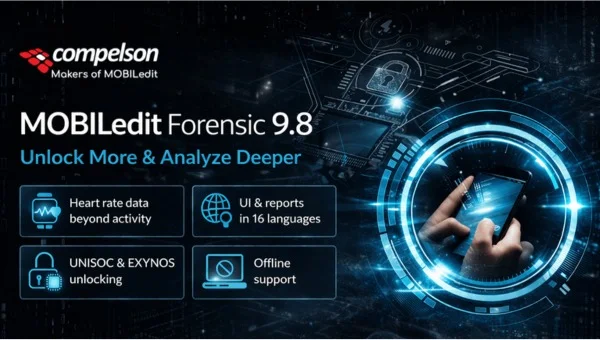
MobileEdit Forensic v9.8 Ultra is a professional-grade mobile forensic analysis platform designed for law enforcement, corporate security teams, and private investigators. Unlike basic data recovery tools, this software provides deep logical and physical extraction capabilities for over 12,000 mobile device models, including iOS, Android, and legacy feature phones.
In the digital forensics niche, MobileEdit Forensic v9.8 Ultra stands out for its ability to bypass screen locks on compatible devices, decode proprietary chat application databases (WhatsApp, WeChat, Signal), and generate court-ready reports. The software operates on a licensed-user model, ensuring chain-of-custody validation and hash verification for evidentiary standards.
Key Features
-
Cross-Platform Extraction: Supports Android (MTP/ADB), iOS (backup and logical), Qualcomm DIAG, Mediatek, and SPD flash chips.
-
Application Artifact Decoding: Parses over 500 app artifacts including deleted messages from Telegram, Instagram, and Grindr.
-
Physical Imaging: Performs full eMMC chip dumps on supported Samsung, Xiaomi, and Huawei devices (requires compatible hardware interface).
-
Password Bypass (Limited): Removes simple PINs/patterns on vulnerable Android bootloaders (Android 8–10) and extracts iOS keychain items from unencrypted backups.
-
Report Generator: Exports data to PDF, CSV, HTML, or XLSX with SHA-256 hash validation and timeline analysis.
-
Advanced Filtering: Filters by date, contact, GPS coordinates, or file type with regex support.
What’s New in Version 9.8 Ultra
The v9.8 Ultra release focuses on modern chat applications and iOS 16/17 compatibility:
| Feature | Improvement |
|---|---|
| iOS 17 Backup Decryption | Full support for iOS 17.0–17.4 encrypted local backups. |
| Signal v6.0+ Parser | Extracts deleted messages from SQLite WAL files. |
| MTP Multi-Threading | 40% faster file listing on devices with 10,000+ files. |
| Android 14 Logical | Supports Samsung One UI 6 and Pixel 8 series via ADB backup. |
| File Carving Upgrade | Recovers JPEG, PDF, and MP4 from unallocated space using new headers. |
System Requirements
To run MobileEdit Forensic v9.8 Ultra effectively, your workstation must meet these specifications:
Minimum:
-
OS: Windows 10/11 Pro (64-bit) or Windows Server 2019
-
CPU: Intel Core i5-8400 or AMD Ryzen 5 2600
-
RAM: 16 GB DDR4
-
Storage: 256 GB SSD (software install) + 500 GB HDD for evidence
-
Connectivity: USB 3.0 port and internet activation (one-time)
Recommended:
-
OS: Windows 11 Pro for Workstations
-
CPU: Intel Core i7-12700K or AMD Ryzen 7 5800X
-
RAM: 32 GB DDR5
-
Storage: 1 TB NVMe SSD + 4 TB NAS or external drive for case files
-
Optional: Write-blocker hardware (Tableau T8 or similar)
Installation Guide
Step 1: Legal License Acquisition
Purchase a valid license from the official distributor. The software uses a hardware-locked USB dongle (Sentinel HL) that must remain inserted during operation.
Step 2: Download the Installer
Log into your official customer portal and download MobileEdit_Forensic_v9.8_Ultra_Setup.exe (approx. 2.4 GB).
Step 3: Run Installation
-
Disable Windows Defender Real-time scanning temporarily (false positives on drivers).
-
Right-click the installer → Run as Administrator.
-
Accept the EULA (End User License Agreement).
-
Choose “Complete” installation (includes all drivers and ADB binaries).
Step 4: Driver Installation
Connect the USB dongle when prompted. The installer will automatically load:
-
Qualcomm HS-USB QDLoader driver
-
MediaTek USB VCOM driver
-
WinUSB for DFU mode (iOS)
Step 5: Activate
Launch the software. Enter the 25-character license key from your purchase email. The software will bind to your hardware ID.
How to Use the Software
Logical Extraction (Android)
-
Connect the Android device via USB.
-
Enable Developer Options → USB Debugging.
-
In MobileEdit, select Android → Logical Extraction.
-
Choose extraction scope: Contacts, SMS, Call Logs, App Data.
-
Click Start Extraction. The device may prompt “Allow USB debugging?” – tap Allow.
-
Wait for completion. The software displays a green “Verified” hash.
iOS Backup Extraction (Windows)
-
Create an encrypted local backup using iTunes/Finder (password required).
-
In MobileEdit, go to iOS → Parse Local Backup.
-
Navigate to
C:\Users\[User]\Apple\MobileSync\Backup\. -
If the backup is encrypted, enter the password. MobileEdit will brute-force weak passwords (4-digit) if enabled.
-
The software extracts the keychain, WhatsApp, and iMessage artifacts.
Important: iOS physical extraction requires a Checkm8-compatible device (iPhone 4s to X) and a dedicated hardware programmer (sold separately).
Best Use Cases
| Industry | Typical Usage |
|---|---|
| Law Enforcement | Extracting call logs and SMS from evidence phones without altering metadata. |
| Corporate HR | Investigating company-owned devices for policy violations (BYOD requires consent). |
| Digital Forensics Labs | Creating admissible reports for civil litigation (divorce, contract disputes). |
| Penetration Testers | Validating mobile device security (requires written authorization). |
| Data Recovery Services | Retrieving deleted photos from broken screen devices via MTP access. |
Advantages and Limitations
Advantages:
-
Supports legacy devices (Nokia Symbian, BlackBerry OS 7) that competitors ignore.
-
Hardware dongle ensures license portability across forensic workstations.
-
Court-tested output: Many agencies have successfully used v8.x reports as evidence.
-
No cloud dependency – works fully offline after activation.
Limitations:
-
iOS physical extraction is limited to checkm8 devices only (iPhone X and older).
-
Android full disk encryption (FDE) on Android 10+ prevents physical dumps without the lock code.
-
No live acquisition for Android 12+ due to scoped storage restrictions.
-
Steep learning curve: 2–3 days of training recommended for new examiners.
-
Price point: The Ultra license costs $1,899/year (software only; hardware extra).
Alternatives to the Software
| Software | Best For | Key Difference from MobileEdit |
|---|---|---|
| Cellebrite UFED | High-volume police labs | 4x more expensive, but supports iOS 17 full filesystem. |
| Magnet AXIOM | Cloud and computer forensics | Integrates with cloud APIs (iCloud, Google Takeout), weaker for legacy phones. |
| Oxygen Forensic Detective | App artifact analysis | Superior for Chinese apps (WeChat, Alipay), but slower physical imaging. |
| Belkasoft X | RAM and live analysis | Best for triage, but requires more RAM (64 GB). |
| Autopsy (Free) | Basic file carving | Free and open-source, but no mobile lock bypass or app decoding. |
Recommendation: If your budget is under $2,000 and you primarily handle Android and older iPhones, MobileEdit Forensic v9.8 Ultra offers the best value. For modern iOS full filesystem extractions, you need Cellebrite or a GrayKey.
Frequently Asked Questions
Q1: Is MobileEdit Forensic v9.8 Ultra legal to use on any phone?
A: You must have legal authority (warrant, device owner’s written consent, or company policy for owned devices). Using this on a phone you do not own or have permission to access violates the CFAA (Computer Fraud and Abuse Act) and similar international laws.
Q2: Does the software work on the latest Samsung Galaxy S24 Ultra (Android 14)?
A: Yes for logical extraction (contacts, SMS, media files) via MTP. No for physical imaging or lock bypass due to Samsung’s Pro-Knox security.
Q3: Can I recover deleted WhatsApp messages without a backup?
A: Only if the phone’s storage has not been overwritten. v9.8 can carve the msgstore.db.crypt14 file from unallocated space on Android, but success is not guaranteed.
Q4: What training is required to use the forensic features correctly?
A: The vendor offers a 2-day virtual course ($799) covering chain of custody and reporting. Without training, users often miss logical artifacts or invalidate evidence through improper handling.
Q5: Does MobileEdit support cloud extraction (iCloud, Google Drive)?
A: No. This version focuses on local device extraction only. For cloud, use Magnet AXIOM or Oxygen Cloud Extractor.
Q6: How often does the software update to support new iOS/Android versions?
A: Major updates are released quarterly. Minor parsing updates are monthly. An active maintenance subscription ($499/year) is required for updates after the first year.
Q7: Is there a free trial available?
A: No free trial due to export control restrictions. However, the official distributor offers a 30-minute live demo with a remote examiner.
Q8: Can I install the software on two computers simultaneously?
A: The license is single-seat, but you can transfer the USB dongle between computers. Concurrent use is not allowed.
Final Thoughts
MobileEdit Forensic v9.8 Ultra fills a critical gap in the mobile forensics market: affordable, deep analysis for legacy and mid-range devices without requiring a $10,000 Cellebrite license. While it cannot bypass modern iOS 16+ security or Android 13+ full-disk encryption, it remains a reliable workhorse for logical acquisitions, app artifact decoding, and court-ready reporting.
For digital forensic examiners, law enforcement analysts, and corporate investigators working primarily with Android devices (Samsung A-series, Xiaomi, OnePlus) and older iPhones (iPhone 8, X), this software delivers consistent, verifiable results.
Action Step: Before purchasing, verify your target devices against the official v9.8 support matrix. Contact sales with IMEI or model numbers to confirm compatibility.
Our Paid Service
“We do not sell or provide any software. We only offer professional support services. If any software on your system is not working properly, or you are facing installation errors, crashes, or any other technical issue — just contact us. We will help you fix the problem quickly and remotely via AnyDesk. No software will be provided from our side — only expert troubleshooting and support.”