
Overview of InVivoDental
Table of Contents
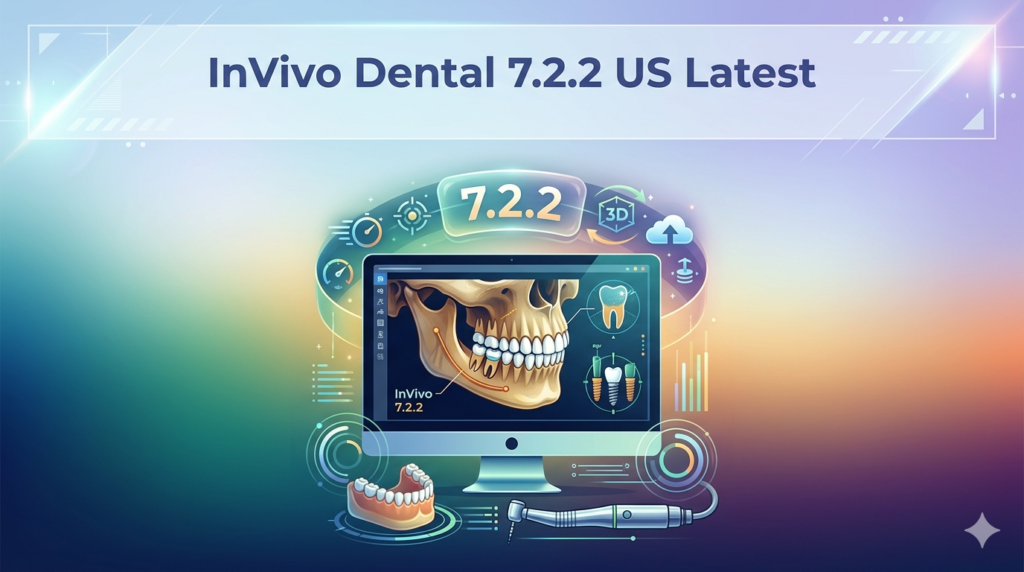
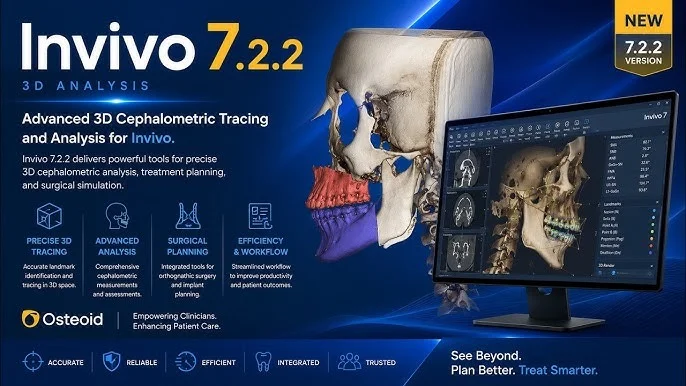
InVivoDental is a comprehensive 3D visualization and treatment planning software application developed by Anatomage, Inc. . This powerful medical imaging solution is designed for radiologists, clinicians, referring physicians, and dental professionals to process, render, and review medical image files from scanning devices such as CT, MRI, and 3D Ultrasound .
As a preoperative software application, InVivoDental enables simulation and evaluation of dental implants, orthodontic planning, and surgical treatments . The software transforms standard DICOM files into detailed 3D models, providing dental professionals with the visualization tools needed for accurate diagnosis and treatment planning . InVivoDental has received recognition in the dental community, including the Dentaltown Townie Choice Award for Best 3D Diagnostic Software .
This FDA-cleared Class II medical device serves as a critical tool for practices seeking to enhance their digital workflow and provide more predictable treatment outcomes through precise preoperative planning.
Key Features
3D Visualization and Rendering
InVivoDental delivers high-quality 3D rendering from CBCT and other imaging data . The software provides automatic 3D rendering capabilities, allowing practitioners to visualize anatomical structures from multiple angles . This feature is essential for understanding complex anatomical relationships before surgical intervention.
Implant Planning and Surgical Templates
The software offers comprehensive implant planning tools that enable precise placement of dental implants . Users can plan implant location, orientation, angle, diameter, and length with accuracy . The streamlined workflow allows practitioners to upload treatment plans to Anatomage for surgical template fabrication, providing predictable, cost-effective results .
Airway Analysis
InVivoDental includes specialized airway analysis tools that automatically calculate volume and minimum cross-sectional area of segmented structures . The software uses threshold interval units compatible with other imaging software, enabling consistent assessment of airway patency . This functionality is particularly valuable for sleep apnea assessment and orthognathic surgery planning.
Orthodontic and Cephalometric Analysis
The software supports 3D cephalometric analysis, providing orthodontists with the tools needed for comprehensive treatment planning . Digital models can be imported from intraoral scanners in STL format and seamlessly combined with CBCT data for registration and analysis .
Endodontic Visualization
The Endo module offers specialized tools for internal and external evaluation of tooth anatomy . Clinicians can visualize root morphology, canal curvature, and canal location, improving endodontic diagnosis and treatment planning.
Data Sharing and Collaboration
InVivoDental 7.2.2 includes cloud storage capabilities through Anatomage’s service, facilitating easy data sharing and collaborative workflows . Practitioners can visualize data using the easily downloadable cloud-based viewer, simplifying communication with colleagues and dental laboratories.
What’s New in Version 7.2.2
Version 7.2.2 represents the latest iteration of the InVivoDental platform. While specific release notes for this version are not publicly detailed, the 7.2 branch continues Anatomage’s commitment to improving diagnostic accuracy and workflow efficiency. Users can expect:
-
Enhanced rendering performance for faster 3D visualization
-
Refined measurement accuracy with verified precision up to +/- 0.10 mm
-
Improved segmentation algorithms for more precise anatomical delineation
-
Updated compatibility with the latest Windows 11 operating system
For users seeking to upgrade from earlier versions, Anatomage provides technical support and upgrade guidance through their support portal .
System Requirements
The minimum system requirements for InVivoDental 7.2.2 are as follows :
Windows Systems
-
Operating System: Windows 11 (64-bit)
-
Processor: 64-bit Intel i3 or AMD Ryzen 3 (or better)
-
RAM: 8 GB (16 GB or more recommended for complex cases)
-
Graphics: Dedicated Nvidia or AMD graphics card with 1 GB memory
-
Storage: 100 GB available space
-
Display: Resolution scale not to exceed 150%
Mac Systems
-
Operating System: macOS 13 Ventura (64-bit)
-
Hardware: 2019 hardware or later
Important Technical Considerations
-
The software requires a dedicated graphics card; integrated graphics may not provide optimal performance
-
Display resolution scaling above 150% can cause interface display issues
-
Saving files in lossy formats degrades image quality and is not recommended
Installation Guide
Obtaining the Software
The installation process for InVivoDental 7.2.2 is straightforward but requires proper authorization:
-
Upon purchase completion, users receive an email from Software Support Consultants within 24-72 hours containing download information and authorization codes
-
Visit the Osteoid website at www.osteoidinc.com and click “Dr. Login” in the upper right corner
-
Enter the username and password provided by the Software Support Team to access the download portal
-
Select the appropriate installer file and download it to your computer
Installation Steps
-
Double-click the downloaded installer file to launch the installation process
-
Follow the on-screen installation steps through the setup wizard
-
When prompted, enter the authorization code provided in the email from the Software Support Team
-
Complete the remaining installation steps
-
Launch InVivoDental and verify successful installation
Licensing Information
InVivoDental uses a licensing system that requires authorization codes for activation . Different license types are available depending on the specific configuration purchased. For users migrating to a new computer, the license must be properly transferred with support from Osteoid’s Software Support team .
Troubleshooting Installation Issues
If you encounter errors during installation, such as “Installer ended prematurely” or “DLL missing” messages, contact Osteoid Software Support at (408) 333-3484 ext. 2 or [email protected] for assistance .
How to Use the Software
Getting Started with Patient Data
-
Import DICOM Data: Load patient CBCT, CT, MRI, or 3D Ultrasound data in DICOM format
-
Initial Visualization: The software generates an automatic 3D rendering from the imported data
-
Adjust Display Settings: Optimize brightness and contrast settings for optimal visualization. Note that boundary detection may shift as these settings are adjusted
Segmentation and Measurement
-
Airway Segmentation: Use the threshold-based segmentation tools to isolate the airway region. The software automatically calculates volume and minimum cross-sectional area
-
Anatomical Measurements: Utilize measurement tools for length, angle, and volume calculations. Measurements are accurate to +/- 0.10 mm, though precision depends on the quality of the source image data
-
2D Slice Review: Examination can be performed in axial, coronal, and sagittal views to verify segmentation accuracy
Implant Planning Workflow
-
Plan Implant Placement: Select implant location, orientation, angle, diameter, and length
-
Virtual Restoration: Create virtual restorations to visualize final prosthetic outcomes
-
Export Treatment Plan: Upload your treatment plan to the Anatomage service for surgical template fabrication
Data Export and Sharing
While InVivoDental saves volumetric models within the software ecosystem , the platform offers several export and sharing options:
-
STL Export: Digital models can be exported in STL format for use with 3D printers and laboratory workflows
-
Cloud Sharing: Share data through Anatomage’s cloud storage service for collaboration
-
Treatment Plan Sharing: Export treatment plans for laboratory communication and surgical template fabrication
Best Use Cases
Dental Implant Planning
InVivoDental excels in preoperative dental implant planning, enabling practitioners to:
-
Evaluate bone quality and quantity in three dimensions
-
Plan implant placement with precision regarding anatomical structures
-
Create surgical templates for guided implant surgery
-
Communicate treatment plans effectively with patients and laboratories
Orthodontic Treatment Planning
The software supports comprehensive orthodontic planning:
-
3D cephalometric analysis for accurate skeletal and dental assessment
-
Airway analysis for evaluating potential impacts of orthodontic treatment
-
Digital model integration from intraoral scanners
Orthognathic Surgery
For surgical orthodontic cases, InVivoDental provides:
-
3D visualization of craniofacial structures
-
Surgical simulation capabilities
-
Preoperative planning for predictable outcomes
Sleep Apnea Assessment
Airway analysis capabilities make InVivoDental valuable for:
-
Evaluating airway volume and minimum cross-sectional area
-
Assessing the impact of dental and skeletal treatments on airway patency
-
Supporting interdisciplinary treatment planning for sleep-disordered breathing
Advantages and Limitations
Advantages
-
Comprehensive Diagnostic Capabilities: The software offers an extensive toolset for implant planning, orthodontics, endodontics, and airway analysis
-
High Measurement Accuracy: Verified precision of +/- 0.10 mm for measurements
-
Excellent Reproducibility: Studies demonstrate ICC values exceeding 0.98 for volume measurements and 1.00 for minimum axial area measurements
-
Streamlined Workflow: Integration with surgical template services and cloud sharing simplifies treatment planning workflows
-
Award-Winning Platform: Industry recognition confirms the software’s value in clinical practice
Limitations
-
Data Export Restrictions: Volumetric models cannot be exported as independent files from the software
-
Threshold Dependency: Segmentation quality depends on grayscale threshold settings, which requires user expertise
-
Hardware Requirements: The software requires dedicated graphics hardware and specific operating system versions
-
Learning Curve: Optimal use requires understanding of medical imaging principles and proper tool usage
-
Measurement Limitations: Measurement accuracy depends on image resolution and hardware scanner quality. The measurement cannot be more precise than the resolution of the image
-
Clinical Decision Support Role: Certain modules, such as 3DAnalysis and the Stitching module, are intended as reference or presentation tools only and should not be used as the sole basis for diagnosis
Alternatives to InVivoDental
Several alternative software solutions offer comparable dental imaging and planning capabilities:
Dolphin3D
-
Strengths: Quick upper airway segmentation with good segmentation sensitivity
-
Limitations: Uses proprietary grayscale units incompatible with Hounsfield units; cannot export volumetric data
-
Best For: Orthodontic practices seeking integrated imaging and treatment planning
ITK-Snap
-
Strengths: Free, open-source software; excellent at constructing 3D models; semi-automated segmentation using grayscale
-
Limitations: Steeper learning curve; requires external software for minimum cross-sectional area calculation
-
Best For: Research environments and practices with limited budgets
InVesalius
-
Strengths: Free software; volumetric models can be saved as independent files and exported
-
Limitations: Requires external software export for minimum cross-sectional area calculation
-
Best For: Research and educational use
NemoFAB
-
Strengths: Automatic 3D rendering; threshold interval units compatible with other imaging software
-
Limitations: Cannot export volumetric data
-
Best For: Orthognathic surgery planning
Comparison Notes
A 2025 study comparing these software packages found statistically significant differences in airway volume and minimum axial area measurements across platforms . The study emphasized that pre- and post-treatment comparisons should be performed using the same software for consistency . InVivoDental demonstrated excellent intra-examiner concordance with ICC values of 1.00 for minimum axial area and 0.98 for volume measurements .
Frequently Asked Questions
What is InVivoDental software used for?
InVivoDental is a medical imaging software application used for 3D visualization, dental implant planning, orthodontic treatment planning, and surgical simulation . It processes DICOM files from CT, CBCT, MRI, and 3D Ultrasound scanning devices, enabling clinicians to retrieve, process, render, review, and distribute medical images .
Is InVivoDental FDA approved?
Yes, InVivoDental is an FDA-cleared Class II medical device (K123519) . It is cleared for use in displaying and visualizing medical images for diagnostic assistance and preoperative planning for dental implants, orthodontic procedures, and surgical treatments .
What are the system requirements for InVivoDental 7.2.2?
InVivoDental 7.2.2 requires Windows 11 (64-bit) with an Intel i3 or AMD Ryzen 3 processor, 8 GB RAM, dedicated Nvidia/AMD graphics with 1 GB memory, and 100 GB storage. For Mac systems, macOS 13 Ventura (64-bit) on 2019 hardware or later is required .
How accurate are InVivoDental measurements?
InVivoDental’s measurement functionality has been verified to be accurate up to +/- 0.10 mm . However, measurement accuracy depends on the quality of the image data and the hardware scanner. Measurements cannot be more precise than the resolution of the source image .
Can I use InVivoDental for airway analysis?
Yes, InVivoDental includes comprehensive airway analysis tools that automatically calculate volume and minimum cross-sectional area of segmented structures . The software uses threshold interval units compatible with other imaging software for consistent analysis .
What is the cost of InVivoDental?
Pricing information is not publicly available, as InVivoDental is a professional medical device requiring a commercial purchase arrangement with Anatomage. For pricing and licensing information, contact Anatomage directly through their official website .
How do I install InVivoDental?
Installation involves downloading the installer from the Osteoid website after receiving login credentials and authorization codes from Software Support Consultants . Run the installer, follow the setup wizard, and enter the provided authorization code when prompted .
Does InVivoDental support STL file import?
Yes, InVivoDental 6 and later versions support importing digital models from intraoral scanners in STL format . These digital models can be seamlessly combined with CBCT data for registration and analysis.
Final Thoughts
InVivoDental 7.2.2 represents a sophisticated solution for dental professionals seeking comprehensive 3D imaging and treatment planning capabilities. The software’s combination of precise measurement tools, intuitive visualization, and streamlined workflows positions it as a leading choice for implant planning, orthodontic treatment, and surgical simulation.
The platform’s FDA clearance and high reproducibility scores in peer-reviewed studies demonstrate its reliability as a clinical tool. While the software requires a significant investment in hardware and training, the potential benefits for treatment planning accuracy and patient communication are substantial.
For practitioners committed to digital dentistry, InVivoDental offers the tools needed to achieve predictable, high-quality outcomes. The ability to plan surgical templates, analyze airways, and integrate digital models creates a comprehensive digital workflow from diagnosis to treatment execution. As with any advanced medical software, proper training and careful attention to measurement limitations are essential for optimal clinical results .
Our Paid Service
“We do not sell or provide any software. We only offer professional support services. If any software on your system is not working properly, or you are facing installation errors, crashes, or any other technical issue — just contact us. We will help you fix the problem quickly and remotely via AnyDesk. No software will be provided from our side — only expert troubleshooting and support.”