
Download the HOMER Grid v1.11.3 (Distributed Energy & EV Charging Optimization Software) from this link…

Overview of HOMER Grid
Table of Contents
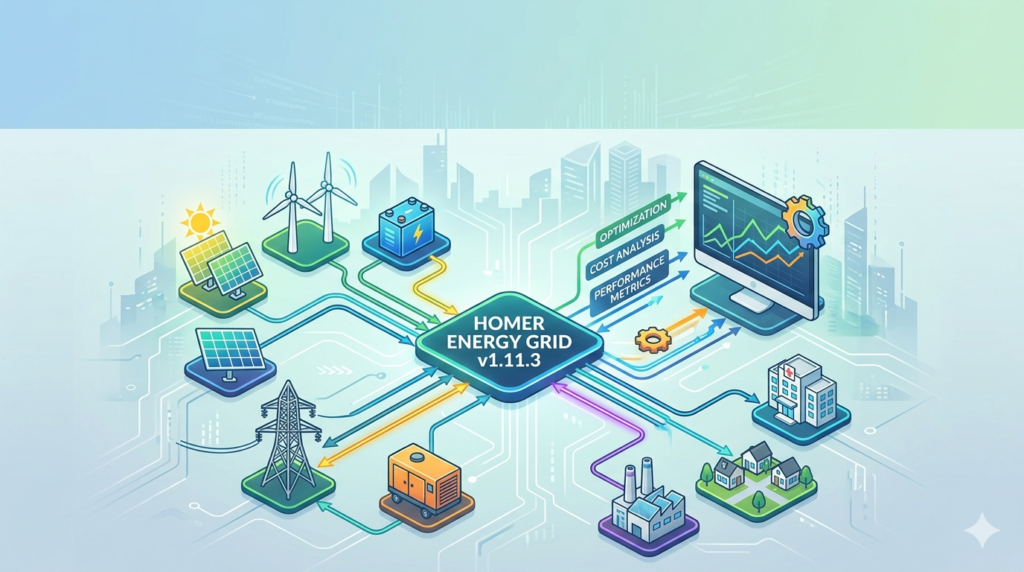
HOMER Grid is a specialized software application designed for the modeling and optimization of behind-the-meter distributed generation systems . Developed by UL Solutions, this tool is essential for energy professionals, engineers, and project developers who need to reduce electricity costs, manage demand charges, and improve resilience for grid-connected facilities .
Originally stemming from technology developed at the National Renewable Energy Laboratory (NREL) , the software serves over 250,000 users in 190+ countries . Unlike simple solar design tools, HOMER Grid combines detailed electrical engineering economics with complex utility tariff structures. It allows users to simulate the financial and technical performance of hybrid systems involving solar PV, battery storage, wind turbines, and combined heat and power (CHP) .
The primary function of the software is to run thousands of simulations to find the least-cost solution for energy generation and storage, helping stakeholders move from feasibility analysis to bankable project proposals quickly .
Key Features
HOMER Grid is distinguished by its robust calculation engine and user-friendly interface. Below are the core features that make it a market leader in energy modeling.
Advanced Tariff Modeling
Access a database of over 35,000 utility rate structures (primarily North America) via Genability . Users can model complex scenarios like Time-of-Use (TOU) rates, seasonal rates, and demand charges to accurately predict utility bills.
EV Charging Revenue Calculator
A unique tool for optimizing electric vehicle (EV) charging stations . It forecasts ROI based on on-demand vs. deferrable charging strategies, allowing owners to maximize revenue from fleet or public charging infrastructure.
Demand Charge Reduction
Intelligently dispatches battery storage to “peak shave”—reducing the highest points of grid consumption. This is often the fastest way to generate savings on commercial electricity bills .
HOMER Optimizer™
The proprietary optimization algorithm automatically searches thousands of system sizes (PV array kW, battery kW/kWh) to find the configuration that yields the lowest Net Present Cost (NPC) and Levelized Cost of Energy (LCOE) .
Sensitivity Analysis
Allows users to test how uncertain variables (like fuel price escalation or load growth) affect system feasibility. This feature is critical for utility planning and risk mitigation .
Robust Storage Model
Unlike basic calculators, HOMER Grid includes a sophisticated battery degradation model. It calculates battery wear costs based on throughput and cycle depth, ensuring that financial projections account for replacement needs over the project lifespan .
What’s New in HOMER Grid v1.11.3
Version 1.11.3 was released on July 25, 2024 . While primarily a maintenance release, it addresses a critical usability barrier:
-
Fixed Windows Defender Blocking Issue: Previously, some antivirus software (Windows Defender) was incorrectly flagging the new release download or installation process. Version 1.11.3 resolves this false positive, ensuring a smoother installation experience for corporate IT environments .
*Note: Users looking for the latest features should note that version 1.11.4 (released Nov 2024) primarily updated the UI to reflect the new “ULTRUS” logo, while version 1.12.0 Beta (Feb 2024) introduced escalators for replacement costs and context help pop-ups .*
System Requirements
Before installing HOMER Grid v1.11.3, ensure your system meets the necessary requirements to run the software efficiently.
-
Operating System: Windows 10 or Windows 11 (64-bit recommended). Note: While some users run HOMER on Mac via Parallels or other virtualization software, native Windows is required for optimal performance .
-
.NET Framework: .NET Framework 4.7.2 or later (required for the installer) .
-
Hard Disk Space: 1 GB of available space.
-
Memory (RAM): 4 GB minimum (8 GB recommended for large simulations with high-resolution time series).
-
Internet Connection: Required for license validation, downloading weather data from NASA/NREL, and accessing the tariff database .
Installation Guide
Follow this step-by-step guide to install and license your copy of HOMER Grid v1.11.3 legally and safely.
-
Create an Account: Navigate to the official HOMER Energy website and create a user account. It is recommended to use Chrome or Firefox for compatibility .
-
Download: Log in to your user dashboard and download the latest stable version of HOMER Grid (v1.11.3 or newer) .
-
Run Installer: Locate the downloaded
.exefile. Right-click and select “Run as Administrator” to avoid permission errors. -
License Activation:
-
Trial: Launch the software. Select the option to start a free trial.
-
Purchased: Go to
Help>Manage License. Enter your serial key or log in to your account to sync the purchased license to the local machine .
-
-
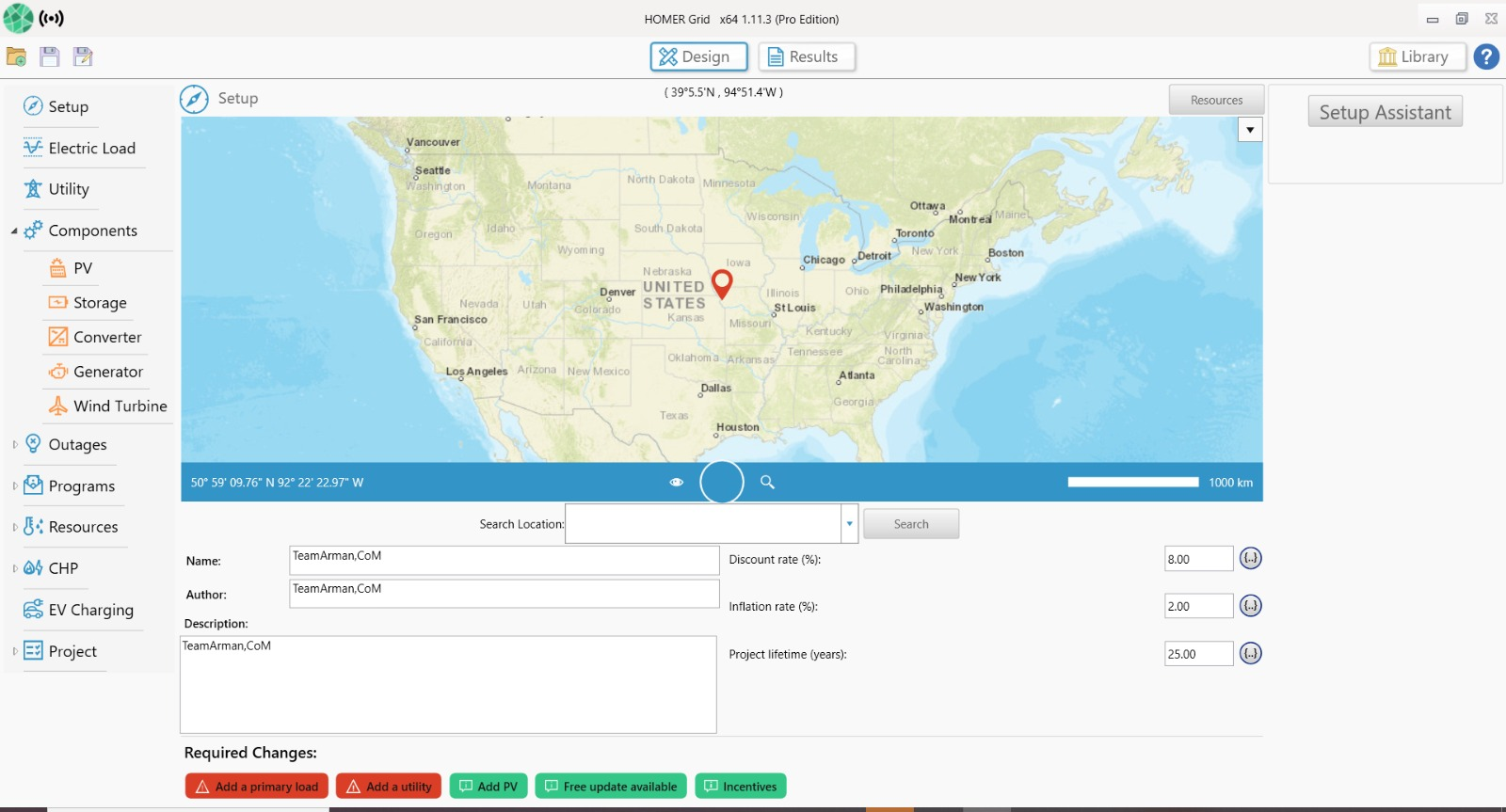
Initial Setup: Once installed, use the “Setup Assistant” (Wizard) to configure your first project location and utility rate .
How to Use the Software
Using HOMER Grid effectively follows a logical workflow from data input to results analysis. Here is a high-level guide based on standard operating procedures.
1. Project Setup (The Wizard)
The fastest way to start is the Start Wizard button . You will define your location (via map pin or address), name the project, and set the base year for the analysis.
2. Define Load Profile
Accuracy here is vital. Import 12 months of interval data (1-minute to 1-hour time steps) for the most precise results. If data is unavailable, you can use synthetic profiles from the OpenEI database .
3. Select Utility Tariff
Navigate to the “Utility” component. HOMER will use your postal code to suggest tariffs. Select the correct commercial or industrial rate. Use the “Visualize Bill and Tariff” tool to verify that the simulated bill matches your historical utility bills .
4. Add Components
Use the tree menu on the left to add components:
-
PV: Select modules from the catalog or Quick Pick.
-
Storage: Choose battery chemistry (e.g., Lithium-Ion) and define the nominal voltage and capacity.
-
Converter: Add the system inverter/rectifier to connect DC (battery/PV) to AC loads.
5. Run Simulation
Click the “Calculate” or “Results” button. The HOMER Optimizer will run. Depending on the complexity (e.g., “Size your own” vs. “Optimizer”), this can take minutes or a few hours .
6. Analyze Results
The Optimization Results table ranks systems by Net Present Cost (NPC) .
-
Double-click any row to dive into Simulation Results.
-
Review the Time Series Plot to see hourly dispatch decisions (e.g., when the battery charges vs. discharges).
-
Click “Report” to generate a client-facing PDF proposal .
Best Use Cases
HOMER Grid is not a one-size-fits-all tool; it excels in specific niches where grid reliability and cost interact with renewables.
1. Commercial & Industrial (C&I) Solar+Storage
Companies facing high demand charges (e.g., manufacturing plants, grocery stores) use HOMER Grid to size batteries that automatically discharge during peak usage hours, lowering the monthly utility bill .
2. EV Fleet Charging Optimization
Owners of electric bus depots or delivery fleets use the software to determine how much solar and battery is needed to charge vehicles without paying punitive demand spikes. The “deferrable load” feature allows the optimizer to decide the best time to charge EVs based on real-time pricing .
3. Utility Distribution Planning
Grid operators use HOMER Grid to model “non-wires alternatives.” Instead of upgrading a substation (costing millions), they can simulate deploying solar+storage at a specific feeder to defer that upgrade .
4. Resilience Analysis
For critical facilities (data centers, emergency shelters), HOMER Grid models grid outage scenarios. It calculates the fuel savings and backup reliability of combining generators with battery storage during prolonged outages .
Advantages and Limitations
Advantages
-
Speed: Capable of simulating thousands of years of operation in minutes due to the proprietary optimizer.
-
Tariff Accuracy: Unmatched accuracy in modeling North American utility rates, including complex riders and demand ratchets .
-
User Base: Industry-standard acceptance means that banks and investors often request HOMER files to validate project finance models .
-
Integration: Can import high-resolution shading data from HelioScope or PVSyst to improve accuracy .
Limitations
-
Geographic Focus: While global weather data exists, the extensive tariff database is heavily focused on the USA, Canada, and Mexico. International users may need to manually build complex tariffs .
-
Cost: HOMER Pro/Grid is a premium software. Free alternatives exist (like SAMA or RETScreen Viewer mode), though they lack the depth of tariff optimization .
-
Resource Intensive: Large sensitivity analyses with 5-minute time steps require significant RAM and processing power.
Alternatives to the Software
While HOMER Grid is a leader in behind-the-meter optimization, several alternatives exist depending on your specific focus.
| Software | Best For | Pricing Model | Key Differentiator |
|---|---|---|---|
| HOMER Pro | Microgrids (Islanded systems) | Subscription | Diesel optimization and off-grid focus |
| PVsyst | PV Array Design | One-time fee | Detailed shading and module mismatch losses |
| RETScreen Expert | Feasibility & Portfolio | Freemium | Government-backed, great for global clean energy grants |
| SAMA (Open Source) | Academic/Research | Free (GPL v3) | Multi-objective optimization (Cost vs. Emissions) |
| Pylon | Solar Sales & CRM | Subscription | 3D shading and integrated proposals for residential sales |
Frequently Asked Questions
Q: Is HOMER Grid free?
A: UL Solutions offers a free trial period for new users. To continue using the software beyond the trial or to access advanced features like the EV Revenue calculator, a paid subscription license is required .
Q: What is the difference between HOMER Grid and HOMER Pro?
A: HOMER Grid is designed for grid-connected behind-the-meter systems focusing on utility bill savings (demand charge reduction, TOU arbitrage). HOMER Pro is designed for off-grid and islanded microgrids where reliability and diesel fuel savings are the primary drivers .
Q: Can HOMER Grid model wind turbines?
A: Yes. HOMER Grid includes library components for wind turbines and allows users to import wind resource data or download it from NASA/NASA databases .
Q: Does the software run on a Mac?
A: There is no native macOS version. However, users have successfully run it on Mac using virtualization software such as Parallels Desktop or VMware Fusion running a Windows OS .
Q: How do I get utility tariff data for my location?
A: For US, Canada, and Mexico zip codes, HOMER Grid connects directly to the Genability database. Click “Get Tariffs” in the Utility view to see available rates for your specific address .
Final Thoughts
HOMER Grid v1.11.3 represents the industry standard for behind-the-meter energy modeling. While the learning curve requires some understanding of energy economics, the software provides an unrivaled return on investment for engineering firms and developers by identifying savings that manual calculations would miss.
The latest version solidifies stability (fixing the v1.11.2 location search bug and Defender issues) , making it a reliable tool for production environments. Whether you are looking to reduce peak demand charges for a factory or justify a multi-million dollar EV fleet charging depot, HOMER Grid provides the data-driven authority required to move forward with confidence.
Premium Software Support Service
If you need professional help with software installation, setup, or technical configuration, our team is available to assist you.
Contact & Support
For quick assistance and latest updates, connect with us using the links below:
🔹 Direct Telegram Support
https://t.me/PlayoutKing
🔹 Official Telegram Updates Group
https://t.me/yourgroup
Service Policy
- Remote testing available through AnyDesk before confirmation.
• Verify the setup and performance before completing the order.
• Support available for single or multiple systems.
• Step-by-step guidance to ensure smooth installation and working environment.
Our goal is to provide reliable technical assistance so your software runs smoothly without interruptions.