

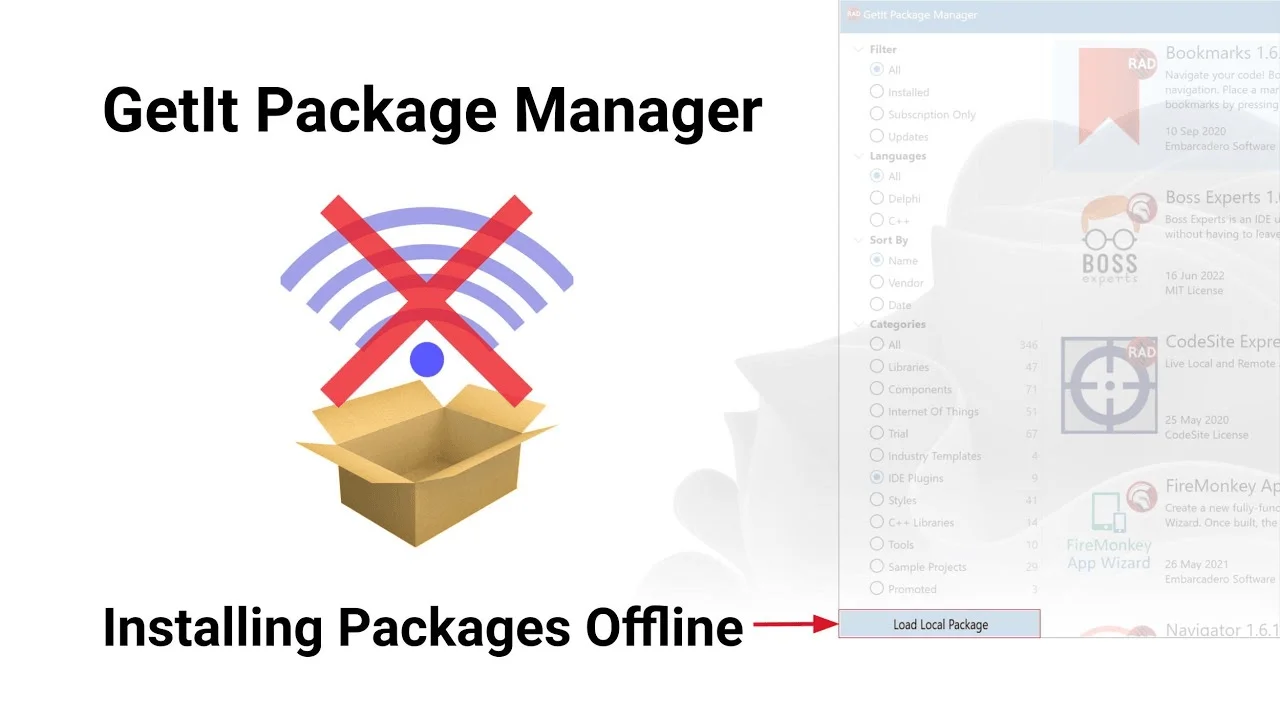
Download RAD Studio GetIt Package Manager Free Software from this link…

Overview of the GetIt Package Manager for RAD Studio Berlin
Table of Contents
The GetIt Package Manager serves as a centralized gateway within RAD Studio Berlin. Instead of visiting multiple vendor websites to find compatible Delphi or C++Builder components, developers can browse, install, and update packages directly from the IDE.
For teams still using RAD Studio Berlin (10.1), a recent content overhaul has revitalized the repository. Previously, many packages were outdated or missing. Now, with dedicated content management, Berlin users gain access to modern UI controls, database drivers, cloud SDKs, and IoT libraries previously available only in newer RAD Studio versions.
This tool significantly reduces setup friction, enforces dependency resolution, and maintains version integrity across development environments.
Key Features of the GetIt Package Manager
The GetIt Manager is engineered to improve developer productivity and code quality through the following core features:
-
In-IDE Integration – Install and manage packages without leaving the RAD Studio Berlin development environment.
-
Centralized Repository – A single source for Embarcadero official patches, community samples, and commercial third-party components.
-
Automated Dependency Resolution – GetIt automatically identifies and installs any required supporting libraries or frameworks.
-
Version Tracking & Update Notifications – The manager tracks installed package versions and alerts you when newer stable releases are available.
-
Categorised Browsing – Tools are organised into logical categories, including User Interface, Database, Cloud Services, Internet of Things (IoT), and Analytics.
-
License Transparency – Before installation, GetIt displays license types (freeware, open-source, commercial trial, or paid).
What’s New in the GetIt Content Refresh for RAD Studio Berlin
In a strategic move to support long-term Berlin users, Embarcadero has executed a comprehensive content refresh. This is not a software update to RAD Studio itself, but a complete overhaul of the packages available inside the GetIt repository for version 10.1.
Comprehensive Package Auditing
Every existing package in the Berlin catalog has been reviewed. Outdated libraries were either updated to their latest stable versions or removed to prevent compatibility issues.
New Third-Party Vendor Releases
Major component vendors—including TMS Software, DevExpress, Steema, and FastReports—have provided their most recent builds that remain compatible with the Berlin toolchain. This includes charting suites, docking frameworks, and reporting engines.
Dedicated Content Management
A full-time content manager now oversees the GetIt repository. This ensures ongoing, proactive updates rather than relying on community reports. Berlin users benefit from faster response times when vendors release patches.
Expanded Open-Source Libraries
New open-source libraries for JSON parsing (e.g., System.JSON), encryption, and image manipulation have been added, all pre-vetted for compatibility with RAD Studio Berlin.
System Requirements for GetIt in RAD Studio Berlin
Before using the refreshed GetIt content, ensure your development environment meets these requirements:
| Requirement | Details |
|---|---|
| RAD Studio Version | Embarcadero RAD Studio Berlin 10.1 (or 10.1 Update 2) |
| Operating Systems | Windows 7 SP1, 8, 8.1, 10, Windows Server 2008 R2+ (Win32) |
| RAM | 4 GB minimum (8 GB recommended for large component suites) |
| Disk Space | 3 GB for base IDE + additional space for downloaded packages |
| Network | Active internet connection to browse and download from the repository |
| License | Valid commercial license, trial, or academic edition of Berlin |
Note: The GetIt infrastructure is optimised for the Win32 platform within the IDE. Some cross-platform FireMonkey packages are available, but Win32 remains the primary focus.
Installation Guide: How to Access Updated Packages in Berlin
Follow these step-by-step instructions to access the newly refreshed content in RAD Studio Berlin:
Step 1: Launch RAD Studio Berlin
Open the IDE with administrative privileges (recommended for installation).
Step 2: Open the GetIt Package Manager
Navigate to Tools → GetIt Package Manager… The manager window will appear, typically docked or as a floating panel.
Step 3: Refresh the Catalog
Click the Refresh button (circular arrow icon) on the GetIt toolbar. This forces the manager to download the latest package metadata from Embarcadero’s servers, including all recently updated content.
Step 4: Browse or Search for Packages
Use the search bar for specific libraries (e.g., “TMS Grid”) or browse by category. Look for “Updated” badges that indicate recently refreshed packages.
Step 5: Install a Package
Select any package and click Install. GetIt will automatically handle downloading, dependency resolution, and IDE integration. No manual library path configuration is required.
Step 6: Restart the IDE (if prompted)
Some packages require an IDE restart to complete integration. Save your work before proceeding.
How to Use the GetIt Package Manager Effectively
Once packages are installed, the GetIt Manager provides ongoing utilities to maintain your development environment.
Updating Installed Packages
Navigate to the Installed tab. Any package with a newer version available will show an “Update” button. You can update individually or click “Update All” for batch updates.
Reviewing Package Details Before Installation
Click any package name to view:
-
Full description and version history
-
Publisher name and website
-
License type (free, trial, paid)
-
Dependencies (other required packages)
-
Supported frameworks (VCL, FMX)
Uninstalling Packages
If a component is no longer needed, select it in the Installed tab and click Uninstall. This cleanly removes files and IDE references, preventing clutter.
Offline Installation Support
For air-gapped environments, you can download a package on an internet-connected machine and transfer the installer file. However, this requires manual handling.
Best Use Cases for GetIt Packages in Berlin
The refreshed GetIt repository unlocks several high-value scenarios for RAD Studio Berlin developers:
1. Rapid UI Prototyping
Install premium component suites like TMS Software or DevExpress to add modern skins, advanced data grids, ribbons, and touch-friendly controls to VCL or FireMonkey applications—without writing low-level drawing code.
2. Cloud-Enabled Desktop Applications
Integrate official SDKs for Amazon Web Services (AWS) , Microsoft Azure, or Google Cloud directly from GetIt. Connect desktop applications to cloud storage, databases, or serverless functions.
3. Modern Database Connectivity
Install updated database drivers and components to connect legacy Berlin applications to PostgreSQL, MongoDB, MySQL 8, and NoSQL databases. This extends the life of older projects.
4. IoT and Embedded Systems
Use GetIt to install libraries for MQTT, CoAP, or serial communication protocols, enabling RAD Studio Berlin to interface with sensors, microcontrollers, and industrial hardware.
5. Open-Source Integrations
Add vetted open-source libraries for JSON parsing, regular expressions, encryption (AES/RSA) , and image processing to reduce re-invention.
Advantages and Limitations of GetIt in RAD Studio Berlin
Understanding the trade-offs helps teams integrate GetIt effectively into their DevOps pipelines.
Advantages
-
Massive time savings – Eliminates manual downloading, extracting, and library path configuration.
-
Vendor-vetted security – Reduces risk of malicious or incompatible code compared to random GitHub repositories.
-
Centralised lifecycle management – One interface to install, update, and remove extensions.
-
Ongoing support – With a dedicated content manager, the Berlin catalog now receives regular updates.
-
Dependency resolution – Automatically pulls required libraries, preventing “missing file” errors.
Limitations
-
Win32 focus – GetIt delivery is optimised for Win32; some Win64 or Linux cross-platform packages may not appear.
-
Content completeness – While much improved, some niche or highly specialised libraries may still be pending updates.
-
Internet dependency – Requires an active connection to browse and download, limiting use in secure, air-gapped environments.
-
No rollback – GetIt does not natively support rolling back to a previous package version. Manual backup required.
Alternatives to the GetIt Package Manager for RAD Studio Berlin
While GetIt is the most convenient method, developers have other reliable options for extending Berlin:
| Alternative | Best For | Complexity |
|---|---|---|
| Manual installation | Complete control over library paths and custom builds | High |
| Vendor standalone installers | Commercial suites (e.g., DevExpress, FastReports) that include demos and docs | Medium |
| Open-source repositories (GitHub) | Developers who need to modify library source code | High |
| Embarcadero DocWiki | Finding older, unsupported components with manual configuration steps | Medium |
Recommendation: Use GetIt for 80% of components. Reserve manual installation for custom-built internal libraries or legacy components not listed in the repository.
Frequently Asked Questions (FAQ)
1. Is the GetIt Package Manager free to use?
Yes, the GetIt Manager itself is a free feature included with every RAD Studio Berlin license (including trial and academic editions). However, some third-party commercial components require separate purchase, though free trials are often available.
2. How often is GetIt content updated for Berlin?
With the dedicated content manager, updates now occur monthly or bi-monthly—more frequently for security patches or critical bug fixes. You can see the last update date inside the GetIt window.
3. Can I submit my own open-source library to GetIt?
Absolutely. Embarcadero welcomes community contributions. Contact the GetIt content team via the official Embarcadero Developer Network (EDN) with your library’s details, source code URL, and license information.
4. Why is this update specifically important for Berlin users?
Newer RAD Studio versions (Tokyo, Rio, Sydney, Alexandria) receive frequent package updates. Berlin users were often overlooked. This initiative ensures Berlin remains viable for production work, with modern components and security patches.
5. Does GetIt work with FireMonkey (FMX) projects?
Yes. Many packages in GetIt support both VCL and FireMonkey frameworks. Use the framework filter when searching to see FMX-compatible components.
6. Can I use GetIt offline after downloading packages?
Once a package is downloaded and installed, you do not need an internet connection to use it. However, browsing for new packages or checking for updates requires an active connection.
7. What should I do if a package fails to install?
First, check the dependencies tab. Then, ensure you have administrative privileges. Finally, verify your RAD Studio Berlin license is active. If problems persist, consult the Embarcadero forums.
8. Are cracked or pirated packages available on GetIt?
No. GetIt only hosts legally licensed, vendor-approved content. Using any form of crack, keygen, or license bypass violates Embarcadero’s terms and poses security risks. Always obtain software legally.
Final Thoughts
The revitalisation of the GetIt Package Manager for RAD Studio Berlin (10.1) marks a significant quality-of-life improvement for developers who have remained on this mature IDE version. By assigning dedicated resources to curate and update the repository, Embarcadero ensures that Berlin users are not left behind.
Whether you are maintaining legacy enterprise database applications, prototyping a new FireMonkey mobile front-end, or integrating cloud SDKs, the refreshed GetIt catalog saves hours of manual configuration. The combination of automated dependency resolution, version tracking, and one-click installation makes GetIt an indispensable tool for both solo developers and teams.
We strongly encourage all RAD Studio Berlin users to open the GetIt Manager today, refresh their catalog, and explore the newly available components. Provide feedback to Embarcadero to help further improve the repository. And always obtain software components through legal, official channels like GetIt to ensure security, compatibility, and compliance.
Our Paid Service
Looking for full-version software without limitations? You’re in the right place. Instead of wasting time on unreliable or outdated sources, unlock a powerful bundle of 10k+ premium tools covering marketing, SEO, broadcasting, automation, and business productivity — all in one place at an affordable price. This collection is specially curated for freelancers, agencies, and business owners who want fast, real results with professional tools.
Direct contact: Telegram ID :
Join Us For Update Telegram Group :
Join Us For Updated WhatsApp group:
You Can test through AnyDesk before Buying,
And When You Are Satisfied, Then Buy It.
Unlimited PCs/Users.
Join today and upgrade your workflow with premium tools.