
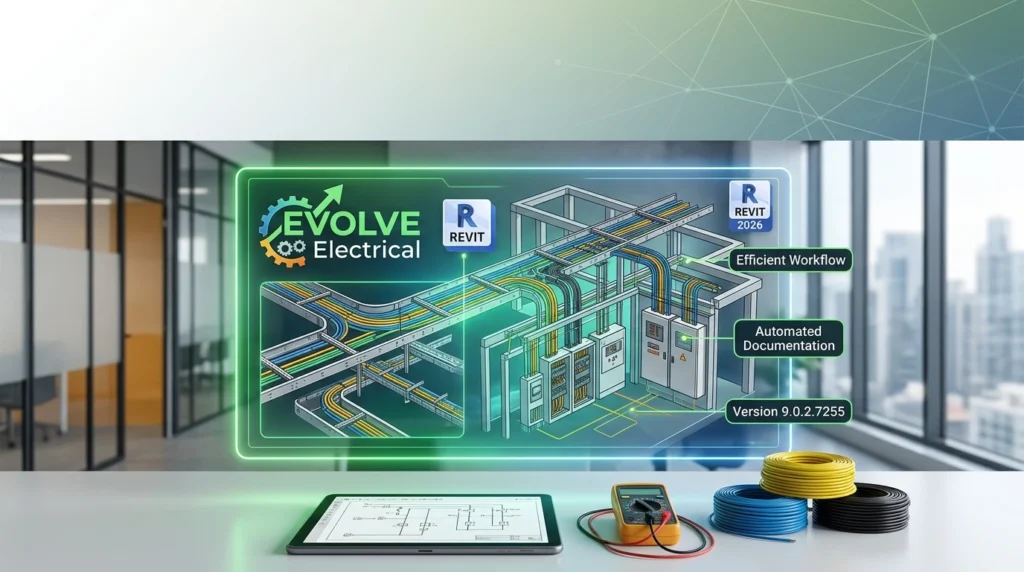


Overview of EVOLVE Electrical
Table of Contents
EVOLVE Electrical is not a standalone design application. It is a Revit-based add-in that layers automation, content management, and prefabrication logic on top of Autodesk Revit’s native electrical modeling environment. The software is purpose-built for electrical contractors, detailing departments, and engineering firms that need to move from a constructible BIM model to fabrication-ready spools and material lists without leaving Revit.
The core value proposition is speed and accuracy in repetitive electrical detailing. Manual hanger placement, conduit bending calculations, and spool sheet creation consume hours on every project. EVOLVE Electrical automates these tasks so detailing teams can focus on coordination and constructability rather than drawing production.
The 9.0.2 release is a maintenance-focused update within the 9.0 generation, which introduced a broader ecosystem of cloud-connected management features alongside modeling enhancements.
Key Features
EVOLVE Electrical 9.0.2.7255 includes a mature feature set built around three pillars: modeling automation, prefabrication workflows, and project standardization.
Modeling Automation
-
Auto Place Straps: Automatically places strut straps on trapezes and strut supports, with support for custom families.
-
Place Pull Box: Quickly place and size pull boxes with automatic conduit slicing and alignment.
-
Auto Route: Populates and routes conduits with run information assigned automatically, reducing manual data entry.
-
Smart Bends: Handles conduit bend calculations with options for minimum straight between bends, kick 90 constructability checks, and curvature-based mark calculations.
-
Automated Hanger Placement: Rule-based hanger placement with clash detection and avoidance built in.
Prefabrication and Spooling
-
Spooling and Kitting: Define spools and automatically generate the sheets and schedules required for fabrication.
-
Prefabrication Workflows: Streamlines the path from a Revit design model to prefab kits, spool sheets, and material lists.
-
Seismic Supports and Sleeves: Enhanced support placement and sleeve settings, including the ability to apply settings to linked models.
Management and Standardization
-
Equipment Manager: Import and manage equipment and panel schedules from linked models—a foundational feature for branch circuit workflows.
-
Sheet Manager: Centralized management of sheet creation and organization.
-
Roles Manager: Standardize project defaults and user settings in the cloud.
-
Content Portal: Receive new content updates more frequently without installing a new software version.
-
Single Sign-On (SSO): Users authenticate with company credentials rather than a separate EVOLVE username and password.
-
EVOLVE Analytics (VDC OS Analytics): Four main charts displaying usage data collected after installation.
Content and Interoperability
-
Hundreds of pre-built electrical content families meeting industry standards for fabrication.
-
Integration with ElectroBIM for transferring conduit sizes from electrical design into EVOLVE’s Conduit Run Schedule.
-
Family libraries upgraded to support Revit 2026.
What’s New in the Latest Version (9.0.2.7255)
The 9.0.2.7255 release sits within the 9.0 generation, which EVOLVE describes as “a leap forward in transforming EVOLVE from a Revit plugin into a comprehensive ecosystem”. The headline additions in this generation are:
-
Revit 2026 support across the family libraries and core functionality.
-
SSO login for streamlined access management.
-
Equipment Manager as a foundational tool for branch circuit and panel schedule workflows.
-
Content Portal for delivering new content independently of full version releases.
-
Auto Place Straps and Place Pull Box as new automation features.
-
Roles Manager for cloud-based standardization of project defaults.
-
EVOLVE Analytics dashboard for usage insights.
For teams upgrading from 8.x, note that Workset Manager rules now convert to name-based logic and require a one-time migration via Workset Manager. Projects that are not migrated will eventually lose Workset Manager functionality in a future release. Additionally, some project configuration settings may not be backward-compatible, so all project members should be on the same version.
System Requirements
Because EVOLVE Electrical is a Revit add-in, it does not impose unique system requirements beyond what Revit itself requires. The practical baseline is:
| Component | Requirement |
|---|---|
| Revit version | Autodesk Revit 2023.1.7, 2024.3.3, 2025.4.2, or 2026.2 |
| Operating system | As required by the matching Revit version |
| CPU / RAM / GPU | As required by Revit at a minimum |
| Disk space | Approximately 500 MB for the EVOLVE Electrical installer, installed locally to the workstation hard drive |
EVOLVE recommends that workstations meet Revit’s published system requirements for best results. There is no separate database server or cloud infrastructure required for the core add-in, though cloud-connected features such as Roles Manager and Analytics rely on EVOLVE’s vdcOS services.
Installation Guide
EVOLVE Electrical installs locally to the workstation and follows a standard add-in deployment model. While the vendor provides detailed installation documentation through its help portal, the general sequence is as follows:
-
Verify Revit compatibility. Confirm that your installed Revit build matches one of the supported versions (2023.1.7, 2024.3.3, 2025.4.2, or 2026.2).
-
Obtain the installer. EVOLVE Electrical is distributed through EVOLVE MEP’s customer portal and authorized resellers. The installer is approximately 500 MB.
-
Close Revit. Run the installer with Revit closed to avoid file-lock conflicts during add-in registration.
-
Complete the installation wizard. The installer places the add-in on the local hard drive. No special system configuration is required beyond adequate disk space.
-
Launch Revit and locate the EVOLVE ribbon. After installation, the EVOLVE tab appears in the Revit ribbon.
-
Sign in. If your organization uses SSO, authenticate with company credentials. Otherwise, use your EVOLVE account credentials.
-
Load sample files (optional). EVOLVE provides sample models for exploring the toolset. Extract the sample files archive and open the sample model from the designated folder.
For enterprise deployments, coordinate with your BIM manager to ensure all project team members install the same version of EVOLVE Electrical, as configuration compatibility across versions is not guaranteed.
How to Use the Software
EVOLVE Electrical is designed to be used inside Revit during the normal detailing and prefabrication workflow. The following walkthrough covers the core usage patterns that most electrical detailing teams will encounter.
1. Setting Up a Project
Begin by configuring project defaults through the Roles Manager, which lets administrators push standardized settings to users via the cloud. This step ensures that hanger rules, conduit types, and naming conventions are consistent across the team before modeling begins.
2. Modeling Conduit Runs
Use Auto Route to generate conduit runs with run information assigned automatically. For bends, Smart Bends handles constructability checks, including minimum straight lengths between bends and kick 90 measurements. The Conduit Type column in Conduit Data allows you to specify conduit specifications that Auto Route can use to populate runs accurately.
3. Placing Hangers and Supports
Automated Hanger Placement applies rule-based logic with clash detection to place hangers without manual interference checking. Auto Place Straps handles strut strap placement on trapezes and supports, and Stretch Hanger Bearer lets you adjust existing hangers when design changes occur.
4. Managing Equipment and Panel Data
The Equipment Manager imports equipment and panel schedules from linked models, providing a single source of truth for equipment data inside the EVOLVE environment. This is particularly useful on projects where multiple disciplines maintain separate models.
5. Spooling and Kitting
When the model is coordinated and ready for fabrication, use the Spooling tool to define spools and generate the associated sheets and schedules automatically. The Sheet Manager helps organize and standardize sheet production across the project.
6. Accessing Content Updates
The Content Portal delivers new families and content updates without requiring a full software upgrade, keeping your content library current between major releases.
Best Use Cases
EVOLVE Electrical 9.0.2.7255 is best suited to specific project types and organizational contexts:
-
Electrical subcontractors with in-house detailing teams. The automation of hanger placement, conduit routing, and spooling directly reduces detailing hours on every project.
-
Prefabrication shops running Revit-based workflows. The spooling and kitting features bridge the gap between a design model and fabrication-ready output, including sheets and material lists.
-
Multi-office VDC teams. Roles Manager, SSO, and cloud-based standardization features allow BIM leaders to enforce consistent standards across distributed teams.
-
Firms transitioning from 2D CAD to Revit. The content management and automated detailing features lower the learning curve by handling repetitive tasks that would otherwise require native Revit proficiency.
-
Projects with heavy seismic support requirements. The Seismic Supports feature and related enhancements address a recurring pain point in electrical detailing for high-risk zones.
Advantages and Limitations
Advantages
-
Deep Revit integration. Unlike standalone electrical design tools, EVOLVE Electrical works inside Revit and does not require model export or round-tripping.
-
Meaningful automation. Features such as Auto Route, Smart Bends, and Auto Place Straps target high-volume, repetitive tasks where time savings compound across large projects.
-
Prefabrication-first design. The spooling and kitting workflow is built for construction realities, not just design documentation.
-
Growing ecosystem. The 9.0 generation adds cloud management (Roles Manager, SSO, Analytics) and content delivery (Content Portal) that extend the tool beyond modeling.
-
Strong user sentiment in contractor communities. Practitioners in Autodesk forums have described EVOLVE MEP as a strong option with excellent technical support and live training.
Limitations
-
Revit dependency. EVOLVE Electrical is an add-in, not a standalone platform. Teams locked into non-Revit BIM authoring tools cannot use it.
-
Quote-based licensing. Pricing is not published publicly, and there is no free or freemium tier, which makes initial evaluation less frictionless than some competing tools.
-
Version discipline required. Because project configurations may not be backward-compatible, all team members must run the same EVOLVE version, which can be an operational burden on fast-moving projects.
-
Learning curve for native Revit users. While EVOLVE simplifies detailing, users still need foundational Revit knowledge to use the toolset effectively. Training videos and EVOLVE University resources help, but they are additional steps.
Alternatives to the Software
When evaluating EVOLVE Electrical, it is useful to compare it against other Revit electrical plugins and MEP fabrication tools that address overlapping needs.
Trimble SysQue
Trimble SysQue is a Revit-based design tool that emphasizes manufacturing-specific MEP content ready for fabrication. It carries a higher user rating on TrustRadius (7.0 out of 10) but has no free trial or freemium version, similar to EVOLVE Electrical. EVOLVE differentiates through its deep prefabrication and spooling workflow, while SysQue leans toward content-driven design-to-fab continuity.
ElectroBIM
ElectroBIM is an add-in focused on electrical calculations and single-line diagrams, with an integration path to EVOLVE Electrical for transferring conduit sizes into EVOLVE’s Conduit Run Schedule. ElectroBIM and EVOLVE Electrical are complementary rather than direct substitutes: ElectroBIM addresses engineering calculations, while EVOLVE addresses detailing and prefabrication.
Other Revit Electrical Plugins
The broader ecosystem includes Electrical Pack, MagiCAD Electrical, Caneco BIM, ElumTools, BreakerWiring, DIMOD, DiRootsOne, and ElectricalUtils. These tools vary widely in scope—some focus on lighting analysis, others on cable sizing or circuit management. EVOLVE Electrical’s niche is specifically electrical detailing, conduit modeling, and prefabrication for contractors, which is narrower than design-focused plugins and deeper in the detailing and spooling domain.
When EVOLVE Electrical Is the Right Fit
EVOLVE is a strong candidate when the primary bottleneck is detailing throughput—hanger placement, conduit bending, spool creation, and material takeoff. If the primary need is electrical calculation or single-line diagram automation, a calculation-focused tool paired with EVOLVE may be the better architecture.
Frequently Asked Questions
What is EVOLVE Electrical for Revit 2026?
EVOLVE Electrical is a Revit add-in developed by EVOLVE MEP that automates electrical detailing, conduit modeling, hanger placement, and prefabrication workflows for electrical contractors and BIM professionals. Version 9.0.2.7255 adds full support for Revit 2026 and includes the management and content features introduced in the 9.0 generation.
Is EVOLVE Electrical a standalone software or a Revit plugin?
It is a Revit-based add-in, not a standalone application. It installs locally and requires a supported version of Autodesk Revit (2023.1.7, 2024.3.3, 2025.4.2, or 2026.2) to function.
What are the system requirements for EVOLVE Electrical 9.0.2.7255?
EVOLVE Electrical does not have unique system requirements beyond Revit itself. Your workstation must meet Revit’s minimum requirements, and you need approximately 500 MB of free disk space for the installer. The software installs locally to the workstation hard drive.
How much does EVOLVE Electrical cost?
Pricing is quote-based and not published publicly. There is no free trial or freemium version, though a demo or trial may be available upon request. Prospective buyers should contact EVOLVE MEP or an authorized reseller for pricing specific to their team size and deployment model.
Does EVOLVE Electrical work with Revit 2026?
Yes. Version 9.0.2.7255 explicitly supports Autodesk Revit 2026.2, and the family libraries have been upgraded for Revit 2026 compatibility.
What happens if my team upgrades to 9.0.2 while some members stay on an older version?
Project configurations may not be compatible across versions. EVOLVE recommends that all project members use the same version to avoid compatibility issues. Additionally, Workset Manager rules require a one-time migration after upgrading, and unmigrated projects will eventually lose Workset Manager functionality.
Can EVOLVE Electrical help with prefabrication and spooling?
Yes. Spooling and kitting are core features. The software lets you define spools and automatically generates the sheets and schedules needed for fabrication, streamlining the path from model to prefab kit and material list.
What alternatives exist for electrical detailing in Revit?
Alternatives include Trimble SysQue for manufacturing-specific content-driven design, ElectroBIM for electrical calculations and single-line diagrams (which integrates with EVOLVE Electrical), and other plugins such as Electrical Pack, MagiCAD Electrical, and Caneco BIM. EVOLVE Electrical’s differentiation is its contractor-focused detailing and prefabrication depth.
Final Thoughts
EVOLVE Electrical for Revit 2026 version 9.0.2.7255 is a mature, purpose-built add-in for electrical contractors and detailing teams that need to convert Revit models into fabrication-ready outputs efficiently. The 9.0 generation moves the product beyond pure modeling automation into cloud-connected management, standardization, and content delivery—features that matter to VDC leaders managing multiple projects and teams.
The software is not the right fit for every organization. It requires Revit, it carries quote-based licensing, and its version discipline demands coordination across project teams. But for firms whose bottleneck is electrical detailing throughput and prefabrication readiness, EVOLVE Electrical addresses the specific, repetitive, high-cost tasks that consume detailing hours on every job.
If you are evaluating the tool, start with a focused pilot: run it on a single project where hanger placement and conduit routing are known time sinks, measure the detailing hours before and after, and use that baseline to decide whether the 9.0.2 feature set justifies broader deployment.
Our Paid Service
“We do not sell or provide any software. We only offer professional support services. If any software on your system is not working properly, or you are facing installation errors, crashes, or any other technical issue — just contact us. We will help you fix the problem quickly and remotely via AnyDesk. No software will be provided from our side — only expert troubleshooting and support.”