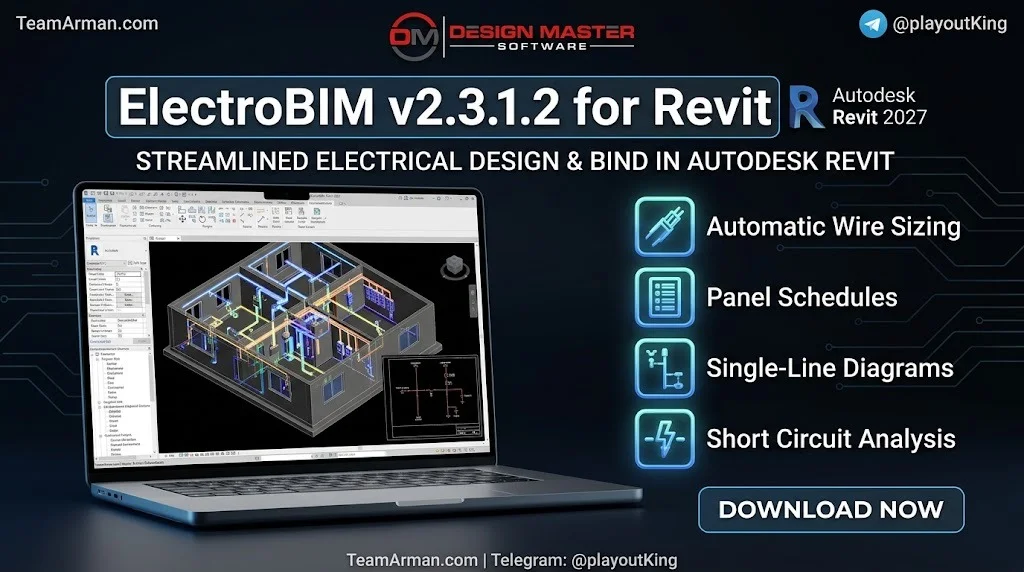
Overview of ElectroBIM
Table of Contents
ElectroBIM is a Building Information Modeling (BIM) add-in specifically designed for electrical engineers working in Autodesk Revit. Unlike standard Revit electrical features, ElectroBIM provides advanced calculation capabilities and automated design functions that streamline the electrical design workflow.
The software addresses a common challenge in electrical engineering: Revit’s native electrical tools lack sophisticated calculation and automation features. ElectroBIM fills this gap by integrating professional-grade electrical calculations directly into the Revit model.
Design Master Software, the developer behind ElectroBIM, has been creating electrical design solutions since 2006. The company offers a free trial version, allowing engineers to test the software before purchasing.
Key Features
ElectroBIM offers a comprehensive suite of electrical design tools that integrate seamlessly with Revit’s modeling environment. The following features represent the core capabilities that make this plugin essential for electrical engineers.
Electrical Calculations
-
Feeder and branch circuit wire sizing: Automatic calculation based on load requirements and code standards
-
Fault calculations: Branch circuit fault values displayed on circuits and devices
-
Voltage drop calculations: Real-time analysis across the entire distribution system
-
Arc-flash calculations: Automated trip time calculations using breaker curves
-
Selective coordination: Multiple breaker curves displayed on time-current graphs
Single-Line Diagrams
-
Automatic generation of single-line diagrams synchronized with your Revit model
-
Dynamic updates when circuit changes occur
-
Direct integration with panel schedules and circuit data
Circuit Management
-
Comprehensive circuit editing with tree-form panel dialog boxes
-
Automated panel schedule population
-
Custom parameters for flexible project configuration
-
Breaker and wire ampacity set separately for precise control
What’s New in ElectroBIM v2.3.1.2
The latest version of ElectroBIM includes several enhancements that improve functionality and user experience. Based on the official release notes, version 2.3.1.2 continues the software’s evolution with calculation improvements and expanded compatibility.
Revit 2027 Support
ElectroBIM v2.3.1.2 is fully compatible with Autodesk Revit 2027, ensuring users can leverage the latest Revit features while maintaining their electrical design capabilities.
Enhanced Calculation Features
-
Custom transformer OCP sizes allow engineers to define default overcurrent protection sizes
-
Specific wire sizing options enable different sizing methods for individual feeders
-
Double neutral wire sizing now accounts for current-carrying conductor adjustments per NEC 310.15(C)(1)
-
Ambient temperature settings adjust conductor sizing based on NEC 310.15(B)(1)
Improved User Interface
-
Calculate Part of Project button allows running commands without closing dialog boxes
-
Highlight Panel and Highlight Circuit buttons help locate devices in the Revit model
-
Pulldown menus provide quick access to Design Master commands
System Requirements
Before installing ElectroBIM v2.3.1.2, ensure your system meets the following requirements.
Software Requirements
-
Windows 7 SP1 or later operating system
-
Autodesk Revit 2027 (also supports Revit 2021 through 2026)
-
Screen resolution of 1360×768 or greater
Compatibility Notes
-
Not compatible with any version of Revit LT
-
Not compatible with Revit MEP 2013 or earlier
-
Limited compatibility with Revit MEP 2014-2020 on older software releases
Hardware Requirements
A computer capable of running Autodesk Revit 2027 is required. This includes sufficient RAM, processor speed, and graphics capabilities as specified by Autodesk for Revit 2027.
Installation Guide
Installing ElectroBIM v2.3.1.2 requires downloading the plugin from the Autodesk App Store or the Design Master Software website.
Step-by-Step Installation
-
Download the ElectroBIM installer from the Autodesk App Store or Design Master Software website
-
Double-click the downloaded file to start the installation process
-
Follow the on-screen instructions to complete installation
-
Launch Autodesk Revit 2027 to verify the plugin appears in the ribbon menu
Uninstallation Process
To remove ElectroBIM from your system, you can either run the installer again and select uninstall, or navigate to Control Panel > Programs > Programs and Features and uninstall it as you would any other Windows application.
How to Use ElectroBIM
Getting started with ElectroBIM involves understanding its integration with the Revit interface and learning the core workflows for electrical design.
Initial Setup
After installation, ElectroBIM adds two ribbon tabs to Revit. These tabs contain all the commands needed for electrical design calculations and diagram creation.
Basic Workflow
-
Create electrical circuits in your Revit model using standard Revit tools
-
Configure electrical parameters such as voltage, power, current, and power factor
-
Run calculations using ElectroBIM commands for wire sizing and fault analysis
-
Generate single-line diagrams that automatically update with model changes
-
Review and customize panel schedules and circuit descriptions
Key Commands
The Panel Edit command allows comprehensive circuit editing with a tree-form dialog. The Calculate Part of Project button lets you run calculations and see results without closing the dialog, enabling faster iteration during design.
Best Use Cases
ElectroBIM serves various electrical engineering scenarios across different project types and complexity levels.
Commercial Building Design
Electrical engineers designing commercial buildings benefit from automated panel schedules, feeder sizing, and voltage drop calculations. The software handles complex distribution systems with multiple panels and circuits.
Industrial Facilities
Industrial projects with specialized electrical requirements, including selective coordination and arc-flash analysis, are well-suited for ElectroBIM’s advanced calculation features.
MEP Engineering Firms
Multi-discipline engineering firms use ElectroBIM to standardize electrical design workflows, ensuring consistent calculations across projects and team members.
BIM Coordination
Projects requiring detailed BIM coordination benefit from ElectroBIM’s ability to maintain electrical data within the Revit model, supporting cloud collaboration through C4R and Revit Server.
Advantages and Limitations
Understanding both the strengths and constraints of ElectroBIM helps users make informed decisions about implementation.
Advantages
-
Eliminates need for external spreadsheets and separate calculation software
-
Maintains all electrical data within the Revit model for seamless BIM integration
-
Automatic single-line diagram generation saves significant documentation time
-
Comprehensive calculation suite covers wire sizing, voltage drop, fault, and arc-flash analysis
-
Regular updates and responsive technical support from Design Master Software
Limitations
-
Requires compatible Revit version (2021-2027); not compatible with Revit LT
-
Older Revit versions (2014-2020) have limited functionality with no software updates available
-
Learning curve for users unfamiliar with electrical calculation concepts
-
Windows-only platform compatibility
Alternatives to ElectroBIM
Several other electrical design solutions exist for Revit users. Understanding the alternatives helps in selecting the right tool for specific project requirements.
Revit Native Electrical Tools
Revit includes basic electrical modeling capabilities, but lacks advanced calculations such as voltage drop, fault analysis, and automated wire sizing. ElectroBIM specifically addresses these gaps.
AutoCAD Electrical
Autodesk’s AutoCAD Electrical provides comprehensive electrical design tools but operates in a 2D environment rather than integrated BIM. Design Master Software has noted they are phasing out support for one-line diagrams in AutoCAD to focus on Revit integration.
Other Revit Add-ins
Various third-party plugins offer electrical design functionality for Revit. ElectroBIM distinguishes itself through its comprehensive calculation suite and automatic single-line diagram generation.
FireBIM
Design Master Software has introduced FireBIM, a complementary product for fire alarm design in Revit, expanding their product line beyond electrical engineering.
Frequently Asked Questions
What versions of Revit does ElectroBIM v2.3.1.2 support?
ElectroBIM v2.3.1.2 supports Autodesk Revit 2027, as well as Revit 2021 through 2026. Older versions (2014-2020) have limited compatibility on older software releases with no ongoing support.
Is there a free trial available for ElectroBIM?
Yes, Design Master Software offers a free trial version of ElectroBIM. You can download it from their website to test the software before purchasing.
Can ElectroBIM work with Revit LT?
No, ElectroBIM is not compatible with any version of Revit LT. It requires full Autodesk Revit software.
What types of calculations does ElectroBIM perform?
ElectroBIM performs feeder and branch circuit wire sizing, fault calculations, voltage drop calculations, arc-flash calculations, and selective coordination analysis.
Does ElectroBIM generate single-line diagrams automatically?
Yes, ElectroBIM creates single-line diagrams that are synchronized with your Revit model. These diagrams update automatically when circuit changes occur.
How do I contact technical support for ElectroBIM?
Technical support is available by phone at 1-866-516-9497 x2, by email at [email protected], or through live chat on the Design Master Software website. Support hours are Monday through Friday, 9am to 5pm Eastern time.
Can ElectroBIM data be used in Revit schedules?
Yes, Design Master Software created parameters that allow users to pull ElectroBIM data from the distribution system directly into any Revit schedule or panel schedule.
Is ElectroBIM compatible with cloud-based Revit collaboration?
Yes, all project data generated by ElectroBIM is stored in the Revit model, making it compatible with C4R (Revit in the Cloud) and Revit Server.
Final Thoughts
ElectroBIM v2.3.1.2 represents a significant advancement in electrical design for Autodesk Revit 2027. By integrating professional-grade electrical calculations directly into the BIM environment, Design Master Software has created a tool that eliminates workflow disruptions and reduces the risk of data transfer errors.
The software’s comprehensive feature set, including automated single-line diagrams, wire sizing, fault calculations, and voltage drop analysis, addresses the limitations of Revit’s native electrical tools. For electrical engineers working on commercial, industrial, or institutional projects, ElectroBIM provides the calculation power needed to complete designs efficiently and accurately.
The regular updates from Design Master Software, including support for the latest Revit versions and continuous feature improvements, demonstrate the company’s commitment to the electrical engineering community. Whether you are evaluating electrical design solutions for the first time or seeking to upgrade from spreadsheet-based workflows, ElectroBIM merits serious consideration for your Revit electrical design needs.