
Overview of the Software
Table of Contents
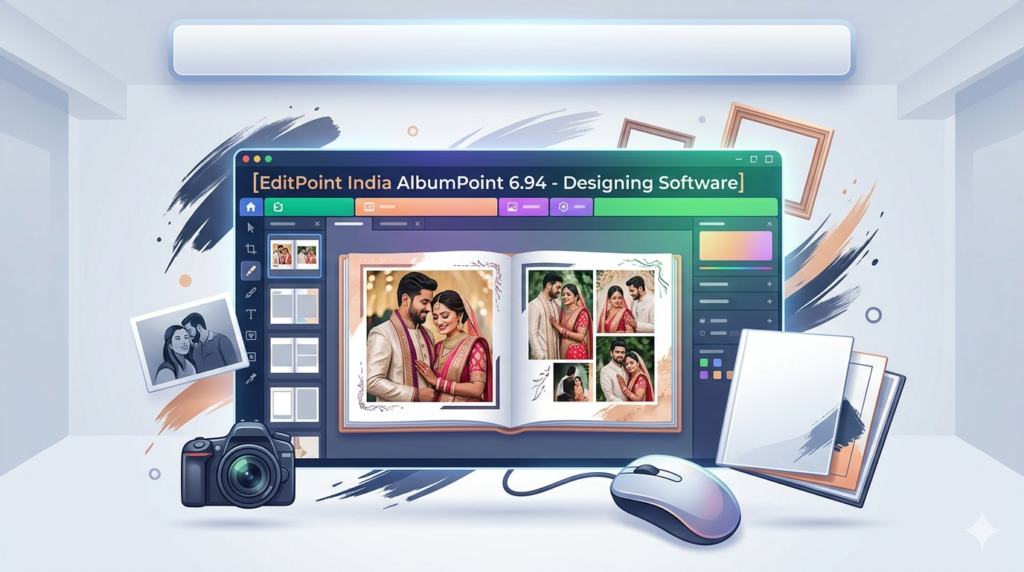
EditPoint India AlbumPoint 6.94 is a specialized page layout and album design software developed for professional photographers, graphic designers, and studio owners in the Indian wedding and portrait market. Unlike general-purpose design tools, AlbumPoint focuses exclusively on creating multi-page photo albums, wedding collages, and flush-mount layouts.
The software provides a template-driven workflow that balances creative control with production speed. Users can import high-resolution images, arrange them into spreads, apply backgrounds and frames, and export print-ready files for album manufacturers. Version 6.94 represents a significant update focused on stability and modern file format support.
As a dedicated album designing solution, AlbumPoint 6.94 competes directly with global tools like SmartAlbums and Fundy Designer, while offering specific localization features for the Indian photography industry.
Key Features
AlbumPoint 6.94 includes a comprehensive set of design and automation tools:
-
Drag-and-drop layout builder – Add images directly to pre-designed cells
-
Automatic image placement – Smart algorithms suggest optimal arrangements
-
Background and texture library – Over 500 Indian wedding-themed backgrounds
-
Multi-page spread management – Create albums with up to 200 pages
-
Mask and clipping path tools – Shape images into circles, hearts, or custom forms
-
Text and title layers – Add client names, dates, and poetic captions
-
High-resolution export – Output to JPEG, TIFF, or PSD for professional printing
-
Batch processing – Apply same layout style across multiple pages
-
Undo/redo history – 50-step undo for complex designs
The interface uses a three-panel workspace: a folder browser for assets, a central canvas for page editing, and a property panel for fine-tuning borders, shadows, and colors.
What’s New in AlbumPoint 6.94
Version 6.94 introduces several improvements over previous releases:
-
Enhanced RAW compatibility – Direct support for modern camera RAW formats including Canon CR3 and Nikon NEF
-
Faster rendering engine – Reduced lag when working with 30+ megapixel images
-
Improved PSD export – Preserves layers for further editing in Adobe Photoshop
-
New Indian wedding templates – Specific layouts for Mehendi, Sangeet, and Vidai ceremonies
-
Stability fixes – Resolved crashing issues when using large background files
Notably, this version removes legacy code from the 6.0 series, resulting in smoother performance on Windows 10 and Windows 11 systems.
System Requirements
Before installing EditPoint India AlbumPoint 6.94, ensure your computer meets the following specifications:
Minimum Requirements:
-
OS: Windows 7 SP1, Windows 8.1, Windows 10, or Windows 11 (64-bit only)
-
Processor: Intel Core i3 or AMD equivalent (2.5 GHz)
-
RAM: 4 GB (8 GB recommended for large albums)
-
Storage: 2 GB free space for installation + 10 GB for project files
-
Display: 1366 × 768 resolution with 32-bit color
-
Graphics: DirectX 10 compatible GPU
Recommended Requirements:
-
OS: Windows 10 or 11 (64-bit)
-
Processor: Intel Core i5 or i7 / AMD Ryzen 5 or higher
-
RAM: 16 GB
-
Storage: SSD with 50 GB free space
-
Display: 1920 × 1080 or higher
The software does not support macOS or Linux. It requires an active internet connection only for template downloads and software activation.
Installation Guide
Follow these steps to safely install AlbumPoint 6.94 on your Windows computer:
Step 1: Download the official installer
Obtain the setup file from the authorized EditPoint India website or an approved reseller. The filename typically follows the pattern AlbumPoint_6.94_Setup.exe.
Step 2: Verify the file integrity
Check the file size (approximately 850 MB) and ensure your antivirus software does not flag the installer. Legitimate versions include a digital signature from EditPoint India Pvt. Ltd.
Step 3: Run the installer
Right-click the setup file and select “Run as administrator.” Accept the User Account Control prompt.
Step 4: Follow the setup wizard
-
Select your preferred language (English or Hindi)
-
Read and accept the End User License Agreement
-
Choose an installation folder (default:
C:\Program Files\EditPoint India\AlbumPoint 6.94) -
Select components: Full installation includes all templates
Step 5: Complete installation
Click “Install” and wait for the progress bar to finish. Once complete, launch AlbumPoint from the desktop shortcut or Start Menu.
Step 6: Activate your license
Enter your 20-character product key purchased from an authorized source. The software requires online activation once. After activation, you can use it offline indefinitely.
How to Use the Software
Creating a professional wedding album in AlbumPoint 6.94 involves four main phases:
Creating a New Project
-
Launch AlbumPoint and click File > New Album
-
Select album size – common options include 12×12 inches, 10×8 inches, or A4
-
Choose page orientation (landscape or portrait)
-
Set the number of spreads (double-page layouts)
-
Name your project and choose a save location
Importing and Organizing Photos
-
Click Import Photos or drag image folders into the left panel
-
Sort images by dragging thumbnails into your preferred order
-
Mark favorite images with a star rating system (1 to 5 stars)
-
Use the Auto-Fill feature to distribute selected photos across empty cells
Designing Pages and Spreads
-
Select a page from the bottom timeline
-
Browse the template library on the right side
-
Double-click a template to apply it to the current spread
-
Adjust individual images: click any cell, then resize, rotate, or reposition
-
Add backgrounds: right-click the canvas, choose Set Background, and pick from the library
-
Apply frames and borders using the Effects tab
Exporting for Print
-
Click File > Export as Print Ready
-
Choose output format: JPEG (high quality), TIFF (lossless), or PDF/X-3
-
Set resolution to 300 DPI for professional album printing
-
Enable Crop Marks and Bleed (3 mm recommended)
-
Click Export and save the folder for your printer
Best Use Cases
AlbumPoint 6.94 excels in specific professional scenarios:
-
Wedding album production – Create 30 to 100-page albums for wedding clients efficiently
-
Portfolio creation – Design sample books for photographers to showcase their best work
-
School and event photography – Batch process class photos into yearbook-style layouts
-
Real estate marketing – Build property lookbooks with floor plans and interior shots
-
Family heritage books – Scan and arrange old photographs into chronological stories
For each use case, the software’s template system reduces design time from hours to minutes, allowing photographers to focus on client consultation rather than manual layout work.
Advantages and Limitations
Advantages
-
Time-saving automation – Auto-fill and batch processing dramatically speed up repetitive tasks
-
Print-ready output – Built-in bleed, crop marks, and CMYK conversion for professional printers
-
Low learning curve – Photographers can become productive within one hour of training
-
Indian market focus – Templates match cultural preferences for wedding photography
-
One-time purchase – No monthly subscription fee (perpetual license model)
Limitations
-
Windows only – No native version for Mac, iPad, or Linux
-
Limited vector tools – Cannot create custom shapes from scratch; relies on templates
-
No cloud collaboration – Single-user local software without team sharing features
-
Outdated interface – The user interface resembles early 2010s design standards
-
No mobile companion app – Cannot review or approve designs on a phone or tablet
Alternatives to the Software
Depending on your budget and platform, consider these legitimate alternatives to AlbumPoint 6.94:
| Software | Platform | Best For | Pricing Model |
|---|---|---|---|
| SmartAlbums | Windows, Mac | Automatic album creation | Perpetual + subscription |
| Fundy Designer | Windows, Mac | Advanced layout customization | Subscription only |
| Adobe InDesign | Windows, Mac | Complete creative control | Monthly subscription |
| Canva | Web, Windows, Mac | Beginners and non-designers | Freemium |
| Album DS | Windows, Mac | Studio workflow integration | Perpetual license |
For Indian photographers specifically, SmartAlbums offers similar automation with a modern interface, while Adobe InDesign provides unlimited creative flexibility for those willing to invest in learning professional design software.
Frequently Asked Questions
Q1: Is EditPoint India AlbumPoint 6.94 compatible with Windows 11?
Yes, version 6.94 runs stably on Windows 11 (64-bit). Ensure you install the latest Windows updates for optimal performance.
Q2: Can I import PSD files from Photoshop into AlbumPoint?
Yes, the software imports layered PSD files as flattened images. For editing, export your album as PSD and maintain layers.
Q3: Does AlbumPoint support CMYK color mode for printing?
Yes, you can work in RGB during design and convert to CMYK during export. The software includes soft-proofing for common Indian print labs.
Q4: How many templates are included with the standard license?
The standard license includes 450+ templates. Additional template packs are available separately from the EditPoint India store.
Q5: Can two designers work on the same album project?
No, AlbumPoint is single-user only. For team workflows, export pages as images and recompile in another tool, or use cloud-based alternatives like Canva.
Q6: What file formats can I export for my printer?
You can export as JPEG (quality 95+), TIFF (uncompressed), PDF/X-3, or multi-page PSD. Most printers prefer PDF/X-3 with 3 mm bleed.
Q7: How do I transfer my license to a new computer?
Deactivate the license on the old machine via Help > Deactivate. Then install and activate on the new computer using the same product key.
Q8: Does AlbumPoint support video or GIF animations in digital albums?
No, AlbumPoint is designed for static print albums only. For digital wedding albums with animations, consider specialized e-album software.
Final Thoughts
EditPoint India AlbumPoint 6.94 remains a capable workhorse for professional photographers who produce high volumes of printed albums. Its template-driven approach and batch processing features deliver genuine time savings over general design tools. The latest version adds stability and modern RAW support, making it a reliable choice for Windows-based studios.
However, the software shows its age in interface design and platform limitations. Photographers seeking cloud collaboration, Mac compatibility, or advanced vector illustration should evaluate alternatives like SmartAlbums or Canva. For its intended purpose—rapid, print-ready wedding album design on Windows—AlbumPoint 6.94 continues to offer strong value, especially through its perpetual licensing model.
Our Paid Service
“We do not sell or provide any software. We only offer professional support services. If any software on your system is not working properly, or you are facing installation errors, crashes, or any other technical issue — just contact us. We will help you fix the problem quickly and remotely via AnyDesk. No software will be provided from our side — only expert troubleshooting and support.”