
Overview of ECam PRO 5.0.432.0
Table of Contents
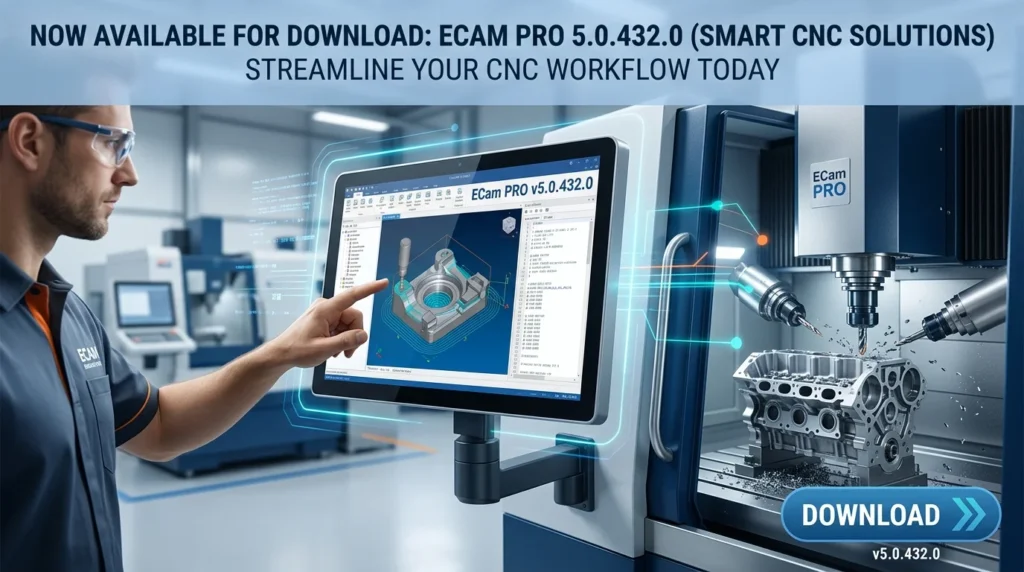
ECam PRO 5.0.432.0 is a powerful and intuitive CNC programming software developed to streamline the entire manufacturing process, from design to finished part. This smart CNC solution stands out as a critical tool for engineers, machinists, and manufacturing professionals who require precision, efficiency, and reliability in their workflow. It offers a seamless blend of advanced Computer-Aided Manufacturing (CAM) capabilities with an easy-to-use interface, enabling users to generate complex toolpaths for a wide range of machinery, including CNC mills, lathes, and routers.
The software excels at importing 2D and 3D designs (DXF, DWG, IGES, STEP) and converting them into efficient G-code for your specific machine. This version, ECam PRO 5.0.432.0, represents a significant step forward in smart manufacturing software, building on its legacy of delivering high-quality, affordable CAM solutions. It is engineered to bridge the gap between design and production, empowering both seasoned professionals and newcomers to achieve exceptional results.
Key Features of ECam PRO 5.0.432.0
ECam PRO 5.0.432.0 is packed with a comprehensive suite of features designed to simplify your CNC programming tasks and boost shop floor productivity.
-
Intuitive 2D and 3D CAD/CAM Integration: Effortlessly import and work with designs from any major CAD platform. ECam PRO provides a robust environment for creating and editing designs, ensuring your CNC machining software is perfectly aligned with your design data.
-
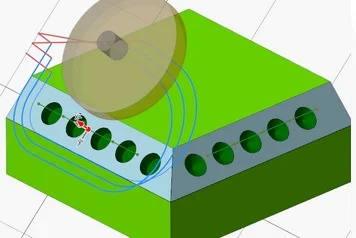
Advanced 2.5D Milling and Pocketing: The software excels at 2.5D machining, offering powerful pocketing, contouring, and drilling operations. It intelligently optimizes toolpaths to minimize tool wear and reduce machining time.
-
Powerful 3D Surface and Solid Machining: Tackle complex 3D geometries with advanced machining strategies like roughing, finishing, and rest-machining. Features such as waterline, raster, and spiral toolpaths ensure high-quality surface finishes.
-
Intelligent Feature Recognition: This smart capability automatically identifies features like holes, pockets, and bosses, drastically reducing manual programming time and the potential for errors.
-
Comprehensive Toolpath Simulation: Visualize and verify your toolpaths in a realistic 3D environment. This crucial feature allows you to detect collisions and errors before cutting a single chip, preventing material waste and costly machine damage.
-
Post-Processor Support for All Major Machines: ECam PRO 5.0 comes with an extensive library of post-processors, allowing you to generate machine-specific G-code for a wide array of CNC manufacturers, including Haas, Fanuc, Mazak, and many more.
-
Integrated Nesting Capabilities: The software includes tools for optimizing material usage by efficiently nesting multiple parts on a single sheet, helping to reduce waste and lower material costs.
What’s New in the Latest Version (5.0.432.0)
This version of ECam PRO brings a host of enhancements focused on speed, precision, and user experience.
-
Enhanced 3D Adaptive Clearing: The adaptive clearing algorithm has been refined for faster, more efficient roughing, ensuring constant tool engagement and extending tool life.
-
High-Speed Machining (HSM) Toolpaths: New, streamlined toolpath strategies for high-speed machining reduce machining time and deliver superior surface quality.
-
Improved CAD Import and Export: Upgraded data translators ensure even more robust and reliable import of the latest file formats from popular CAD systems.
-
User Interface and Workflow Optimizations: Significant UI tweaks and workflow enhancements make the software more intuitive and easier to navigate, reducing the learning curve for new users.
-
New Thread Milling Options: Expanded thread milling strategies provide greater flexibility for producing a variety of threads in one setup.
-
Optimized Toolpath Calculation Speed: Enhanced multi-core processing ensures toolpath calculations are significantly faster, improving overall productivity.
System Requirements for ECam PRO 5.0.432.0
To get the best performance out of ECam PRO 5.0.432.0, ensure your system meets these minimum requirements.
Minimum System Requirements
-
Operating System: Windows 10 (64-bit) or newer
-
Processor: Intel Core i5 or equivalent AMD processor
-
RAM: 8 GB (16 GB recommended)
-
Graphics: Dedicated graphics card with OpenGL 3.2 support and at least 1GB VRAM
-
Hard Disk Space: 10 GB of available space
-
Display: 1920 x 1080 resolution or higher
Supported File Formats
-
Import: DXF, DWG, IGES, STEP, STL
-
Export: NC, TXT, and various G-code formats via universal post-processor
Installation Guide for ECam PRO 5.0.432.0
Installing ECam PRO is a straightforward process. Follow these steps for a successful installation.
-
Download the Installer: Ensure you have downloaded the official ECam PRO 5.0.432.0 installer from a trusted source.
-
Run the Installer: Double-click the setup file. If prompted by Windows User Account Control, click “Yes” to allow the installation.
-
Choose Language: Select your preferred language and click “OK.”
-
Review the License Agreement: Read the End-User License Agreement (EULA), check the “I accept the terms…” box, and click “Next.”
-
Select Destination Folder: Choose the default location or browse to a new one, then click “Next.”
-
Select Components: Choose the components you wish to install (e.g., machine templates, post-processors) and click “Next.”
-
Select Start Menu Folder: Choose the folder for the program shortcuts and click “Next.”
-
Begin Installation: Click “Install” to begin copying the files.
-
Complete Installation: Once the process is complete, click “Finish.” You may need to restart your computer to apply all changes.
How to Use ECam PRO 5.0.432.0
While powerful, ECam PRO has a streamlined workflow. Here is a beginner-friendly guide to get you started with your first part.
-
Import or Create a Design: Launch ECam PRO. Use the “File” -> “Open” or “Import” function to bring in your 2D drawing or 3D model.
-
Set Up Your Stock: Define the raw material’s dimensions and origin using the “Stock Setup” options. This tells the software the boundaries of your workpiece.
-
Select Your Tooling: From the comprehensive tool library, select the appropriate tools (e.g., end mills, drills). You can also create and save your own custom tool definitions.
-
Define Your Machining Operations: This is the core of the programming process. Choose from a variety of operations:
-
Pocketing: To clear out material within a closed boundary.
-
Contouring: For cutting around the profile of your part.
-
Drilling: For holemaking.
-
3D Finishing: For final passes on a complex 3D surface.
-
-
Generate the Toolpath: For each operation, select the geometry (e.g., a contour or pocket) and specify the machining parameters. Click “Calculate” to generate the toolpath.
-
Simulate the Machining Process: The most critical step! Run the 3D simulation to check for collisions, verify the toolpath, and ensure your part will be machined correctly.
-
Generate G-code: Select your specific CNC machine post-processor. ECam PRO will translate your operations into G-code, the machine-readable language. Save the resulting file to send to your machine.
-
Transfer to CNC Machine: Use a USB drive or network connection to upload the G-code file to your CNC machine and begin production.
Best Use Cases for ECam PRO
ECam PRO’s robust yet accessible features make it ideal for a wide variety of applications.
-
Job Shops & Manufacturing Facilities: This is the perfect CNC solution for job shops that handle a variety of parts. It can handle everything from simple 2D parts to complex 3D molds and dies.
-
Proto-typing: Speed is critical in prototyping. ECam PRO allows for rapid programming, making it an excellent tool for quickly turning designs into physical parts.
-
Education: As a cost-effective and feature-rich CAM software, ECam PRO is widely used in technical schools and universities to teach the principles of CNC programming.
-
General Engineering: The software is a valuable asset for engineers who need to program parts for in-house machining or develop manufacturing processes for external suppliers.
-
Mold and Die Making: Its advanced 3D surface machining capabilities make it a reliable tool for creating injection molds and dies of all sizes.
-
Aerospace & Medical Component Manufacturing: The ability to produce precise, complex parts makes it ideal for high-precision industries.
Advantages and Limitations of ECam PRO 5.0.432.0
Advantages
-
Intuitive and Easy-to-Learn Interface: A well-designed UI minimizes training time for new users.
-
Cost-Effective Solution: It offers a powerful set of features at a competitive price, making advanced CAD CAM software accessible.
-
Excellent Customer Support: ECam is known for responsive and helpful customer support, providing quick solutions and guidance.
-
Robust Post-Processor Library: Extensive support for the majority of CNC controllers simplifies the transition from software to machine.
-
Powerful 3D Capabilities: It punches above its weight with a solid array of strategies for machining complex surfaces.
Limitations
-
No Integrated CAD System: ECam PRO is a CAM-only software. Users need a separate CAD program to create designs, or they must import them.
-
Steep Learning Curve for Advanced 3D: While the interface is simple, mastering the full potential of 3D surface machining requires time and experience.
-
Platform Limitations: As a Windows-only solution, it’s not natively available for macOS or Linux users.
-
System Resources: Complex 3D toolpath calculations can be demanding on older, less powerful hardware.
Alternatives to ECam PRO
Depending on your specific needs, budget, and workflow, there are several strong alternatives to ECam PRO.
-
Autodesk Fusion 360: An excellent all-in-one CAD/CAM solution. It combines design, engineering, and manufacturing in a single, cloud-based platform. This is a strong competitor with a very robust free version for hobbyists and startups.
-
Mastercam: The industry standard for many, Mastercam is a highly powerful and versatile CAM software with a massive user base. It is ideal for complex, high-end manufacturing but has a much steeper learning curve and a higher cost.
-
SolidCAM: Integrated directly into SolidWorks, SolidCAM offers excellent multi-axis machining and is a great choice for SolidWorks users who want a seamless workflow.
-
Vectric VCarve Pro: For shops working primarily with routers, CNC mills, and engravers on wood, plastics, and softer metals, VCarve Pro is an accessible and highly specialized alternative.
-
BricsCAD CAM: A solid alternative that integrates a full CAD system with powerful CAM capabilities. It’s a strong choice for users looking for an integrated solution that doesn’t require a subscription.
Frequently Asked Questions (FAQs)
1. What is ECam PRO software used for?
ECam PRO is a professional CNC programming software used to generate toolpaths and G-code for CNC machines. It translates digital designs (CAD models) into the instructions that a CNC mill, lathe, or router needs to produce physical parts.
2. Is ECam PRO compatible with my specific CNC machine?
Yes, ECam PRO includes a comprehensive library of post-processors. This ensures it can generate the specific G-code required by the majority of CNC controllers from manufacturers like Haas, Fanuc, Mazak, and others. A post-processor is the vital link between your software and your machine.
3. Can I use ECam PRO for 3D surface machining?
Yes, ECam PRO 5.0.432.0 has robust 3D surface and solid machining capabilities. It includes multiple strategies for roughing, finishing, and rest-machining, allowing you to produce complex 3D shapes.
4. How does ECam PRO handle toolpath verification?
ECam PRO features a realistic 3D simulation environment. This allows users to visually verify the toolpath, check for potential collisions or errors, and ensure the final part will be machined as intended, saving time and preventing costly mistakes.
5. Is ECam PRO a good choice for someone new to CAM?
Yes, ECam PRO is celebrated for its intuitive user interface, making it a great starting point for beginners while still offering the depth of features required by experienced professionals. Its workflow is logical and easy to follow.
6. What are the typical system requirements for ECam PRO?
The software requires a 64-bit Windows 10/11 operating system, an Intel Core i5 or better processor, at least 8GB of RAM, and a dedicated graphics card with OpenGL 3.2 support. A high-resolution display is also recommended.
7. Does ECam PRO include an integrated nesting feature?
Yes, this version includes integrated nesting capabilities, which is crucial for optimizing material usage and reducing waste, especially when cutting multiple parts from a single sheet of material.
8. What is the difference between ECam PRO and similar software like Mastercam?
While both are powerful CAM solutions, Mastercam is generally considered the industry standard for complex, high-end multi-axis machining and has a higher cost and steeper learning curve. ECam PRO is designed to be an intuitive, cost-effective, and feature-rich tool for a wide range of manufacturing environments, including smaller shops and education.
Final Thoughts
ECam PRO 5.0.432.0 is a potent and reliable smart CNC solution that effectively empowers a wide spectrum of manufacturing professionals. Its blend of an easy-to-learn interface and powerful, advanced features makes it a valuable asset for any machine shop or engineering department looking to enhance its manufacturing capabilities. With this latest version, the software has become faster, more intuitive, and even better at handling complex projects. Whether you are a small job shop looking to streamline your workflow, an engineer with prototyping needs, or a student learning the trade, ECam PRO provides the tools you need to operate at a high level of precision and productivity.
Our Paid Service