
Overview of DJB Radio Studio
Table of Contents
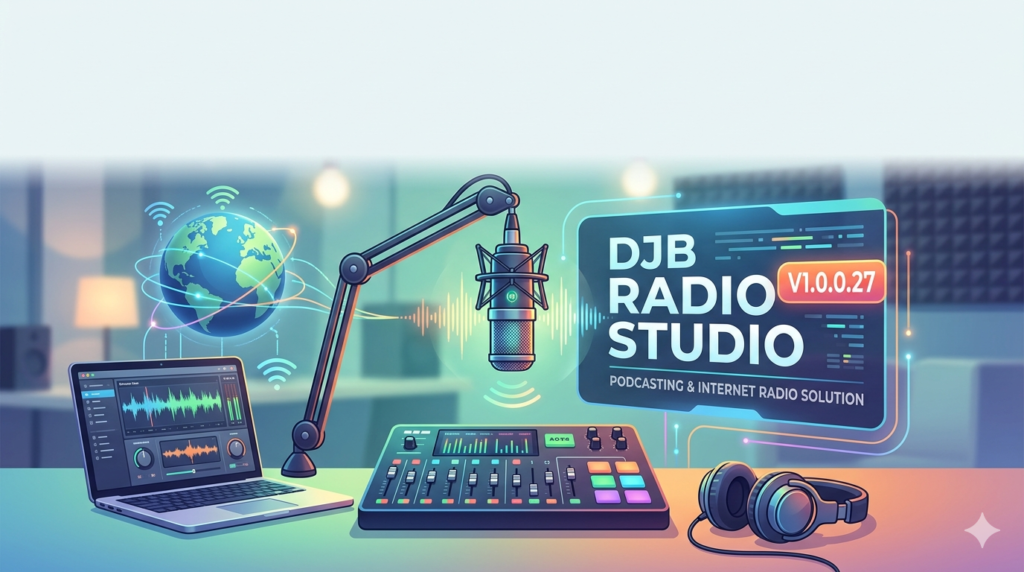
DJB Radio Studio (Version 1.0.0.27) bridges the gap between professional radio hardware and digital streaming. Developed for Windows environments, it allows users to broadcast live to Icecast and SHOUTcast servers, record high-quality podcasts, and manage complex playlists with a user-friendly interface.
This software prioritizes stability and low-latency performance, making it suitable for both live events and automated radio stations. It supports a wide range of audio formats, including MP3, AAC, OGG, and WAV, and integrates with virtual audio cables for seamless sound routing.
Key Features of DJB Radio Studio V1.0.0.27
The software includes a professional feature set without requiring expensive hardware mixers.
-
Live Audio Processing: Built-in compressor, limiter, EQ, and noise gate to polish your sound in real time.
-
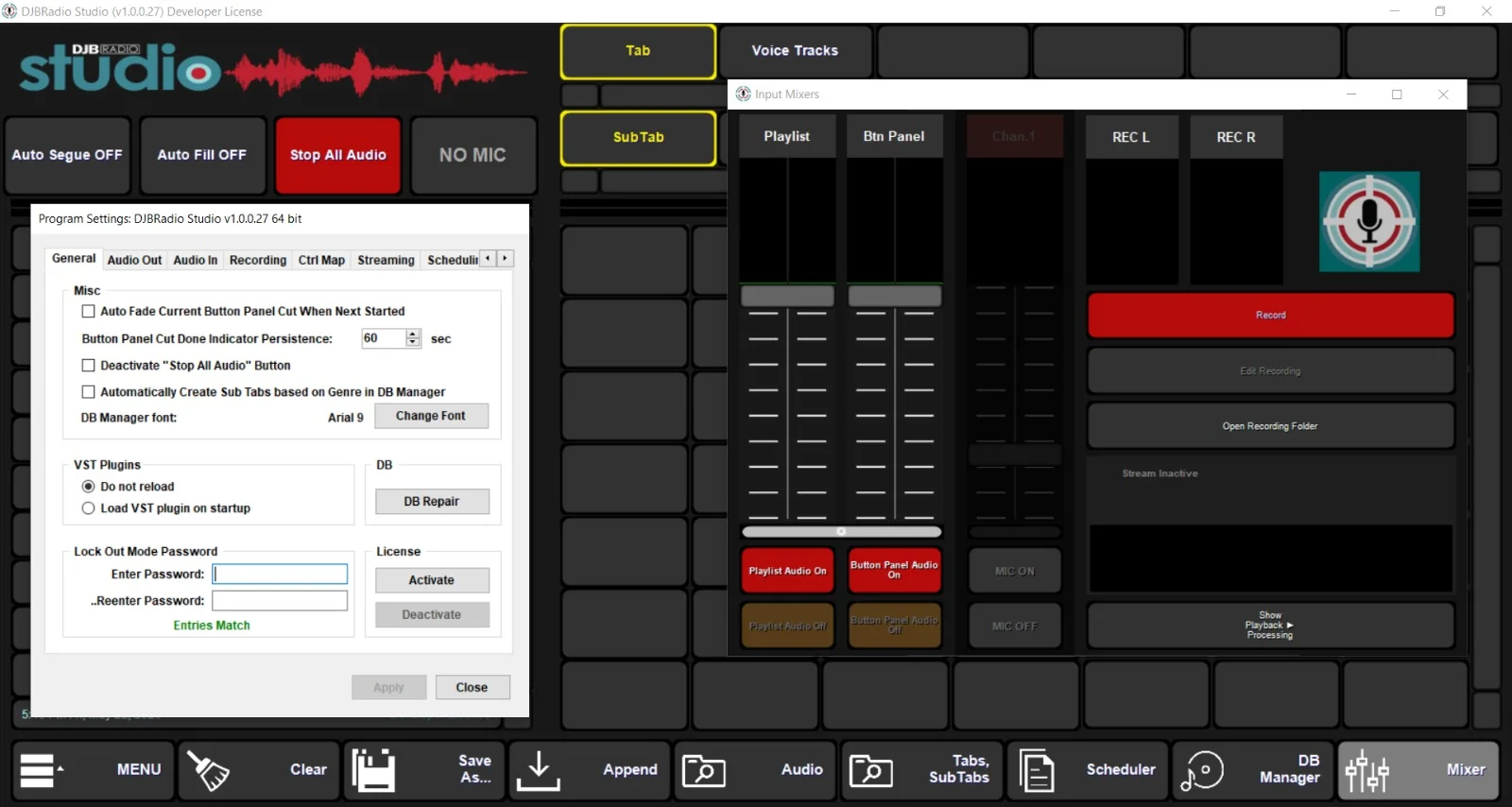
Voice Tracking: Pre-record show segments and inserts for seamless automated playback.
-
Multiple Source Support: Mix microphone input, line-in, and system sound simultaneously.
-
Remote Broadcasting: Connect remote guests via virtual audio channels.
-
Advanced Scheduler: Plan music, jingles, and ads to run automatically for 24/7 operations.
-
Stream Recording: Automatically archive your live shows to MP3 or WAV.
-
Crossfade & Gapless Playback: Smooth transitions between tracks.
-
Metadata Editing: Edit ID3 tags directly within the playlist.
What’s New in Version 1.0.0.27
Version 1.0.0.27 focuses on stability and modern streaming standards. Key updates include:
-
Improved Buffer Management: Reduced stream dropouts on unstable internet connections.
-
Enhanced AAC+ Encoding: Better sound quality at lower bitrates for mobile listeners.
-
Updated Icecast 2.5 Compatibility: Support for newer server authentication methods.
-
Bug Fixes: Resolved memory leaks during extended broadcasting sessions (12+ hours).
-
UI Refinements: Dark mode improvements and resizable dock panels.
System Requirements
To run DJB Radio Studio V1.0.0.27 legally and efficiently, your system should meet these specifications:
| Component | Minimum | Recommended |
|---|---|---|
| OS | Windows 7 SP1 | Windows 10 / 11 (64-bit) |
| Processor | Intel Core i3 2.0 GHz | Intel Core i5 2.5 GHz or higher |
| RAM | 4 GB | 8 GB |
| Storage | 500 MB for software | SSD with 2 GB for recordings |
| Internet | 1 Mbps upload | 5 Mbps upload for HD streaming |
| Sound Card | DirectX compatible | Dedicated ASIO interface |
Installation Guide
Follow this legitimate installation process for DJB Radio Studio V1.0.0.27:
-
Download the official installer from the developer’s website.
-
Disable antivirus temporarily (optional but prevents false positives on audio drivers).
-
Run the installer as administrator.
-
Accept the license agreement – this is a legal requirement.
-
Select components: Choose standard installation (includes virtual audio cable).
-
Complete setup and reboot your system.
-
Enter your license key to unlock all features.
How to Use the Software (Beginner to Pro)
For Podcasters (Step-by-Step)
-
Configure audio input: Select your USB microphone under
Settings > Audio > Mic Input. -
Set recording format: Choose WAV (lossless) for editing or MP3 (320kbps) for direct publishing.
-
Add intro/outro tracks: Drag MP3 files into the playlist.
-
Enable voice tracking: Click the microphone icon and record your segments between tracks.
-
Export the final show: Use
File > Export Mixto render your podcast episode.
For Live Internet Radio
-
Connect to a streaming server: Go to
Broadcast > Stream Setup. Enter your SHOUTcast/Icecast server URL, port, and mount point. -
Set stream encoding: Use AAC+ at 64 kbps for speech or MP3 at 128 kbps for music.
-
Build a rotation playlist: Use the scheduler to load music, ads, and IDs.
-
Go live: Click the On Air button. Monitor levels using the built-in VU meter.
-
Auto-dj fallback: Enable the fallback playlist to keep broadcasting if your microphone disconnects.
Best Use Cases for DJB Radio Studio
This software excels in specific professional scenarios:
-
Community Internet Radio Stations: Run 24/7 automated music formats with local news inserts.
-
Solo Podcast Production: Record, edit, and publish without a post-production engineer.
-
Live Event Broadcasting: Stream concerts, church services, or sports commentary.
-
College Radio Training: Teach students industry-standard broadcasting workflows.
-
Corporate Webinars: Mix multiple speakers and background music in real time.
Advantages and Limitations
Advantages (Pros)
-
Low CPU usage (works on older laptops).
-
Intuitive drag-and-drop playlist management.
-
Built-in audio processing (no need for external VST hosts).
-
Supports both live and automated modes.
-
One-time purchase model (no subscription).
Limitations (Cons)
-
Windows-only (no native macOS or Linux versions).
-
No video streaming support (audio-only software).
-
Limited effects library compared to OBS or SAM Broadcaster.
-
User manual is technical for absolute beginners.
Alternatives to DJB Radio Studio
If you need different features or platforms, consider these legitimate alternatives:
| Software | Best For | Platform | Price Model |
|---|---|---|---|
| RadioBoss | Advanced automation | Windows | One-time fee |
| OBS Studio | Video + audio streaming | Win/Mac/Linux | Free (open source) |
| Altacast | Simple voice tracking | Windows | Freemium |
| Mixxx | Live DJ mixing | Win/Mac/Linux | Free (open source) |
| Airtime Pro | Cloud-based radio | Web | Monthly subscription |
Frequently Asked Questions (FAQ)
1. Is DJB Radio Studio V1.0.0.27 compatible with SHOUTcast v2?
Yes. The software fully supports SHOUTcast v2 protocols, including authentication via admin passwords and stream metadata updates.
2. Can I use DJB Radio Studio with a virtual audio cable to include Zoom guests?
Absolutely. Route Zoom’s audio output to a virtual cable (e.g., VB-Cable), then select that cable as a secondary input source inside the software’s mixer.
3. Does this software include royalty-free music or jingles?
No. The software does not bundle licensed music. You must add your own legally acquired tracks or royalty-free libraries.
4. What is the maximum broadcast bitrate supported?
DJB Radio Studio supports up to 320 kbps MP3 and 256 kbps AAC+, which is suitable for HD audio streaming.
5. How many simultaneous streams can I broadcast?
The standard license allows streaming to one server. For multi-destination streaming (e.g., YouTube and Twitch audio), you need a third-party relay tool.
6. Is there a free trial available?
Yes, the official website offers a 30-day fully functional trial with no audio watermarks. A license key removes the trial limitation.
7. Can I schedule songs to play at specific times?
Yes. Use the Advanced Scheduler to create calendar-based events, time announcements, and weekly show rotations.
8. Does DJB Radio Studio record each track separately?
No. It records the final mixed output. For multi-track recording, use a DAW like Audacity or Reaper alongside the software.
Final Thoughts
DJB Radio Studio V1.0.0.27 is a legitimate, capable tool for aspiring and professional internet broadcasters. It shines in automated radio environments and solo podcast production, offering reliability that free media players cannot match.
Our Paid Service
“We do not sell or provide any software. We only offer professional support services. If any software on your system is not working properly, or you are facing installation errors, crashes, or any other technical issue — just contact us. We will help you fix the problem quickly and remotely via AnyDesk. No software will be provided from our side — only expert troubleshooting and support.”