
Overview of DigiPara Liftdesigner 2015
Table of Contents
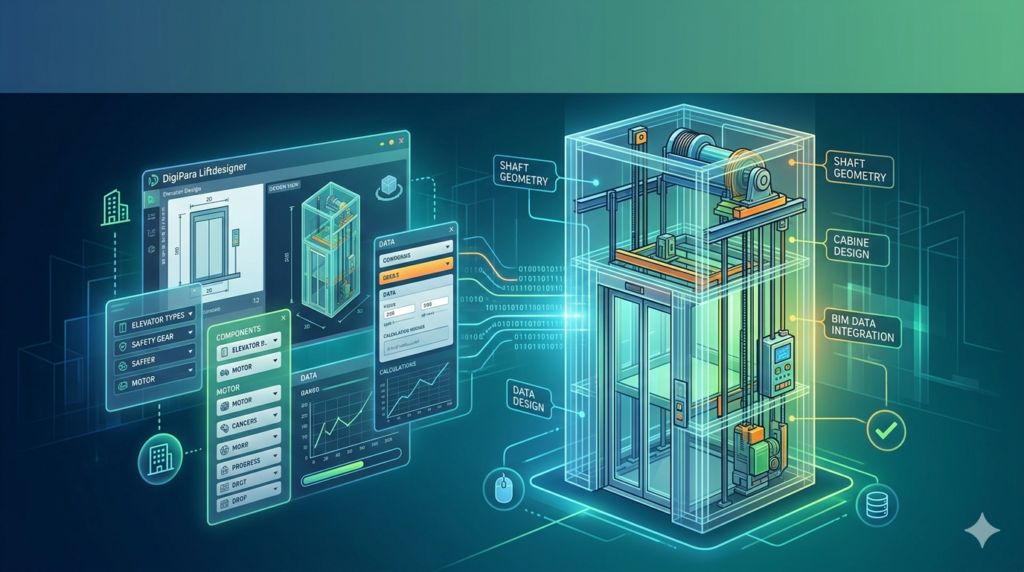
DigiPara Liftdesigner 2015 is a specialized Windows-based software application designed for elevator engineers, consultants, and manufacturers. Unlike traditional CAD plugins, this version operates as a standalone engineering tool that allows professionals to create traction and hydraulic elevator designs without requiring an additional CAD license.
The 2015 release of Liftdesigner focuses on bridging the gap between 2D drafting and advanced 3D BIM workflows. It serves as a smart elevator configurator, automating the generation of shop drawings, part lists, and installation diagrams while adhering to safety codes typical for modernization and new installation projects.
Key Features of DigiPara Liftdesigner 2015
The software offers robust functionality specifically tailored for vertical transportation. Below are the core operational features:
-
Standalone Windows Application: Operates independently without the need for AutoCAD or other CAD platforms, reducing overhead costs for small firms.
-
Traction and Hydraulic Support: Configure both machine-room-less (MRL) traction elevators and traditional hydraulic systems within the same interface.
-
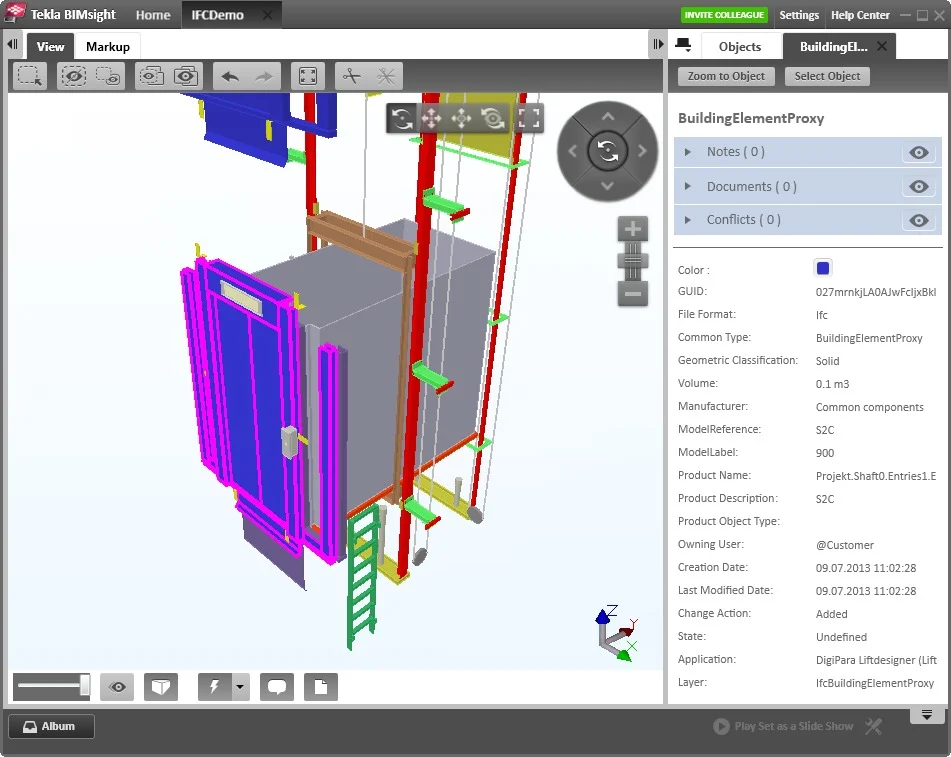
Smart Component Library: Select components from a 3D BIM library, automatically adjusting dimensions and alignment for ropes and guides.
-
Automatic Drawing Generation: Convert design parameters into precise fabrication drawings and installation layouts instantly.
-
Modernization Capabilities: Specifically supports retrofitting projects by allowing engineers to work within existing shaft constraints and measurements.
What’s New in the 2015 Version
While the 2015 version is an older iteration, its release marked significant improvements in the Intelligent Elevator Configurator. Key updates for this version included enhanced logic for automatic component placement and improved stability for 64-bit Windows environments. Users transitioning from earlier legacy systems found the 2015 release offered better handling of parametric changes without corrupting the assembly tree.
Note: Users looking for cloud integration or the latest BIM standards should review the 2025 release notes, as 2015 is considered a legacy version.
System Requirements
To ensure DigiPara Liftdesigner 2015 runs efficiently, your workstation must meet specific hardware and software criteria. DigiPara recommends a 64-bit environment for optimal rendering of 3D components.
| Component | Minimum Requirement | Recommended Requirement |
|---|---|---|
| Operating System | Windows 7 / 8 (64-bit) | Windows 10 (64-bit) Pro |
| Processor (CPU) | Intel Pentium 4 / AMD Athlon 64 | Intel Core i7 / AMD Ryzen 7 |
| RAM | 4 GB | 8 GB – 16 GB (For CAD files) |
| Graphics Card | Direct3D 9 capable | Direct3D 10 / DirectX 10.1+ compatible |
| Disk Space | 1 GB free | 10 GB SSD free space |
| Prerequisites | .NET Framework 4.8, SQL Server Express, Visual C++ Redistributable |
Compliance Note: The software must be activated via an internet connection to validate the license.
Installation Guide
Installing DigiPara Liftdesigner 2015 requires administrative privileges due to the installation of Microsoft SQL Server Express and .NET Framework components.
-
Disable Antivirus: Temporarily pause real-time scanning to prevent false positives during SQL server instance creation.
-
Run as Administrator: Right-click the installer and select “Run as Administrator.”
-
Prerequisite Check: The installer will automatically detect if Microsoft SQL Server 2017 Express or .NET Framework 4.8 is missing and will install them silently.
-
License Activation: Upon first launch, enter your serial key. The software requires an internet connection to verify the license server.
How to Use the Software
Mastering the workflow of DigiPara Liftdesigner 2015 follows a logical sequence from shaft definition to output. Here is the standard engineering workflow:
-
Project Setup: Select “New Project” and choose between “Traction” (with or without machine room) or “Hydraulic.”
-
Shaft Definition: Input the hoistway dimensions, travel height, and pit depth.
-
Component Selection: Drag and drop guide rails, car slings, and door operators from the BIM library.
-
Rope Alignment: Use the smart configurator to define roping ratios (1:1 or 2:1) and compensate for traction sheave alignment.
-
Output Generation: Export the results as manufacturing drawings (DXF/DWG), 3D BIM models, or bill of materials (BOM) Excel sheets.
Best Use Cases for Elevator Engineers
DigiPara Liftdesigner 2015 is best utilized in specific vertical transportation scenarios.
-
New Installations: Designing standard passenger or freight elevators for new buildings.
-
Modernization (Mods): Retrofitting old elevators is where this software shines, allowing engineers to navigate around existing steel beams and limited shaft space.
-
Hydraulic Elevators: Specifically designing low-rise hydraulic systems with precise valve and cylinder placement.
Advantages and Limitations
Understanding the strengths and weaknesses of the 2015 version helps in deciding if it fits your current workflow.
Advantages
-
No CAD License Required: Saves significant costs compared to AutoCAD-dependent solutions.
-
Speed: Generates complete drawing sets in minutes rather than hours.
-
Specific Logic: Includes elevator-specific physics (roping, governor placement) that generic CAD lacks.
Limitations
-
Legacy OS Support: Primarily built for Windows 7/8; may encounter UI scaling issues on Windows 11.
-
Cloud Features: Lacks the cloud collaboration tools found in 2020+ versions.
-
File Compatibility: May not support the latest AutoCAD (2025) native file formats.
Alternatives to DigiPara Liftdesigner
If you cannot locate a legitimate copy of the 2015 version or require different features, consider these legitimate software alternatives:
| Software | Primary Focus | Platform |
|---|---|---|
| AutoCAD Mechanical | General 2D/3D drafting (Requires manual elevator logic) | Windows |
| SolidWorks | Parametric 3D modeling (Heavy, requires expert modeling) | Windows |
| Simis Elevator | Specific competitor focusing on traffic analysis | Windows |
Frequently Asked Questions
Is DigiPara Liftdesigner 2015 compatible with Windows 11?
While DigiPara has not officially certified the 2015 version for Windows 11, many users report it functions in compatibility mode. However, DigiPara officially supports the latest Windows 10 builds for the 2015 release. Upgrading to a newer version is recommended for Windows 11.
Do I need AutoCAD to run DigiPara Liftdesigner?
No. A major advantage of this software is that it is a standalone Windows application. It generates drawings independently, though it can export files to DWG format for editing in AutoCAD if needed.
How do I activate my license for Liftdesigner 2015?
You must have a valid subscription key from DigiPara. The software requires an active internet connection to communicate with the DigiPara activation server during setup.
What is the difference between Traction and Hydraulic modes?
Traction mode is used for geared or gearless elevators with ropes and counterweights. Hydraulic mode is used for low-rise elevators using a piston and fluid power. The 2015 version configures the mechanical components differently based on this selection.
Can I use this software for modernization projects?
Yes. The configuration logic allows you to input existing shaft dimensions, making it excellent for modernization where you cannot change the civil construction.
Where can I get training for DigiPara Liftdesigner?
Training resources are available via the official DigiPara Support Portal. Note that older support articles for the 2015 version are archived, but the core logic remains similar to newer versions.
Final Thoughts
DigiPara Liftdesigner 2015 remains a robust tool for professionals in the vertical transportation industry. While it is a legacy version compared to 2024 or 2025 releases, its stability as a standalone configurator makes it valuable for specific modernization tasks.
To stay compliant with software regulations and access the latest BIM features (like IFC 4.0 export), users should consider upgrading to the latest version available on the official DigiPara GmbH website.
Our Paid Service
“We do not sell or provide any software. We only offer professional support services. If any software on your system is not working properly, or you are facing installation errors, crashes, or any other technical issue — just contact us. We will help you fix the problem quickly and remotely via AnyDesk. No software will be provided from our side — only expert troubleshooting and support.”