
Overview of Deltares D-Stability
Table of Contents
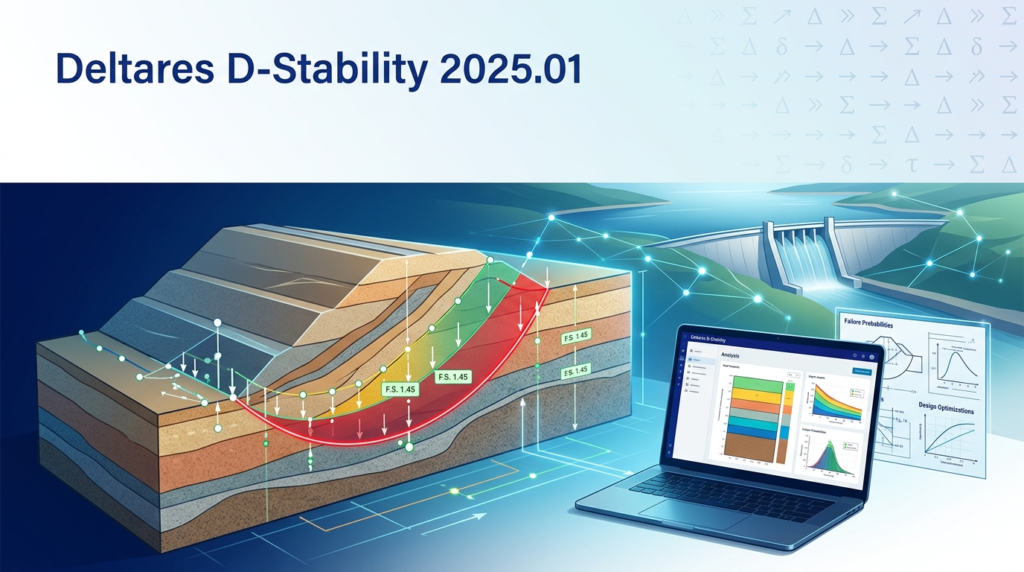
Deltares D-Stability is a specialized software solution for slope stability analysis using limit equilibrium methods (LEM). Developed by the Deltares research institute, it is the industry standard in the Netherlands and widely adopted internationally for flood defense and geotechnical engineering.
This software evaluates the safety factor of dikes, dams, embankments, and natural slopes. It supports both deterministic calculations (using Bishop, Uplift-Van, and Spencer methods) and probabilistic calculations (Monte Carlo and FORM) to account for soil variability.
D-Stability 2025.01 reflects Deltares’ commitment to open science and technical excellence, providing transparent, verifiable results for critical infrastructure projects.
Key Features of D-Stability 2025.01
-
Multiple Limit Equilibrium Methods: Includes Bishop simplified, Janbu, Uplift-Van (specifically for Dutch conditions), and Spencer for comprehensive failure mechanism analysis.
-
Probabilistic Slope Stability Assessment: Use Monte Carlo or First Order Reliability Method (FORM) to model soil parameter uncertainty.
-
Phreatic Line Modeling: Define water levels and pore pressure distributions accurately.
-
Reinforcement Simulation: Model geotextiles, geogrids, piles, and anchor forces.
-
Seismic Load Application: Incorporate earthquake acceleration using pseudo-static methods.
-
Layered Soil Profiles: Manage complex stratigraphy with multiple soil layers and properties.
-
Eurocode & Dutch Standards Compliance: Supports NEN 9997-1, NEN 8707, and safety factor requirements.
-
D-GEO Suite Integration: Seamlessly exchange data with D-Settlement, D-GEO Stability, and D-Flow FM.
What’s New in D-Stability 2025.01
The 2025.01 release focuses on workflow efficiency and regulatory alignment:
-
Updated WTI 2017 (Dutch Flood Risk Standards): Fully supports the latest legal assessment tools for dike ring areas.
-
Enhanced Probabilistic Engine: Faster Monte Carlo simulations with improved convergence.
-
User Interface Refinements: Streamlined project tree navigation and property editing panels.
-
Python Scripting Integration: Automate repetitive tasks, batch calculations, and result extraction via the included API.
-
Improved Reporting Templates: Export clearer calculation reports in PDF and CSV formats.
-
64-bit Performance Optimization: Handles larger models with more soil layers and slip plane searches without memory bottlenecks.
System Requirements
To run Deltares D-Stability 2025.01 effectively, your system should meet the following specifications:
| Component | Minimum Requirement | Recommended Specification |
|---|---|---|
| Operating System | Windows 10 (64-bit) | Windows 11 Pro (64-bit) |
| Processor | Intel Core i5, 2.5 GHz | Intel Core i7 / AMD Ryzen 7, 3.0+ GHz |
| RAM | 8 GB | 16 GB or more (for large probabilistic runs) |
| Storage | 2 GB free (SSD) | 5 GB free (NVMe SSD) |
| Graphics | DirectX 11 compatible | Dedicated GPU with 2GB VRAM |
| Display Resolution | 1366 x 768 | 1920 x 1080 or higher |
Supported Platforms: Windows 10 and 11 only. Virtual machine environments (like VMware or Parallels) are not officially supported.
Installation Guide
For Individual License Holders
-
Download the Installer: Access the latest Deltares D-Stability 2025.01 installer from your customer portal at Deltares Software Download.
-
Run as Administrator: Right-click the
.exefile and select “Run as Administrator.” -
Accept the License Agreement: Read and accept the end-user license agreement (EULA).
-
Choose Installation Path: Default is
C:\Program Files\Deltares\D-Stability\2025.01. Advanced users may select a different drive. -
Select Components: Choose whether to install example projects, Python API, or documentation.
-
Complete Installation: Click “Install” and wait for the setup to finish. The software will then be available in the Start menu.
License Activation (Legitimate Methods Only)
Deltares D-Stability 2025.01 requires a valid commercial license, academic license, or research license. Activation methods include:
-
USB dongle (Sentinel)
-
Network license server (FlexNet)
-
Standalone activation file
Always obtain licenses directly from Deltares or an authorized distributor. Using unauthorized activation tools violates intellectual property laws and poses cybersecurity risks.
How to Use D-Stability 2025.01
Step 1: Set Up a New Project
Open the software and click File > New Project. Define the project name, location, and units (metric or imperial).
Step 2: Define Soil Layers and Properties
Use the Geometry Editor to draw the slope profile. Enter key soil parameters:
-
Unit weight (γ)
-
Cohesion (c)
-
Friction angle (φ)
-
Undrained shear strength (Su) for clay layers
Step 3: Model Water Conditions
Define the phreatic line, water levels on each side of the slope, and pore pressure distribution (hydrostatic, piezometric, or custom).
Step 4: Set Up Slip Plane Search
Choose between:
-
Circular slip planes (Bishop, Spencer)
-
Non-circular (polygonal) slip planes (Uplift-Van)
Define search boundaries and increment steps.
Step 5: Run Calculation
Select Deterministic or Probabilistic analysis. Click Calculate. The solver iterates to find the minimum safety factor and the corresponding critical slip surface.
Step 6: Interpret Results
View the critical slip plane graphically, safety factor value, and failure probability. Generate export reports in PDF or CSV format for documentation.
Best Use Cases for D-Stability
| Industry | Application |
|---|---|
| Water Authorities (Rijkswaterstaat) | Dike safety assessments according to WTI 2017 standards |
| Civil Engineering Consultants | Embankment stability for road and rail construction |
| Mining & Tailings Dams | Slope stability analysis for mine waste storage facilities |
| Landslide Risk Assessment | Natural slope evaluation in hilly or mountainous regions |
| Academic Research | Comparing LEM results with finite element models (e.g., PLAXIS) |
Real-World Example: A Dutch water board used D-Stability 2025.01 to reassess 45 km of primary flood defenses. The probabilistic module helped prioritize reinforcement sections with a failure probability above 1/10,000 per year, saving an estimated €12M in unnecessary upgrades.
Advantages and Limitations
Advantages
-
Regulatory Gold Standard: Required for Dutch legal dike assessments.
-
Transparent Methodology: All formulas are published and peer-reviewed.
-
Probabilistic Capabilities: Superior to many commercial alternatives like Slide2 or Slope/W for reliability analysis.
-
Active Support: Backed by Deltares, a leading nonprofit research institute.
Limitations
-
Windows Only: No native macOS or Linux version (though virtual machines can work unofficially).
-
Steep Learning Curve: Requires understanding of soil mechanics and limit equilibrium theory.
-
Price Point: Commercial licenses are expensive (typical €4,000–8,000/year), though academic discounts exist.
-
No Finite Element Method (FEM): For stress-strain behavior, use PLAXIS or MIDAS GTS NX alongside D-Stability.
Alternatives to Deltares D-Stability
| Software | Best For | Key Difference from D-Stability |
|---|---|---|
| Rocscience Slide2 | General 2D slope stability worldwide | More intuitive UI, fewer probabilistic options |
| Bentley Slope/W (GeoStudio) | Integrated seepage and slope stability | Coupled with SEEP/W, but less regulatory focus |
| PLAXIS 2D | Deformation analysis (FEM) | Not limit equilibrium — different calculation method |
| OpenSlope | Open source/free projects | Limited support, no probabilistic engine |
| D-GEO Stability | Deltares alternative with same engine | Same core solver, slightly different UI |
When to choose an alternative: If you need FEM deformation analysis, choose PLAXIS. If your budget is very limited, OpenSlope may work for simple projects. For any legal dike assessment in the Netherlands, D-Stability remains the only acceptable choice.
Frequently Asked Questions
1. What is the difference between D-Stability and D-GEO Stability?
Both are Deltares products using the same calculation kernel. D-GEO Stability is a newer, more modern interface. D-Stability is the legacy version still preferred by many authorities for its proven track record in legal assessments.
2. Can I import CAD or GIS data into D-Stability 2025.01?
Yes. The software supports importing DXF, GeoJSON, and Shapefile formats for geometry and layer boundaries. Ground borings can be imported via CSV templates.
3. Does D-Stability support unsaturated soil mechanics?
Partial support. You can model negative pore pressures (suction) by defining a phreatic line above the water table. For advanced unsaturated flow, combine D-Stability with D-Flow FM or SEEP/W.
4. How do I perform a probabilistic slope stability analysis?
Define probability distributions for each uncertain soil parameter (e.g., mean cohesion + standard deviation). Then select Probabilistic Calculation → Monte Carlo or FORM. The software will output failure probability and reliability index.
5. Is there a free trial or academic version?
Yes. Deltares offers a free academic license to university students and researchers. You must register with a .edu email address on the Deltares website. The trial is fully functional but limited to non-commercial use.
6. Can I automate calculations in D-Stability 2025.01?
Yes. The Python scripting interface (introduced in 2025.01) allows you to batch process hundreds of slope geometries. This is especially useful for sensitivity analysis or parameter sweeps.
7. Is D-Stability compliant with Eurocode 7?
Yes, but with Dutch national annex parameters (NEN 9997-1). For other countries (UK, Germany, France), you may need to manually adjust partial safety factors.
8. What file formats can I export from D-Stability?
-
Reports: PDF, HTML, CSV
-
Graphics: PNG, BMP, EMF (vector)
-
Data: D-Stability project (.dstb), D-GEO project (.dgstb), and text tables
Final Thoughts
Deltares D-Stability 2025.01 remains the definitive tool for slope stability analysis in flood defense and geotechnical engineering. Its probabilistic methods and adherence to Dutch legal standards set it apart from general-purpose slope software.
For engineers working on dike safety, embankment design, or landslide risk assessment, D-Stability delivers the transparency, accuracy, and regulatory acceptance required for mission-critical decisions. While the learning curve is steep, the investment pays off in defensible calculations and reduced liability.
Our Paid Service
“We do not sell or provide any software. We only offer professional support services. If any software on your system is not working properly, or you are facing installation errors, crashes, or any other technical issue — just contact us. We will help you fix the problem quickly and remotely via AnyDesk. No software will be provided from our side — only expert troubleshooting and support.”