


Overview of the Software
Table of Contents
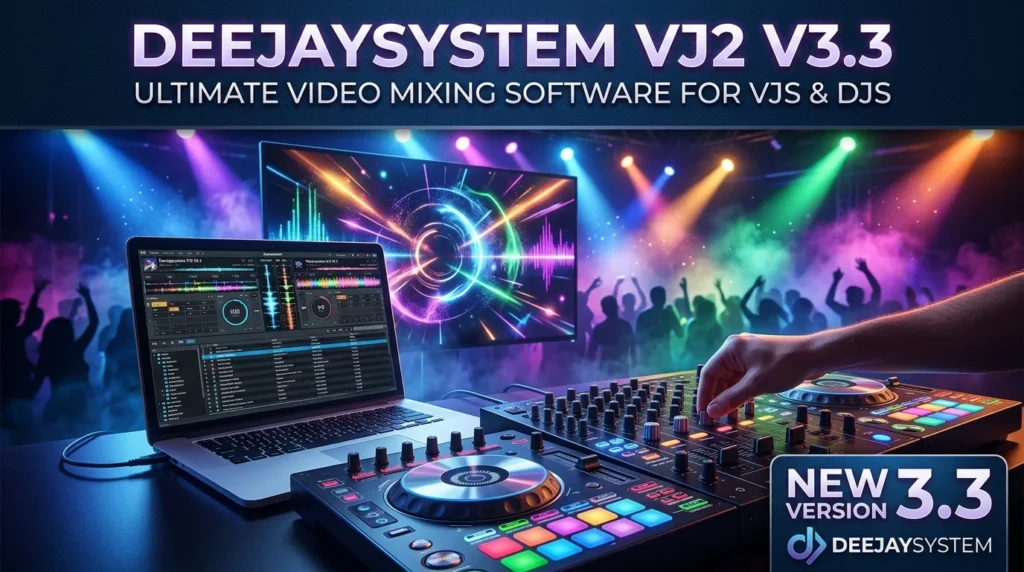
Deejaysystem VJ2 V3.3 is a professional-grade VJ software solution designed for live video mixing and real-time visual effects. Tailored for the needs of video jockeys, club DJs, and live event performers, this software provides a robust platform for creating immersive visual experiences that sync perfectly with audio performances.
The latest iteration focuses on delivering a seamless and intuitive workflow, making it accessible for beginners while still packing the advanced features demanded by professionals. This VJ software allows users to mix multiple video sources, apply dynamic effects, and transition between clips with precision, effectively turning any performance into a complete audio-visual spectacle. By integrating directly with popular DJ software, Deejaysystem VJ2 V3.3 positions itself as an essential tool for modern multimedia artists looking to elevate their stage presence.
Key Features
Deejaysystem VJ2 V3.3 is packed with features that make it a top choice in the live video mixing scene. Its capabilities are designed to offer both creative freedom and technical reliability.
-
Real-Time Audio Visualization: The software excels at creating dynamic visualizations that react to the music’s beat, tempo, and frequency. This ensures your visuals are always in perfect sync with your audio, a critical feature for any video mixing software.
-
Multi-Format Media Support: It supports a wide array of video, image, and audio file formats, including MP4, AVI, MOV, MP3, WAV, and various image types. This eliminates the need for tedious file conversion and ensures compatibility with diverse media libraries.
-
Extensive Effect Library: Users have access to a powerful library of built-in video effects and transitions. From classic crossfades and wipes to complex audio-reactive effects, you can manipulate your visuals creatively and in real-time.
-
Seamless DJ Software Integration: One of the standout features is the ability to sync with leading DJ performance software. This integration allows for the automatic triggering of video clips based on DJ controller inputs or track metadata, creating a unified performance ecosystem.
-
Intuitive User Interface: The VJ2 V3.3 interface is designed to be user-friendly, ensuring that you can access tools and features without interrupting your performance flow. The layout is customizable, allowing you to create a workspace that fits your specific needs.
What’s New in the Latest Version (V3.3)
Version 3.3 of Deejaysystem VJ2 brings significant enhancements, focusing on improving performance and expanding creative options.
-
Performance Optimizations: This update includes major under-the-hood improvements for faster rendering and lower latency. This ensures smoother playback and effects, even when handling high-definition video content.
-
Enhanced Audio Analysis: The audio engine has been refined for more accurate beat detection and frequency analysis. This results in more precise and responsive audio-reactive visuals.
-
Expanded File Format Compatibility: Support for the newest video and audio codecs has been added, ensuring you can work with the latest media files without any compatibility issues.
-
User Interface Refinements: Minor updates to the UI have been made to improve workflow and make certain advanced features more accessible.
-
Bug Fixes and Stability: As with any professional software, this version incorporates numerous bug fixes and stability improvements, making it more reliable for high-pressure live performances.
System Requirements
To ensure optimal performance, make sure your system meets the following requirements to run Deejaysystem VJ2 V3.3.
Minimum Requirements:
-
Operating System: Windows 7/8/10/11 or macOS 10.14 (Mojave) and later
-
Processor: Intel Core i5 or equivalent
-
Memory (RAM): 4 GB
-
Graphics: Dedicated GPU with 1GB of memory (e.g., NVIDIA GeForce, AMD Radeon)
-
Storage: 500 MB of available space
Recommended Requirements:
-
Operating System: Windows 10/11 or macOS 11 (Big Sur) and later
-
Processor: Intel Core i7 or equivalent, or Apple M1/M2 chip
-
Memory (RAM): 8 GB or more
-
Graphics: Dedicated GPU with 2GB of memory or more
-
Storage: 1 GB of available space (SSD preferred)
Installation Guide
Installing Deejaysystem VJ2 V3.3 is a straightforward process. Follow this guide for a smooth setup.
-
Download the Software: Purchase a legitimate license and download the installer file from the official Deejaysystem website.
-
Run the Installer: Locate the downloaded file (usually a
.exefor Windows or.dmgfor macOS) and double-click it to launch the installation wizard. -
Follow the On-Screen Prompts: The installation wizard will guide you. Simply read and accept the license agreement and select a destination folder for the software files.
-
Select Components: You may have the option to choose which components to install. Ensure all primary components are selected for full functionality.
-
Complete the Installation: Click “Install” to begin the process. Once the installation is complete, you can choose to launch the software immediately or click “Finish.”
-
Activate Your License: Upon launching the software for the first time, you will be prompted to enter your license key for activation. Enter the key you received upon purchase to unlock the full version.
How to Use the Software
Mastering a VJ tool takes practice, but the following steps provide a foundational guide to get you started with Deejaysystem VJ2 V3.3.
-
Create a New Project: Launch the software and start a new project.
-
Add Media Files: Load your video and image files into the media library. You can drag and drop files directly into the media panel.
-
Set Up Your Decks: The software typically uses a dual-deck or multi-deck system. Assign your loaded media to different decks.
-
Sync with Audio Input: Configure your audio input. You can use an external audio source from your mixer or audio interface, or you can route audio from a separate DJ application.
-
Mix and Transition: Play your clips and use the crossfader or other transition tools to mix between the decks. Experiment with different effects and transition styles.
-
Apply Real-Time Effects: While a clip is playing, select and apply effects from the effects library. Many effects are real-time and can be manipulated using on-screen controls or a MIDI controller.
-
Output to a Display: Ensure your output is set up correctly. You can output to a full-screen projector, an external monitor, or a video capture card for broadcasting.
Best Use Cases
The versatility of Deejaysystem VJ2 V3.3 makes it an ideal solution for a variety of applications:
-
Nightclubs and DJ Sets: The primary use case is to provide accompanying visuals for a DJ or electronic music performance, transforming a nightclub into an immersive experience.
-
Live Music Venues: It can be used for live bands, syncing lighting and visuals to the band’s performance for a more engaging concert experience.
-
Festivals and Events: The software is a staple at music and arts festivals, providing large-scale visual content for main stages and art installations.
-
Corporate Events and Conferences: It can be used to manage and mix background video content, presentations, and live cameras during large corporate functions.
-
Interactive Art Installations: Artists can use the software’s real-time capabilities to create interactive pieces that respond to audio or environmental cues.
-
Broadcast and Streaming: VJ2 V3.3 can be used as part of a live-streaming setup to mix various video inputs and add graphics and effects to a broadcast.
Advantages and Limitations
Like any professional tool, this video mixing software has strengths and areas for improvement.
Advantages:
-
Excellent Stability: Known for being highly reliable during live events.
-
Powerful Audio Analysis: Superior beat-matching capabilities.
-
User-Friendly Interface: The learning curve is manageable for new users.
-
Wide Format Support: Works with almost any media file you can throw at it.
-
Integration Capabilities: Seamlessly works with other industry-standard software.
Limitations:
-
Platform Availability: As of now, it is not a native application for mobile devices or tablets.
-
Feature Density: The range of features can be overwhelming for absolute beginners.
-
Resource Intensive: To run smoothly, it requires a relatively powerful computer, especially for high-definition content.
Alternatives to the Software
While Deejaysystem VJ2 V3.3 is an excellent choice, several other VJ software alternatives exist, each with its own strengths.
-
Resolume Avenue: A very popular and powerful alternative, known for its advanced capabilities and extensive community. It is often preferred for complex, layer-based visual mixing.
-
VDMX: A highly flexible modular VJ software for macOS that allows for deep customization of the video processing pipeline and is favored by advanced users.
-
Lumen: A hardware-accelerated software synthesizer that creates analog-style video art, ideal for creating generative visuals from scratch.
-
Modul8: A Mac-only VJ software that is known for its intuitive and artistic interface, great for live improvisation and multimedia performances.
Frequently Asked Questions
What is Deejaysystem VJ2 V3.3 used for?
It is a professional VJ application used for live video mixing, primarily in nightclubs, concerts, and festivals. It allows users to mix video clips and apply effects in real-time, synchronizing the visuals with audio performances.
Can I use Deejaysystem VJ2 V3.3 with my DJ controller?
Yes. The software is designed to integrate seamlessly with many DJ controllers and software applications. You can map MIDI controllers to its controls for tactile, hands-on mixing.
Does it support high-definition video?
Absolutely. Deejaysystem VJ2 V3.3 supports HD and even 4K video playback, provided your system meets the recommended requirements for smooth performance.
Is Deejaysystem VJ2 V3.3 compatible with macOS?
Yes, the latest version supports modern macOS versions, including compatibility with Apple’s M1 and M2 chips.
How do I get a license for the software?
A valid license can be purchased directly from the Deejaysystem website. The license unlocks all features and provides access to future updates and support.
What file formats does the software support?
It supports a wide range of formats, including MP4, AVI, MOV, MKV, MP3, WAV, JPG, PNG, and more, offering broad compatibility for different media sources.
Final Thoughts
Deejaysystem VJ2 V3.3 stands out as a robust and reliable VJ software, particularly well-suited for users who prioritize stability and powerful audio-reactive capabilities. Its intuitive interface, despite a slight learning curve, makes it a great tool for both budding VJs and seasoned professionals.
While the software’s resource demands and lack of mobile support may be a drawback for some, its strengths in live performance integration, format support, and visual quality make it a top contender in the market.
For those seeking a professional-grade tool to elevate their live performances and create stunning video mixing experiences, Deejaysystem VJ2 V3.3 is an excellent investment.
Our Paid Service


