
Overview of Civil Site Design for Civil 3D 2027
Table of Contents
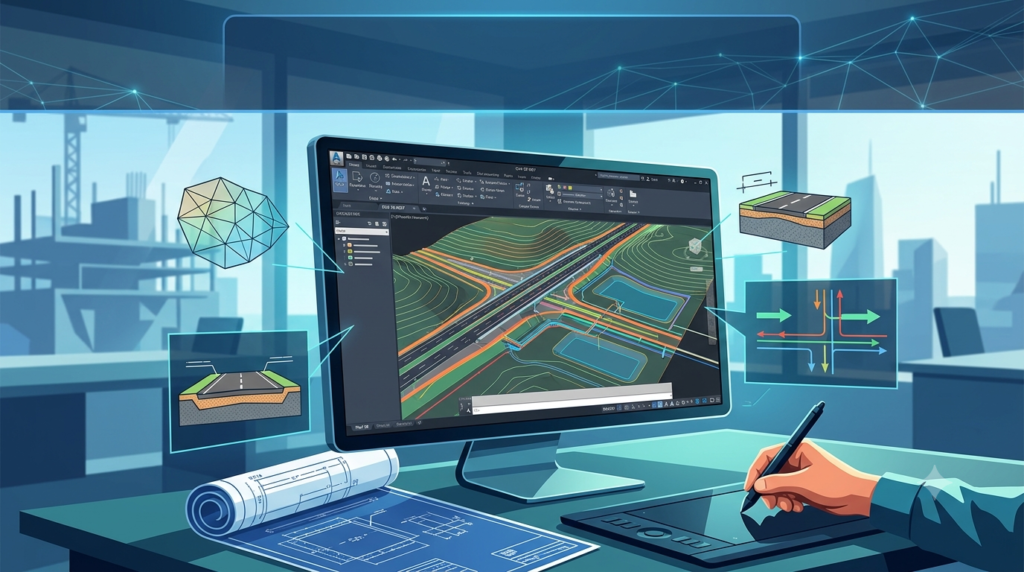
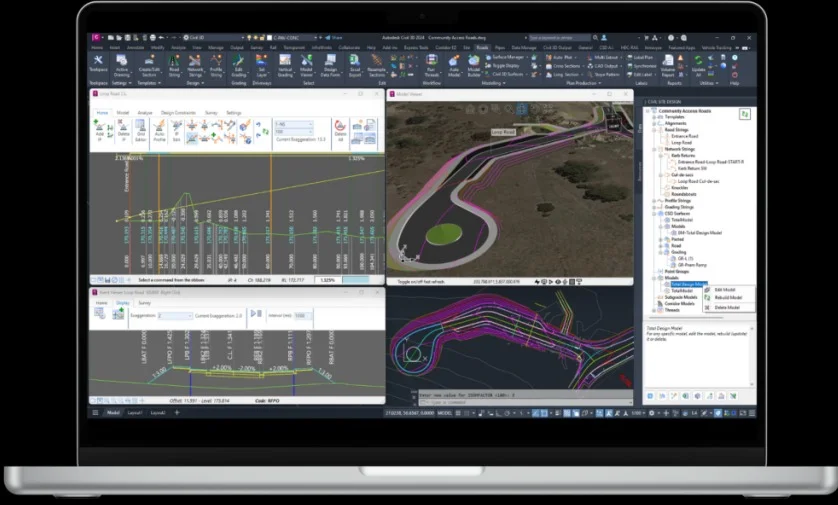
Civil Site Design is a powerful add-on for Autodesk Civil 3D, designed to enhance and automate complex site development tasks. The latest version, Civil Site Design for Civil 3D 2027, builds upon its robust core functionality with new features aimed at accelerating design iteration, improving data management, and leveraging cloud-based collaboration .
The software specializes in the complete lifecycle of infrastructure design, from conceptual site planning and road modeling to detailed earthworks analysis and construction documentation. By integrating advanced capabilities like Horizontal Regression Analysis and real-time project intelligence, it enables engineers to produce more accurate designs and reduce errors .
Key Features of Civil Site Design
This software is packed with features that address the needs of modern infrastructure projects. Key capabilities include:
-
Advanced Site and Road Design: Streamline the creation of complex alignments, profiles, and corridors.
-
Automated Earthworks Analysis: Quickly calculate cut and fill volumes, and optimize site grading to minimize costs.
-
Dynamic Drainage Design: Improved catchment, channel, pond, and underground storage analysis, with deeper integration with Autodesk InfoDrainage for comprehensive stormwater design .
-
Horizontal Regression Analysis: This crucial tool allows you to generate the best-fit alignment from survey data and visualize regression results directly in the Civil 3D drawing . This significantly improves the accuracy and efficiency of designing alignments.
-
Autodesk Assistant Tech Preview: An experimental AI-powered assistant helps with natural language object selection, standards checking, and surface analysis, bringing intuitive, in-product guidance to your workflows .
-
Connected Data Environment: With Forma Data Management Essentials, teams can access cloud-based project data, manage Connected References, and ensure consistent use of support files across the project team .
What’s New in the Latest Version
The 2027 release introduces significant updates that enhance productivity and design intelligence:
-
Horizontal Regression Analysis Enhancements: This feature has been expanded with better visualization of regression results, non-modal interactions, and improved data consistency . A new machine learning-based detection method increases accuracy and allows users to switch between detection methods without workflow disruption.
-
Daylight Feature Line Tech Preview: A new preview feature aims to automate the creation of daylight lines, a common but often tedious task in grading design .
-
Autodesk Assistant Tech Preview: This reintroduces AI-powered assistance directly into Civil 3D, helping users with tasks and standards compliance through contextual drawing information .
System Requirements
Before installing Civil Site Design for Civil 3D 2027, ensure your system meets the necessary specifications.
-
Operating System: Microsoft® Windows® 10 or Windows 11 (64-bit)
-
Processor: 3.0 GHz or higher, multiple cores (Intel or AMD)
-
Memory (RAM): 16 GB minimum, 32 GB recommended
-
Graphics Card: DirectX 11 or 12 compatible, with at least 4 GB of video memory
-
Disk Space: 20 GB of free space
-
Pre-requisite: Autodesk Civil 3D 2027 must be installed and licensed.
-
Internet: High-speed internet for cloud features and license validation.
Note: Always refer to Autodesk’s official documentation for the most current and detailed system requirements.
Installation Guide
Installing Civil Site Design is a straightforward process. This guide assumes you already have a licensed copy of Autodesk Civil 3D 2027 installed.
-
Obtain the Installer: Download the official Civil Site Design for Civil 3D 2027 installer from a trusted source.
-
Close Civil 3D: Before starting the installation, ensure that Autodesk Civil 3D 2027 is completely closed.
-
Run the Installer: Locate the downloaded
.exeor.msifile and run it as an administrator. -
Accept the License Agreement: Read and accept the software’s End-User License Agreement (EULA) to proceed.
-
Select Installation Location: Choose the folder where you want to install the software. The default location is usually the best choice.
-
Complete the Installation: Follow the on-screen prompts. The installer will automatically detect your existing Civil 3D 2027 installation and integrate the add-on.
-
Restart Civil 3D: Once the installation is complete, launch Civil 3D 2027. The Civil Site Design toolset should now appear on the ribbon.
How to Use Civil Site Design for Civil 3D 2027
Leveraging the software effectively can transform your workflow.
For Beginners:
-
Start with the Tutorials: Access the built-in tutorials to understand the core workflows for site design, road layout, and earthworks.
-
Use the Wizards: The software includes guided wizards for common tasks like creating site plans and generating reports, which can significantly accelerate the learning curve.
-
Leverage the Autodesk Assistant: Activate the Autodesk Assistant Tech Preview to get in-product guidance on how to perform specific tasks or check for potential issues in your design .
For Professionals:
-
Master Data Management: Use the new Forma Data Management Essentials to set up a connected environment. This ensures all project members are using the latest references and support files, reducing errors and maintaining consistency .
-
Optimize with Horizontal Regression: Utilize the enhanced Horizontal Regression Analysis to create best-fit alignments from survey data. The new visualization capabilities allow for quick validation and comparison with field measurements .
-
Automate Daylighting: Begin testing the experimental Daylight Feature Line to automate the creation of daylight lines, saving time on complex grading projects .
Best Use Cases
Civil Site Design for Civil 3D 2027 is versatile, but it excels in specific types of projects:
-
Residential and Commercial Site Development: For master-planning and detailed design of subdivisions, shopping centers, and office parks.
-
Road and Highway Design: From initial route selection to detailed corridor modeling and earthworks optimization.
-
Stormwater and Drainage Design: Complex drainage network design, especially when combined with InfoDrainage for detailed analysis.
-
Land Development and Reclamation: Projects requiring extensive grading, earthworks analysis, and material volume calculations.
Advantages and Limitations
Understanding the pros and cons will help you set the right expectations.
Advantages:
-
Unmatched Automation: Streamlines complex and repetitive tasks, leading to significant time savings.
-
Deep Integration: Seamlessly works within Autodesk Civil 3D, ensuring a smooth workflow.
-
Enhanced Accuracy: Features like the new Horizontal Regression Analysis and dynamic data management reduce errors .
-
Improved Collaboration: Cloud-based data management through Forma Data Management Essentials connects teams efficiently .
-
Forward-Looking Tech: The inclusion of AI via the Autodesk Assistant Tech Preview hints at a more intelligent future for design software .
Limitations:
-
Learning Curve: Despite its automation, the software is complex and requires training to use effectively.
-
Cost: It is a premium add-on, representing a significant investment for smaller firms.
-
Resource Intensive: Requires powerful hardware to run optimally, especially on large projects.
-
Some Features are Experimental: Features like the Autodesk Assistant are still in Tech Preview and may not be fully stable for production use .
Alternatives to Civil Site Design for Civil 3D 2027
While Civil Site Design is a leading solution, alternatives exist for site and road design:
-
AutoCAD Civil 3D (Core): For firms that need only the base capabilities, Civil 3D’s core features might suffice, though they lack the high-level automation of this add-on.
-
Bentley OpenRoads: A comprehensive competitor suite for infrastructure design, popular in large-scale roadway and rail projects, but with a steeper learning curve.
-
PDS (Site Development): An alternative toolset that also provides enhancements for site design within an AutoCAD environment.
-
Trimble Business Center: More focused on survey and construction data processing but offers some road design capabilities.
Frequently Asked Questions
Q: What is the primary benefit of using Civil Site Design?
A: It drastically accelerates site and road design workflows by automating complex, repetitive tasks like earthworks analysis, corridor modeling, and drainage design.
Q: Does Civil Site Design for Civil 3D 2027 include AI features?
A: Yes, it includes the Autodesk Assistant Tech Preview, which uses AI to provide in-product guidance, natural language selection, and standards checking .
Q: What is Horizontal Regression Analysis?
A: It’s a tool for creating the best-fit Civil 3D alignment (tangents, curves, spirals) from raw survey or measurement data. The 2027 version adds new visualization and machine learning detection capabilities to enhance accuracy .
Q: Is Civil Site Design a standalone software?
A: No, it is a specialized add-on that requires a licensed installation of Autodesk Civil 3D 2027 to function.
Q: Can I use Civil Site Design for drainage design?
A: Yes, it has comprehensive drainage design and analysis tools, including improved features for catchments, ponds, and integration with Autodesk InfoDrainage .
Final Thoughts
Civil Site Design for Civil 3D 2027 represents a significant step forward for infrastructure design software. By integrating powerful automation, enhanced analysis tools like Horizontal Regression Analysis, and forward-looking AI capabilities, it empowers engineers to work faster, smarter, and more accurately . While the investment in time and resources is considerable, the potential gains in productivity and design quality make it a compelling choice for any serious civil engineering firm focused on infrastructure projects.