
Overview of Chesapeake SonarWiz V8.3.0
Table of Contents
Chesapeake SonarWiz Technology has been a leader in sonar data processing for more than 25 years, serving hundreds of clients worldwide, including NOAA, NAVO, USGS, and numerous navies and universities. SonarWiz was developed to address the need for an easy-to-use, low-cost, high-value sonar data acquisition system that simplifies the survey process.
The software is modular in design, allowing users to purchase each component separately as an add-on or as part of a Field or Office bundle. The platform supports dongle and dongle-free licensing options, providing flexibility for different operational environments.
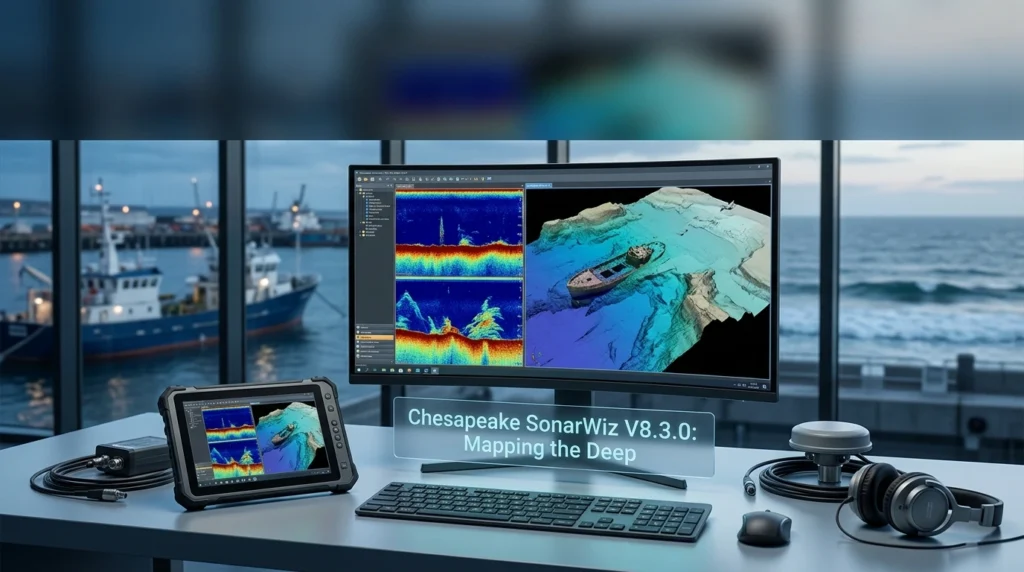
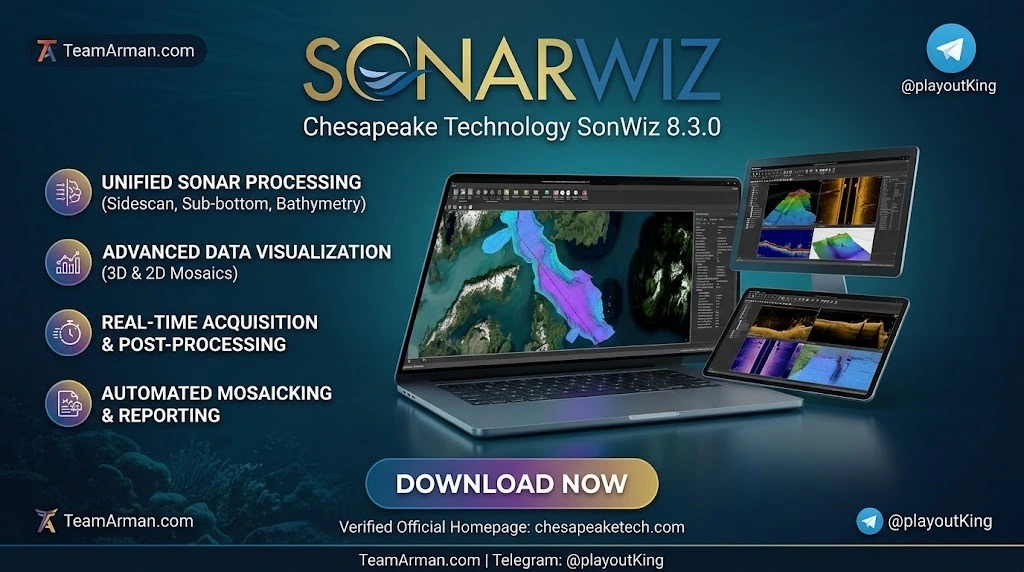
SonarWiz V8.3.0 continues this legacy by offering an all-in-one solution that captures sonar, navigation, fathometer, payout meter, and magnetometer data simultaneously, enabling operators to customize real-time displays that include sidescan and sub-bottom waterfalls, contact target strips, and fully processed mosaics.
Key Features of SonarWiz V8.3.0
SonarWiz 8.3.0 includes a comprehensive suite of features designed for marine survey professionals across multiple disciplines.
Sidescan Sonar Processing
-
Real-time data acquisition and visualization: View and analyze sidescan data as it is collected, with customizable displays for survey management.
-
Empirical Gain Normalization (EGN): Apply advanced gain adjustments to enhance sonar imagery quality.
-
Nadir filter and destripe corrections: Remove common artifacts from sidescan data for cleaner mosaics.
-
High-resolution mosaics: Create detailed seafloor maps with improved across-track resolution.
Sub-Bottom Profiling
-
Sediment layer exploration: Examine sub-seafloor geological structures with dedicated processing modules.
-
Bottom tracking tools: Automatically or manually identify the sediment-water interface in sub-bottom profiles.
-
Datum alignment: Correct sub-bottom data for tide and draft variables using the Datum Align to Bathy Grid feature.
-
Bandpass filtering: Apply filters to sparker and boomer data for improved signal clarity.
Bathymetry Processing
-
Full support for wide-swath systems: Process interferometric and dual-headed multibeam data with modern calibration tools.
-
Sound velocity profile application: Load and apply sound velocity profiles and tide records for accurate depth measurements.
-
Navigation and attitude editing: Remove spikes from bad navigation and apply low-pass filters to antenna heights.
-
Cross-track profile analysis: Analyze bathymetry and acoustic backscatter simultaneously for comprehensive seabed characterization.
Magnetometry Integration
-
Real-time magnetometer interface: Collect and process magnetometer data alongside sonar data for ferrous-object detection.
-
Support for multiple formats: Import and process data from over 50 magnetometry file formats.
-
Geometrics MagElement support: New interface for the Geometrics MagElement magnetometer system.
Advanced Analysis Tools
-
Automatic Target Recognition (ATR): Uses a Convolutional Neural Network (CNN) combined with computer vision algorithms to automatically detect and measure objects in sidescan data.
-
3D visualization: Interactively view bathymetry, acoustic backscatter, sonar mosaics, and digitized features in a 3D environment.
-
Contact report generation: Create superior contact reports with improved editing features.
What’s New in SonarWiz V8.3.0
The V8.3.0 release represents a significant update with over 60 changes and improvements. Here are the key additions:
Dark Mode Interface
SonarWiz 8.3.0 finally introduces Dark Mode, a feature that has been highly requested by users. This is particularly beneficial for professionals working in dimly lit environments, such as survey vessel cabins or computer labs during nighttime operations.
New Real-Time Magnetometer Interface
The new magnetometer interface supports multi-channel systems that collect data at rates exceeding traditional 1 Hz limitations. During development, Chesapeake Technology specifically created an interface for the Geometrics MagElement magnetometer, expanding the platform’s compatibility with modern magnetometry equipment.
Enhanced Gridding with Polygon Restriction
A new tool allows users to restrict grid program operations to polygons drawn with the feature tool. This is particularly useful when working with irregularly spaced track lines, as it prevents the grid program from making unrealistic assumptions about depth continuity across large distances.
UI Improvements
-
Vertical tabs: Application Settings and File Type Specific Options menus now feature vertical tabs for a cleaner layout.
-
Enhanced navigation: More consistent behavior for Previous and Next buttons when jumping between files.
-
Streamlined dialogs: Standardized Open and Save dialogs throughout the program.
-
Color Window: A new Color Window has been added to the digitizers for enhanced post-processing control.
Additional Improvements
-
LAS export enhancements: Fixed bugs and improved LAS export functionality.
-
Improved bottom tracker: Enhanced bottom tracking algorithm for more accurate seafloor identification.
-
ITRF2020 support: Added support for the latest International Terrestrial Reference Frame.
-
Norbit s7k sub-bottom import: Added support for importing Norbit s7k sub-bottom data.
System Requirements for SonarWiz 8.3.0
Before installing SonarWiz, ensure your system meets the following requirements:
Minimum Hardware Requirements
-
Operating System: Microsoft Windows 10 through Microsoft Windows 11 (64-bit editions only).
-
Processor: 2 GHz dual-core 64-bit processor (i7 or faster recommended for optimal performance).
-
RAM: Minimum 8 GB (16 GB or more recommended for large datasets).
-
Disk Space: Approximately 2.0 GB of free disk space for installation, plus additional space for storing and creating new project data.
-
Graphics Card: Must have full support for DirectX11.
-
Screen Resolution: Minimum 1024 x 768.
Cloud Platform Support
SonarWiz has been tested successfully on Amazon AWS and Microsoft Azure instances running Microsoft Windows. Supported AWS instance types include G4dn (accelerated computing), I3 (storage optimized), M5ad (general purpose), and T3 (general purpose).
Important Notes
-
Installation must be performed by an account with admin privileges.
-
SonarWiz is not tested or supported on Apple Macs, though hard dongles can run on Parallels Desktop for Mac.
-
Dongle-Free Licenses (DFL) are not tested on and cannot be explicitly endorsed for virtualization solutions.
-
An internet connection is required for connecting to online map data, exporting mosaics to Google Earth, and accessing some Help Menu resources.
Installation Guide for SonarWiz 8.3.0
Installing SonarWiz is a straightforward process. Follow these steps:
Step 1: Verify System Requirements
Confirm that your computer meets all minimum hardware and software requirements listed above. Ensure you have administrative privileges for installation.
Step 2: Obtain a License
SonarWiz is commercial software that requires a valid license key. Chesapeake Technology supports four license key types:
-
USB Hard Dongle: A physical USB device that enables software operation.
-
Dongle-Free License (DFL): A transferable soft-lock license that can be moved between internet-connected PCs in seconds.
-
Network License: A network license server that serves SonarWiz licenses over a local domain.
-
Evaluation License: A special license for evaluating SonarWiz prior to purchase.
Step 3: Download the Installer
Download the SonarWiz 8.3.0 installer from the official Chesapeake Technology website. Ensure you download the 64-bit version compatible with your Windows operating system.
Step 4: Run the Installer
Right-click the installer file and select “Run as Administrator.” Follow the on-screen instructions to complete the installation. The process typically takes a few minutes.
Step 5: Activate Your License
After installation, launch SonarWiz. Depending on your license type:
-
Dongle users: Insert the USB dongle before launching the software.
-
DFL users: Enter your activation code when prompted. An internet connection is required for initial activation.
-
Network license users: Configure the license server connection in the Application Settings menu.
Step 6: Configure Application Settings
Once activated, navigate to the Application Settings menu to customize your preferences, including:
-
Dark Mode toggle for reduced eye strain.
-
Coordinate system defaults.
-
File type specific options.
-
Display and performance settings.
How to Use SonarWiz 8.3.0
SonarWiz is designed with an intuitive workflow that guides users from project creation through data processing and final deliverables. Here is a step-by-step overview:
Step 1: Create a New Project
Launch SonarWiz and click the New Project icon. Enter a project name and select a project folder. Provide the approximate project position and select the coordinate source (for sidescan and sub-bottom projects).
Important: SonarWiz 8.3.0 automatically selects an appropriate coordinate system unless you opt out, reverting to the safer SonarWiz 7 behavior to prevent accidental errors.
Step 2: Import Your Data
Navigate to the Post Processing tab and select Import. Choose the appropriate data type:
-
Sidescan Files: Import sidescan sonar data in various formats.
-
Sub-Bottom Files: Import sub-bottom profiler data for sediment layer analysis.
-
Bathymetry Files: Import swath bathymetry data for depth mapping.
-
Magnetometer Files: Import magnetometer data for ferrous-object detection.
Step 3: Process Your Data
Apply processing tools specific to your data type:
For Sidescan Data:
-
Smooth and interpolate navigation.
-
Apply laybacks and sheave offsets.
-
Apply gains such as TVG and EGN.
-
Adjust and trim data.
-
Create mosaic maps of the survey.
For Sub-Bottom Data:
-
Apply bandpass filters to sparker and boomer data.
-
Bottom track sub-bottom profiles.
-
Topographically correct SBP data with tides or bathymetry.
-
Compute intersections.
For Bathymetry Data:
-
Load and apply sound velocity profiles and tide records.
-
Edit and clean navigation.
-
Remove bad soundings.
-
Apply filters from 10 available algorithms including angle/range limiters and density filters.
For Magnetometer Data:
-
Apply cable out to navigation.
-
Filter and edit raw magnetometer data.
-
Identify anomalies automatically or manually.
Step 4: Analyze and Interpret
Use SonarWiz’s analysis tools to interpret your data:
-
3D Viewer: Visualize multiple lines, DTMs, sonar mosaics, XYZ amplitude clouds, and digitized features.
-
Sub-Bottom Analysis Window: Analyze sediment layers and convert bottom tracks to seafloor reflectors.
-
Contact Editor: Review and annotate targets detected in sidescan data.
-
Seabed Characterization Tool: Perform sediment classification for habitat mapping.
Step 5: Export Deliverables
SonarWiz supports export to more than a dozen GIS, CAD, and image formats. Common exports include:
-
Georeferenced TIFF mosaics for GIS integration.
-
SHP files for bottom track lines.
-
XYZ files for gridded surfaces.
-
Contact reports for target documentation.
Best Use Cases for SonarWiz 8.3.0
SonarWiz is trusted by hydrographic survey teams, research institutions, and government agencies worldwide. Here are the primary applications:
Hydrographic Surveys
SonarWiz is the standard for NOAA hydrographic survey operations, used to acquire, process, and deliver sidescan sonar data across coastal and offshore survey programs. The software supports water column auto-tracking, slant range correction, bottom track evaluation, layback correction, and gain adjustments—all essential for producing accurate nautical charts.
Archaeological Investigations
Marine archaeologists rely on SonarWiz for identifying and documenting submerged cultural resources. The software has been used in North Sea archaeological surveys and the BentProp Project to discover seafloor wreckage, including aircraft from historical conflicts. SonarWiz enables line-by-line interpretation of sub-bottom data by qualified marine archaeologists.
Pipeline and Cable Inspections
The software is widely used for inspecting underwater infrastructure, including oil and gas pipelines and telecommunications cables. SonarWiz helps identify pipeline dimensions, detect anomalies, and assess the condition of subsea assets.
Environmental Assessments
Environmental scientists use SonarWiz to map benthic habitats, classify sediment types, and assess the ecological condition of water bodies. The software supports sediment estimation and change detection, making it valuable for environmental impact studies.
Search and Recovery Operations
Dive teams and recovery personnel use SonarWiz to locate underwater artifacts, treasures, and pipelines. Magnetometry data co-recorded with sidescan or sub-bottom data provides a valuable additional layer of information for ferrous-object detection.
Research and Education
Universities and research institutions use SonarWiz for geological, biological, and oceanographic studies. The software’s support for multiple data types and export formats makes it versatile for academic research applications.
Advantages and Limitations
Advantages
-
All-in-one solution: Eliminates the need for multiple software programs by supporting sidescan, sub-bottom, bathymetry, and magnetometry data in a single environment.
-
User-friendly interface: Intuitive tools and workflows make the software accessible to both beginners and experienced professionals.
-
Proven track record: Trusted by NOAA, NAVO, USGS, and hundreds of clients worldwide for over 25 years.
-
Flexible licensing: Dongle and dongle-free licensing options provide flexibility for different operational needs.
-
Cloud compatibility: Tested on Amazon AWS and Microsoft Azure for remote processing workflows.
-
Regular updates: Chesapeake Technology actively incorporates user feedback into new releases, with V8.3.0 including over 60 improvements.
Limitations
-
Windows-only: SonarWiz is not supported on Apple Macs, limiting accessibility for Mac-based users.
-
Hardware requirements: Processing large datasets requires a powerful workstation with ample RAM and a DirectX11-compatible graphics card.
-
Learning curve: While user-friendly, mastering all modules requires training and practice. Chesapeake Technology offers online training videos and hands-on courses to help users get up to speed.
-
Commercial licensing: As commercial software, SonarWiz requires a paid license. Evaluation licenses are available for testing before purchase.
Alternatives to SonarWiz
While SonarWiz is an industry-leading solution, several alternatives exist for marine survey data processing:
CARIS HIPS and SIPS
CARIS HIPS and SIPS is a comprehensive hydrographic processing suite for bathymetry, side scan sonar, and water column data. It excels in enterprise-scale hydrographic programs that require controlled processing and georeferenced outputs across many survey lines. While SonarWiz works better for sonar-to-bathymetry processing without enterprise scope, CARIS is preferred by large hydrographic organizations with complex workflow requirements.
QPS Qimera
Qimera is a powerful hydrographic data-processing software designed for intuitive multibeam sonar, LiDAR, and UAV data workflows. It supports full sonar processing across all major manufacturers and survey platforms, including surface vessels, ROV, AUV, and ASV operations. Qimera offers 64-bit multi-platform compatibility (Windows, MacOS, and Linux) and QimeraLive for near-real-time processing.
Triton Imaging Isis
Triton Imaging Isis is a sidescan sonar processing software that provides an alternative to SonarWiz for seafloor imaging. Comparative studies have been conducted between SonarWiz and Triton Imaging Isis for sidescan sonar data processing, with each offering distinct advantages depending on the specific survey requirements.
HYPACK / HYSWEEP
HYPACK is a hydrographic survey software suite that includes HYSWEEP for multibeam data processing. It is often used alongside SonarWiz in combined survey workflows, as seen in archaeological and environmental studies that require both software packages.
Frequently Asked Questions
1. What data types does SonarWiz 8.3.0 support?
SonarWiz 8.3.0 supports sidescan sonar, sub-bottom profiler, bathymetry (including multibeam and interferometric systems), and magnetometer data. The software can process these data types individually or combined within a single project.
2. Can I try SonarWiz before purchasing?
Yes. Chesapeake Technology offers Evaluation Licenses that allow you to test SonarWiz prior to purchase. Contact CTI or an authorized reseller to request an evaluation license.
3. What is the difference between Dongle and Dongle-Free licensing?
A USB Hard Dongle is a physical device that enables the software and must be present during operation. A Dongle-Free License (DFL) is a transferable soft-lock license that can be moved between any two internet-connected PCs in seconds, eliminating the risk of lost or stolen dongles.
4. Does SonarWiz work on Mac computers?
No. SonarWiz is tested and supported only on Microsoft Windows 10 and 11. While hard dongles can run on Parallels Desktop for Mac, Chesapeake Technology does not test or support SonarWiz on Apple Macs.
5. How much RAM do I need for SonarWiz?
The minimum RAM requirement is 8 GB. However, for processing large datasets and using advanced visualization features, 16 GB or more is recommended for optimal performance.
6. Can SonarWiz process data in real time?
Yes. SonarWiz is designed for both real-time data acquisition and post-processing. The software captures sonar, navigation, fathometer, payout meter, and magnetometer data simultaneously, with customizable real-time displays.
7. What training resources are available for SonarWiz?
Chesapeake Technology offers online training videos for both beginning and advanced users, as well as hands-on training customized to your specific sonar equipment, operating environment, and output requirements.
8. Is SonarWiz compatible with cloud computing platforms?
Yes. SonarWiz has been tested successfully on Amazon AWS and Microsoft Azure instances running Microsoft Windows. Supported AWS instance types include G4dn, I3, M5ad, and T3.
Final Thoughts
Chesapeake SonarWiz V8.3.0 represents a significant advancement in marine survey data acquisition and processing software. With over 60 updates in this release alone, Chesapeake Technology demonstrates a strong commitment to continuous improvement driven by user feedback.
The addition of Dark Mode addresses a long-standing user request and enhances usability in low-light environments. The new real-time magnetometer interface expands the software’s compatibility with modern equipment, while the enhanced gridding tools with polygon restriction provide more accurate results for irregular survey patterns.
For professionals in hydrographic surveying, marine archaeology, pipeline inspection, and environmental assessment, SonarWiz 8.3.0 offers a comprehensive, reliable, and user-friendly solution. The software’s modular design and flexible licensing options make it accessible to organizations of all sizes, from individual surveyors to large government agencies.
Whether you are a seasoned SonarWiz user upgrading to the latest version or a newcomer evaluating marine survey software for the first time, SonarWiz 8.3.0 delivers the tools, performance, and support you need to succeed in your underwater mapping and data processing projects.
Our Paid Service
“We do not sell or provide any software. We only offer professional support services. If any software on your system is not working properly, or you are facing installation errors, crashes, or any other technical issue — just contact us. We will help you fix the problem quickly and remotely via AnyDesk. No software will be provided from our side — only expert troubleshooting and support.”