

Overview of the Software
Table of Contents
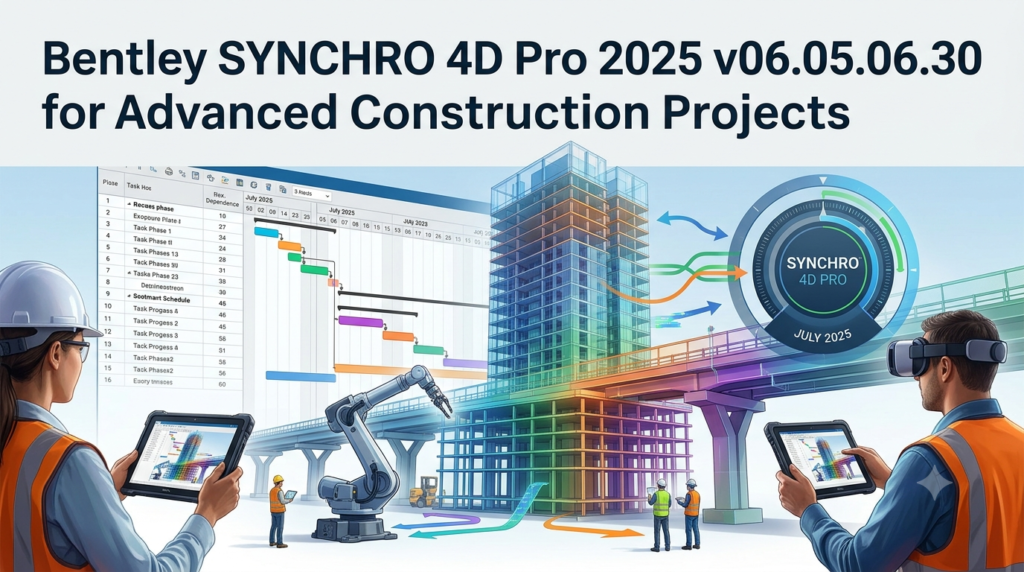
Bentley SYNCHRO 4D Pro 2025 stands as a premier solution in the construction software landscape, offering advanced 4D virtual construction scheduling and simulation technology . This powerful tool transforms traditional project management by integrating 3D models with project schedules to create dynamic, time-based visualizations of construction sequences.
Developed by Bentley Systems—a global leader in infrastructure engineering software—SYNCHRO 4D Pro enables project teams to plan, schedule, and manage complex construction projects with unprecedented clarity and control . The software bridges the gap between design and construction by allowing teams to visualize every phase of a project before breaking ground, significantly reducing risk, rework, and costly delays.
The acquisition of Synchro Software by Bentley Systems in 2018 brought together decades of construction expertise with Bentley’s robust infrastructure platform, resulting in a solution that serves megaprojects worldwide . Whether you’re managing a high-rise development, transportation corridor, or industrial facility, SYNCHRO 4D Pro provides the tools to simulate, analyze, and optimize your construction workflow.
Key Features
SYNCHRO 4D Pro 2025 delivers a comprehensive suite of features designed to streamline construction planning and execution :
Model Management
-
Multi-format import capability – Import models from various sources including IFC, NWC, and DGN formats, supporting seamless integration with tools like Revit and Navisworks
-
Model subdivision – Split model objects to match construction tasks, such as dividing a concrete slab into multiple pours that align with schedule activities
-
Attribute management – Import and reference model properties including dimensions, part numbers, and user-defined fields for enhanced data utilization
-
Simple geometry creation – Build basic shapes (boxes, cylinders, spheres) to represent non-modeled elements like lay-down areas and workspace zones
Schedule Management
-
Multi-source schedule import – Import schedules from Primavera P6, Microsoft Project, and other industry-standard tools
-
Full-featured CPM engine – Create schedules from scratch with critical path method capabilities, independent of external scheduling tools
-
Schedule synchronization – Export or sync updates made within SYNCHRO to external scheduling applications
-
Critical path visualization – Calculate and display the longest path and least float to identify project bottlenecks
-
What-if scenario analysis – Edit task durations and logic ties to compare alternatives against baselines
4D Visualization and Resource Management
-
Drag-and-drop resource assignment – Intuitively link 3D model objects to schedule tasks
-
Auto-matching – Automatically pair resources to tasks using model attributes and user-defined fields
-
Resource types – Assign human, material, equipment, and space resources to tasks for comprehensive planning
-
Growth simulation – Visualize intended installation direction for enhanced sequence understanding
-
Multiple visualization schemes – Color-code 4D sequences using various schemes to communicate different aspects of the project
Cost and Earned Value Management
-
Resource cost tracking – Assign and import resource costs and task expenses
-
Earned Value Analysis (EVA) – Track actual costs and view earned value graphs for performance monitoring
-
WBS cost roll-up – Organize and report costs by Work Breakdown Structure
4D Analysis and Reporting
-
Dynamic clash detection – Run spatial coordination tests to find conflicts between objects, equipment, and work zones
-
Baseline comparison – Compare baseline versus actual in side-by-side 3D windows
-
Custom reporting – Create tabular reports and analyze resource data using user-defined formulas
-
Animation export – Create construction sequence animations with camera movement and export as video alongside Gantt charts and EVA graphs
-
Interactive 3D PDFs – Export model views for stakeholder sharing without requiring software installation
-
Periodic snapshot reports – Generate daily, weekly, or monthly snapshots of planned progress
Cloud Collaboration (4D Pro Exclusive)
-
iTwin technology integration – Powered by Bentley’s iTwin platform for enhanced cloud collaboration
-
SYNCHRO Control integration – Cloud-hosted project management and 4D model review via web browser
-
SYNCHRO Field mobility – Mobile app for forms, 4D model review, and model status updates
-
SYNCHRO Modeler – Model splitting for construction and quantity take-off (QTO)
-
Iray rendering – High-quality photorealistic rendering included at no extra cost
What’s New in Version 2025 (06.05.06.30)
The 2025 release of SYNCHRO 4D Pro introduces several enhancements and critical fixes that improve performance, stability, and user experience :
Library and Integration Updates
-
Updated CONNECTION Client – Improved integration with Bentley’s cloud services ecosystem for seamless project synchronization
-
Enhanced Help Documentation – Updated user guides and support resources for easier onboarding and troubleshooting
Bug Fixes and Stability Improvements
-
3D Filters and View Properties UI – Resolved display distortion issues on specific user configurations, ensuring consistent interface rendering
-
Primavera P6 XML Import – Corrected mismatch between Budget at Completion (BAC) and Actual Cost of Work Performed (ACWP) values when importing from P6 XML files, ensuring accurate earned value calculations
-
3D Export Accuracy – Fixed object placement errors when exporting animated 3D FBX files, maintaining model integrity across formats
Multi-Language Support
The 2025 version continues to support an extensive range of languages, making it accessible to global construction teams :
-
English, Russian, Portuguese, French, Korean, Turkish, Chinese, Spanish, Arabic, Polish, German, Dutch, Norwegian, Japanese
System Requirements
To run SYNCHRO 4D Pro 2025 effectively, your system should meet specific specifications based on project scale :
Minimum Specification
Suitable for projects with several thousand tasks and basic 3D model content
-
Architecture: x64-bit processor
-
Operating System: Windows 10 or Windows 11 (64-bit)
-
Storage: 4.1 GB available disk space for installation
-
Memory: Sufficient RAM to handle small to medium models
Recommended Specification
Recommended for projects with tens of thousands of tasks and detailed 3D information
-
Processor: High-performance multi-core processor
-
Memory: Increased RAM capacity for complex models and schedules
-
Graphics: Dedicated graphics card for smooth 3D visualization
Enterprise Edition Specification
Designed for largest projects with highly detailed 3D models (including structure plus MEP detail)
-
Processor: Enterprise-grade multi-core processor
-
Memory: Maximum RAM configuration
-
Graphics: High-end professional graphics card
-
Network: High-speed internet connection for cloud collaboration features
Additional Requirements
-
Software: Microsoft .NET Framework
-
Cloud Features: Internet connectivity for SYNCHRO Control access and cloud collaboration
Installation Guide
Step 1: Prerequisites
-
Verify system compatibility – Ensure your workstation meets the minimum or recommended specifications for your project scale
-
Bentley CONNECT Account – Register for a Bentley CONNECT Center account to access software downloads
-
License or Subscription – Confirm you have a valid SYNCHRO 4D Visa subscription or license
Step 2: Download SYNCHRO 4D Pro 2025
-
Log in to the Bentley CONNECT Center at https://connect.bentley.com
-
Navigate to Software Downloads
-
Locate SYNCHRO 4D Pro 2025 (v06.05.06.30)
-
Download the installer package (approximately 4.1 GB)
Step 3: Installation Process
-
Run the installer – Launch the downloaded setup file with administrator privileges
-
Accept the license agreement – Review and accept Bentley’s end-user license agreement
-
Select installation location – Choose the installation directory or accept the default path
-
Select components – Choose which modules and language packs to install
-
Complete installation – Wait for the installation to complete and reboot if prompted
Step 4: License Activation
-
Launch SYNCHRO 4D Pro
-
Sign in with your Bentley CONNECT credentials
-
Select the appropriate licensing option (subscription or perpetual)
-
Confirm activation and begin using the software
Note on Version Compatibility
When using multiple Bentley products, be aware that SYNCHRO Pro and SYNCHRO 4D Pro are not forward-compatible. Files saved in a more recent version cannot be opened in older versions. It’s also recommended to avoid installing different versions of both products on the same computer .
How to Use the Software
Understanding 4D Construction Planning
4D construction planning adds the dimension of time to traditional 3D building information models, creating a virtual environment where you can simulate construction sequences before actual work begins . This methodology enables teams to identify potential conflicts, optimize workflows, and communicate plans with unprecedented clarity.
Step-by-Step Workflow
Step 1: Prepare Your BIM Model
Before starting in SYNCHRO 4D Pro, ensure your BIM model is well-structured :
-
Organize elements by construction phases or work zones
-
Assign appropriate parameters and properties (name, type, category)
-
Export in compatible formats like IFC, NWC, or use direct plugins from Revit
-
Ensure the model accurately reflects the construction reality with elements separated by discipline and sequence
Step 2: Create a New Project in SYNCHRO 4D Pro
-
Launch SYNCHRO 4D Pro and create a new project
-
Import your prepared BIM model
-
Activate 3D views and the Gantt chart tab
-
Import your schedule from Primavera P6, Microsoft Project, or create one directly in SYNCHRO
Step 3: Link Model Objects to Schedule Tasks
This is the core of 4D planning :
-
Select a task in the schedule
-
Select the corresponding 3D objects in the model view
-
Use the Assign Resources function to create the link
-
Leverage auto-matching rules to automate this process—requires well-defined parameters in your BIM model
-
Use filters, groupings, and colors to streamline the process
Step 4: Configure 4D Simulation
Once links are established :
-
Set up animation rules and appearance profiles
-
Establish visible start and end dates in the animation
-
Adjust speed and camera settings for optimal visualization
-
Use Play Simulation to validate your plan visually and detect errors
Step 5: Refine with Resources and Constraints
Add depth to your schedule by :
-
Assigning human or machinery resources to each task
-
Setting spatial safety or security constraints
-
Creating realistic construction sequences with task dependencies
-
Defining work zones and lay-down areas
Step 6: Analyze and Optimize
-
Run clash detection to identify spatial conflicts before they occur on site
-
Compare baselines against actual progress in side-by-side 3D views
-
Evaluate what-if scenarios by modifying task durations and dependencies
-
Track earned value through cost and progress monitoring
Step 7: Export and Communicate
-
Export animations in MP4 format for presentations
-
Share SYNCHRO project files with team members
-
Generate visual progress reports and comparative simulations
-
Publish 4D models to SYNCHRO Control for web-based review
-
Create interactive 3D PDFs for stakeholder distribution
Best Use Cases
Major Infrastructure Projects
SYNCHRO 4D Pro excels in large-scale infrastructure development. A notable example is ACCIONA’s Melbourne M80 Ring Road project, where the software was central to their digital twin strategy. The implementation resulted in 75% faster 4D model creation and analysis, streamlined planning, and significant risk reduction .
Key applications include:
-
Subdividing models into work zones aligned with Work Breakdown Structure (WBS)
-
Preloading cost codes and automating task-to-resource assignments
-
Managing multiple SYNCHRO projects from macro-level oversight to detailed lift planning
High-Rise Construction
For vertical construction projects, 4D planning helps coordinate the complex sequencing of structural, facade, MEP, and finishing works. SYNCHRO 4D Pro enables teams to visualize floor-by-floor progression, coordinate material hoisting, and optimize crane usage.
Industrial and Power Plant Projects
Complex industrial facilities benefit from SYNCHRO 4D Pro’s ability to coordinate multiple subcontractors, manage equipment installation sequences, and simulate heavy lifting operations. The software’s resource management capabilities are particularly valuable for tracking material and equipment availability.
Renovation and Retrofitting
When working within existing structures, 4D visualization helps teams plan phasing to minimize operational disruption, coordinate temporary works, and manage safety around existing operations.
BIM and VDC Integration
SYNCHRO 4D Pro serves as a central hub for Virtual Design and Construction (VDC) workflows, connecting design models, construction schedules, and project controls. It integrates with BIM tools like Revit and Navisworks, providing a comprehensive digital environment for project delivery .
Advantages and Limitations
Advantages
Enhanced Communication and Clarity
-
Visualizing each construction step creates crystal-clear communications among all stakeholders
-
Shared visualization enables cooperative knowledge sharing and innovation
Risk Reduction and Time Savings
-
Testing sequencing and running what-if scenarios identifies problems before they occur on site
-
Saves significant time and money by preventing rework and delays
-
Real-world example: ACCIONA saved AUD 105 million through digital twin implementation
Comprehensive Integration
-
Stand-alone CPM scheduling tool doesn’t depend on imports from legacy software
-
Seamless integration with Primavera P6, Microsoft Project, and other industry standards
-
Native support for multiple file formats including IFC, NWC, and DGN
Cloud Collaboration
-
Powered by iTwin technology for enhanced real-time collaboration
-
Review models and playback sequences in a web browser without installation
-
Mobile app access for field team reporting and progress updates
Cost-Effective Licensing
-
SYNCHRO 4D Visa includes Iray rendering, SYNCHRO Control, and SYNCHRO Field
-
Eliminates per-project fees that previously existed for SWP collaboration
Limitations
Version Compatibility
-
SYNCHRO Pro and SYNCHRO 4D Pro are not forward-compatible with different versions
-
Files saved in newer versions cannot be opened in older versions
Cloud Dependency
-
Collaboration requires cloud hosting through SYNCHRO Control
-
No local-hosted server option available for collaboration
Learning Curve
-
New users may require significant training to master the comprehensive feature set
-
Advanced features like auto-matching require well-structured BIM models
System Demands
-
Enterprise-scale projects require high-specification workstations
-
Large models may challenge systems at the minimum specification level
Alternatives to the Software
While SYNCHRO 4D Pro is a market leader in 4D construction planning, several alternatives exist for different project scales and requirements:
Navisworks (Autodesk)
-
Category: 3D model review and coordination
-
Key strength: Strong integration with Autodesk’s BIM ecosystem (Revit, AutoCAD)
-
Best for: Teams already invested in Autodesk products who need basic 4D simulation
-
Limitation: Less advanced scheduling integration compared to SYNCHRO
Vico Office (Trimble)
-
Category: Integrated construction planning
-
Key strength: Cost and quantity takeoff integration with 5D capabilities
-
Best for: Projects requiring tight cost and schedule integration
-
Limitation: Less focus on pure 4D simulation
TILOS (Trimble)
-
Category: Linear infrastructure scheduling
-
Key strength: Visual scheduling for linear projects (roads, railways, pipelines)
-
Best for: Infrastructure projects with repetitive, linear construction
-
Limitation: Less suitable for vertical or complex 3D modeling
Fuzor (Kalloc Studios)
-
Category: 4D BIM visualization
-
Key strength: Real-time VR/AR integration and gaming-engine quality visuals
-
Best for: Presentations and client communication
-
Limitation: Less robust scheduling engine for complex planning
Project Controls Software Comparison
| Feature | SYNCHRO 4D Pro | Navisworks | Vico Office | TILOS |
|---|---|---|---|---|
| 4D Simulation | ★★★★★ | ★★★★ | ★★★ | ★★★★ |
| Schedule Integration | ★★★★★ | ★★★ | ★★★★ | ★★★★ |
| Cost/Earned Value | ★★★★★ | ★★ | ★★★★★ | ★★★ |
| Cloud Collaboration | ★★★★★ | ★★★ | ★★ | ★★ |
| Infrastructure Focus | ★★★★★ | ★★★ | ★★★ | ★★★★★ |
Frequently Asked Questions
What is the difference between SYNCHRO Pro and SYNCHRO 4D Pro?
SYNCHRO 4D Pro includes all the core features of SYNCHRO Pro but extends functionality with cloud-based collaboration powered by iTwin technology . While SYNCHRO Pro is a standalone desktop application for file-based 4D planning, SYNCHRO 4D Pro connects to SYNCHRO Control for web-based collaboration, includes Iray rendering at no extra cost, and provides mobile access through SYNCHRO Field . SYNCHRO Pro v6.3 remains supported but is focused on bug fixes rather than new features .
Is SYNCHRO 4D Pro compatible with Primavera P6?
Yes, SYNCHRO 4D Pro integrates seamlessly with Oracle Primavera P6 . You can import P6 schedules directly, synchronize updates, and even export changes back to P6 for two-way data flow. The 2025 version specifically includes a fix for BAC/ACWP value mismatches when importing P6 XML files .
What file formats does SYNCHRO 4D Pro support for 3D models?
SYNCHRO 4D Pro supports multiple model formats including IFC, NWC (Navisworks), DGN, and FBX, along with direct plugin integration from Revit . The software also supports importing model attributes like dimensions, part numbers, and user-defined fields .
Can I use SYNCHRO 4D Pro offline?
Yes, SYNCHRO 4D Pro supports standalone, file-based (.sp) operation using private files, allowing offline use . However, cloud collaboration features like SYNCHRO Control require an internet connection. If local-hosted collaboration is essential, SYNCHRO Pro with Workgroup Project (SWP) remains available .
What is the difference between SYNCHRO 4D Pro and SYNCHRO Pro?
SYNCHRO 4D Pro and SYNCHRO Pro are two separate products. SYNCHRO 4D Pro provides an integrated cloud solution for collaborative planning, scheduling, and visualization. It allows you to store project data in SYNCHRO Control and includes Iray rendering at no extra cost. SYNCHRO Pro is the standalone desktop application for file-based 4D planning. Both versions share the same user interface and workflows .
What is SYNCHRO Control and do I need it?
SYNCHRO Control is Bentley’s cloud-based collaboration service for construction project management . It provides web-browser access to review 4D models and sequences without software installation. It is included with your SYNCHRO 4D Visa and is essential if you need real-time collaboration, field access, or want to share models with stakeholders who don’t have SYNCHRO installed .
How does SYNCHRO 4D Pro help with clash detection?
SYNCHRO 4D Pro runs dynamic 4D spatial coordination tests to identify clashes between objects, equipment, and work zones over time . Unlike static clash detection, this analysis considers the construction sequence, revealing conflicts that would only occur at specific stages of the project. This proactive approach significantly reduces rework and delays.
What training resources are available for learning SYNCHRO 4D Pro?
Bentley provides comprehensive training resources including updated Help documentation, community forums, and knowledge base articles . Additional training is available from Bentley’s authorized training partners and through the Bentley CONNECT Center. For beginners, the step-by-step BIM 4D planning guide provides an excellent starting point for new users .
Final Thoughts
Bentley SYNCHRO 4D Pro 2025 v06.05.06.30 represents a significant advancement in construction project management software. By integrating 3D models with construction schedules, it empowers project teams to visualize, analyze, and optimize their work in ways previously impossible.
The software’s comprehensive feature set—from model and schedule management to 4D simulation and cloud collaboration—makes it an indispensable tool for large-scale construction projects. The 2025 release’s focus on bug fixes and stability improvements, alongside its robust integration with Primavera P6 and other industry-standard tools, ensures reliable performance for mission-critical project delivery.
For organizations seeking to implement digital twin strategies or enhance their BIM and VDC workflows, SYNCHRO 4D Pro offers a proven platform backed by Bentley Systems’ global infrastructure expertise. The combination of standalone capability with optional cloud collaboration provides flexibility for teams of all sizes and maturity levels.
Whether you’re planning a high-rise building, highway corridor, or industrial facility, SYNCHRO 4D Pro delivers the tools you need to build more safely, efficiently, and cost-effectively—before you break ground.
Our Paid Service
“We do not sell or provide any software. We only offer professional support services. If any software on your system is not working properly, or you are facing installation errors, crashes, or any other technical issue — just contact us. We will help you fix the problem quickly and remotely via AnyDesk. No software will be provided from our side — only expert troubleshooting and support.”