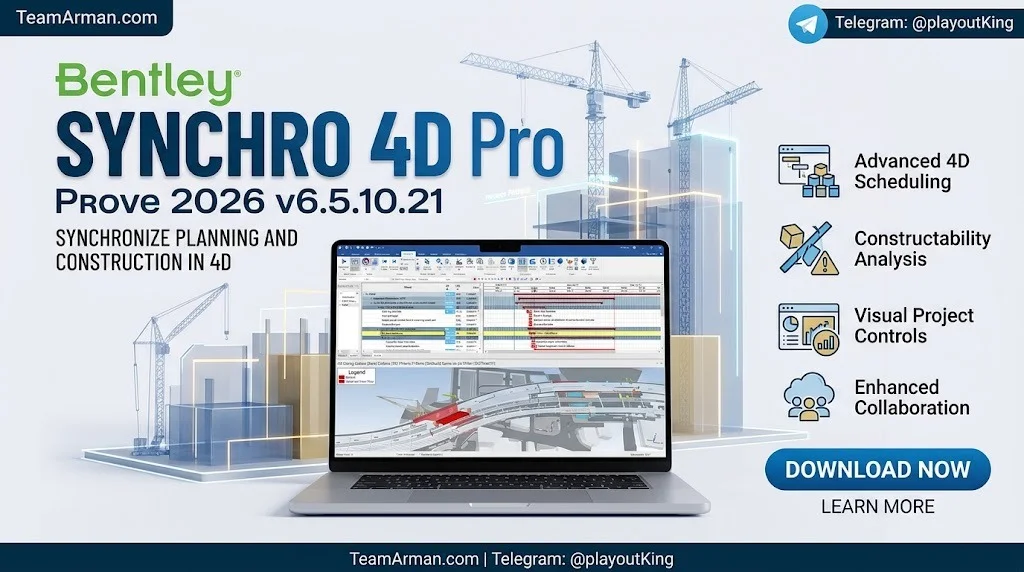
Overview of Bentley SYNCHRO 4D Pro 2026
Table of Contents
Bentley SYNCHRO 4D Pro represents the evolution of construction project management, merging traditional scheduling with cutting-edge 4D simulation technology. The software enables project teams to link 3D model elements directly to schedule activities, creating a visual representation of construction progress over time .
Unlike conventional project management tools that rely solely on Gantt charts and spreadsheets, SYNCHRO 4D Pro provides a spatial dimension to scheduling. This 4D approach allows stakeholders to see exactly what will be built, when it will be built, and how different activities interact in the physical space .
The 2026 version, v6.5.10.21, builds upon Bentley’s established SYNCHRO platform with performance optimizations and enhanced workflow capabilities. The software serves as a central hub for construction planning, enabling collaboration between schedulers, project managers, engineers, and on-site teams .
Key Information:
-
Developer: Bentley Systems
-
Software Category: 4D Construction Planning and BIM Software
-
Version: 2026 (v6.5.10.21)
-
Primary Function: 4D scheduling, construction simulation, and project visualization
-
Compatible Platforms: Windows 10, Windows 11, Windows Server 2016 (64-bit only)
Key Features of SYNCHRO 4D Pro 2026
Bentley SYNCHRO 4D Pro 2026 offers a comprehensive suite of features designed to support the entire construction planning lifecycle. These capabilities distinguish it from standard project management software and position it as a specialized 4D BIM solution.
4D Scheduling and Simulation
The core functionality of SYNCHRO 4D Pro revolves around integrating 3D model data with project schedules. Users can assign schedule activities to specific model elements, creating a time-based visualization of the construction process. This integration allows project teams to simulate the entire construction sequence before work begins .
Resource Management and Allocation
The software provides robust resource management capabilities, enabling users to assign labor, equipment, and materials to specific tasks. Resource conflicts can be identified early, allowing planners to adjust schedules and avoid costly delays. The 2026 version includes performance improvements for resource creation wizards and task resource dialogs .
What-If Scenario Analysis
Project planners can test multiple construction scenarios using SYNCHRO’s what-if analysis tools. By modifying schedules, sequences, or resource allocations, teams can evaluate the impact of different approaches and select the most efficient strategy before committing to a plan .
3D Visualization and Animation
SYNCHRO 4D Pro generates dynamic 3D animations that show construction progress over time. These visualizations are valuable for stakeholder presentations, client communications, and team coordination. The 2026 version introduces enhanced animation export capabilities with optimized performance for large projects .
Integration with BIM Tools
The software supports interoperability with major BIM platforms, including:
-
Autodesk Revit 2026
-
MicroStation 2025
-
Navisworks 2026
-
SketchUp 25
This integration allows design models to flow seamlessly into the 4D planning environment without extensive conversion or data loss .
Reporting and Progress Tracking
SYNCHRO 4D Pro includes comprehensive reporting features for generating weekly and monthly project reports. Users can compare planned versus actual progress, create lookahead schedules, and track project milestones throughout the construction lifecycle .
What’s New in SYNCHRO 4D Pro 2026 v6.5.10.21
The 2026 release introduces several performance enhancements and workflow improvements that address the needs of large-scale construction projects.
Animation Export Performance Improvements
The most significant enhancement in the 2026 version relates to animation export performance. A new Detail Reduction setting allows exports to run in the background while temporarily freezing the 3D view. This change significantly reduces animation export time without affecting the final output quality .
Additionally, the threshold culling default value has been updated to derive from project settings (default value of 5). For large projects with extensive 3D data, this optimization can dramatically shorten export times. Bug fixes also address previous issues with animation export and frame culling settings .
Resource Handling Optimizations
Multiple performance improvements have been implemented for resource-related operations:
-
Faster resource creation wizard operations
-
Improved performance in task resource dialogs
-
Enhanced responsiveness in resource windows
-
Reduced loading times when opening tasks with large resource volumes
-
Support for multi-selection of resources and resource groups
Runtime Environment Update
Version 6.5.9 upgraded the software runtime from JDK 8 to Java 11. This update ensures compatibility with modern operating environments and addresses several security improvements .
System Requirements for SYNCHRO 4D Pro 2026
Running Bentley SYNCHRO 4D Pro 2026 requires hardware capable of handling complex 3D models and large project datasets. The following specifications are based on official Bentley documentation .
Minimum Specifications
| Component | Requirement |
|---|---|
| Processor | 2.8 GHz Quad Core (64-bit only) |
| Memory (RAM) | 16 GB |
| Hard Disk Space | 5 GB for installation |
| Graphics Card | 4 GB VRAM |
| Display | 1920 x 1080 |
| Operating System | Windows 10, Windows 11, Windows Server 2016 |
The minimum specification accommodates projects with several thousand tasks and basic 3D information .
Recommended Specifications
| Component | Requirement |
|---|---|
| Processor | 4 GHz Octa Core |
| Memory (RAM) | 32 GB |
| Graphics Card | 16 GB VRAM |
| Display | 2560 x 1600 with dual monitors |
The recommended specification supports projects with tens of thousands of tasks and detailed 3D information .
Enterprise Specifications
For the largest infrastructure projects with highly detailed 3D data, Bentley recommends:
| Component | Requirement |
|---|---|
| Processor | 5 GHz Octa Core |
| Memory (RAM) | 64 GB or greater |
| Graphics Card | 32 GB, 64 GB, or greater |
Additional Requirements
-
Network Connectivity: Required for license activation and workgroup operations
-
Input Devices: Mouse with scroll wheel
-
Disk Type: SSD recommended, preferably NVMe
Installation Guide for SYNCHRO 4D Pro 2026
Proper installation ensures optimal performance and software stability. The following steps outline the standard installation process for licensed users.
Pre-Installation Checklist
Before beginning installation, verify the following:
-
System meets minimum hardware requirements
-
Administrative privileges are available on the target machine
-
Previous versions of SYNCHRO have been properly uninstalled
-
Valid license information is available
-
Antivirus software may need temporary configuration adjustments
Step-by-Step Installation Process
Step 1: Obtain Installation Files
Download the official installation package from the Bentley Software Downloads Center or authorized distribution channels. The installation file is named setupSynchro4DPro_x64_6.5.10.21.exe .
Step 2: Launch the Installer
Double-click the installation executable to begin. If prompted by User Account Control, approve the elevation request.
Step 3: Select Language
Choose your preferred installation language from the available options. SYNCHRO 4D Pro supports multiple languages including English, Simplified Chinese, and others .
Step 4: Accept License Agreement
Review and accept the software license agreement to proceed with installation.
Step 5: Choose Installation Type
Select the installation type based on your needs:
-
Typical: Installs all standard components (recommended for most users)
-
Custom: Allows selection of specific components and installation path
Step 6: Graphics Driver Configuration
The installer may prompt for graphics driver preferences. If uncertain, accept the default settings. These can be modified later through the software preferences .
Step 7: Complete Installation
Wait for the installation process to complete. This may take several minutes depending on system performance.
Step 8: License Activation
After installation, activate the software using your valid Bentley license. Follow the on-screen prompts to enter license information or connect to your organization’s license server.
Step 9: Restart if Required
Some installations may require a system restart to complete the process. Follow any prompts that appear.
Post-Installation Configuration
After successful installation, configure the following settings for optimal workflow:
-
Set up project file directories
-
Configure display settings for your monitor configuration
-
Establish network paths for workgroup collaboration
-
Verify integration with BIM tools (Revit, MicroStation, etc.)
How to Use SYNCHRO 4D Pro 2026
SYNCHRO 4D Pro follows a logical workflow that mirrors the construction planning process. Understanding the interface and basic operations enables users to leverage the software’s full capabilities.
Understanding the User Interface
The SYNCHRO 4D Pro interface consists of several key areas :
-
Gantt Chart Panel: Displays the project schedule with task bars, dependencies, and timelines
-
3D View Window: Shows the 3D model with assigned resources and construction elements
-
Properties Panel: Displays detailed information about selected tasks, resources, or 3D objects
-
Toolbars: Provide quick access to frequently used commands and functions
-
Navigation Controls: Enable efficient movement through the 3D environment
Creating a New Project
Step 1: Import Schedule Data
Begin by importing your project schedule from scheduling software such as Primavera P6 or Microsoft Project. SYNCHRO supports standard schedule formats for seamless integration .
Step 2: Import 3D Model
Import the 3D model from your BIM authoring tool. Supported formats include native Revit files, IFC, and other industry-standard formats. The 2026 version supports Revit 2026, MicroStation 2025, and Navisworks 2026 .
Step 3: Link Tasks to 3D Elements
Assign schedule activities to specific 3D model elements. This linkage creates the 4D relationship that enables time-based visualization.
Step 4: Assign Resources
Add labor, equipment, and materials to tasks. Resources can be created individually or imported from resource libraries .
Working with 4D Simulations
Creating Animations:
Generate construction sequence animations by defining camera paths and playback settings. The animation export function creates video files suitable for presentations and stakeholder reviews .
Running What-If Scenarios:
Test alternative construction sequences by duplicating the project and modifying task order or resource assignments. Compare results to identify optimal approaches .
Generating Reports
SYNCHRO 4D Pro generates various report types:
-
Weekly and monthly progress reports
-
Lookahead schedules
-
Planned versus actual comparisons
-
Resource utilization summaries
Export reports in standard formats for distribution to project stakeholders .
Best Use Cases for SYNCHRO 4D Pro 2026
The software serves diverse construction sectors and project types. Understanding appropriate use cases helps organizations determine if SYNCHRO 4D Pro aligns with their needs.
Infrastructure Projects
Large-scale infrastructure projects—including highways, bridges, tunnels, and rail systems—benefit significantly from 4D planning. The ability to visualize construction sequences across geographically dispersed sites helps coordinate complex logistics and reduce disruption to existing infrastructure .
Commercial Construction
High-rise buildings and complex commercial developments involve intricate sequencing of structural, mechanical, electrical, and finishing trades. SYNCHRO 4D Pro helps identify spatial conflicts between trades and optimize crane placements, material deliveries, and work zone allocations.
Industrial and Manufacturing Facilities
Plant construction and industrial facility projects require precise coordination of equipment installation, piping, and electrical systems. 4D simulation helps verify that installation sequences align with equipment delivery schedules and commissioning requirements.
Healthcare and Institutional Buildings
Hospitals, laboratories, and research facilities have specialized requirements for MEP systems and clean room environments. SYNCHRO 4D Pro enables planners to sequence critical installations and verify that temporary utilities and access routes support construction activities.
Educational Applications
Universities and training institutions use SYNCHRO 4D Pro to teach construction management principles. The visual nature of 4D simulation helps students understand the relationship between schedules, resources, and physical construction .
Advantages and Limitations of SYNCHRO 4D Pro 2026
Evaluating the strengths and weaknesses of any software helps organizations make informed decisions. The following analysis covers key considerations for SYNCHRO 4D Pro 2026.
Advantages
| Benefit | Description |
|---|---|
| Comprehensive 4D Capabilities | Full integration of 3D models with schedule data enables true 4D visualization |
| Industry-Standard Integration | Native support for Revit, MicroStation, Navisworks, and other BIM tools |
| Scalable Performance | Handles projects from small commercial buildings to massive infrastructure |
| Collaborative Workflows | Workgroup features enable multiple team members to contribute to planning |
| Advanced Simulation | What-if analysis and animation capabilities support informed decision-making |
| Established Platform | Backed by Bentley Systems with extensive documentation and training resources |
Limitations
| Limitation | Description |
|---|---|
| Hardware Requirements | Demands robust workstations, especially for enterprise-scale projects |
| Learning Curve | Requires training to master 4D planning concepts and software operations |
| Licensing Cost | Professional-grade pricing may be challenging for smaller organizations |
| Windows-Only Platform | No native macOS or Linux versions available |
| Complex Setup | Initial project configuration requires careful planning and BIM coordination |
Alternatives to SYNCHRO 4D Pro 2026
Several competing solutions offer 4D planning and construction simulation capabilities. Understanding alternatives helps organizations evaluate the best fit for their requirements.
Autodesk Navisworks
Navisworks provides 4D simulation capabilities through its TimeLiner module. While integrated with Autodesk’s BIM ecosystem, it offers less specialized 4D functionality compared to SYNCHRO 4D Pro. Organizations already using Revit and AutoCAD may find Navisworks more convenient for basic 4D needs .
Oracle Primavera P6
Primavera P6 is a powerful scheduling tool widely used in construction. While it excels at CPM scheduling and resource management, it lacks native 3D visualization. Integration with separate visualization tools is required for 4D capabilities.
Asta Powerproject
Asta Powerproject offers construction-focused scheduling with some 4D integration capabilities. It provides a more accessible entry point for organizations transitioning from traditional scheduling to 4D planning.
SYNCHRO 4D (Standard Version)
Bentley offers SYNCHRO 4D in different editions. The Pro version includes advanced features like resource management and animation export, while the standard version provides core 4D functionality at a lower price point.
Comparison Summary
| Software | 4D Capability | BIM Integration | Best For |
|---|---|---|---|
| SYNCHRO 4D Pro | Advanced | Excellent | Complex infrastructure projects |
| Navisworks | Basic to Intermediate | Autodesk-focused | Revit-centric workflows |
| Primavera P6 | None (requires add-ons) | Limited | Schedule-intensive projects |
| Asta Powerproject | Basic | Moderate | Mid-size construction firms |
Frequently Asked Questions About SYNCHRO 4D Pro 2026
What is the primary purpose of Bentley SYNCHRO 4D Pro?
Bentley SYNCHRO 4D Pro is designed for 4D construction planning and scheduling. It links 3D building models with project schedules to create visual simulations of the construction process, enabling teams to identify conflicts, optimize sequences, and communicate project plans effectively .
What are the minimum system requirements for SYNCHRO 4D Pro 2026?
The minimum requirements include a 2.8 GHz quad-core processor, 16 GB RAM, 5 GB disk space, and a 4 GB graphics card. The software runs exclusively on 64-bit Windows operating systems (Windows 10, 11, or Server 2016) .
Which BIM software integrates with SYNCHRO 4D Pro 2026?
SYNCHRO 4D Pro 2026 supports integration with Autodesk Revit 2026, MicroStation 2025, Navisworks 2026, and SketchUp 25. These integrations allow direct import of 3D models without extensive conversion .
What improvements are included in the 2026 version?
The 2026 version includes significant animation export performance improvements, resource handling optimizations, and an upgraded runtime environment (Java 11). The Detail Reduction setting for animation export and improved threshold culling can dramatically reduce export times for large projects .
Can SYNCHRO 4D Pro handle large infrastructure projects?
Yes. The software scales from small commercial buildings to massive infrastructure projects. Enterprise specifications supporting 64 GB or more RAM and high-end graphics cards ensure performance for the largest projects with highly detailed 3D information .
Is training available for SYNCHRO 4D Pro?
Yes. Bentley provides official training resources, and third-party platforms like Udemy offer comprehensive courses covering 4D planning and simulation with SYNCHRO 4D Pro. These courses cover schedule creation, resource allocation, and project visualization .
What file formats does SYNCHRO 4D Pro support?
The software supports native Revit files, IFC, MicroStation DGN, SketchUp SKP, and various schedule formats from Primavera P6 and Microsoft Project. Export capabilities include animation files, reports, and schedule data .
How does SYNCHRO 4D Pro differ from standard project management software?
Unlike traditional project management tools that focus only on time and cost, SYNCHRO 4D Pro adds a spatial dimension. The software creates visual simulations showing how construction progresses through physical space over time, enabling identification of spatial conflicts and workflow optimization .
Final Thoughts
Bentley SYNCHRO 4D Pro 2026 v6.5.10.21 represents a mature, feature-rich solution for construction professionals seeking to elevate their planning capabilities through 4D simulation. The software’s ability to integrate 3D models with project schedules provides tangible benefits for complex projects where spatial coordination and sequence optimization are critical.
The 2026 release demonstrates Bentley’s commitment to continuous improvement, with performance optimizations that address real-world challenges in large project workflows. Animation export improvements and resource handling enhancements directly benefit users managing extensive construction datasets.
For organizations involved in infrastructure, commercial, or industrial construction, SYNCHRO 4D Pro offers a proven platform for 4D planning. While the software requires investment in hardware, training, and licensing, the potential for reduced conflicts, improved communication, and optimized construction sequences provides compelling value.
Prospective users should evaluate their project complexity, existing BIM workflows, and team capabilities when considering SYNCHRO 4D Pro. For projects where 4D visualization adds genuine value—complex sequencing, multi-trade coordination, or stakeholder communication—the software delivers capabilities that traditional scheduling tools cannot match.
Our Paid Service