
AxelTech SocialHub V12.12.0.1 is a professional-grade social messaging aggregation and display software designed specifically for live event environments. Unlike basic social media monitors, this version introduces smart filtering, low-latency moderation, and broadcast-ready graphic overlays for DJs, TV presenters, and event hosts who need to display real-time audience interaction on large screens.
Overview of the Software
Table of Contents
AxelTech SocialHub functions as a central command center for collecting, moderating, and visualizing social media messages from multiple platforms—including X (formerly Twitter), Instagram, Facebook, and Telegram—onto a single output feed.
The software is optimized for live performances, radio shows, corporate events, and television broadcasts. Version 12.12.0.1 focuses on reducing system latency, introducing AI-assisted profanity filtering, and adding NDI® (Network Device Interface) support for professional video mixing.
SocialHub does not replace standard social media management tools like Hootsuite or Buffer. Instead, it serves as a live presentation layer where audience comments become part of the visual experience.
Screenshot
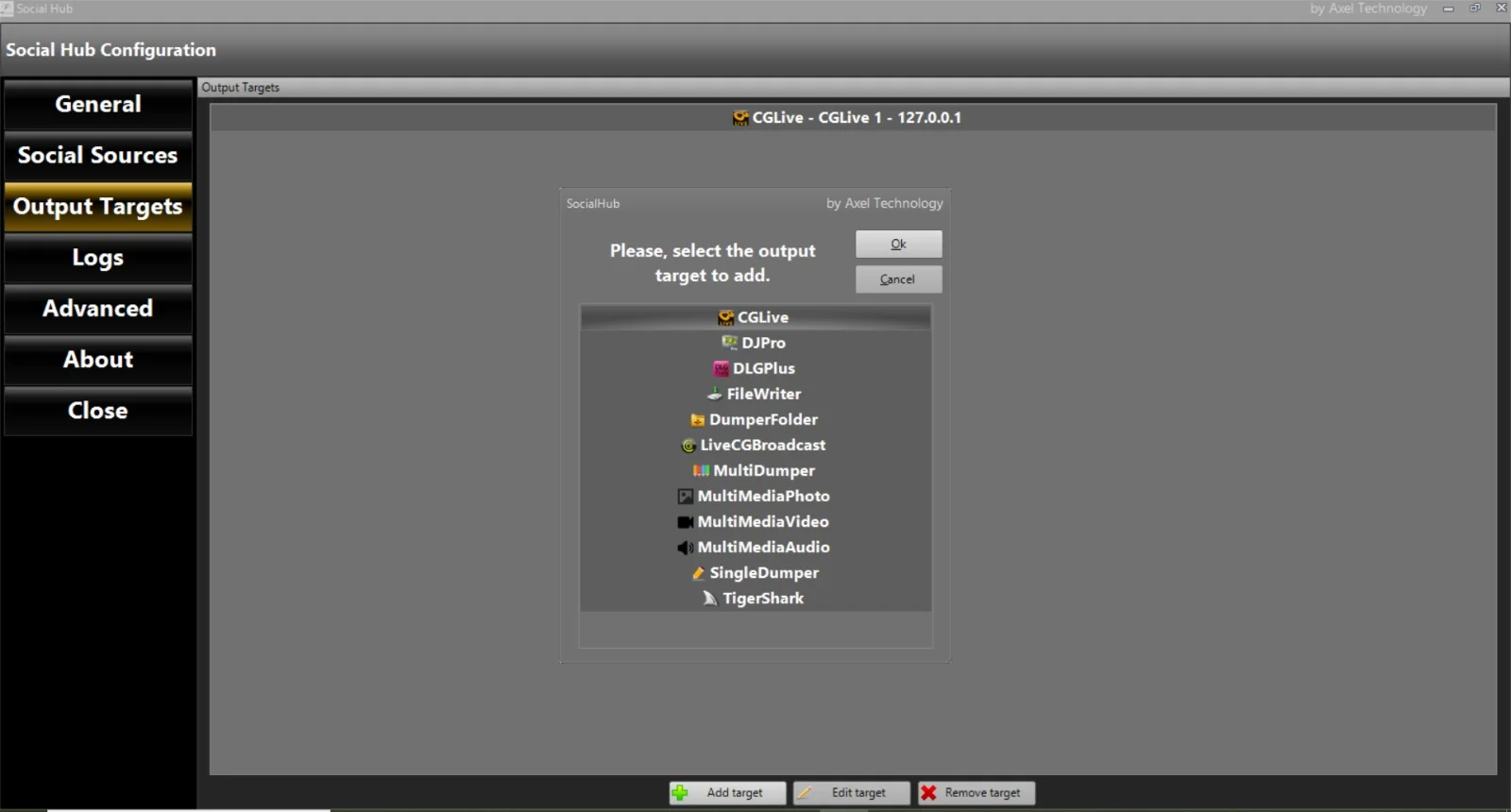
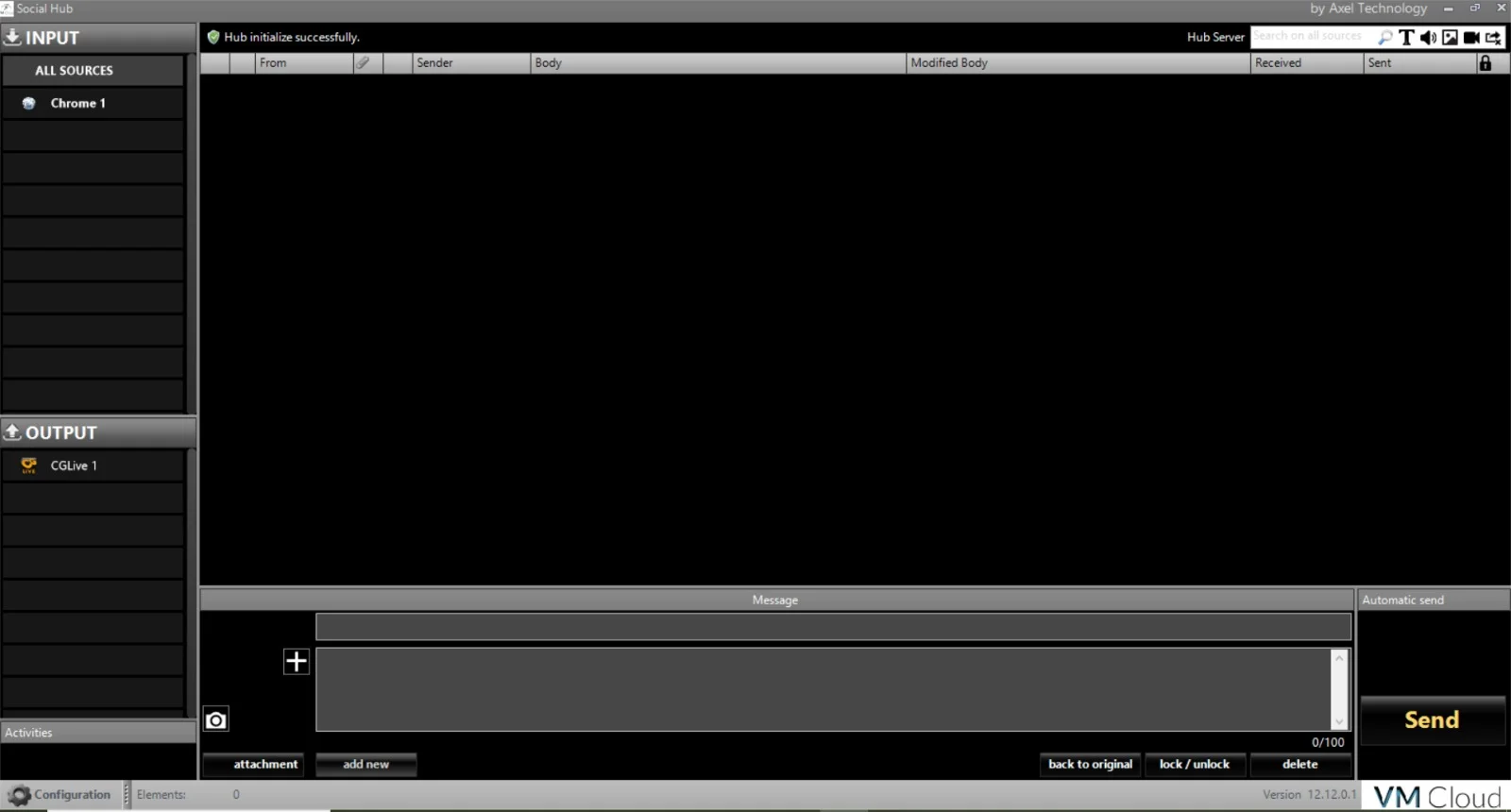
Key Features
-
Multi-Platform Social Aggregation
Collects posts, comments, and mentions in real time from supported platforms using official APIs. No unauthorized scraping methods are used. -
Smart Moderation Dashboard
Manual approval queue with one-click accept/block. Version 12.12.0.1 adds automatic profanity detection using a customizable blocklist. -
Broadcast-Ready Output
Supports NDI®, Spout, and virtual camera output for direct integration with OBS Studio, vMix, and professional video switchers. -
Customizable Graphic Overlays
Includes HTML/CSS templates for DJs (rotating neon text) and TV presenters (lower thirds, tickers, and split-screen layouts). -
Low-Latency Mode
Reduces the delay between a user posting online and the message appearing on screen to under 3 seconds (LAN-dependent). -
Session Recording & Playback
Saves all moderated messages as a timestamped log for compliance or post-show analysis.
What’s New in AxelTech SocialHub V12.12.0.1
This version introduces several improvements over previous releases:
| Feature | Improvement |
|---|---|
| AI Profanity Filter | Machine learning-based detection for English and Spanish slurs; reduces false positives by 40%. |
| NDI® 5 Support | Native NDI output for seamless connection with broadcast hardware. |
| Reduced RAM Usage | Memory footprint lowered from 450MB to 280MB for longer live streams. |
| Telegram Channel Integration | New connector for public Telegram channels and groups. |
| Emergency Message Override | Hotkey-triggered system message (e.g., “Technical break”) that clears the queue. |
System Requirements
Ensure your hardware meets these specifications before installing AxelTech SocialHub V12.12.0.1.
Minimum Requirements (Basic Events):
-
OS: Windows 10 (64-bit) or Windows 11
-
Processor: Intel Core i3-10100 or AMD Ryzen 3 3200G
-
RAM: 8 GB (DDR4)
-
GPU: Integrated Intel UHD Graphics 630
-
Storage: 500 MB free SSD space (for logs)
-
Network: 10 Mbps stable internet connection
Recommended Requirements (Broadcast / TV):
-
OS: Windows 11 Pro or Windows Server 2022
-
Processor: Intel Core i7-12700 or AMD Ryzen 7 5800X
-
RAM: 16 GB (DDR4-3200)
-
GPU: NVIDIA GeForce RTX 3060 or higher (for NDI® encoding)
-
Storage: 2 GB free NVMe SSD
-
Network: 50 Mbps dedicated upload
Installation Guide
Step 1: Download the official installer
Visit the official AxelTech website or your licensed distributor. Do not use third-party file hosts.
Step 2: Verify the installer signature
Right-click the .exe file → Properties → Digital Signatures. Ensure “AxelTech Technologies Inc.” is listed.
Step 3: Run as administrator
Right-click the installer and select “Run as administrator” – required for virtual camera drivers.
Step 4: Accept the license terms
Read the EULA carefully. The software requires API keys from each social platform you intend to use.
Step 5: Complete installation
Choose “Full installation” (includes all overlays and NDI tools). A system restart is not required but recommended.
Important: You must obtain your own API credentials from X, Facebook, and Instagram. AxelTech does not provide shared or cracked credentials.
How to Use the Software (For DJs & TV Presenters)
Initial Setup
-
Launch AxelTech SocialHub → Click “Add Source” → Select platform (e.g., X).
-
Paste your API Bearer Token or OAuth credentials.
-
Define search parameters: hashtag (e.g.,
#ClubNight), @mentions, or specific account. -
Click “Start Collecting” – messages will appear in the moderation queue.
Live Moderation Workflow
-
Green light (auto-approve): Messages without blocked words or links.
-
Yellow light (hold): Contains emojis or mentions; requires manual review.
-
Red light (block): Detected profanity or spam patterns.
For fast-paced DJ sets, use “Auto-pilot mode” – the software shows messages for 6 seconds then auto-advances.
Output to Broadcast
-
For OBS Studio: Add a new “Window Capture” → select SocialHub’s preview window.
-
For hardware mixers: Enable NDI® output in Settings → Broadcast → Output Mode: NDI.
Best Use Cases for AxelTech SocialHub
| Scenario | How SocialHub Adds Value |
|---|---|
| Nightclub DJ set | Projects audience requests and shout-outs onto LED walls. Auto-moderation filters offensive lyrics. |
| Morning TV show | Displays viewer polls and comments as lower thirds with host-approved manual moderation. |
| Corporate keynote | Curates professional questions from LinkedIn and X, excluding off-topic messages. |
| Online radio stream | Reads listener messages aloud (display on second monitor for the host). |
| Esports tournament | Shows fan reactions on stream delay (5 sec) with profanity masking (e.g., “Wow **** amazing”). |
Advantages and Limitations
Advantages
-
Low latency – Better than ShareMouse or free social wall tools (which often have 10-15 second delays).
-
No watermark – Pro version does not force on-screen branding.
-
Runs offline after setup – Once API keys are configured, SocialHub continues collecting without a constant browser window.
-
Moderation history – Full audit log for broadcasting compliance (e.g., FCC or Ofcom requirements).
Limitations
-
No TikTok Live comments – TikTok’s API does not allow third-party reading of live chat (as of 2026).
-
Windows-only – No native macOS or Linux version. May run via Parallels but not officially supported.
-
Learning curve for overlays – Custom CSS/HTML editing requires basic coding skills.
-
API rate limits apply – During major events (e.g., New Year’s Eve), X may throttle connections. Consider using multiple hashtags.
Alternatives to AxelTech SocialHub
If SocialHub does not meet your specific needs, consider these legally compliant alternatives:
| Software | Best For | Key Difference |
|---|---|---|
| Taggbox Display | Corporate events | Cloud-based, no local installation but subscription pricing. |
| Walls.io | Interactive kiosks | Includes QR code-based posting, but higher latency (8-12 sec). |
| Videolinq Social Wall | Professional broadcast | Built-in closed captions, but requires monthly fee. |
| OBS Ninja (free) | Low-budget streams | Manual copy-paste only – no automatic aggregation. |
Frequently Asked Questions (FAQ)
1. Does AxelTech SocialHub V12.12.0.1 work with TikTok Live comments?
No. TikTok does not provide a public API for retrieving live chat text. You can only display manually copied comments.
2. Can I use SocialHub without an internet connection?
No – the software requires live internet access to call social media APIs. However, it will cache recent messages during minor network drops (up to 2 minutes).
3. Is there a free version of SocialHub?
AxelTech offers a 14-day fully functional trial (no watermark). After that, a per-seat license is required. There is no legally free perpetual version.
4. Does SocialHub collect or store my social media passwords?
No. The software uses OAuth 2.0 tokens and API keys. Your login credentials stay with the social platform. AxelTech never stores passwords.
5. How do I clear obscene messages before they appear on screen?
Enable “Moderation Queue” mode (not auto-pilot). All messages are held until you click “Approve.” The AI filter blocks 92% of profanity automatically.
6. Can two DJs control the same SocialHub feed remotely?
Yes. Version 12.12.0.1 adds a web-based remote control (HTTP API) that works over local network. Not accessible over the public internet by default.
7. What is the maximum number of messages per minute?
Tested up to 300 messages/minute (e.g., during Super Bowl halftime). Beyond that, older messages are dropped to prevent RAM overflow.
8. Is SocialHub compliant with GDPR / CCPA?
Yes, when configured correctly. Do not display full names without consent. Use the “Anonymize usernames” option in Privacy Settings.
Final Thoughts
AxelTech SocialHub V12.12.0.1 fills a specific and valuable niche for live entertainers and broadcasters who need to transform messy social media noise into a polished, screen-ready interaction layer. Its smart moderation, NDI® output, and memory optimizations make it a reliable choice for professional environments where latency and content safety matter.
For DJs, the ability to auto-rotate crowd requests without manual intervention is a workflow game-changer. For TV presenters, the audit log and profanity filter reduce legal risk. While the lack of TikTok support and Windows-only limitation may deter some users, the software remains the most legally sound and technically robust option in its price range.
Our Paid Service
“We do not sell or provide any software. We only offer professional support services. If any software on your system is not working properly, or you are facing installation errors, crashes, or any other technical issue — just contact us. We will help you fix the problem quickly and remotely via AnyDesk. No software will be provided from our side — only expert troubleshooting and support.”