
Overview of the Aspel Suite
Table of Contents
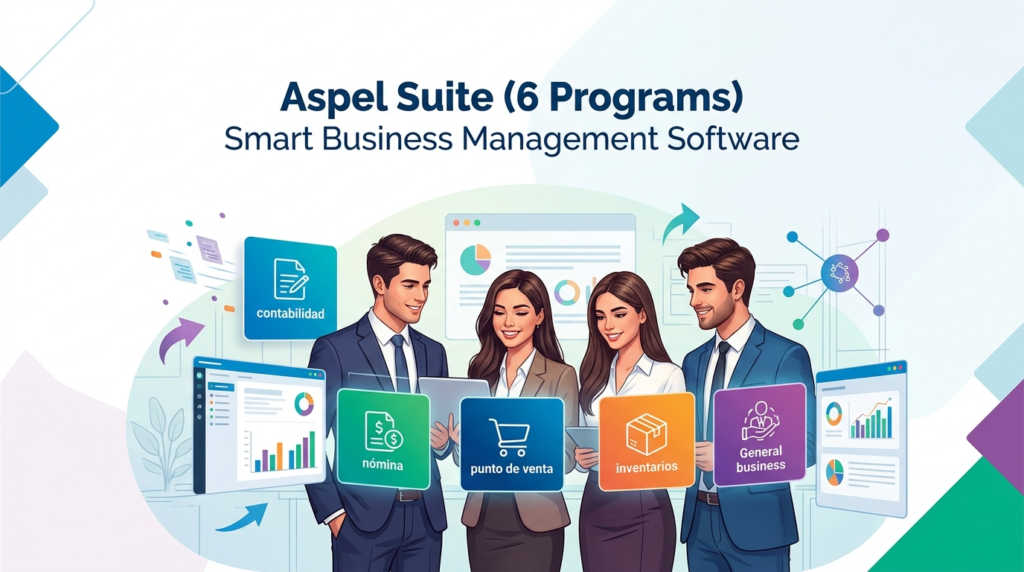
Aspel Suite is a comprehensive collection of six integrated business management software programs developed by Siigo Aspel, specifically designed to meet the administrative, accounting, and fiscal needs of Mexican small and medium-sized enterprises (SMEs) . Unlike generic business software, Aspel’s solutions are built from the ground up to align with Mexican regulatory requirements, including SAT (Servicio de Administración Tributaria) compliance for electronic invoicing (CFDI) and payroll calculations .
The Aspel ecosystem is modular, allowing businesses to purchase and implement only the programs they need while ensuring seamless integration between modules as the company grows. This flexibility makes Aspel a practical choice for Mexican businesses seeking to automate key processes like:
-
Accounting and financial management
-
Payroll and social security calculations
-
Sales, purchases, and inventory control
-
Bank reconciliation and cash flow
-
Electronic invoicing and fiscal compliance
Whether you’re a small startup or a growing SME, Aspel offers both on-premise and cloud-based solutions, ensuring you can work from anywhere while maintaining strict compliance with Mexican tax laws.
Key Features of the Aspel Suite
Aspel COI – Comprehensive Accounting
Aspel COI (Contabilidad Integral) automates accounting capture, generates automatic journal entries, imports XML invoices, and produces key financial statements such as balance sheets and income statements. It helps businesses keep accounting up to date, simplifies tax declarations, reduces human errors, and provides real-time financial visibility .
Key capabilities:
-
Automatic generation of accounting entries from CFDI invoices
-
Financial reporting and balance sheet generation
-
Integration with other Aspel modules to eliminate duplicate work
-
DIOT and electronic accounting compliance
Aspel NOI – Payroll and Social Security
Aspel NOI (Nómina) is a robust payroll solution that calculates salaries, benefits, ISR (Income Tax), IMSS, INFONAVIT, and generates CFDI payroll receipts. It ensures compliance with current labor and fiscal regulations, automating repetitive payroll processes and reducing errors that could lead to fines .
Key capabilities:
-
Automated payroll calculations and CFDI payroll receipt generation
-
Compliance with SAT, IMSS, and INFONAVIT requirements
-
Management of employee absences, leaves, and social security obligations
-
Mass and individual payroll receipt stamping
Aspel SAE – Sales, Purchases, and Inventory
Aspel SAE (Sistema de Administración Empresarial) provides comprehensive control over customers, products, pricing, inventory, purchase orders, and sales. It is ideal for businesses that sell physical products or manage inventory . The software is available for both cloud-based and on-premise deployment, offering flexibility for different business needs .
Key capabilities:
-
Real-time inventory tracking with cost and rotation analysis
-
Billing, invoicing, and sales management
-
Purchase order management and supplier tracking
-
Integration with other Aspel modules for unified data flow
Aspel BANCO – Cash Flow and Bank Reconciliation
Aspel BANCO helps businesses manage bank accounts, checks, transfers, income, and expenses. It automatically reconciles with Aspel COI, ensuring that your accounting and bank records are always aligned .
Key capabilities:
-
Complete tracking of bank movements and cash flow
-
Automated reconciliation with accounting records
-
Error prevention and liquidity control
Aspel ADM – Cloud-Based Administrative Management
Aspel ADM is a cloud-based system designed to manage sales, customers, inventory, and billing from any device. It is tailored for entrepreneurs, small businesses, retail points of sale, and mobile commerce. Unlike other Aspel modules that are installed locally, Aspel ADM requires no installation and operates 100% online with offline mobile capability .
Key capabilities:
-
CFDI 4.0 invoice generation from mobile or desktop
-
Inventory management with automatic stock updates
-
Customer account monitoring and payment tracking
-
Offline mode for mobile app, syncing when connectivity is restored
-
Integration with Aspel COI and NOI for complete fiscal compliance
Aspel PROD – Product Updates and Maintenance
Aspel PROD provides ongoing product updates, improvements, and reinstatements, ensuring that your Aspel software remains current with the latest features and regulatory changes .
What’s New in the Latest Versions
Aspel continues to evolve its suite to meet modern business needs and regulatory changes. Recent updates include:
Aspel ADM Enhancements
-
IEPS Management: New support for the Special Tax on Production and Services
-
Payment Tracking: Ability to check payments received by each user with a preview of monthly movements and information
-
Detailed Reporting: Enhanced reports with more granular information for better business insights
-
2-in-1 Access: Full functionality available via mobile app and web version
-
CoDi Integration: Secure payments through the Digital Collection System (CoDi)
Aspel PROD Reinstatable Updates
The latest PROD reinstatement (Reinstalable 10, as of February 2026) includes performance improvements and compliance updates for Aspel SAE .
Aspel NOI Messaging Improvements
Enhanced error messaging and guidance for common issues such as:
-
Backup generation failures
-
Email server configuration
-
Invalid password notifications
-
Payroll receipt stamping errors
System Requirements
Before installing Aspel software, ensure your system meets the minimum requirements :
Hardware Requirements
| Component | Minimum Specification |
|---|---|
| Processor | 32-bit (x86) or 64-bit (x64) Core 2 at 2 GHz |
| RAM | 2 GB |
| Hard Disk Space | 610 MB – 1.3 GB (depending on module) |
Software Requirements
| Category | Supported Versions |
|---|---|
| Operating Systems | Microsoft Windows® 10, 11 |
| Server OS | Microsoft Windows Server® 2012, 2016, 2019, 2025 |
Note: Microsoft Windows Professional editions are recommended for optimal performance. Operating system requirements may be higher than Aspel’s minimum specifications .
Installation Guide
Installing Aspel systems correctly ensures they are ready to operate without complications. Follow these steps:
Step 1: Verify System Requirements
Confirm that your hardware and operating system meet the specifications outlined above.
Step 2: Prepare Your Database
-
Ensure your database server (if applicable) is properly configured
-
Verify that the Software License Manager (SLM) is installed if you’re using a network license
-
Confirm the license is active and correctly assigned
Step 3: Run the Installer
-
Insert the Aspel installation DVD or download the installer from the official Siigo Aspel portal
-
Log in to the network with an account that has Administrator privileges on the target computer
-
Double-click the setup.exe file to launch the installation wizard
-
Follow the on-screen prompts, selecting the module you wish to install (COI, NOI, SAE, etc.)
-
Enter your product key and activation information when prompted
Step 4: Initial Configuration
After installation, configure your system parameters:
-
Set up company information
-
Configure database connections
-
Define user access levels and permissions
-
Set email and server settings for payroll or billing functions
Step 5: Backup and Validation
Create an initial backup of your system configuration. This ensures you can recover settings if issues arise during setup or future updates .
How to Use the Aspel Suite
Using Aspel COI for Accounting
-
Set up your chart of accounts – Define the accounting structure for your business
-
Import XML invoices – Automatically generate accounting entries from CFDI files
-
Generate financial reports – Produce balance sheets and income statements with a few clicks
-
Prepare tax filings – Generate required reports for SAT declarations
Using Aspel NOI for Payroll
-
Configure employee profiles – Enter salary, benefits, and tax withholding information
-
Process payroll cycles – Calculate salaries, deductions, and social security contributions automatically
-
Generate CFDI payroll receipts – Create and stamp payroll receipts individually or in bulk
-
File tax reports – Submit ISR, IMSS, and INFONAVIT reports to relevant authorities
-
Manage absences and leaves – Track employee time off and update payroll accordingly
Using Aspel SAE for Sales and Inventory
-
Create product catalogs – Define descriptions, prices, and tax classifications
-
Manage purchase orders – Process supplier orders and receive inventory
-
Process sales orders – Generate quotes, invoices, and sales receipts
-
Track inventory – Monitor stock levels, costs, and product rotation in real time
-
Generate reports – Analyze sales performance, customer trends, and inventory status
Using Aspel ADM for Cloud Management
-
Sign up for a plan – Choose between Basic and Premium plans with monthly or annual subscription
-
Access via app or web – Use the mobile app for on-the-go management or the web version from any browser
-
Create invoices and quotes – Generate CFDI 4.0 invoices, quotes, and purchase orders instantly
-
Manage customers and inventory – Track customer accounts, product stock, and sales history
-
Work offline – Continue operations without internet and sync automatically when connectivity returns
Best Use Cases for Aspel Suite
1. Mexican SMEs Requiring SAT Compliance
For businesses operating in Mexico, Aspel’s native alignment with SAT regulations is invaluable. The suite automatically handles CFDI generation, DIOT reporting, and electronic accounting, ensuring tax compliance without manual intervention.
2. Growing Businesses with Modular Needs
Aspel’s modular architecture allows businesses to start with one module (e.g., COI for accounting) and add others (e.g., NOI for payroll, SAE for inventory) as they grow, without changing platforms.
3. Retail and E-commerce Operations
With Aspel SAE’s inventory management and Aspel ADM’s mobile capabilities, retail businesses can track sales, manage stock, and handle electronic invoicing from multiple locations, including pop-up stores or mobile points of sale.
4. Professional Services and Consultancies
Aspel ADM is ideal for independent professionals, consultants, and service-based businesses that need to generate invoices, track expenses, and manage client accounts from anywhere.
5. Multilocation Businesses with Remote Teams
The cloud-based Aspel ADM, combined with on-premise modules that can be accessed over secure networks, enables multi-branch businesses to centralize financial management while giving each location operational independence.
Advantages and Limitations of Aspel Suite
Advantages
| Advantage | Description |
|---|---|
| SAT Compliance | Built specifically for Mexican fiscal regulations, ensuring automatic updates with tax law changes |
| Modular Flexibility | Purchase only the modules you need and add more as your business grows |
| Integration | Seamless data flow between modules eliminates duplicate work and ensures consistency |
| Local Support | Technical support in Spanish with local expertise in Mexican business practices |
| Cloud and On-Premise Options | Flexibility to choose deployment based on business needs |
| Proven Reliability | Well-established brand in Latin America with a strong reputation for reliability |
Limitations
| Limitation | Description |
|---|---|
| Scalability | Some users report limited scalability for very large enterprises or complex operations |
| Mexican Market Focus | Solutions are tailored primarily for Mexican businesses, which may not suit companies in other regions |
| Customization | May lack extensive customization for unique or specialized business processes |
| Cost Structure | Pricing can be high for very small businesses, especially when multiple modules are required |
| Learning Curve | Feature-rich interface may require training for new users, especially those accustomed to simpler tools |
Alternatives to Aspel Suite
| Alternative | Key Features | Best For | Aspel Comparison |
|---|---|---|---|
| CONTPAQi | Widely used in Mexico, DIOT reporting, electronic accounting, CFDI import, specialized payroll and accounting modules | Mid-sized companies with significant transaction volume | Higher pricing than Aspel; established alternative with similar compliance capabilities |
| Alegra | Cloud-based, easy to implement, affordable (from ~350 pesos/month), available across Latin America | Small businesses seeking affordability and ease of use | Less robust than Aspel for complex operations; better for very small businesses |
| Sage 50cloud | Comprehensive accounting, hybrid desktop/cloud, strong security, integrated payment processing | SMEs needing robust accounting with mobile flexibility | More global focus; Sage lacks Aspel’s deep SAT integration |
| Bind ERP | Mexican cloud ERP, integrates accounting with inventory, purchases, and sales | SMEs seeking an all-in-one cloud solution | Aspel offers more modular flexibility and established local reputation |
| Odoo | Open-source suite of business applications, scalable for companies of all sizes | Businesses wanting open-source flexibility and broad functionality | Odoo requires more implementation effort; Aspel is more turnkey for Mexican businesses |
| Miskuentas | Cloud platform automating accounting from CFDI, includes payroll and tax compliance alerts | Small companies seeking automation | Less robust than Aspel for complex fiscal needs |
Frequently Asked Questions
1. ¿Qué es Aspel Suite y para qué tipo de negocio está diseñado?
Aspel Suite es un conjunto de programas de administración empresarial diseñado para micro, pequeñas y medianas empresas mexicanas. Incluye módulos para contabilidad (COI), nómina (NOI), ventas e inventarios (SAE), administración bancaria (BANCO), y un sistema en la nube (ADM) para facturación y control operativo .
2. ¿Cuáles son los módulos de Aspel y qué hace cada uno?
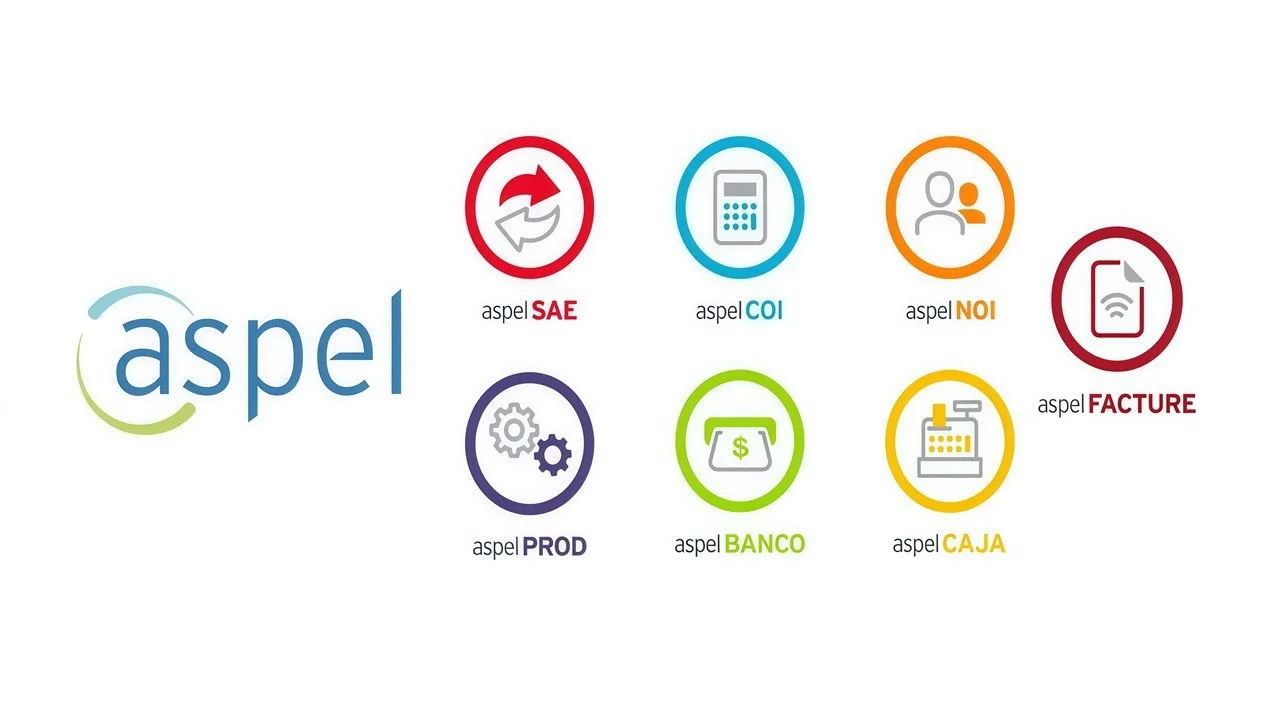
Aspel Suite incluye Aspel COI (contabilidad integral), Aspel NOI (nómina y seguridad social), Aspel SAE (ventas, compras e inventarios), Aspel BANCO (flujo de efectivo y conciliación bancaria), Aspel ADM (administración en la nube), y Aspel PROD (actualizaciones y mejoras) .
3. ¿Aspel ADM reemplaza a la contabilidad completa?
No. Aspel ADM es un sistema administrativo y de ventas. Si necesitas contabilidad completa, se recomienda integrarlo con Aspel COI o Aspel NOI para complementar los procesos fiscales y contables .
4. ¿Cuál es la diferencia entre Aspel COI y Aspel ADM?
Aspel COI es un sistema de contabilidad integral instalado localmente, mientras que Aspel ADM es un sistema en la nube que administra ventas, clientes, inventarios y facturación electrónica. Ambos se pueden integrar para una solución completa .
5. ¿Qué requisitos necesita Aspel Suite para instalarse?
Los requisitos mínimos incluyen procesador Core 2 de 2 GHz (32 o 64 bits), 2 GB de RAM, 610 MB a 1.3 GB de espacio en disco duro, y Windows 10/11 o Windows Server 2012/2016/2019/2025. Se recomiendan versiones profesionales de Windows .
6. ¿Cómo se actualiza Aspel Suite?
Las actualizaciones se realizan a través de Aspel PROD (product updates) o mediante reinstalables descargables desde el portal oficial de clientes. Por ejemplo, la versión SAE 5.0 tiene actualizaciones como Reinstalable 10 .
7. ¿Puedo facturar electrónicamente con Aspel ADM?
Sí. Aspel ADM permite generar CFDI 4.0, así como facturas, notas de venta, tickets, recibos de honorarios, arrendamiento, notas de crédito, y comprobantes de recepción de pago, incluso desde el celular. También admite complementos como Carta Porte, IEDU, y recibos de nómina .
8. ¿Cómo se cotiza y contrata Aspel Suite?
Aspel ADM se contrata mediante suscripción mensual o anual, con planes Básico y Premium. Los módulos tradicionales como COI, NOI, SAE, BANCO y PROD se adquieren mediante licencia a través de distribuidores autorizados. Aspel ADM ofrece 30 días de prueba gratuita con servicio de facturación ilimitado .
9. ¿Cuáles son las alternativas a Aspel Suite?
Alternativas incluyen CONTPAQi, Alegra, Sage 50cloud, Bind ERP, Odoo y Miskuentas. La elección depende del tamaño de la empresa, presupuesto, y necesidades específicas de cumplimiento fiscal en México .
10. ¿Aspel Suite es compatible con el SAT y el CFDI 4.0?
Sí. Todos los módulos de Aspel están alineados con las normativas del SAT, incluyendo la generación de CFDI 4.0, recepción de pagos, complementos de Carta Porte, y reportes como DIOT y contabilidad electrónica .
Final Thoughts
Aspel Suite stands as a mature, reliable, and comprehensive business management solution for Mexican SMEs. Its primary strength lies in its deep integration with Mexico’s fiscal framework, making it an essential tool for businesses that must navigate SAT regulations, CFDI electronic invoicing, and complex payroll calculations.
The modular architecture allows businesses to start small and scale, while the recent introduction of Aspel ADM’s cloud capabilities brings modern mobility and flexibility to the suite. For Mexican businesses seeking a trusted, locally-focused solution that combines administrative efficiency with full tax compliance, Aspel Suite remains one of the top choices in the market.
However, businesses should carefully evaluate their specific needs, budget, and growth plans. While Aspel excels in the Mexican market, companies with international operations or highly specialized requirements may find alternatives more suitable. For most Mexican SMEs, Aspel Suite offers the right balance of compliance, functionality, and reliability to support sustainable growth.
Our Paid Service
“We do not sell or provide any software. We only offer professional support services. If any software on your system is not working properly, or you are facing installation errors, crashes, or any other technical issue — just contact us. We will help you fix the problem quickly and remotely via AnyDesk. No software will be provided from our side — only expert troubleshooting and support.”