Overview of the Software
Table of Contents
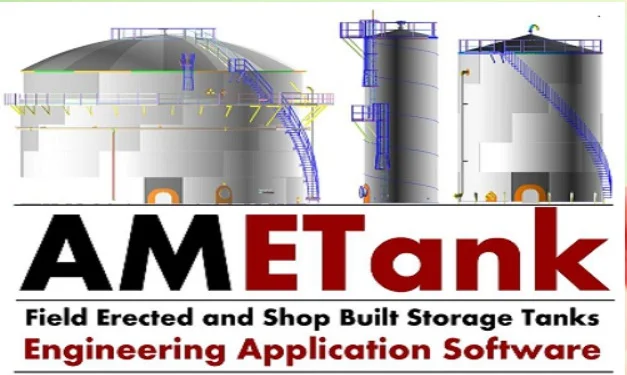
AMETank is an engineering application that automates the entire workflow for storage tank design. It empowers mechanical and civil engineers to move from initial configuration to detailed, code-compliant designs with exceptional speed and accuracy. The software supports a wide range of tank designs, including those with self-supporting and structurally supported roofs, floating roofs (single and double deck), and various shell and bottom configurations . Founded on decades of engineering software development, AMETank is integrated with the capabilities of its predecessors, AMTank and ETank, providing a comprehensive solution for the industry . With over 700 clients globally, it is widely adopted in the oil, gas, and chemical sectors .
Primary Applications
-
Refineries and Petroleum Terminals: For designing crude oil tanks, diesel and gasoline storage tanks, and firewater tanks .
-
Chemical Processing: Designing tanks for hazardous, corrosive, and flammable liquids .
-
Water and Wastewater Treatment: Creating AWWA-compliant tanks for potable and process water .
-
Food and Beverage Industry: Designing hygienic tanks for storing edible oils, syrups, and other food-grade liquids .
-
Power Generation: Developing large-scale storage tanks for fuel and cooling systems at nuclear and thermal stations .
Key Features
AMETank distinguishes itself from other software through its comprehensive feature set, which bridges the gap between engineering calculations and fabrication-ready outputs. This integrated approach helps to reduce project timelines from weeks to hours.
Code Compliance and Design Calculations
The software provides robust support for key industry standards:
-
API 650: Welded Tanks for Oil Storage .
-
API 620: Design and Construction of Large, Welded, Low-Pressure Storage Tanks .
-
AWWA D100: Welded Steel Tanks for Water Storage .
-
EN 14015: European standard for storage tanks .
Design calculations can be performed in either US or SI units and cover shell courses, floors, roofs, and structural supports, including seismic, internal/external pressure, and wind loading . The system automatically calculates minimum sizes for various components and validates user inputs against code requirements, ensuring safety and structural integrity . The software generates detailed design reports that include calculation formulations .
Interactive 3D Modeling and Visualization
The fully interactive 3D graphical user interface is central to the AMETank experience . Engineers can visually configure and layout the tank shell, floor, roof, and all subsystems through intuitive menus. This design environment allows for real-time feedback and modification, where changes to a single parameter can automatically update the 3D geometry, drawings, and bills of material . This visual approach not only enhances understanding but also helps in identifying and correcting design flaws early in the process. The software supports a wide range of appurtenances, including piping subsystems, manways, hatches, nozzles, ladders (caged, hinged, rolling), spiral and radial stairways, platforms, wind girders, and roof walkways .
Automatic Generation of Fabrication Drawings and Reports
One of the most powerful capabilities of AMETank is its ability to generate production-ready deliverables automatically. Once a design is finalized, the software can produce:
-
To-scale Fabrication and Layout Drawings: Including general arrangements, shell weld maps, roof and floor plate layouts with dimensions and overlap details, and assembly drawings for all substructures .
-
Detailed Bills of Material (BOMs): Listing all necessary materials, including plate sizes, weights, fittings, and accessories, which are critical for procurement and cost estimation .
-
Cost Data and Production Lists: Providing detailed reports for project cost assessment . The software also outputs fabrication details for NC machines, making it a seamless link between engineering and manufacturing .
Parametric Modeling and Customization
AMETank offers robust parametric modeling tools. Users can easily input and modify tank geometry such as diameter, height, and roof type, and explore alternative configurations to meet specific client or site requirements . This flexibility is backed by a built-in library of materials, steel grades, nozzles, manways, and various accessories, which helps to standardize components and speed up the design process . For highly specialized tank designs, AMETank even offers a service for free customization .
Advanced Analysis Capabilities
Beyond basic design, AMETank includes modules for advanced analysis:
-
Finite Element Analysis (FEA): For assessing local stresses around nozzles, manways, and other concentrated loads, helping engineers design against localized failures .
-
API 653 Inspection and Integrity Analysis: The software supports a module for 3D laser scan management, point-cloud registration, and assessment of tank shell out-of-roundness, verticality, bottom settlement, and floating roof gap analysis for in-service tanks .
What’s New in the Latest Version
While this article focuses on version 18.12.06, the AMETank product has evolved from the integration of AMTank and ETank technologies . A recent interview with Alok Mathur, Director at TechnoSoft Inc., highlighted a major industry focus: using digital engineering to prevent catastrophic events . Modern versions of the software continue to evolve to help engineers design for real-world conditions, including seismic activity and extreme winds, while emphasizing long-term integrity and cost control. This places AMETank at the forefront of the industry’s push for safer, more reliable asset management.
The LinkedIn post from Engineering Skills Academy (January 2026) also emphasizes that a skilled engineer uses AMETank not just for modeling, but for verification after defining the structural system based on API 650 requirements .
System Requirements
To ensure optimal performance, your system should meet or exceed the following requirements:
| Component | Minimum Requirement |
|---|---|
| Operating System | Windows 10 / 11 (64-bit) |
| Processor | Intel Core i5 or equivalent |
| RAM | 8 GB (16 GB recommended) |
| Graphics | Dedicated graphics with OpenGL 3.3 support |
| Disk Space | 5 GB of free space |
Installation Guide
A complete installation guide is typically provided with the official software purchase. Below is a general overview of the process for a standard Windows installation.
Step-by-Step Installation
-
Download the Installer: After purchasing a license, you will receive a download link for the installation package from TechnoSoft.
-
Run the Installer: Locate the
AMETank_18.12.06_Setup.exefile and run it as an administrator. -
Accept the License Agreement: Read and accept the End-User License Agreement (EULA) to proceed.
-
Choose Installation Directory: Select or confirm the folder where you want the software to be installed (e.g.,
C:\Program Files\TechnoSoft\AMETank). -
Select Components: Choose the components you wish to install. It is recommended to install all modules for full functionality.
-
Install: Click the “Install” button to begin the installation. This process may take a few minutes.
-
Activate the Software: Once the installation is complete, launch AMETank. You will be prompted to activate your license. Enter the serial key provided upon purchase.
-
Complete Setup: Follow the on-screen prompts to complete the initial configuration. The software is now ready for use.
How to Use the Software
While a comprehensive guide is beyond the scope of this article, the following provides a high-level overview of the workflow, which is essential for a “tank design engineer” who understands the engineering principles, not just the software .
Step 1: Project Setup and Structural Definition
Before even launching the software, an engineer must define the critical parameters: tank diameter, height, roof type, and governing load cases. A common mistake is starting the model before defining these structural systems . The user then enters this basic geometry and selects a design code.
Step 2: Component Configuration
Using the intuitive menus, the engineer configures the primary components:
-
Shell: Define courses, material, thicknesses, and joint efficiencies. The software will verify these against code-minimum requirements .
-
Roof: Select the roof type (e.g., cone, dome, floating). The engineer must choose the structural system (e.g., rafters, girders, columns) rather than simply accepting defaults. The design of these members must correlate with roof slope, live loads, and snow loads .
-
Floor: Configure the bottom type (e.g., sloped, flat, shoveled) and plate layout (staggered, ribbon) .
-
Appurtenances: Add all necessary components like ladders, stairways, platforms, nozzles, and manways .
Step 3: Analysis and Code Verification
AMETank performs all required design calculations, including seismic, wind, and internal pressure checks. The system will flag any components that do not meet code requirements, prompting the engineer to adjust the design. The software is a verification tool, not a replacement for engineering judgment .
Step 4: Drawing and Report Generation
Once the design is verified, the user commands AMETank to automatically generate all final deliverables: 3D geometry, fabrication drawings, weld maps, bills of material, and cost reports. All documents are updated almost instantaneously after any modifications .
Best Use Cases
AMETank is versatile enough for a range of projects. Its primary use cases involve storage tank engineering projects where speed, accuracy, and code compliance are essential.
-
New Facility Construction: For engineering firms designing multiple tanks for new refineries or storage terminals. AMETank is ideal for large projects involving 50+ tanks, where standardization and rapid generation of detailed drawings are critical .
-
Brownfield Expansion and Revamps: For retrofitting existing facilities with new tanks that must integrate with legacy systems and existing infrastructure. The software allows for customization and precise detailing to meet site-specific constraints.
-
Fabrication and Manufacturing Shops: For tank fabricators to generate NC outputs and detailed shop drawings directly from the 3D model, minimizing errors and material waste .
-
Engineering, Procurement, and Construction (EPC) Companies: For EPCs to manage the entire design lifecycle from concept to construction, ensuring compliance with international standards like API 650, API 620, and EN 14015 .
Advantages and Limitations
Here is a balanced look at the strengths and weaknesses of AMETank, reflecting the perspective of a “Tank Design Engineer” rather than just a “Software User.”
Advantages
-
Exceptional Speed and Efficiency: A complete design and its accompanying fabrication documents can be generated in under two hours . This drastically reduces project timelines compared to traditional manual CAD methods.
-
Comprehensive Standard Support: Robust compliance with API 650, API 620, AWWA, and EN 14015 provides engineers with confidence in the safety and code-compliance of their designs.
-
Seamless Integration from Design to Fabrication: The software serves as a complete ecosystem, automatically generating BOMs, cost reports, and NC data directly from the 3D model, eliminating the need for manual data transfer.
-
Detailed, Customizable Output: With dozens of available drawing templates and the ability to customize outputs, AMETank allows engineers to meet specific client or shop floor requirements .
-
Strong Support for Complex Designs: The software handles complex geometries, including double-wall tanks, multi-bay roofs, and intricate support structures for ladders and platforms .
Limitations
-
Engineering Judgment Required: The software is a tool, not a replacement for engineering knowledge. As highlighted by industry experts, a common pitfall is relying on the software’s defaults without understanding the underlying structural principles. Mistakes in defining the structural system can lead to costly errors .
-
Steep Learning Curve for Fundamentals: While the interface is user-friendly for basic operations, mastering the software to design complex, code-compliant tanks requires training and experience. Users must learn not just which buttons to press, but why they are pressing them.
Alternatives to the Software
While AMETank is a leading solution, several other software packages are used in the industry for storage tank and related design. Here is a comparison with some notable alternatives.
AMETank vs. Alternative Solutions
| Software | Developer | Primary Focus | Key Standards Supported | Best For |
|---|---|---|---|---|
| AMETank | TechnoSoft Inc. | API 650/620 storage tank design, 3D modeling, and fabrication drawings | API 650, API 620, AWWA, EN 14015 | Detailed tank design & fabrication |
| AMPreVA | TechnoSoft Inc. | Pressure vessel design and detailing | ASME | Pressure vessel engineering |
| AMInTank | TechnoSoft Inc. | In-service tank inspection and repair planning | API 653 | Tank integrity management |
| PV Elite | Hexagon | Pressure vessel and heat exchanger design | ASME VIII, EN 13445, PD 5500 | General pressure vessel design |
While some general-purpose CAD and FEA software can model a storage tank, they lack the specialized automation and code-specific compliance logic built into AMETank. This makes AMETank significantly faster for its specific purpose, a critical factor in project efficiency. The software is part of a suite, which also includes AMPreVA for pressure vessels and AMInTank for inspection and repair planning per API 653 .
Frequently Asked Questions
Q: What design codes does AMETank 18.12.06 support?
A: The software supports a wide range of internationally recognized standards for storage tank design, primarily API 650, API 620, AWWA D100, and EN 14015 . This ensures designs are compliant with global industry requirements and safety regulations.
Q: Can AMETank generate 3D models for use in other software?
A: Yes, AMETank can export its full, parametric 3D models in standard file formats such as IGES, STEP, and STL . This facilitates easy collaboration and integration with other software like PDMS or general-purpose CAD systems.
Q: How much time can I save by using AMETank for a project?
A: Using the automated features, a complete tank design, including all 3D geometry, to-scale fabrication drawings, and detailed bills of material, can be completed in less than two hours . This represents a significant reduction in time compared to traditional manual drafting and calculation methods.
Q: Is AMETank suitable for designing floating roof tanks?
A: Absolutely. AMETank is specifically engineered to support the detailed design of both external and internal floating roofs for storage tanks . This includes handling critical aspects such as pontoon behavior, buoyancy requirements, and operational load cases .
Q: Where can I find AMETank training?
A: AMETank is designed to be user-friendly and can be mastered with training . Training is offered directly by TechnoSoft and its authorized partners. Some third-party providers also offer online courses and tutorials that focus on the engineering design perspective, not just the software interface .
Final Thoughts
AMETank 18.12.06 proves that “software is a tool, not a replacement for engineering judgment” . It distinguishes itself as the premier storage tank design software for the process industry by bridging the gap between engineering calculation and fabrication reality. Its ability to generate detailed, code-compliant designs and production-ready documentation in a fraction of the time of traditional methods makes it indispensable for modern engineering firms, fabricators, and EPC companies.
If you are involved in the design of API 650 tanks, improving project efficiency is a priority, and you value the safety and accuracy that comes with automated code compliance, then AMETank is a powerful investment. Contact TechnoSoft Inc. directly for the latest version and licensing information. You can also leverage the in-depth tutorials and courses available, such as the “Storage Tank Design – API 650” course from Engineering Skills Academy, to build the foundational knowledge needed to use AMETank like a true engineer .
Our Paid Service
“We do not sell or provide any software. We only offer professional support services. If any software on your system is not working properly, or you are facing installation errors, crashes, or any other technical issue — just contact us. We will help you fix the problem quickly and remotely via AnyDesk. No software will be provided from our side — only expert troubleshooting and support.”