
Overview of the Software
Table of Contents
AD Pro Toolkit is a specialized tool crafted by experts with deep, hands-on experience in directory services administration . The company behind the toolkit understands the real-world challenges faced by IT teams, from managing user accounts and group policies to ensuring compliance and staying audit-ready.
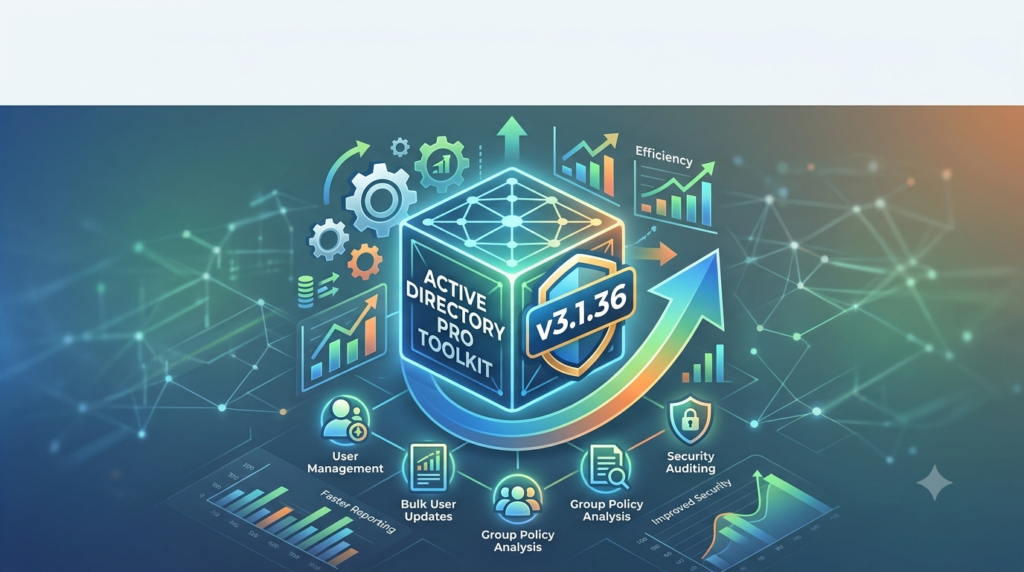
The AD Pro Toolkit serves as a central hub for automating bulk administrative tasks, governing access with precision, and continuously monitoring activity across your identity infrastructure . Whether your organization manages 50 users or 50,000, this software aims to turn tedious, day-to-day administration into efficient, time-well-spent operations .
Key Features
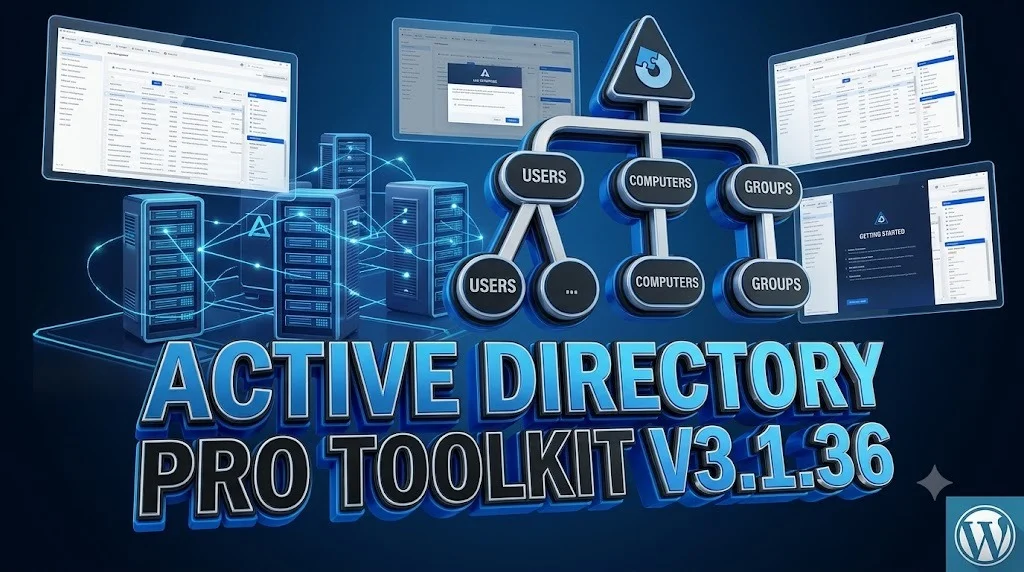
The AD Pro Toolkit v3.1.36 is packed with features designed to enhance efficiency and visibility within your Active Directory and Microsoft 365 environments.
Automation and Bulk Administration
-
User and Group Management: Simplify the creation, modification, and deletion of user accounts and groups. The toolkit allows you to set extensionAttribute1 through 15 at the time of user creation, which can also be saved as templates for a consistent onboarding process .
-
Scheduled Reporting: Automate the generation and delivery of reports. For example, you can schedule a “Group Members” report and select specific groups rather than entire OUs .
Reporting and Auditing
-
Advanced Report Builder: Create custom reports with a high degree of flexibility. The Report Builder includes new date filters such as “In Last N Days” and “Not In Last N Days,” making it easy to generate rolling reports like “users created in the last 7 days” .
-
Custom Attribute Support: The toolkit now recognizes and supports your organization’s custom AD attributes, allowing them to be used as selectable columns and filter conditions in your reports . This feature ensures that your reporting is as detailed and specific as your business requires.
-
Accurate Data Export: Bugs from previous versions have been fixed to ensure that custom attributes and other data export correctly in scheduled reports .
Remote Management Tools
-
Group Policy Update Tool: Remotely run
gpupdateon multiple computers using different transport methods, including PowerShell Remoting, WMI, and PsExec . This includes an optional/forceswitch for a full policy refresh, along with a live, per-computer results view .
What’s New in the Latest Version (v3.1.36)
Building on the substantial updates from v3.1.17, version 3.1.36 continues to refine the user experience and expand functionality. The latest release delivers critical enhancements for system administrators who rely on the toolkit for daily operations and strategic reporting .
Key updates include:
-
Enhanced Group Policy Update Tool: The ability to run
gpupdateon remote computers has been optimized, offering multiple transport options (PowerShell Remoting, WMI, PsExec) for greater flexibility . -
Expanded User Creation Templates: When creating a single user, you can now define
extensionAttribute1throughextensionAttribute15during the initial setup and save these as templates, making future user creation quicker and more standardized . -
Smarter Report Builder: New date conditions, “In Last N Days” and “Not In Last N Days,” enable dynamic reporting on time-sensitive data, such as recently created users .
-
Comprehensive Custom Attribute Support: The Report Builder and user editor now provide full support for custom AD attributes. They can be used as columns and filter conditions in reports, and the editor’s fields expand to show full text values .
System Requirements
To ensure optimal performance, verify that your system meets the following requirements before installing the AD Pro Toolkit.
Hardware Requirements
-
Processor: 1.4 GHz or faster, 64-bit processor (x64)
-
RAM: 4 GB minimum, 8 GB recommended
-
Hard Disk Space: 2 GB of available storage
Software Requirements
-
Operating System: Windows Server 2012 R2, Windows Server 2016, Windows Server 2019, Windows Server 2022, or Windows 10/11 Professional.
-
.NET Framework: Version 4.7.2 or later.
-
PowerShell: Version 5.1 or later (for advanced scripting and remote management features).
-
Active Directory: Access to a domain controller and appropriate permissions to perform administrative tasks.
-
SQL Server: SQL Server 2016 or later (Express edition is sufficient for small to medium-sized environments).
Installation Guide
Installing the AD Pro Toolkit is a straightforward process. Follow these steps for a successful setup.
-
Download the Installer: Obtain the latest
ADProToolkit_Setup.exefile from the official Active Directory Pro website or your authorized reseller. -
Run the Setup: Right-click the installer and select “Run as administrator” to ensure all necessary permissions are granted.
-
Accept the License Agreement: Read through the End-User License Agreement (EULA) and accept the terms to proceed.
-
Choose Installation Location: The default path is
C:\Program Files\Active Directory Pro\AD Pro Toolkit. You can change this if needed. -
Select Components: Choose which components to install. The typical installation includes the main management console, reporting services, and core automation modules.
-
Configure Database Connection: The toolkit requires a connection to a SQL Server instance. Provide the server name and authentication details. For testing, you can use
(LocalDB)\MSSQLLocalDBor a SQL Express instance. -
Complete Installation: Click “Install” and wait for the process to finish. Once complete, click “Finish” to exit the installer.
-
Launch the Software: Open the “AD Pro Toolkit” from your Start Menu. The application will prompt you to connect to your Active Directory domain.
How to Use the Software
The AD Pro Toolkit is designed with an intuitive interface to make complex management tasks accessible to both seasoned admins and those new to AD administration.
Creating a New User
-
Navigate to the “User Management” module.
-
Click on the “Create Single User” button.
-
Fill in the required fields, such as First Name, Last Name, and User Logon Name.
-
Leverage New Features: In the extended properties section, input values for
extensionAttribute1throughextensionAttribute15. -
Save as Template: If this user profile is a common one, click “Save as Template” for future use .
-
Click “Create” to provision the user account.
Generating a Custom Report
-
Open the “Reports” dashboard and launch the “Report Builder” .
-
Select the data source you want to report on (e.g., “Users,” “Groups,” “Computers”).
-
Apply Date Filters: To see who has been added recently, add a new condition. Select the “WhenCreated” field, choose the “In Last N Days” condition, and specify a value like “7” .
-
Select Columns: Customize the output by selecting columns, including your custom AD attributes, which are now available as selectable fields .
-
Run the report to see the results. You can then export this data to CSV, PDF, or HTML for sharing or further analysis.
Running a Remote gpupdate
-
Access the “Group Policy” module .
-
Select the “Group Policy Update Tool” .
-
Specify the target computers by name or by Organizational Unit (OU).
-
Choose your preferred transport method: PowerShell Remoting, WMI, or PsExec .
-
Check the “/force” option if you want a forced policy refresh.
-
Click “Run”. A live per-computer results view will display the status of the update .
Best Use Cases
The AD Pro Toolkit is versatile and serves a wide array of functions for different IT roles.
-
For IT Administrators: Automate repetitive tasks like bulk user creation, password resets, and group membership updates, reducing the risk of manual errors and freeing up time for more strategic projects.
-
For Security and Compliance Teams: Use the advanced reporting capabilities to generate audit-ready reports on user access, group memberships, and policy changes. The ability to create reports like “users created in the last 7 days” helps in maintaining a secure and compliant environment .
-
For Managed Service Providers (MSPs): Manage multiple client environments efficiently from a single console. The toolkit’s ability to handle both small and large environments (from 50 to 50,000 users) makes it scalable for various clients .
Advantages and Limitations
Advantages
-
Comprehensive Feature Set: Provides a complete suite of management, automation, and reporting tools for AD, Entra ID, and Microsoft 365 .
-
Time Savings: Significantly reduces the time spent on routine administrative tasks through automation and bulk operations .
-
Improved Reporting: The flexible Report Builder and support for custom attributes offer deep visibility into your IT environment .
-
Expert-Designed: Developed by IT professionals with real-world experience in Active Directory management, ensuring the tool solves practical problems .
Limitations
-
Platform Dependency: The toolkit is primarily a Windows-based solution, which means it is best suited for organizations whose infrastructure is centered on the Microsoft ecosystem.
-
Licensing Cost: As a professional-grade tool, it comes with a licensing fee, which might be a consideration for very small businesses or individual users.
Alternatives to the Software
While the AD Pro Toolkit is a powerful solution, several alternatives exist in the market, each with its own focus and strengths.
| Software | Primary Focus | Best For |
|---|---|---|
| ManageEngine ADManager Plus | Web-based AD management and reporting. | Organizations seeking a comprehensive, web-based solution with a strong emphasis on help desk delegation. |
| Quest Active Roles | Advanced provisioning, governance, and identity management. | Large enterprises requiring complex workflow automation and identity governance features. |
| Netwrix Auditor | Security intelligence and compliance auditing. | Organizations looking for an in-depth audit trail and security monitoring solution. |
| SolarWinds Access Rights Manager (ARM) | Access management and risk analysis. | Teams needing a tool to manage, visualize, and audit access rights across the IT infrastructure. |
| Built-in AD Tools (ADUC, PowerShell) | Native tools included with the OS. | Small IT teams or individual admins who have time to write scripts and manage tasks manually without extra cost. |
Frequently Asked Questions
What are the benefits of using the AD Pro Toolkit over the native Active Directory tools?
The primary benefit is efficiency. The AD Pro Toolkit dramatically reduces the time required for routine tasks through automation, bulk operations, and an intuitive interface. For example, creating a user and setting all extensionAttributes is streamlined, and generating a report on users created in the last 7 days is automated rather than requiring complex PowerShell scripting .
What are the system requirements for installing the toolkit?
The AD Pro Toolkit requires a Windows Server (2012 R2 or later) or Windows 10/11 environment with the .NET Framework 4.7.2 or later. It also needs access to a SQL Server database to store its reporting and configuration data .
Does AD Pro Toolkit support Entra ID (Azure AD) management?
Yes, the toolkit is designed to unify the management of Active Directory, Entra ID, and Microsoft 365, allowing administrators to manage both on-premises and cloud identities from a single console .
How can I create rolling reports like “users created in the last 7 days”?
The updated Report Builder now includes a feature where you can use the “In Last N Days” condition . You select the “WhenCreated” field, apply this condition, and specify “7” to generate the report you need .
How do I remotely run a gpupdate on multiple computers using the toolkit?
You can use the new Group Policy Update tool within the toolkit . You can specify computers individually or by OU, choose your transport method (PowerShell Remoting, WMI, or PsExec), and even use the /force switch to refresh Group Policy settings .
Is it possible to include custom AD attributes in my reports?
Absolutely. The AD Pro Toolkit now fully supports custom AD attributes . You can add them as columns in your reports and use them as filter conditions in the Report Builder .
Can I automate reports and have them sent to my inbox?
Yes, the toolkit includes a powerful scheduling engine. You can set up any report, such as the “Group Members” report, to run on a schedule and deliver the results directly via email to specified recipients .
Final Thoughts
The AD Pro Toolkit v3.1.36 is a robust and essential addition to any IT professional’s arsenal who manages an Active Directory environment. By combining in-depth automation, comprehensive reporting, and intuitive remote management tools, it effectively addresses the core challenges of modern IT administration . The latest updates, which include enhanced reporting capabilities and support for custom attributes, demonstrate a commitment to evolving with the needs of its users .
For system administrators, IT managers, and MSPs looking to optimize their operations and enhance security, the AD Pro Toolkit offers a proven, expert-designed solution to turn time-consuming administrative chores into efficiently managed processes . To fully leverage its capabilities, consider exploring the official documentation and support resources provided by Active Directory Pro.
Our Paid Service
“We do not sell or provide any software. We only offer professional support services. If any software on your system is not working properly, or you are facing installation errors, crashes, or any other technical issue — just contact us. We will help you fix the problem quickly and remotely via AnyDesk. No software will be provided from our side — only expert troubleshooting and support.”